
Introduzione
This manual provides detailed instructions for the installation, operation, maintenance, and troubleshooting of your SHZSR Car Radio Multi-Touch Screen for Infiniti JX35 / QX60. Please read this manual thoroughly before using the product to ensure proper functionality and safety.
The SHZSR Car Radio is designed to enhance your in-car entertainment and navigation experience, featuring a large 12.1-inch vertical HD display, Android operating system, and support for various connectivity options including CarPlay and Android Auto.
Configurazione e installazione
The SHZSR Car Radio is designed for specific Infiniti JX35 / QX60 models (2016-2021). Professional installation is recommended. Ensure the screen size does not obstruct existing buttons or vent holes in your vehicle's dashboard.
Controllo di compatibilità
Before installation, verify that your vehicle's center console matches the design shown in the image below, particularly regarding the stitching at the top of the dashboard.
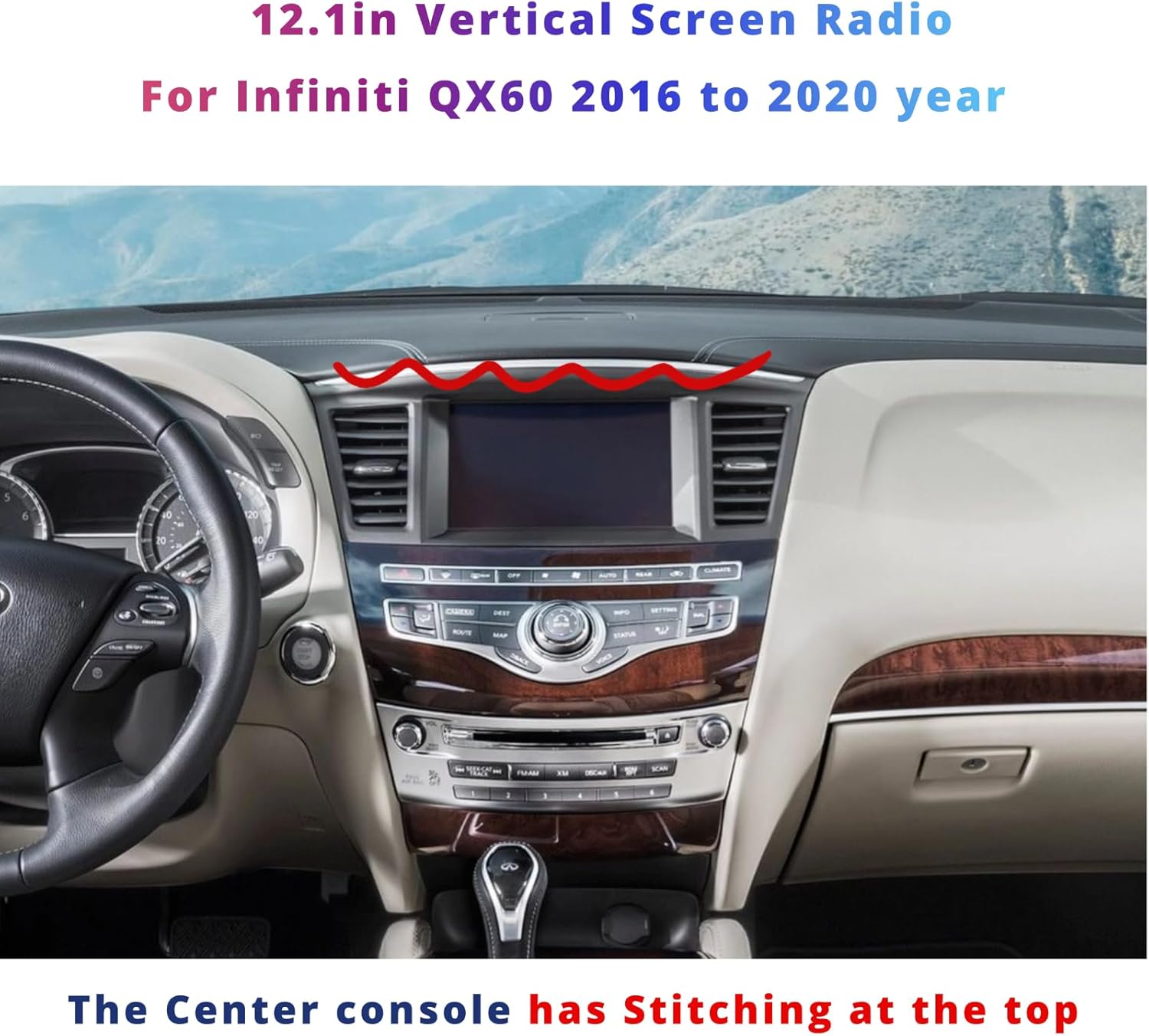
Figure 1: SHZSR Car Radio installed in an Infiniti QX60 dashboard. Note the dashboard stitching for compatibility verification.
Fasi di installazione (generali)
- Preparazione: Ensure the vehicle's power is off and the battery is disconnected before beginning installation.
- Rimozione dell'unità originale: Carefully remove the existing car radio and dashboard components as per your vehicle's service manual.
- Cablaggio: Connect the provided cables to the SHZSR unit and the vehicle's wiring harness. The unit supports plug-and-play functionality; however, refer to the included installation instructions for specific wiring diagrams.
- Integrazione: The unit retains factory backup camera, USB, steering wheel controls, and AUX input. Ensure all these connections are properly made.
- Montaggio: Securely mount the SHZSR unit into the dashboard.
- Prova: Reconnect the battery and power on the vehicle to test all functions before fully reassembling the dashboard.
For detailed wiring and mounting instructions, please refer to the separate installation guide included in your package.
Istruzioni per l'uso
The SHZSR Car Radio features a 12.1-inch multi-touch HD display running on an Android operating system, providing a user-friendly interface for various functions.
Navigazione di base
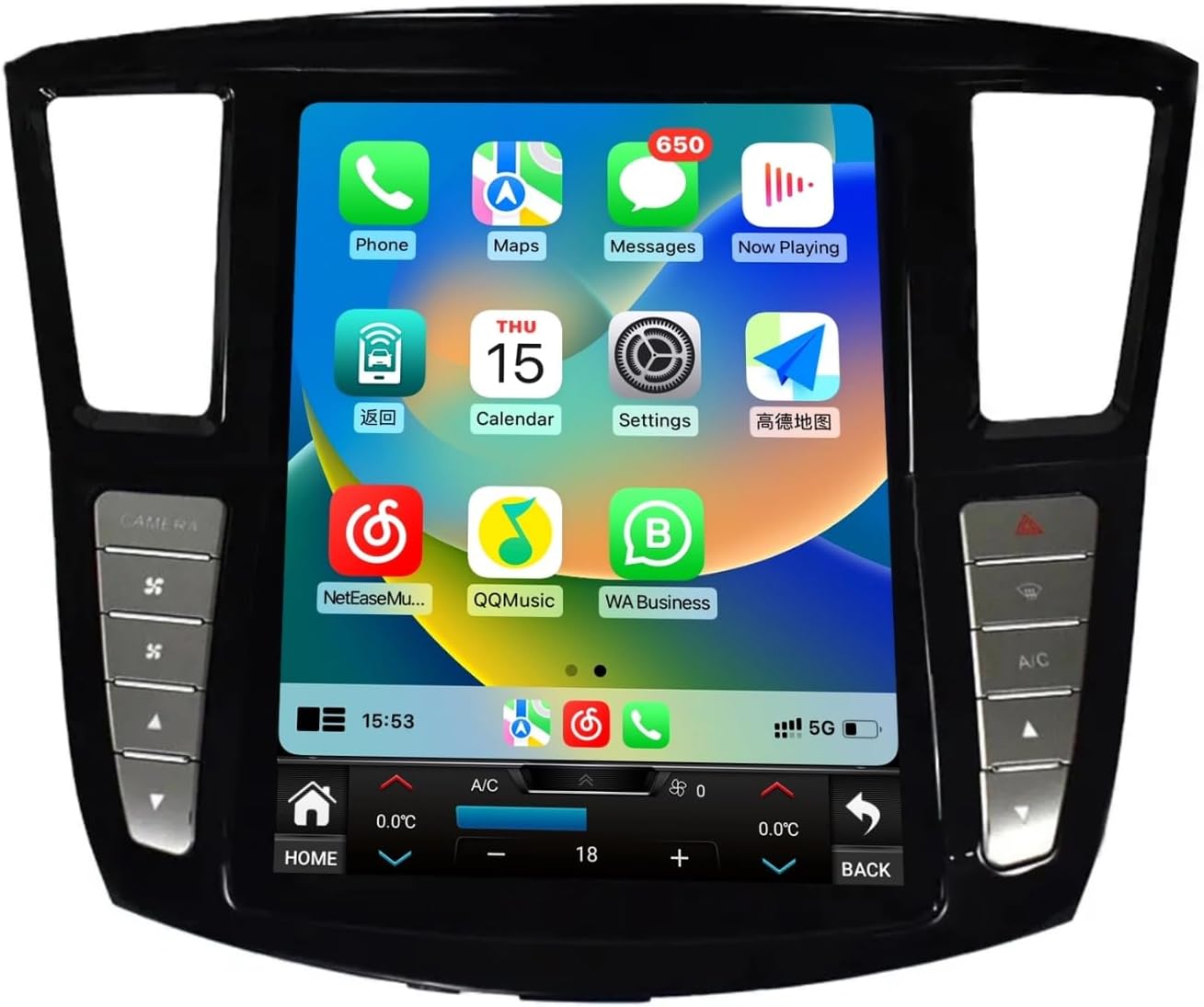
Figure 2: Main user interface with various application icons.
- Schermo tattile: Per navigare nei menu e nelle applicazioni, tocca lo schermo.
- Pulsante Home: Located at the bottom left of the screen, returns you to the main home screen.
- Pulsante Indietro: Located at the bottom right of the screen, returns to the previous screen.
- Controllo del volume: Use the physical buttons on the side bezel or the on-screen controls.
Funzionalità di connettività
The unit supports various connectivity options for enhanced functionality.
- Bluetooth: For hands-free calling and audio streaming. Pair your mobile device via the Bluetooth settings menu.
- Wifi: Connettiti a un hotspot Wi-Fi per accedere a Internet, scaricare app e usufruire di servizi online.
- Rete 4G: If equipped, insert a 4G SIM card for direct internet access.
- USB: Collega dispositivi USB per la riproduzione multimediale o il trasferimento dati.
CarPlay e Android Auto
The unit features built-in Wireless CarPlay and wired/wireless Android Auto for seamless smartphone integration.
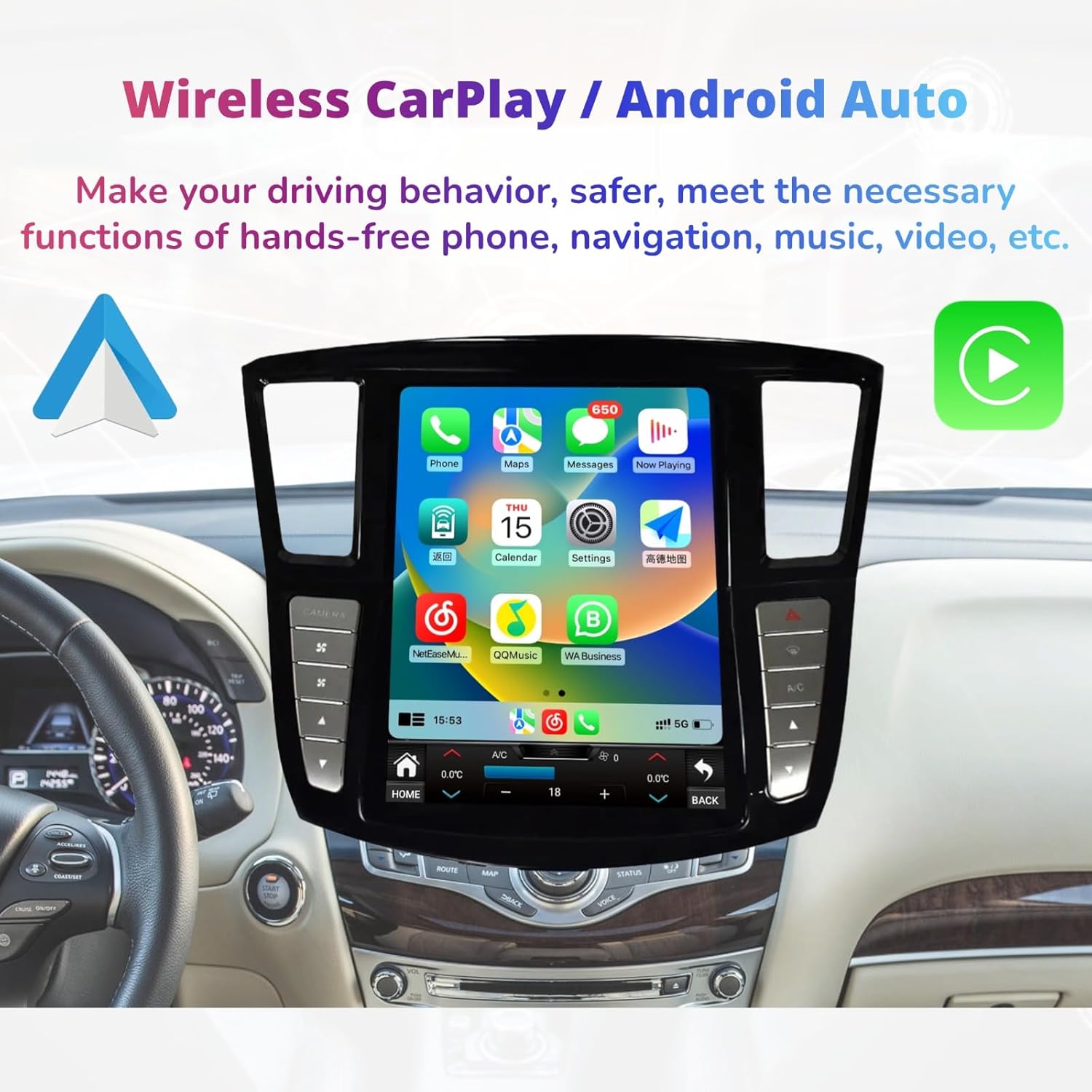
Figure 3: Wireless CarPlay interface for smartphone integration.
- CarPlay: Connect your iPhone wirelessly or via USB to access navigation, messages, calls, and music directly on the car's display.
- Android Auto: Connect your Android phone wirelessly or via USB to use Google Maps, send messages, make calls, and play music.
- Attivazione: Access CarPlay or Android Auto through their respective icons on the main screen or by connecting your device.
Climate Control and Vehicle Settings
The unit integrates with your vehicle's climate control system and other settings, accessible via the touch screen.

Figure 4: Integrated climate control interface and physical control buttons.
- Controllo del clima: Adjust temperature, fan speed, and air distribution directly from the touch screen.
- Pulsanti fisici: Dedicated physical buttons on the bezel provide quick access to functions like camera view, A/C, and warning lights.
- Controllo del volante: The unit supports existing steering wheel controls for audio, calls, and other functions.
App Store and Multimedia
Access a wide range of applications and multimedia features.

Figure 5: App Store interface with various downloadable applications.
- App Store: Download and install Android applications from the Play Store or "Unknown sources" (exercise caution with unknown sources).
- Riproduzione multimediale: Play MP3/MP4 files from USB, stream music via Bluetooth, or use installed streaming apps.
- Navigazione GPS: Utilize built-in GPS with pre-installed maps or download preferred navigation apps like Google Maps.
Manutenzione
Regular maintenance ensures the longevity and optimal performance of your SHZSR Car Radio.
- Pulizia dello schermo: Utilizzare un panno morbido e privo di lanugine leggermente dampPulire con acqua o con un detergente per schermi specificamente progettato per display elettronici. Evitare prodotti chimici aggressivi o materiali abrasivi.
- Aggiornamenti software: Controlla periodicamente la presenza di aggiornamenti software tramite le impostazioni di sistema per assicurarti di disporre delle funzionalità e delle patch di sicurezza più recenti.
- Ripristino del sistema: If the system becomes unresponsive, a soft reset can often resolve the issue. Refer to the system settings for reset options.
- Evitare temperature estreme: Non esporre l'unità a temperature estreme per periodi prolungati, poiché ciò potrebbe comprometterne le prestazioni e la durata.
Risoluzione dei problemi
This section addresses common issues you might encounter with your SHZSR Car Radio.
| Problema | Possibile causa | Soluzione |
|---|---|---|
| L'unità non si accende. | Collegamento elettrico allentato, fusibile bruciato, problema alla batteria del veicolo. | Controllare i cavi di alimentazione e i collegamenti. Ispezionare i fusibili del veicolo. Assicurarsi che la batteria del veicolo sia carica. |
| Il touch screen non risponde. | Problema software, problema di calibrazione dello schermo. | Perform a soft reset of the unit. If issue persists, check for software updates. |
| Nessuna uscita audio. | Volume too low, incorrect audio source selected, loose speaker connections. | Increase volume. Verify correct audio source (e.g., Radio, Bluetooth, USB). Check speaker wiring. |
| Segnale GPS perso o impreciso. | Poor satellite reception, outdated map data, antenna issue. | Ensure the vehicle is in an open area. Update GPS maps. Check GPS antenna connection. |
| CarPlay/Android Auto non si connette. | Cavo USB errato, impostazioni del telefono, incompatibilità del software. | Use a high-quality USB cable. Ensure CarPlay/Android Auto is enabled on your phone. Update phone OS and unit software. |
Se riscontri problemi non elencati qui o se le soluzioni suggerite non risolvono il problema, contatta l'assistenza clienti.
Specifiche
Key technical specifications of the SHZSR Car Radio Multi-Touch Screen.

Figura 6: Oltreview delle caratteristiche e specifiche principali.
| Caratteristica | Dettaglio |
|---|---|
| Nome del modello | Infiniti QX60 |
| Veicoli compatibili | Infiniti JX35 / QX60 (2016 - 2021) |
| Dimensioni dello schermo | 12.1 pollici |
| Risoluzione dello schermo | 1280 x 480 pixel (HD) |
| Sistema operativo | Android 9 (Quick start) / Android 12 (as per image) - Note: Product description states Android 9, image states Android 12. Please verify with product packaging. |
| CPU Frequency Platform | PX6: 6 cores |
| Memoria RAM | 6 GB (come da immagine) |
| ROM (Archiviazione) | 128 GB |
| Connettività | Bluetooth, Wi-Fi, 4G, USB |
| Caratteristiche speciali | Multi-Touch Screen, Built-in GPS, Wireless CarPlay, Android Auto, DSP Support, Steering Wheel Control Support, Factory Backup Camera Retention, AUX Input, Touchscreen Climate Control. |
| Peso dell'articolo | 3.9 chilogrammi |
| Numero di parte del produttore | Numero di telefono: 367-153-998 |
Informazioni sulla garanzia
The SHZSR Car Radio Multi-Touch Screen comes with a Garanzia di 1 anno dalla data di acquisto. La presente garanzia copre difetti di fabbricazione e malfunzionamenti in condizioni di normale utilizzo.
La garanzia non copre danni causati da installazione impropria, uso improprio, incidenti, riparazioni non autorizzate o normale usura. Si prega di conservare la prova d'acquisto per eventuali reclami in garanzia.
Assistenza clienti
For technical assistance, troubleshooting beyond this manual, or warranty claims, please contact SHZSR customer support.
- Supporto via e-mail: You can reach our professional technical support team via Amazon email. Please provide your order number and a detailed description of the issue for prompt assistance.
- Risorse online: Visit the SHZSR official website (if available) for additional FAQs, software updates, and support documentation.
We are committed to providing the best products and excellent customer service.