
1. Introduzione
This manual provides detailed instructions for the TECLAST P33 10.1-inch Android Tablet. Please read this manual thoroughly before using your device to ensure proper operation and to maximize its lifespan.
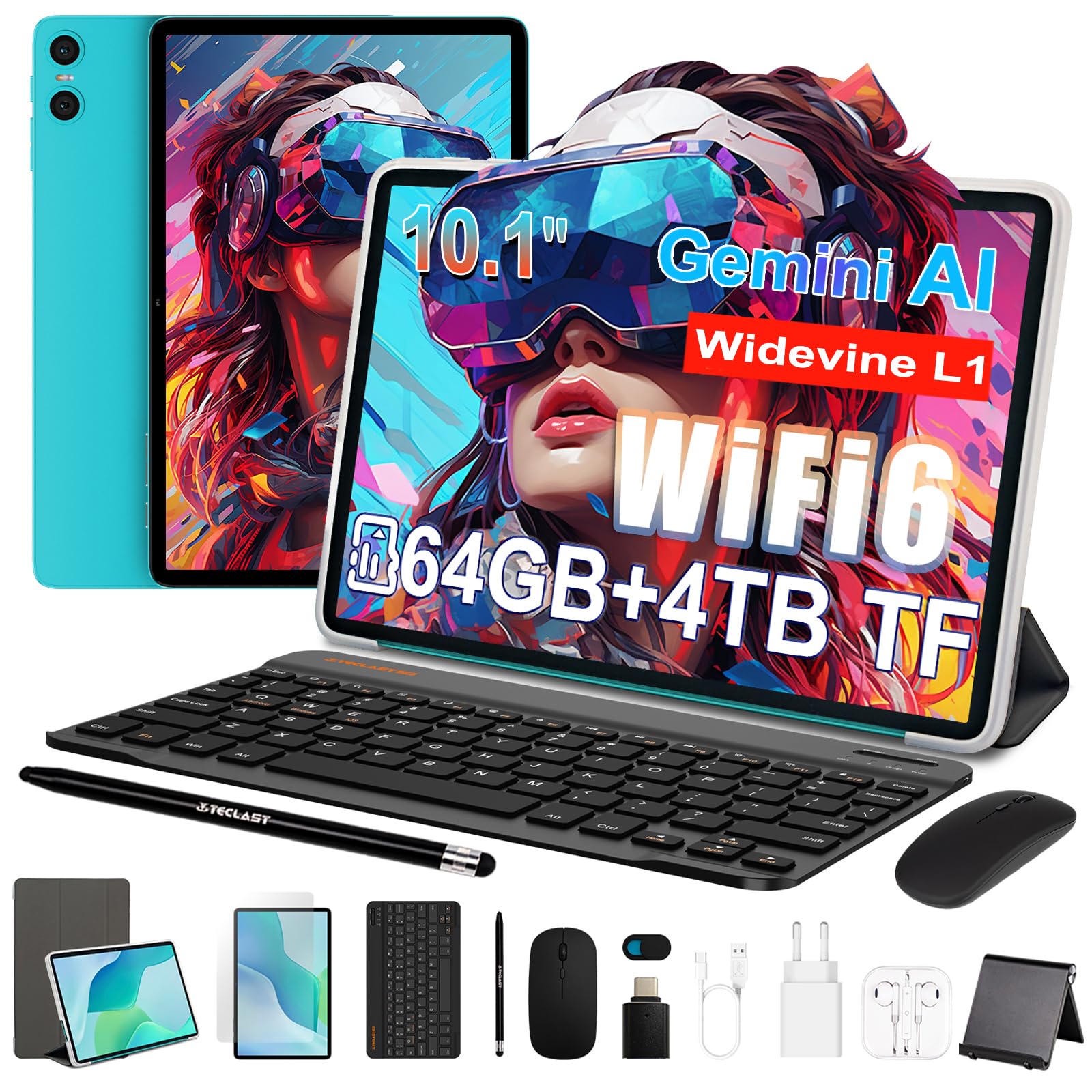
Figure 1: TECLAST P33 10.1-inch Android Tablet
Contenuto della confezione
The TECLAST P33 tablet comes with a comprehensive accessory bundle to enhance your user experience. Please verify that all items listed below are included in your package:
- TECLAST P33 Tablet
- Custodia per tablet
- Pellicola protettiva
- Topo
- Camera Protection Caps
- Tastiera Bluetooth
- Auricolari cablati da 3.5 mm
- Penna stilo
- Supporto per tablet
- Adattatore OTG
- Cavo di tipo C
- Caricabatterie
- Manuale d'uso

Figure 2: TECLAST P33 Package Contents
2. Impostazione
2.1 Carica iniziale
Before first use, it is recommended to charge the tablet for at least 30 minutes. Use the provided Type-C cable and charger.
- Collegare il cavo Type-C alla porta di ricarica del tablet.
- Collegare l'altra estremità del cavo al caricabatterie.
- Collegare il caricabatterie a una presa di corrente.
- L'indicatore di carica si illuminerà.

Figure 3: Charging the TECLAST P33 Tablet
2.2 Accensione/Spegnimento
- Per accendere: Premere e tenere premuto il pulsante di accensione finché non appare il logo TECLAST sullo schermo.
- Per spegnere: Tenere premuto il pulsante di accensione finché non viene visualizzato un menu di spegnimento. Selezionare "Spegni" e confermare.
- Ricominciare: Dal menu di spegnimento, selezionare "Riavvia" e confermare.
2.3 Inserimento di una scheda MicroSD
The TECLAST P33 supports MicroSD card expansion up to 4TB.
- Individuare lo slot per la scheda MicroSD sul lato del tablet.
- Use the provided ejector pin to open the card tray.
- Place the MicroSD card into the tray with the gold contacts facing down.
- Spingere delicatamente il vassoio nella fessura finché non scatta in posizione.
2.4 Collegamento degli accessori
The TECLAST P33 comes with several accessories that can be connected via Bluetooth or physical ports.
- Tastiera/mouse Bluetooth:
- Accendi la tastiera o il mouse Bluetooth.
- On the tablet, go to Settings > Connected devices > Bluetooth.
- Abilita il Bluetooth e cerca i dispositivi disponibili.
- Select the keyboard or mouse from the list and follow on-screen pairing instructions.
- 3.5mm Wired Earphones: Collegare gli auricolari al jack audio da 3.5 mm del tablet.
- Adattatore OTG: The OTG adapter allows you to connect USB devices (like flash drives) to your tablet. Plug the OTG adapter into the Type-C port, then connect your USB device to the adapter.
3. Istruzioni per l'uso
3.1 Display e interfaccia utente
The TECLAST P33 features a 10.1-inch IPS display with a resolution of 1280x800 pixels. It utilizes T-color 3.0 technology for enhanced color and image detail. The tablet runs on Android 15, offering an intuitive user interface.

Figure 4: TECLAST P33 Display Features
3.2 Prestazioni e archiviazione
Powered by an Allwinner A333 Octa-Core processor (up to 2GHz) and an ARM Mali-G57 GPU, the P33 delivers smooth performance for multitasking, video playback, and light gaming. It includes 9GB RAM (3GB LPDDR4 + 6GB expandable memory) and 64GB of internal storage, expandable up to 4TB via MicroSD card.

Figure 5: Processor and GPU Details

Figure 6: Storage Expansion Capabilities
3.3 Connettività
The tablet supports dual-band Wi-Fi 6 (2.4G+5G) for faster connection speeds and lower latency. Bluetooth 5.4 is included for connecting wireless peripherals and supports AAC and LDAC codecs for high-fidelity audio.

Figura 7: Connettività wireless
3.4 Fotocamera e audio
The P33 is equipped with a 5MP front camera and a 5MP rear camera, suitable for video calls and capturing everyday moments. It features dual PureSound stereo speakers and an intelligent amplification chip for immersive audio. A 3.5mm audio jack is also available for headphones.

Figura 8: Caratteristiche audio
3.5 Durata della batteria
The 6000mAh battery provides approximately 10-12 hours of online video playback at standard brightness, ensuring extended usage for reading and browsing.
4. Manutenzione
4.1 Pulizia del tablet
- Utilizzare un panno morbido e privo di lanugine per pulire lo schermo e il corpo del tablet.
- Per macchie ostinate, leggermente dampPulisci il panno con acqua o con un detergente per schermi specifico per dispositivi elettronici.
- Evitare l'uso di prodotti chimici aggressivi, materiali abrasivi o umidità eccessiva, poiché potrebbero danneggiare il dispositivo.
4.2 Aggiornamenti software
Controlla e installa regolarmente gli aggiornamenti software per garantire prestazioni ottimali, sicurezza e accesso alle nuove funzionalità.
- Vai su Impostazioni > Sistema > Aggiornamento del sistema.
- Seguire le istruzioni sullo schermo per verificare la presenza di eventuali aggiornamenti disponibili e installarli.
4.3 Cura della batteria
- Evitare di scaricare completamente la batteria frequentemente.
- Non esporre la compressa a temperature estreme (calde o fredde).
- Utilizzare solo il caricabatterie originale o un caricabatterie compatibile certificato.
5. Risoluzione Dei Problemi
If you encounter issues with your TECLAST P33 tablet, refer to the following common solutions.
| Problema | Soluzione |
|---|---|
| Il tablet non si accende | Assicurati che la batteria sia carica. Collega il caricabatterie e riprova. Se il dispositivo non risponde, tieni premuto il pulsante di accensione per 10-15 secondi per forzare il riavvio. |
| Prestazioni lente | Close unnecessary background applications. Clear cache regularly. Consider performing a factory reset if the issue persists (back up data first). |
| Problemi di connessione Wi-Fi | Riavvia il tablet e il router Wi-Fi. Elimina la rete e riconnettiti. Assicurati di essere nel raggio d'azione del segnale Wi-Fi. |
| Dispositivo Bluetooth non associato | Ensure the Bluetooth device is in pairing mode. Turn Bluetooth off and on again on the tablet. Check if the device is already paired with another device. |
| Lo schermo non risponde | Riavvia il tablet. Se il problema persiste, assicurati che lo schermo sia pulito e privo di detriti. |
For further assistance, please contact TECLAST customer support.
6. Specifiche
| Caratteristica | Dettaglio |
|---|---|
| Nome del modello | TECLAST P33 |
| Dimensioni dello schermo | 10.1 pollici |
| Risoluzione dello schermo | 1280x800 Pixels (IPS LCD) |
| Processore | Allwinner A333 Octa-Core (up to 2 GHz) |
| Coprocessore grafico | Mali-G57 |
| Memoria RAM | 9 GB (3GB LPDDR4 + 6GB expandable) |
| Memoria interna | 64 GB |
| Archiviazione espandibile | Fino a 4 TB tramite MicroSD |
| Sistema operativo | Androide 15 |
| Capacità della batteria | 6000 mAh (polimero di litio) |
| Durata della batteria (media) | 10 ore |
| Telecamera posteriore | 5 MP |
| Fotocamera frontale | 5 MP |
| Wifi | 802.11a/b/g/n/ac (Wi-Fi 6, Dual-band 2.4G/5G) |
| Bluetooth | Bluetooth 5.4 |
| Tecnologia cellulare | 5G (SIM card support not explicitly detailed) |
| Porti | 1x USB-C, 1x 3.5mm Audio Jack, MicroSD Slot |
| Dimensioni (LxWxT) | Circa. 24 x 16 x 0.8 cm |
| Peso | 535 grammi |
| Caratteristiche speciali | Gemini AI, Stereo Speakers, USB OTG Support, Stylus Support |
7. Garanzia e supporto
7.1 Garanzia del prodotto
The TECLAST P33 tablet is covered by a limited three-year warranty from the date of purchase. This warranty covers manufacturing defects and ensures product quality. Please retain your proof of purchase for warranty claims.
For the first use, it is recommended to charge the tablet for more than 30 minutes before powering it on.
7.2 Assistenza clienti
If you encounter any issues or have questions regarding your TECLAST P33 tablet that are not covered in this manual, please contact TECLAST customer support. Our team is available to assist you and will respond to inquiries within 24 hours.
Di solito puoi trovare le informazioni di contatto sul sito ufficiale TECLAST websito o tramite il rivenditore presso cui hai acquistato il prodotto.