
1. Introduzione
This manual provides essential information for setting up, operating, and maintaining your TECLAST T60Pro 12-inch 2K Tablet. The T60Pro features a 12-inch 2K IPS display, powered by a MediaTek Helio G99 Octa-Core processor, running Android 15. It includes 20GB RAM (8GB physical + 12GB virtual expansion) and 128GB internal storage, expandable up to 1TB via Micro SD. The tablet is equipped with four stereo speakers, a 13MP rear camera, an 8MP front camera, and an 8000mAh battery with 18W fast charging.

The TECLAST T60Pro features a slim 7.9mm metal body, weighing 553g, designed for portability and comfortable handling.
2. Cosa c'è nella scatola
Verificare che tutti gli articoli siano presenti nel pacco:
- TECLAST T60Pro Tablet (x1)
- Caricabatterie (x1)
- Cavo USB-C (x1)
- SIM Ejector Tool (x1)
- Manuale utente (x1)
This video demonstrates the unboxing process of the TECLAST T60Pro tablet and its included accessories.
3. Impostazione
3.1 Disposizione del dispositivo
The image displays the side profile of the tablet, highlighting the SIM/TF Card slot, speaker grilles, and the Type-C port for charging and data transfer.
3.2 Ricarica del tablet
Before first use, fully charge the tablet using the provided USB-C cable and charger. Connect the USB-C cable to the tablet's Type-C port and the charger to a power outlet. The battery indicator on the screen will show charging status.
3.3 Accensione/spegnimento
- Per accendere: tenere premuto il pulsante di accensione finché non appare il logo TECLAST.
- Per spegnere: tieni premuto il pulsante di accensione, quindi seleziona "Spegni" dalle opzioni sullo schermo.
- Per riavviare: tieni premuto il pulsante di accensione, quindi seleziona "Riavvia" dalle opzioni.
3.4 Installazione della scheda SIM/TF
To install a SIM card for cellular connectivity or a TF (Micro SD) card for expanded storage:
- Individuare il vassoio per la scheda SIM/TF sul lato del tablet.
- Inserire lo strumento di espulsione della SIM fornito nel piccolo foro accanto al vassoio e premere delicatamente finché il vassoio non fuoriesce.
- Place your Nano-SIM card(s) and/or Micro SD card into the designated slots on the tray, ensuring correct orientation.
- Spingere con cautela il vassoio nel tablet finché non scatta in posizione.

The tablet supports up to 1TB Micro SD card expansion for additional storage.
3.5 Configurazione iniziale di Android
Upon first power-on, follow the on-screen prompts to complete the initial setup, which includes selecting your language, connecting to Wi-Fi, setting up your Google account, and configuring security options.
4. Istruzioni per l'uso
4.1 Visualizzazione e immagini
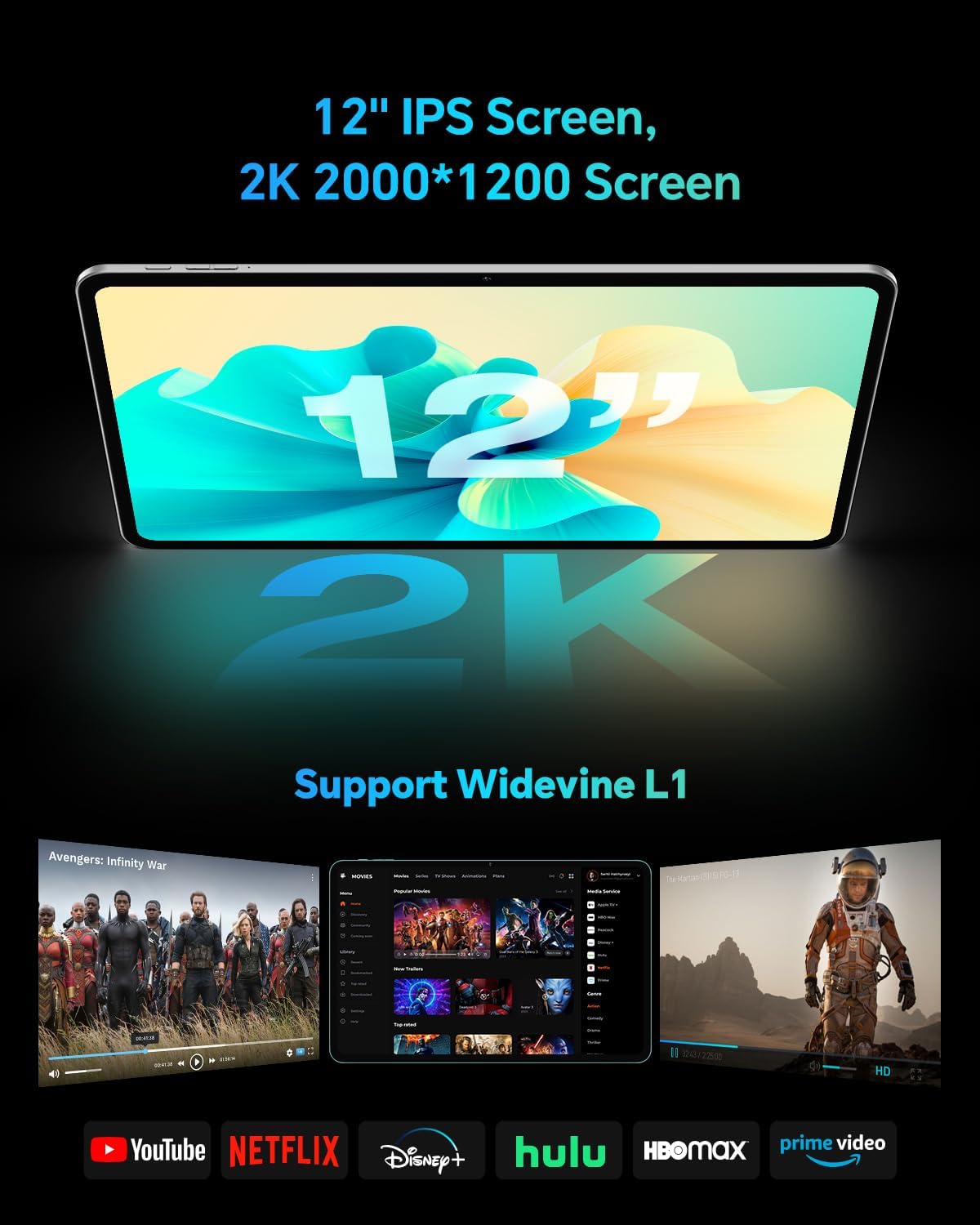
The TECLAST T60Pro features a 12-inch 2K (2000x1200) IPS TDDI full-lamination screen. It includes built-in blue light filtering for eye protection. The display supports Widevine L1 for high-definition streaming content.

Experience crisp visuals and support for HD streaming with the 12-inch 2K IPS display and Widevine L1 certification.
4.2 Audio
The tablet is equipped with four high-fidelity stereo speakers, providing an immersive audio experience for media consumption and video calls.
4.3 Funzioni della fotocamera
The T60Pro includes a 13MP rear camera and an 8MP front camera. The rear camera is designed for clear shooting, even in low-light conditions. Utilize the camera for photos, videos, and video calls.

The tablet features a 13MP rear camera and an 8MP front camera, supporting features like Google Lens and Face Recognition.
4.4 Connettività
- Wifi: Supports 2.4/5GHz dual-band Wi-Fi (802.11a/b/g/n/ac) for stable internet connection.
- Bluetooth: Dispone di Bluetooth 5.2 per la connessione di accessori wireless.
- Cellulare: Supports 4G cellular connectivity with a compatible SIM card.
- Posizione GPS: Integrated A-GPS/GPS/BeiDou/GLONASS/Galileo multi-navigation system for accurate location services.

The tablet includes built-in GPS with support for multiple satellite positioning systems for reliable navigation.
4.5 Gestione dell'archiviazione
The tablet comes with 128GB of internal storage. This can be expanded up to 1TB using a Micro SD card (sold separately).
4.6 Riconoscimento facciale
For convenient and secure unlocking, the tablet supports face recognition. Simply hold your face in front of the front camera. If face recognition fails, use your registered password or adjust ambient lighting for better recognition.

Unlock your tablet quickly and securely using the face recognition feature.
4.7 Proiezione senza fili
Mirror your tablet's display to a larger screen, such as a TV, for an enhanced viewing experience. Refer to your TV's manual for specific wireless projection setup instructions.
4.8 Parental Controls and Kids Mode
The Android 15 system includes built-in parental controls to manage screen time and app access for children. Utilize these features to create a safe and controlled environment for younger users.
5. Manutenzione
5.1 Pulizia del dispositivo
Use a soft, lint-free cloth to clean the tablet's screen and body. Avoid using harsh chemicals or abrasive materials that could damage the surfaces.
5.2 Cura della batteria
Per prolungare la durata della batteria:
- Evitare temperature estreme.
- Non lasciare che la batteria si scarichi completamente frequentemente.
- Per una ricarica ottimale, utilizzare il caricabatterie fornito.
5.3 Aggiornamenti software
Regularly check for and install system updates to ensure optimal performance, security, and access to the latest features. Navigate to Impostazioni > Sistema > Aggiornamento di sistema per verificare la disponibilità di aggiornamenti.
5.4 Protezione dello schermo
The tablet comes with a pre-applied tempered glass screen protector. A protective film for shipping is also applied, which should be removed after opening the package.

The tablet includes a pre-applied screen protector for immediate use and protection.
6. Risoluzione Dei Problemi
6.1 Il dispositivo non si accende
- Assicurarsi che la batteria sia carica. Collegare il tablet al caricabatterie per almeno 30 minuti prima di provare ad accenderlo.
- Per eseguire un riavvio forzato, tenere premuto il pulsante di accensione per 10-15 secondi.
6.2 Problemi di connettività (Wi-Fi/Bluetooth)
- Toggle Wi-Fi or Bluetooth off and on in the Settings menu.
- Restart your router or Bluetooth device.
- Dimentica la rete/il dispositivo e riconnettiti.
6.3 Low Audio Volume
- Adjust the volume using the physical Volume buttons on the tablet.
- Check media volume settings in Impostazioni > Suono e vibrazione.
- Ensure no external audio devices are connected via Bluetooth or Type-C that might be overriding the internal speakers.
6.4 App che si bloccano o si bloccano
- Chiudere e riaprire l'app.
- Cancella la cache e i dati dell'app in Impostazioni > App > [Nome app] > Archiviazione > Cancella cache/Cancella dati.
- Assicurati che l'app sia aggiornata all'ultima versione disponibile sul Google Play Store.
7. Specifiche
| Caratteristica | Specificazione |
|---|---|
| Marca | TECLAST |
| Nome del modello | T60pro |
| Sistema operativo | Androide 15 |
| Dimensioni dello schermo | 12 pollici |
| Risoluzione dello schermo | 2000x1200 pixel (2K) |
| Processore | MediaTek Helio G99 Octa-Core (2.2 GHz) |
| Memoria RAM | 20 GB (8 GB fisici + 12 GB virtuali) |
| Capacità di archiviazione | 128 GB |
| Archiviazione espandibile | Fino a 1 TB (Micro SD) |
| Coprocessore grafico | Mali-G57 MC2 |
| Capacità della batteria | 8000 mAh |
| Ricarica | Ricarica rapida USB-PD da 18 W |
| Telecamera posteriore | 13 MP |
| Fotocamera frontale | 8 MP |
| Tecnologia senza fili | Wi-Fi (2.4/5GHz), Bluetooth 5.2, 4G Cellular |
| Funzionalità GPS | GPS/BEIDOU/GLONASS/GALILEO |
| Presa per cuffie | Tipo C |
| Dimensioni (L x P x A) | 10.97" x 6.85" x 0.31" |
| Colore | Grigio scuro |
8. Garanzia e supporto
8.1 Garanzia del produttore
The TECLAST T60Pro tablet comes with a Garanzia del produttore di 1 anniLa presente garanzia copre i difetti di materiali e fabbricazione in condizioni di normale utilizzo. Si prega di conservare la prova d'acquisto per eventuali reclami in garanzia.
8.2 Assistenza clienti
For technical assistance, troubleshooting, or warranty inquiries, please contact TECLAST customer support. Most questions are answered within 24 hours. Refer to the official TECLAST website or your purchase platform for specific contact details.
Online resources and FAQs may also be available on the TECLAST support page.