
Introduzione
Thank you for choosing the VETEK AF6 4K Video Camera Camcorder. This manual provides comprehensive instructions for the proper setup, operation, and maintenance of your device. Please read this manual thoroughly before using the camcorder to ensure optimal performance and longevity.
Contenuto della confezione
Verifica che tutti gli articoli elencati di seguito siano inclusi nel tuo pacchetto:
- 1x VETEK AF6 4K Camcorder
- 1x cavo USB
- 1x cavo HDMI
- 1x paraluce
- 1x Fill Light (External LED Light)
- 1x Caricabatterie USB
- 1x telecomando
- Scheda SD 1x 32GB
- 1x Microphone Cable
- 1x microfono esterno
- 1x Reusable Camera Bag
- 2 batterie al litio ricaricabili
- 1x Dual External Battery Charger
- 1x Camera Instruction Manual
- 1x Microphone Instruction Manual
- 1x Handheld Stabilizer

Prodotto finitoview
Familiarize yourself with the main components of your VETEK AF6 camcorder.

Caratteristiche principali:
- Risoluzione video 4K: Records videos at 3840*2160.
- 48.0 MP Image Resolution: Captures still images at 7920*5940.
- 3.0-inch 270° Rotatable Touch Screen: Fornisce flessibile viewing angles and intuitive control.
- Zoom digitale 18X: Allows for closer shots of distant subjects.
- Connettività Wi-Fi: Enables remote control and file transfer via a smartphone app.
- Funzione fotocamera per PC: Può essere utilizzato come un webcam per streaming live e videochiamate.
- Supporto per microfono esterno: Migliora la qualità audio.
- External Fill Light Support: Improves illumination in low-light conditions.
- Handheld Stabilizer Compatibility: Riduce le vibrazioni della fotocamera per riprese più fluidetage.
- Special Shooting Modes: Includes Slow Motion and Time-Lapse.
Impostare
1. Installazione e ricarica della batteria
- Aprire il coperchio del vano batteria della videocamera.
- Insert a rechargeable lithium battery, ensuring correct polarity.
- Chiudere il coperchio del vano batterie.
- To charge, insert the batteries into the dual external battery charger. Connect the charger to a power source using the provided USB cable and charger. The indicator lights will show charging status.
Nota: Ensure batteries are fully charged before first use for optimal performance. If indicator lights flicker or do not show a stable charging status, ensure the batteries are correctly seated in the charger and the power connection is stable.
2. Installazione della scheda SD
- Individuare lo slot per la scheda SD sulla videocamera.
- Insert the 32GB SD card (included) into the slot with the metal contacts facing the correct direction, until it clicks into place.
- To remove, gently press the SD card until it pops out.
Importante: Format the SD card in the camcorder's menu before initial use to ensure compatibility and prevent data corruption.
3. Fissaggio degli accessori
- Microfono esterno: Slide the external microphone onto the hot shoe mount on top of the camcorder. Connect the microphone cable to the MIC input port.
- Paraluce: Attach the lens hood to the front of the camcorder lens by twisting it clockwise until secure. The lens hood helps reduce glare and protects the lens.
- External LED Light: Slide the external fill light onto the hot shoe mount. Ensure it is securely fastened. This light provides additional illumination.
- Stabilizzatore portatile: Attach the camcorder to the handheld stabilizer using the screw mount at the bottom of the camcorder. The stabilizer helps maintain steady footage.



Istruzioni per l'uso
1. Accensione/spegnimento
Open the LCD screen to power on the camcorder. Close the LCD screen to power off. Alternatively, use the power button located on the device.
2. Registrazione di base (video/foto)
- Cambia modalità: Use the Mode button to switch between video recording mode and photo capture mode.
- Avvia/Interrompi registrazione: In modalità video, premere il pulsante Registra per avviare la registrazione. Premerlo di nuovo per interromperla.
- Scatta una foto: In photo mode, press the Photo button to capture a still image.

3. Funzione Zoom
Use the T (Telephoto) and W (Wide) buttons on the camcorder or the zoom controls on the remote control to adjust the 18X digital zoom.
4. Funzionamento tramite touch screen
The 3.0-inch LCD screen is rotatable up to 270 degrees and supports touch input. Navigate menus, adjust settings, and review pippotage by tapping or swiping on the screen.
5. Connessione Wi-Fi e app
Download the specified app (refer to the camera's manual for the app name) on your smartphone or tablet. Enable Wi-Fi on the camcorder and connect your mobile device to the camcorder's Wi-Fi network (SSID: 4K_WIFI1079, Password: 12345678). This allows for remote viewing, image capture, video shooting, and sharing to social media.

6. PC Camera Mode (Webcam Function)
Connect the camcorder to your PC using the USB cable. Select "PC CAM" mode on the camcorder. Your computer will recognize the camcorder as a webcam, enabling its use for video chatting and live streaming on platforms like YouTube or Facebook.

7. Caratteristiche speciali
- Rallentatore: Access this mode through the camcorder's menu to record videos at a higher frame rate, allowing for slow-motion playback.
- Fotografia Time-Lapse: Select this option in the menu to capture a series of still images at set intervals, which can then be compiled into a time-lapse video.
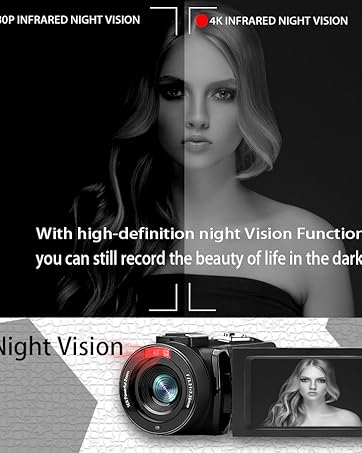
- Visione notturna: The camcorder features an infrared night vision function, enabling recording in low-light or dark environments. Activate this feature via the menu.


8. Controllo remoto
The included remote control allows you to operate the camcorder from a distance, controlling functions such as recording, photo capture, and zoom without touching the device.

Manutenzione
- Pulizia: Use a soft, dry cloth to clean the camcorder body. For the lens, use a specialized lens cleaning cloth and solution. Avoid abrasive materials or harsh chemicals.
- Magazzinaggio: Conservare la videocamera in un luogo fresco e asciutto, lontano dalla luce solare diretta e da temperature estreme. Rimuovere le batterie se si prevede di non utilizzarla per periodi prolungati.
- Resistenza all'acqua: This camcorder is non resistente all'acquaEvitare l'esposizione all'acqua o a elevata umidità.
Risoluzione dei problemi
| Problema | Possibile causa | Soluzione |
|---|---|---|
| La videocamera non si accende. | La batteria è scarica o non è installata correttamente. | Assicurarsi che le batterie siano completamente cariche e inserite correttamente. |
| Battery charger indicator lights flicker. | Poor contact between battery and charger, or unstable power supply. | Re-seat batteries firmly in the charger. Check USB cable and power adapter connection. Try a different USB port or power source. |
| Non è possibile registrare video o scattare foto. | La scheda SD è piena, non inserita o danneggiata. È stata selezionata una modalità errata. | Check SD card status, ensure it's inserted and has free space. Format the SD card if necessary (this will erase all data). Verify camcorder is in the correct mode. |
| Scarsa qualità video/foto. | L'obiettivo è sporco. Illuminazione insufficiente. Impostazioni errate. | Clean the lens. Use the external fill light or shoot in better-lit conditions. Adjust resolution and other settings in the menu. |
| Problemi di connessione Wi-Fi. | Incorrect Wi-Fi password or app not installed. | Ensure correct SSID (4K_WIFI1079) and password (12345678). Download and install the correct app. |
Specifiche
- Marca: VETEK
- Numero modello: AF6
- Risoluzione di acquisizione video: Dimensioni: 4K (3840*2160)
- Risoluzione fissa effettiva: 48.0MP (7920*5940)
- Zoom digitale: 18X
- Dimensioni dello schermo: 3.0 pollici
- Tipo di visualizzazione: 270° Rotatable Touch Screen
- Tipo di memoria flash: SD (supports up to 128GB, 32GB included)
- Formato di acquisizione video: MP4
- Formato audio supportato: MP4
- Tecnologia di connettività: USB, HDMI, Wi-Fi
- Compatibilità con il sistema operativo: Windows XP/7/8/10, MAC
- Stabilizzazione dell'immagine: Digitale
- Livello di resistenza all'acqua: Non resistente all'acqua
- Numero di batterie: 2 batterie ai polimeri di litio (incluse)
- Dimensioni dell'articolo (P x L x A): 3.9"P x 6.2"L x 7.8"A
Garanzia e supporto
For warranty information and technical support, please refer to the contact details provided in the separate warranty card or visit the official VETEK websito. Se riscontri problemi non trattati in questo manuale, contatta il servizio clienti per ricevere assistenza.