
1. Introduzione
Welcome to the instruction manual for your Hyperkin Duke Wired Controller. This officially licensed controller is designed to provide a classic gaming experience with modern compatibility for Xbox Series X|S, Xbox One, and Windows 10 PCs. This special edition features an Xbox 20th Anniversary design.

Immagine 1.1: anteriore view of the Hyperkin Duke Wired Controller, White 20th Anniversary Edition.
2. Contenuto della confezione
Assicurarsi che tutti gli articoli siano presenti nel pacco:
- Hyperkin Duke Wired Controller (White)
- Detachable Type-C Braided Cable

Image 2.1: Hyperkin Duke Wired Controller product packaging.
3. Disposizione del controller
Familiarize yourself with the controller's buttons and features:
- Stick analogici sinistro e destro: Per movimenti precisi e controllo della telecamera.
- Tasto direzionale: Input direzionale.
- Pulsanti A, B, X, Y: Pulsanti di azione standard.
- Trigger sinistro e destro (LT, RT): Pressure-sensitive for nuanced control.
- Paraurti sinistro e destro (LB, RB): Mirror the original black and white buttons for expanded functionality.
- Pulsante Xbox: Features an animated original Xbox startup screen.
- Pulsante Condividi: For capturing screenshots and video clips (functionality may vary by platform).
- View Pulsante: Accede ai menu di gioco o alle funzioni di sistema.
- Pulsante Menu: Accesses game or app menus.
- Jack per cuffie da 3.5 mm: Per collegare cuffie compatibili.

Immagine 3.1: anteriore view of the controller highlighting the main controls.
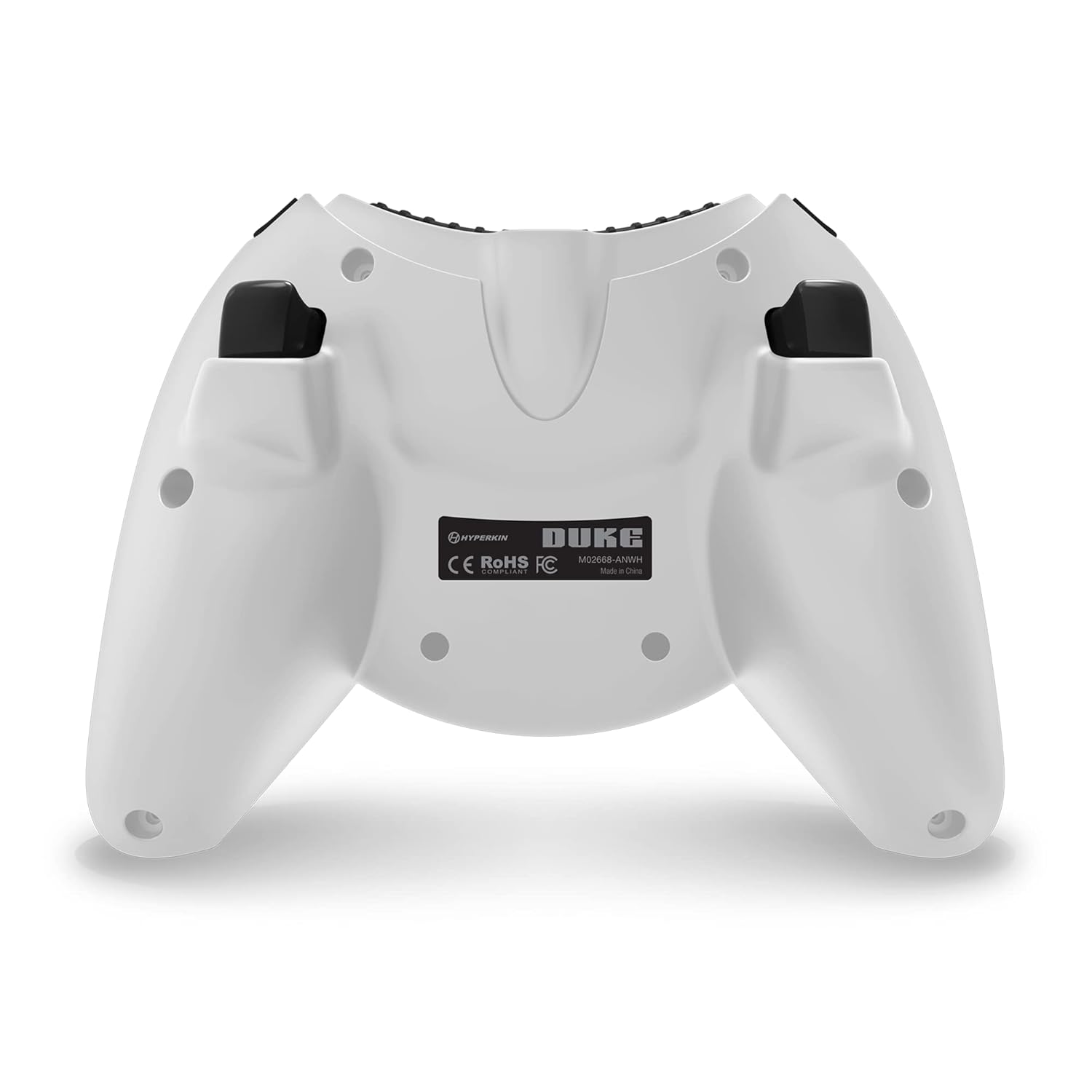
Immagine 3.2: Indietro view del controllore.

Image 3.3: Detail of the Share button and detachable Type-C cable connection.
4. Impostazione
The Hyperkin Duke Wired Controller is designed for simple plug-and-play functionality.
- Connect the detachable Type-C braided cable to the port on the top of the controller.
- Plug the USB-A end of the cable into an available USB port on your Xbox Series X|S, Xbox One console, or Windows 10 PC.
- The controller will automatically be detected and configured by your system. The Xbox button will illuminate, and the animated startup screen will play.
Video 4.1: This video demonstrates the animated Xbox button startup sequence on the Hyperkin Duke controller.
5. Istruzioni per l'uso
Once connected, the controller functions similarly to standard Xbox controllers, with additional nostalgic elements.
- Gioco: Use the analog sticks for movement and camera control, the D-pad for directional input, and the A, B, X, Y buttons for in-game actions.
- Grilletti di precisione: The analog triggers (LT, RT) offer variable input, ideal for racing games or actions requiring precise pressure.
- Bumpers (LB, RB): These buttons provide additional input options, often used for secondary actions or menu navigation.
- Pulsante Xbox: Press the Xbox button to access the console's guide menu or the PC's Xbox Game Bar. The animated startup screen will play upon connection or when the button is pressed.
- Pulsante Condividi: Utilize the Share button to quickly capture and share your gameplay moments.
- Utilizzo delle cuffie: Plug any compatible 3.5mm headset into the jack for in-game audio and voice chat.
- Risposte di vibrazione: The controller provides haptic feedback to enhance immersion during gameplay.
6. Manutenzione e cura
Per garantire la longevità e le prestazioni ottimali del tuo controller, segui queste linee guida per la cura:
- Pulizia: Use a soft, dry cloth to wipe down the controller. Avoid using abrasive cleaners, solvents, or harsh chemicals, as these can damage the surface and internal components.
- Magazzinaggio: Conservare il controller in un luogo fresco e asciutto, lontano dalla luce solare diretta, da temperature estreme e da umidità eccessiva.
- Cura del cavo: Handle the detachable Type-C cable with care. Avoid sharp bends, kinks, or excessive pulling, which can damage the cable or the connector ports. Always grasp the connector head when plugging or unplugging.
- Evitare gocce: Protect the controller from drops or impacts, as these can cause internal damage.
7. Risoluzione Dei Problemi
If you encounter issues with your Hyperkin Duke Wired Controller, refer to the following common solutions:
| Problema | Soluzione |
|---|---|
| Il controller non risponde | Ensure the detachable Type-C cable is securely connected to both the controller and the console/PC. Try a different USB port on your system. Restart your console or PC. |
| Input issues (e.g., stick drift, unresponsive buttons) | For PC, try calibrating the controller through your operating system's game controller settings. Ensure no debris is obstructing buttons or sticks. If the issue persists, contact Hyperkin support. |
| Nessun feedback di vibrazione | Check in-game settings to ensure vibration is enabled. Verify that vibration settings are active in your console or PC's controller settings. |
| Nessun audio dall'auricolare | Ensure your 3.5mm headset is fully plugged into the controller's jack. Check your console or PC's audio settings to confirm the headset is selected as the output device. Test the headset with another device if possible. |
Video 7.1: This video demonstrates a potential issue with the left trigger on the controller. If you experience similar issues, refer to the troubleshooting table and contact support.
8. Specifiche
- Numero modello: M02668-ANWH
- Compatibilità: Xbox Series X|S, Xbox One, Windows 10 PCs
- Connettività: Wired (Detachable USB Type-C cable)
- Dimensioni: Circa 6.5 x 5.25 x 3 pollici (16.5 x 13.3 x 7.6 cm)
- Peso: Circa 11.99 once (340 grammi)
- Caratteristiche: Precision analog triggers, vibration feedback, 3.5mm headset jack, Share button, animated Xbox button, 20th Anniversary design.
9. Garanzia e supporto
For detailed warranty information, product registration, and customer support, please visit the official Hyperkin webo contattare il servizio clienti. Conservare la prova d'acquisto per eventuali reclami in garanzia.
Hyperkin Official Websito: www.hyperkin.com