
Introduzione
The havit GK58B is a USB plug-and-play gaming microphone designed for clear voice communication. It features omnidirectional sound pickup, a flexible gooseneck, a stable base, and unique RGB lighting effects. This manual provides instructions for setup, operation, maintenance, and troubleshooting to ensure optimal performance.
Caratteristiche
- Plug and Play USB: Simple connection without driver installation.
- Pickup omnidirezionale: Captures sound from all directions for clear communication.
- Collo di cigno flessibile: Adjustable microphone position for optimal voice capture.
- Base stabile: Ensures the microphone remains securely in place.
- Illuminazione RGB: Integrated lighting for an enhanced aesthetic.
Contenuto della confezione
The havit GK58B package includes:
- 1 x havit GK58B USB Gaming Microphone
- 1 x Manuale utente (questo documento)

Immagine: Frontale view of the havit GK58B USB Gaming Microphone retail packaging.

Immagine: Indietro view of the havit GK58B USB Gaming Microphone retail packaging, showing product specifications.
Impostare
- Disimballare il microfono: Carefully remove the havit GK58B microphone from its packaging.
- Posiziona il microfono: Place the microphone on a stable, flat surface. Adjust the flexible gooseneck to position the microphone head optimally for your voice, typically 15-30 cm (6-12 inches) from your mouth.
- Connessione al computer: Plug the USB connector of the microphone cable into an available USB port on your computer.
- Installazione del driver: Il microfono è plug-and-play e non richiede l'installazione di driver aggiuntivi. Il sistema operativo dovrebbe rilevare e configurare automaticamente il dispositivo.
- Seleziona come dispositivo predefinito:
- Finestre: Vai a Impostazioni audio > Pannello di controllo del suono > Registrazione tab. Select "havit GK58B" or similar as your default recording device.
- Mac OS: Vai a Preferenze di sistema > Suono > Ingresso tab. Select "havit GK58B" or similar as your input device.
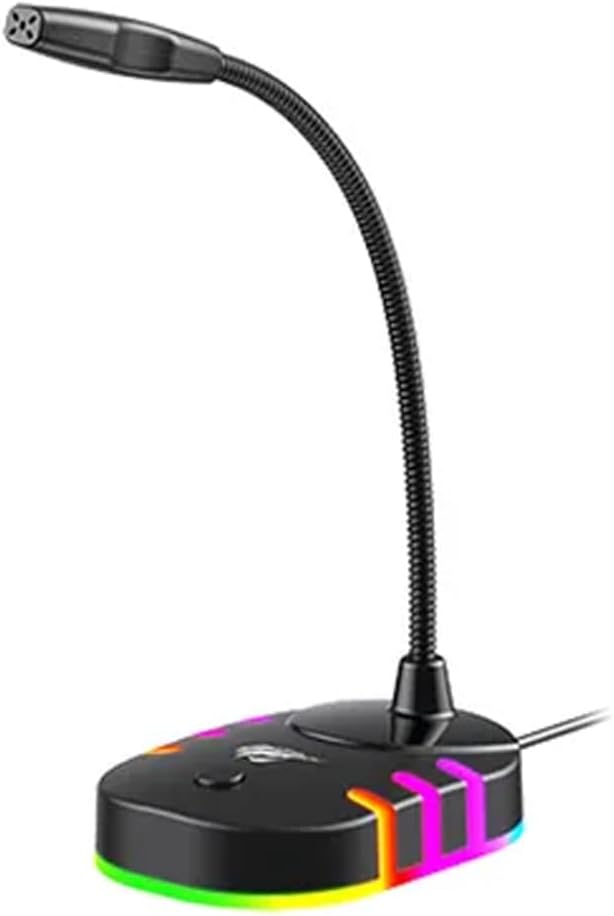
Immagine: lato frontale view of the havit GK58B USB Gaming Microphone, showing the gooseneck and base with RGB lighting.
Istruzioni per l'uso
- Attivazione del microfono: Once connected and selected as the default input device, the microphone is ready for use. The RGB lighting on the base will illuminate, indicating it is powered on.
- Regolazione del volume: Microphone input volume can be adjusted through your computer's sound settings or within the specific application you are using (e.g., game chat, communication software).
- Pickup omnidirezionale: The GK58B features an omnidirectional polar pattern, meaning it picks up sound equally from all directions. This is suitable for capturing ambient sound or multiple speakers around the microphone. For best voice clarity, speak directly towards the microphone head.
- Controllo dell'illuminazione RGB: The microphone base features RGB lighting. While specific controls are not detailed, typically these lights cycle automatically or can be toggled via a button on the base if present. Refer to the product's physical buttons for any lighting control options.
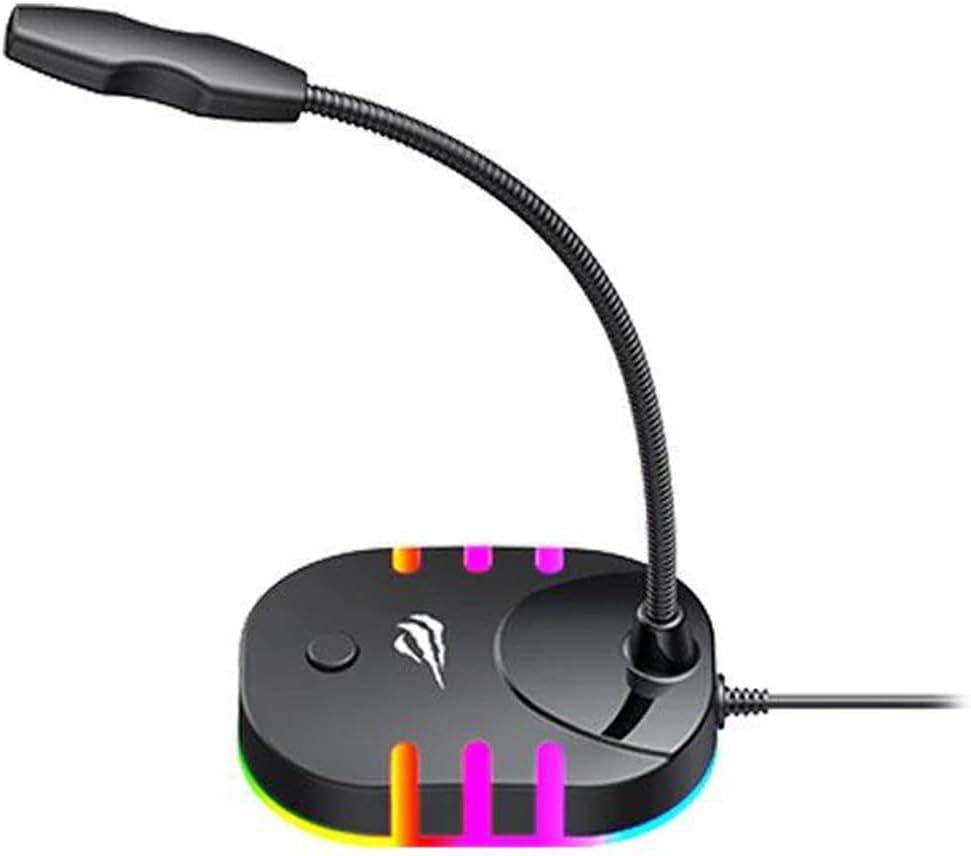
Image: Back-side view of the havit GK58B USB Gaming Microphone, showing the USB cable connection point and the base with RGB lighting.
Manutenzione
- Pulizia: Use a soft, dry cloth to wipe the microphone and its base. Avoid using liquid cleaners or abrasive materials, as these can damage the device.
- Magazzinaggio: When not in use, store the microphone in a clean, dry environment away from direct sunlight and extreme temperatures.
- Cura del cavo: Non piegare o schiacciare eccessivamente il cavo USB. Quando lo si scollega, afferrare sempre la spina, non il cavo.
Risoluzione dei problemi
| Problema | Possibile causa | Soluzione |
|---|---|---|
| Microphone not detected / No sound input |
|
|
| Basso volume del microfono |
|
|
| L'illuminazione RGB non funziona |
|
|
Specifiche
| Nome del modello | Modello GK58B |
| Tecnologia di connettività | USB |
| Tipo di connettore | USB tipo A |
| Modello polare | Omnidirezionale |
| Sensibilità | -36 ± 3dB |
| Impedenza | 2.2kΩ |
| Risposta in frequenza | Frequenza di campionamento: |
| Lunghezza del cavo | 1.5 metri |
| Volume di eserciziotage | 5.0V |
| Corrente di esercizio | 90mA |
| Dimensioni del microfono | φ6*5mm |
| Dimensioni del prodotto | Dimensioni: 7.5 x 13 x 11 cm |
| Peso dell'articolo | 2 grammi |
| Dispositivi compatibili | Computer portatile, personal computer |
| Caratteristica speciale | Supporto, illuminazione RGB |
Garanzia e supporto
For warranty information and technical support, please refer to the official havit webo contattare il rivenditore locale. Conservare la ricevuta d'acquisto per eventuali reclami in garanzia.
Produttore: avere