
1. Introduzione
This manual provides comprehensive instructions for the setup, operation, and maintenance of your VTech CS2001 DECT 2 Handset Cordless Telephone system. Please read this manual thoroughly before using your new telephone to ensure proper functionality and to familiarize yourself with all features.

Image: The VTech CS2001 DECT 2 Handset Cordless Telephone system, showing one handset on its main base unit and a second handset on its auxiliary charging cradle. Both handsets feature a digital display and a standard telephone keypad.
2. Impostazione
Follow these steps to set up your VTech CS2001 DECT Cordless Telephone system.
2.1 Contenuto della confezione
Assicurarsi che tutti i componenti siano presenti:
- 1 Unità di base
- 2 adattatori CA
- 2 battery packs (NiMH)
- 2 ricevitori cordless
- 2 chargers (for auxiliary handset)
- Guida rapida
- Cavo della linea telefonica
2.2 Installazione e ricarica della batteria
- Aprire il coperchio del vano batteria sul retro di ciascun telefono.
- Connect the battery pack connector securely into the socket inside the compartment.
- Inserire la batteria nel vano.
- Chiudere il coperchio del vano batterie.
- Place each handset onto its respective base unit or charger. Ensure the "Charge" indicator on the base/charger illuminates.
- Per garantire prestazioni ottimali della batteria, lasciare i telefoni in carica per almeno 16 ore prima del primo utilizzo.
2.3 Collegamento dell'unità base
- Collegare un'estremità del cavo della linea telefonica alla presa TEL LINE sull'unità base.
- Collegare l'altra estremità del cavo della linea telefonica alla presa telefonica a muro.
- Connect the AC adaptor to the POWER jack on the base unit.
- Collegare l'adattatore CA a una presa elettrica standard.
- For the auxiliary charger, connect its AC adaptor to the charger and then to an electrical outlet.
Nota: Use only the supplied power adaptors and battery packs. Incorrect adaptors may damage the unit.
3. Istruzioni per l'uso
3.1 Effettuare e ricevere chiamate
- Per effettuare una chiamata: Premere PARLARE, quindi comporre il numero. In alternativa, comporre prima il numero e poi premere PARLARE.
- Per rispondere a una chiamata: Quando il telefono squilla, premere PARLARE.
- Per terminare una chiamata: Premere FINE oppure riposizionare il portatile sulla base/caricabatterie.
3.2 Funzione vivavoce
The handsfree speakerphone allows you to converse without holding the handset.

Image: A VTech CS2001 handset is shown on a kitchen counter, with a person in the background engaged in an activity, illustrating the convenience of the handsfree speakerphone feature.
- Per attivare: Durante una chiamata, premere il tasto Vivavoce button (usually marked with a speaker icon).
- Per disattivare: Premere il tasto Vivavoce button again or lift the handset to switch back to normal mode.
3.3 Interfono e trasferimento di chiamata
The two handsets can communicate with each other and transfer calls.
- Citofono: Premere il tasto INTERNO button on one handset to call the other.
- Trasferimento di chiamata: Durante una chiamata esterna, premere INTERNO, select the other handset, and once connected, press TRASFERIRE.
4. Caratteristiche principali
4.1 DECT Technology and Long Range
The VTech CS2001 utilizes DECT (Digital Enhanced Cordless Telecommunications) technology, ensuring clear sound quality and secure communication. It offers a reliable long operating range of up to 300 meters outdoors.

Image: A woman is shown talking on a VTech cordless phone in a spacious, modern home environment, with graphic elements illustrating the phone's reliable long-range capability.
4.2 Blocco chiamate moleste
This feature helps manage unwanted calls. You can block specific numbers or calls from unknown numbers. The system can store up to 30 blacklisted numbers. An option to block all calls during a programmable period is also available.
Nota: This feature requires a Caller Display service subscription from your network provider, which may be chargeable.

Image: A man is depicted relaxing on a sofa, reading a book, with a VTech CS2001 handset on a table beside him. A graphic overlay signifies the call blocker feature, promoting peace of mind from unwanted calls.
4.3 Elenco telefonico
Store up to 30 names and numbers in the phonebook directory. Entries added to one handset are automatically shared with the other.

Image: A VTech CS2001 handset is shown on its charging base, accompanied by a graphic representation of a phonebook list, highlighting the 30 name and number storage capacity.
4.4 ID chiamante e chiamata in attesa
The system records up to 20 names and numbers for Caller ID. It also supports Call Waiting functionality.
Nota: These features require a Caller Display service subscription from your network provider, which may be chargeable.
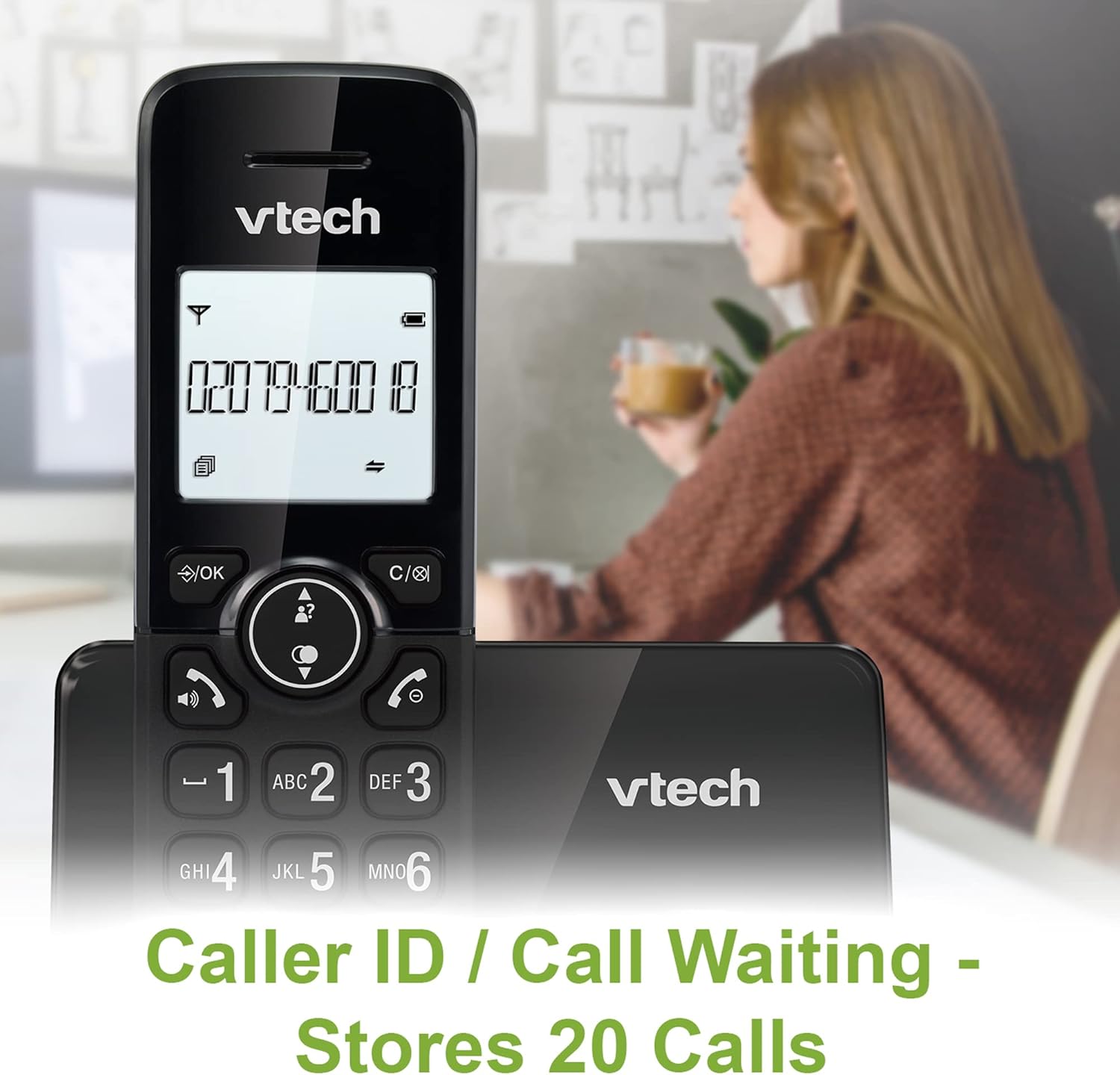
Image: A VTech CS2001 handset is positioned on its base, with its screen clearly displaying a phone number, illustrating the Caller ID feature. A person is visible in the blurred background.
4.5 1.8" Backlit Display
Each handset features a 1.8-inch backlit display, enhancing visibility and readability, especially in low-light conditions.

Immagine: un primo piano view of the VTech CS2001 handset's 1.8-inch backlit display, clearly showing the text "HANDSET 1", demonstrating its enhanced visibility.
4.6 Volume della suoneria e melodia regolabili
Customize your phone experience by adjusting the ring volume and selecting from various melodies.

Image: A VTech CS2001 handset rests on a wooden table, with a graphic overlay highlighting the adjustable ring volume and melody features, allowing for personalized sound settings.
4.7 Modalità ECO
The handset automatically adjusts the radio frequency strength based on its distance from the base station, optimizing power consumption.
4.8 Funzione di allarme e disattivazione audio
The phone includes an alarm function and a mute feature for privacy during calls.

Image: A split image visually represents the alarm and mute functions. One side shows a woman exercising with an alarm clock icon, while the other shows a couple relaxing with a music note icon, symbolizing the phone's versatile features.
5. Manutenzione
- Pulizia: Wipe the handsets and base unit with a soft, damp panno. Non utilizzare spray detergenti o detergenti abrasivi.
- Cura della batteria: Replace batteries when their performance significantly degrades. Use only NiMH battery packs specified for this model.
- Ambiente: Keep the telephone away from heat sources, direct sunlight, and moisture.
6. Risoluzione Dei Problemi
If you experience issues with your VTech CS2001, refer to the following common problems and solutions:
| Problema | Soluzione |
|---|---|
| Nessun tono di linea |
|
| Il portatile non si carica |
|
| Scarsa qualità del suono / Statico |
|
| Non è possibile effettuare/ricevere chiamate |
|
7. Specifiche
| Caratteristica | Dettaglio |
|---|---|
| Marca | VTech |
| Modello | CS2001 |
| Tipo di telefono | Senza fili (DECT) |
| Numero di portatili | 2 |
| Display | 1.8" Backlit |
| Capacità della rubrica | 30 nomi e numeri |
| Caller ID Records | 20 nomi e numeri |
| Call Blocker Capacity | Fino a 30 numeri |
| Ricomposizione dell'ultimo numero | 10 registrazioni |
| Fonte di alimentazione | Battery Powered (AC adaptors for base/chargers) |
| Tipo di batteria | NiMH (2 AAA batteries per handset, included) |
| Bande radio supportate | 1.9GHz (DECT) |
| Gamma all'aperto | Fino a 300m |
| Peso dell'articolo | 680 grammi |
| Colore | Nero |
8. Garanzia e supporto
For warranty information and technical support, please refer to the documentation included with your product or visit the official VTech websito. Conserva la ricevuta d'acquisto come prova d'acquisto.