
Introduzione
Welcome to the user manual for your FreedConn BM2S Bluetooth Integrated Motorcycle Helmet. This manual provides essential information for the proper setup, operation, maintenance, and troubleshooting of your helmet. Please read it thoroughly before using your helmet to ensure safe and optimal performance.
The FreedConn BM2S helmet combines advanced safety features with integrated Bluetooth 3.0 technology, allowing for seamless communication, music playback, FM radio, and GPS voice prompts during your rides. It is designed to enhance your riding experience while prioritizing your safety.
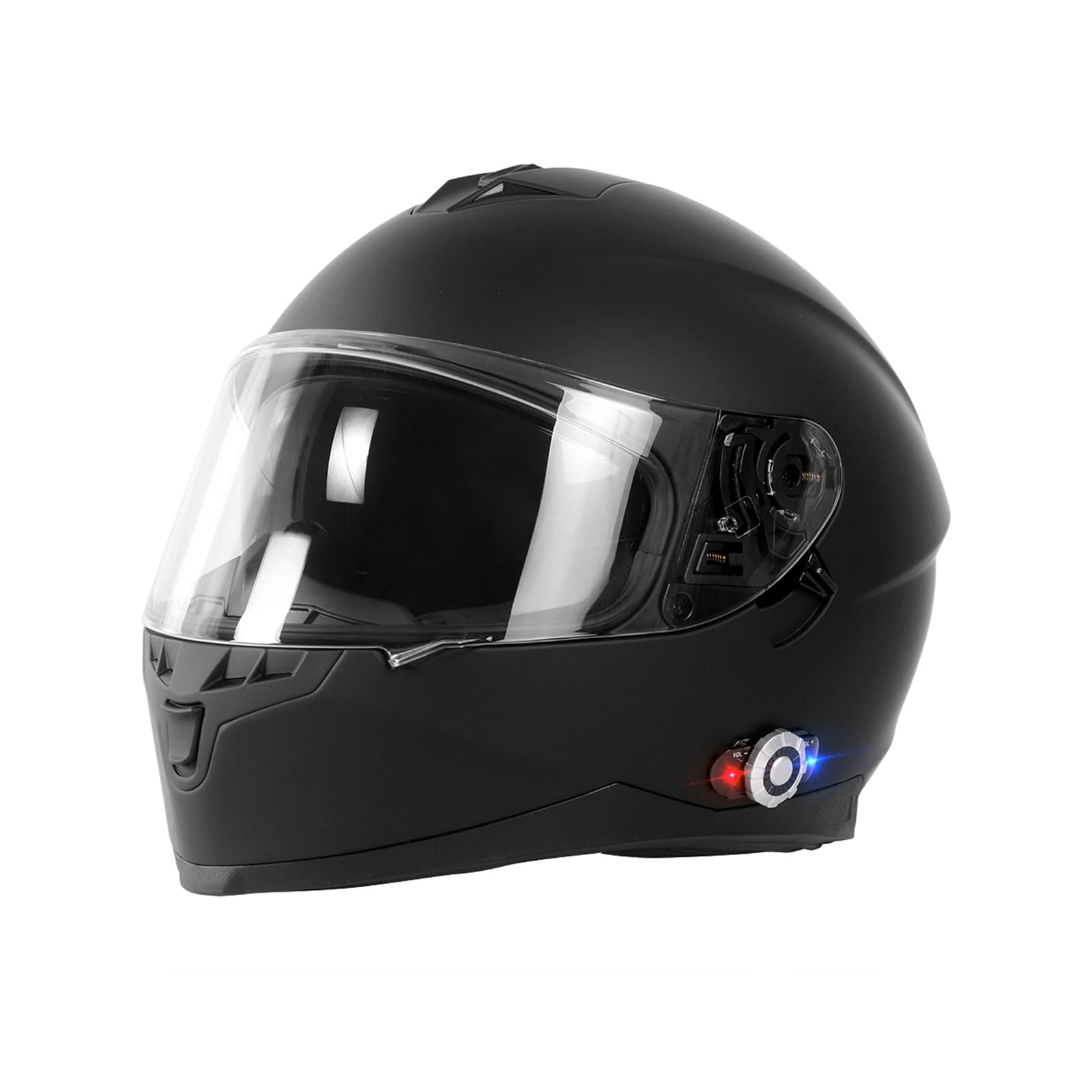
This image displays the FreedConn BM2S Bluetooth Integrated Motorcycle Helmet in a matte black finish, highlighting its sleek design and integrated Bluetooth control unit.
Informazioni sulla sicurezza
Your FreedConn BM2S helmet meets and exceeds ECE and DOT safety standards, providing robust protection. Always ensure the helmet is properly fitted and secured before riding. Never modify the helmet's structure or components, as this may compromise its protective capabilities.
- Always wear your helmet when operating a motorcycle.
- Assicurarsi che il cinturino sotto il mento sia ben fissato.
- Regularly inspect the helmet for any signs of damage.
- Do not use the helmet if it has been involved in an impact, even if visible damage is not apparent.
Prodotto finitoview e componenti
The FreedConn BM2S helmet features a full-face design with integrated Bluetooth communication. Key components include:
- Strengthened Wearable Lens: Clear outer visor for protection and visibility.
- Built Goggles: Internal tinted sun visor for glare reduction.
- Sistema di ventilazione: Multiple vents for airflow and comfort.
- Altoparlante Hi-Fi: Integrated speakers for clear audio.
- Bluetooth Operation Panel: External control unit for Bluetooth functions.
- Built-in Noise Canceling Microphone: For clear voice transmission during calls and intercom.

Un esploso view diagram of the FreedConn BM2S helmet, highlighting key structural components such as the strengthen wearable lens, ventilation system, built goggles, Hi-Fi speaker, Bluetooth operation panel, and built-in noise-canceling microphone.

A composite image showing the FreedConn BM2S helmet with its clear outer visor and internal tinted sun visor, along with a close-up of the secure plastic buckle chin strap.

Detailed diagram illustrating the functions of the Bluetooth control panel on the FreedConn BM2S helmet, including volume controls, multi-function button, jog-wheel, and LED indication light.
Impostare
Carica iniziale
Before first use, or if the helmet has not been used for a long time, fully charge the battery. Connect the USB charger cable (included in the package) to the helmet's charging port and a power source. A full charge typically takes approximately 3 hours. It is recommended to charge the helmet regularly once a month if not in frequent use.
Accoppiamento Bluetooth
- Accensione: Press and hold the Multi-function Button (MFB) on the Bluetooth control panel until the LED indicator flashes.
- Entra in modalità di associazione: Continue holding the MFB until the LED indicator alternates between red and blue, indicating it's in pairing mode.
- Connetti dispositivo: On your mobile phone or GPS device, enable Bluetooth and search for "FreedConn BM2S" (or similar name). Select it to pair.
- Conferma: Once paired, the LED indicator will show a steady blue light or flash slowly.
Intercom Pairing (for multiple riders)
The BM2S supports intercom communication for 2 riders, with pairing capability for up to 3 riders. The maximum intercom range is 500 meters (1,640 feet).
- Ensure both helmets are powered on and in pairing mode (alternating red and blue LED).
- On one helmet, press the MFB briefly to initiate intercom pairing.
- The helmets will automatically search and connect to each other. A voice prompt will confirm the connection.
Istruzioni per l'uso
Funzioni di base
- Accensione/spegnimento: Tenere premuto il tasto MFB per circa 3 secondi.
- Controllo del volume: Use the VOL+ and VOL- buttons on the jog-wheel to adjust audio volume.
- Dual Visor Operation: The clear outer visor can be adjusted to different angles. The internal tinted sun visor can be deployed or retracted using the lever on the side of the helmet.

Un lato view of the FreedConn BM2S helmet, emphasizing the integrated Bluetooth control unit on the left side, which manages communication and audio functions.

This image demonstrates the adjustable clear outer visor of the FreedConn BM2S helmet, which can be moved to different angles for rider comfort and visibility.
Funzioni del telefono
- Rispondi alla chiamata: Press the MFB briefly.
- Rifiuta chiamata: Tenere premuto il tasto MFB per 2 secondi.
- Ricomponi l'ultimo numero: Premere due volte l'MFB.
- Voice Commands (Siri/Google Assistant): Press and hold the MFB for 2 seconds to activate your phone's voice assistant.
- Incoming calls have priority over intercom, MP3 music, FM radio, and GPS navigation audio.
Musica e radio FM
- Riproduci/Pausa musica: Press the MFB briefly when music is playing.
- Traccia successiva: Rotate the jog-wheel forward (VOL+).
- Traccia precedente: Rotate the jog-wheel backward (VOL-).
- Accensione/spegnimento radio FM: Consult the detailed manual for specific button combinations to activate/deactivate FM radio.
- Change FM Channel: Use the Previous/Next channel function on the jog-wheel (refer to the Bluetooth Control Panel diagram).
Comunicazione interfonica
- Avvia Intercom: After pairing, a short press of the MFB will initiate intercom communication with the paired rider.
- Fine citofono: A short press of the MFB will end the intercom session.
Manutenzione
Pulizia
- Helmet Exterior: Use a soft cloth and mild soap with water. Avoid harsh chemicals or abrasive cleaners.
- Visors: Pulisci con un panno morbido eamp cloth and water. Do not use chemical cleaners that may damage the visor coating.
- Imbottitura interna: The cheek pads and pads are detachable for easy cleaning. Hand wash with mild soap and water, then air dry completely before reinserting.
Cura della batteria
- Caricare completamente la batteria prima di riporla per lunghi periodi.
- If storing for an extended time, charge the battery at least once a month to maintain battery health.
Risoluzione dei problemi
- Dispositivo non associato:
- Ensure the helmet is in pairing mode (alternating red/blue LED).
- Assicurati che il Bluetooth sia abilitato sul tuo telefono/dispositivo.
- Try restarting both the helmet and your device.
- Clear previous Bluetooth connections on your phone/device and try pairing again.
- Nessun suono/scarsa qualità del suono:
- Check the volume levels on both the helmet and your connected device.
- Ensure the helmet speakers are correctly positioned over your ears.
- Verificare che la connessione Bluetooth sia stabile.
- Interfono non connesso:
- Ensure both helmets are within the specified intercom range (500 meters).
- Confirm both helmets are in intercom pairing mode.
- Re-initiate the intercom pairing process.
- Batteria non in carica:
- Check the USB cable and charging adapter for damage.
- Ensure the charging port on the helmet is clean and free of debris.
- Prova un cavo USB o una fonte di alimentazione diversi.
Specifiche
| Caratteristica | Dettaglio |
|---|---|
| Modello | Modello BM2S |
| Marca | FreedConn |
| Tipo di casco | Full Face Bluetooth Integrated Motorcycle Helmet |
| Versione Bluetooth | 3.0 |
| Interfono | Fino a 500 metri (1,640 piedi) |
| Riders in Group Intercom | 2-3 cavalieri |
| Orario dell'interfono | Fino a 9 ore |
| Tempo di conversazione | Fino a 12 ore |
| Tempo di standby | Fino a 120 ore |
| Tempo di ricarica | Circa 3 ore |
| Standard di sicurezza | DOT, ECE Certified |
| Materiale del guscio | ABS Composites (Hard Shell Type) |
| Materiale della visiera | PC material (Dual Visors) |
| Lining Fabric | Black Polyester (Deodorant, Water-absorbent, Detachable) |
| Peso | 1760g |
| Ventilazione | 6 vents (Advanced Ventilation System) |
| Caratteristiche audio | Advanced DSP echo cancellation and noise suppression, Hi-Fi stereo speakers |
| Connettività | FM Radio, MP3, GPS voice prompts, Universal Intercom |
| Controllare | One-key control for calls, Voice Dial (Siri/Google Assistant) |

An informational graphic detailing the FreedConn BM2S helmet's specifications such as model, brand, helmet type, sizes available (L, XL, XXL), weight (1760g), color options, lining fabric, visor material, shell material, safety standards (ECE & DOT), intercom range, battery life, and various integrated features.
Cosa c'è nella scatola
The FreedConn BM2S helmet package includes the following items:
- FreedConn Bluetooth Helmet
- Borsa per il trasporto
- Manuali di istruzioni
- Cavo di ricarica USB
- BT Device (Bluetooth module)
- Gancio a clip

This image shows the items included in the FreedConn BM2S helmet package: the Bluetooth helmet, a carrying bag, instruction manuals, a USB charger cable, the BT device, and a hook clip.
Video ufficiale del prodotto
Official product video demonstrating the features and use of the FreedConn BM2S Bluetooth Integrated Motorcycle Helmet, including wearing the helmet and operating the Bluetooth functions.
Garanzia e supporto
For warranty information, technical support, or any inquiries regarding your FreedConn BM2S helmet, please refer to the official FreedConn website or contact their customer service directly. Contact details are typically provided in the included instruction manuals or on the manufacturer's websito.