
1. Introduzione
This manual provides instructions for the safe and effective use of your Narcissus QN-M866 Electric Knife Sharpener. This device is designed for home and kitchen use, offering a professional 2-stage sharpening and polishing system for various straight-blade knives and a dedicated slot for scissors. Please read this manual thoroughly before initial use and retain it for future reference.
2. Istruzioni di sicurezza
Per evitare lesioni o danni all'apparecchio, osservare sempre le seguenti precauzioni di sicurezza:
- Always place the sharpener on a stable, flat surface.
- Ensure your hands are dry before plugging in or unplugging the sharpener.
- Durante il funzionamento, tenere le dita lontane dalle fessure di affilatura.
- Do not attempt to sharpen serrated knives in the knife slots; use the dedicated scissors slot for scissors only.
- Unplug the sharpener when not in use or before cleaning.
- Non immergere l'affilatrice in acqua o altri liquidi.
- Tenere fuori dalla portata dei bambini.
- Do not operate the sharpener if the cord or plug is damaged, or if the appliance malfunctions or has been dropped.
3. Componenti del prodotto
The Narcissus QN-M866 Electric Knife Sharpener features a robust design for efficient sharpening. Familiarize yourself with its main components:
- Interruttore di alimentazione: Located on the side, controls the sharpener's operation.
- Crude Sharpening Slot: For initial sharpening of dull blades.
- Fine Polishing Slot: For refining the blade edge and removing burrs.
- Scissors Sharpening Slot: A dedicated slot for sharpening scissors.
- Magnetic Dust Collection Box: Located at the bottom, collects metal shavings.
- Piedini antiscivolo con ventosa: For stability during use.

Figura 3.1: Oltreview of the Narcissus QN-M866 Electric Knife Sharpener, showing the knife and scissors sharpening capabilities.

Figura 3.2: dettagliata view of the two sharpening stages: Crude for quick sharpening and Fine for polishing.
4. Impostazione
Before using the sharpener, follow these steps:
- Posizionamento: Place the sharpener on a clean, dry, and stable countertop. Ensure the non-slip suction feet are securely attached to the surface to prevent movement during operation.
- Collegamento elettrico: Plug the power adapter into the sharpener's power port, then plug the adapter into a standard electrical outlet (100-240V).
- Orientamento: Position the sharpener with the Narcissus logo facing you.
Figure 4.1: Non-slip suction feet for stable operation.

Figure 4.2: Connecting the power adapter to the sharpener and outlet.
5. Istruzioni per l'uso
Always ensure the sharpener is powered on using the red power switch before beginning. For optimal results, read the instructions carefully and practice with an old knife first.
5.1 Sharpening Knives (2-Stage Process)
This sharpener features two stages for knives: a crude stage per l'affilatura iniziale e una multa stage for polishing.
- Crude Sharpening (Stage1): For very dull knives, begin with the 'Crude' slot. Insert the knife blade into the slot at an angle, ensuring it stays in close contact with the outer wall. Pull the knife from the outside (heel) to the inside (tip) of the blade, applying light, consistent pressure. Repeat this motion 2-5 times for each side of the blade.
- Fine Polishing (Stage2): After crude sharpening, or for knives that only need a touch-up, move to the 'Fine' slot. Insert the knife blade and pull it through from heel to tip, similar to the crude stage. Questo stage polishes the blade and removes any burrs, resulting in a smooth, sharp edge. Repeat 2-5 times for each side.

Figure 5.1: Step-by-step guide for knife sharpening.

Figura 5.2: dettagliata view of blade insertion and pulling direction for both stages.
Note importanti:
- Always pull the knife towards you; do not push it away.
- Maintain a consistent, light pressure. Excessive force is not necessary and can damage the blade or sharpener.
- Clean the knife blade after sharpening to remove any metal particles.
5.2 Sharpening Scissors
The sharpener includes a dedicated slot for sharpening scissors.
- Apri completamente le forbici.
- Insert one blade of the scissors into the designated scissors sharpening slot.
- Pull the blade through the slot from the pivot to the tip, applying light pressure.
- Repeat this motion 3-5 times for each blade.
- Test the sharpness and repeat if necessary.
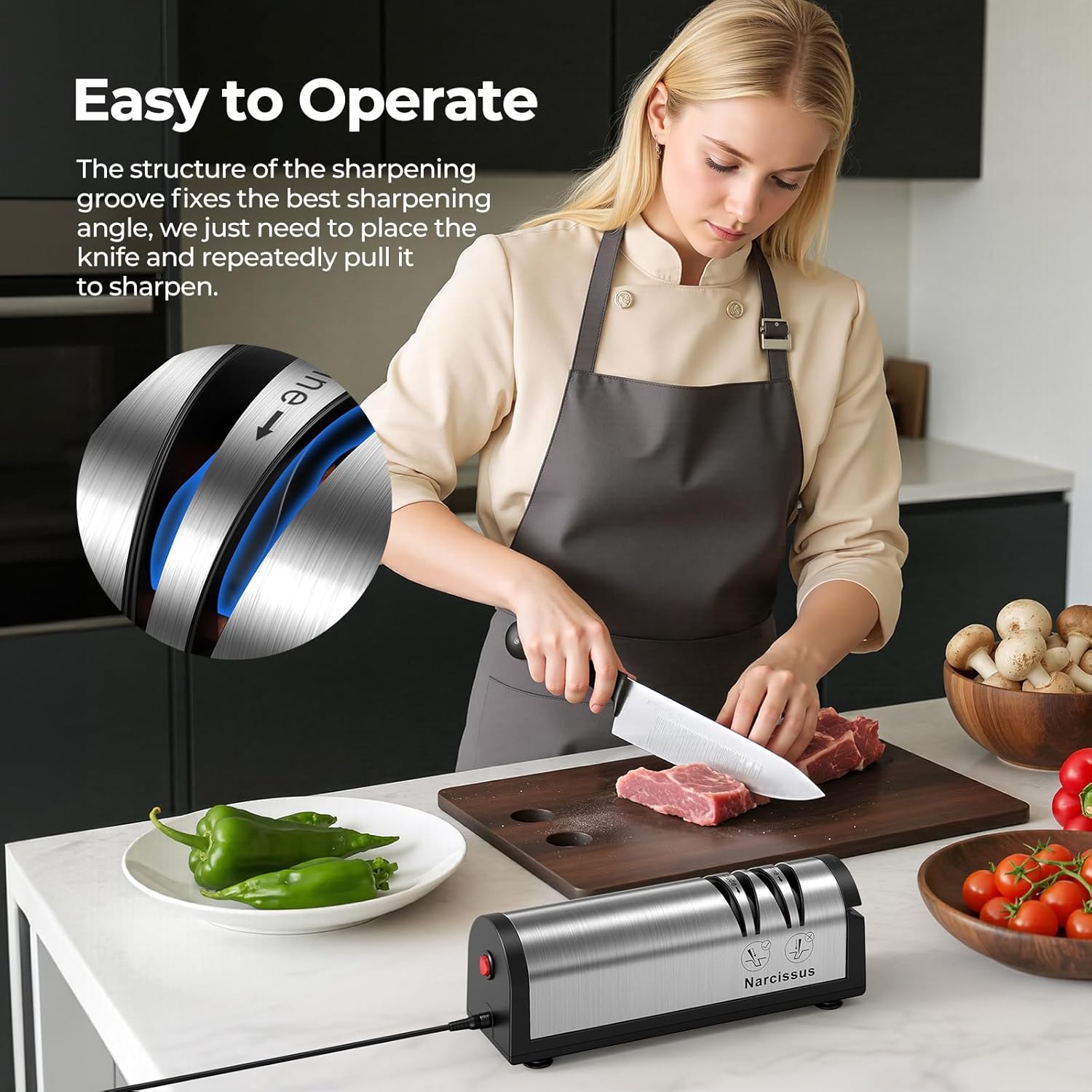
Figura 5.3: Affilatura delle forbici tramite l'apposita fessura.
6. Manutenzione e pulizia
Regular maintenance ensures the longevity and performance of your sharpener.
- Scollegare prima di pulire: Always unplug the sharpener from the power outlet before cleaning.
- Esterno pulito: Pulisci l'esterno dell'affilatrice con un panno morbido eamp panno. Non utilizzare detergenti abrasivi né immergere l'unità in acqua.
- Empty Dust Collection Box: The sharpener is equipped with a magnetic dust collection box at the bottom to collect metal shavings. Regularly remove and empty this box. To do so, gently slide the box out, discard the shavings, and reinsert it securely.

Figure 6.1: Removing the magnetic dust collection box for cleaning.
7. Risoluzione Dei Problemi
Se riscontri problemi con l'affilatrice, fai riferimento ai seguenti problemi comuni e alle relative soluzioni:
| Problema | Possibile causa | Soluzione |
|---|---|---|
| L'affilatrice non si accende. | Non collegato; interruttore di alimentazione spento; alimentazione spentatage. | Ensure power cord is securely plugged in. Turn power switch to 'ON'. Check household power supply. |
| I coltelli non si affilano in modo efficace. | Incorrect technique; insufficient passes; worn sharpening wheels. | Review operating instructions for correct technique and number of passes. Ensure light, consistent pressure. If wheels are worn, contact customer support. |
| Rumore eccessivo durante il funzionamento. | Blade inserted incorrectly; foreign object in slot. | Ensure blade is inserted correctly and not forced. Unplug and inspect slots for obstructions. |
If the problem persists after attempting these solutions, please contact Narcissus customer support.
8. Specifiche
- Modello: QN-M866
- Materiale: Acciaio inossidabile
- Colore: Argento
- Dimensioni del prodotto: 8.6 cm L x 2.6 cm P x 2.9 cm A
- Peso dell'articolo: 1.63 libbre
- Energia: 30-watt DC motor
- Voltage: 100-240V (Wide Voltage Design)
- Affilatura Stages: 2 (Crude & Fine)
- Caratteristiche aggiuntive: Scissors Sharpening Slot, Magnetic Dust Collection Box
9. Garanzia e assistenza clienti
Narcissus is committed to providing exceptional customer service.
- Garanzia: This product comes with a 12-month free replacement or refund policy.
- Servizio esteso: An extended 24-month after-sales service is also provided.
- Problemi di qualità: Should you encounter any quality issues, please contact Narcissus customer support immediately.
- Contatto: Refer to the product packaging or the official Narcissus websito per le informazioni di contatto.