
1. Introduzione
This manual provides instructions for the HCDZ Replacement Remote Control, designed for use with various Epson 3LCD 4K Large Venue Laser Projectors. This remote offers direct functionality without the need for programming.
Contenuto della confezione:
- 1 x HCDZ Replacement Remote Control
Note: Batteries and additional instructions are not included in the package.
2. Impostazione
2.1 Installazione della batteria
Il telecomando richiede due batterie AAA (non incluse). Per installarle, segui questi passaggi:
- Individuare il coperchio del vano batterie sul retro del telecomando.
- Far scorrere il coperchio verso il basso oppure premere il fermo e sollevarlo per aprire il vano.
- Inserire due batterie AAA, assicurandosi che i terminali positivo (+) e negativo (-) siano allineati correttamente con le marcature all'interno del vano.
- Richiudere il coperchio del vano batteria, facendolo scorrere in posizione finché non scatta in posizione.

Image: Back of the remote control with the battery compartment open, illustrating correct AAA battery placement.
2.2 Uso iniziale
Once batteries are correctly installed, the remote control is ready for immediate use. No programming or pairing is required. Point the remote directly at your Epson projector's infrared (IR) sensor.
3. Utilizzo del telecomando
This remote control provides full functionality for your compatible Epson projector. Refer to your projector's original user manual for specific functions of each button.
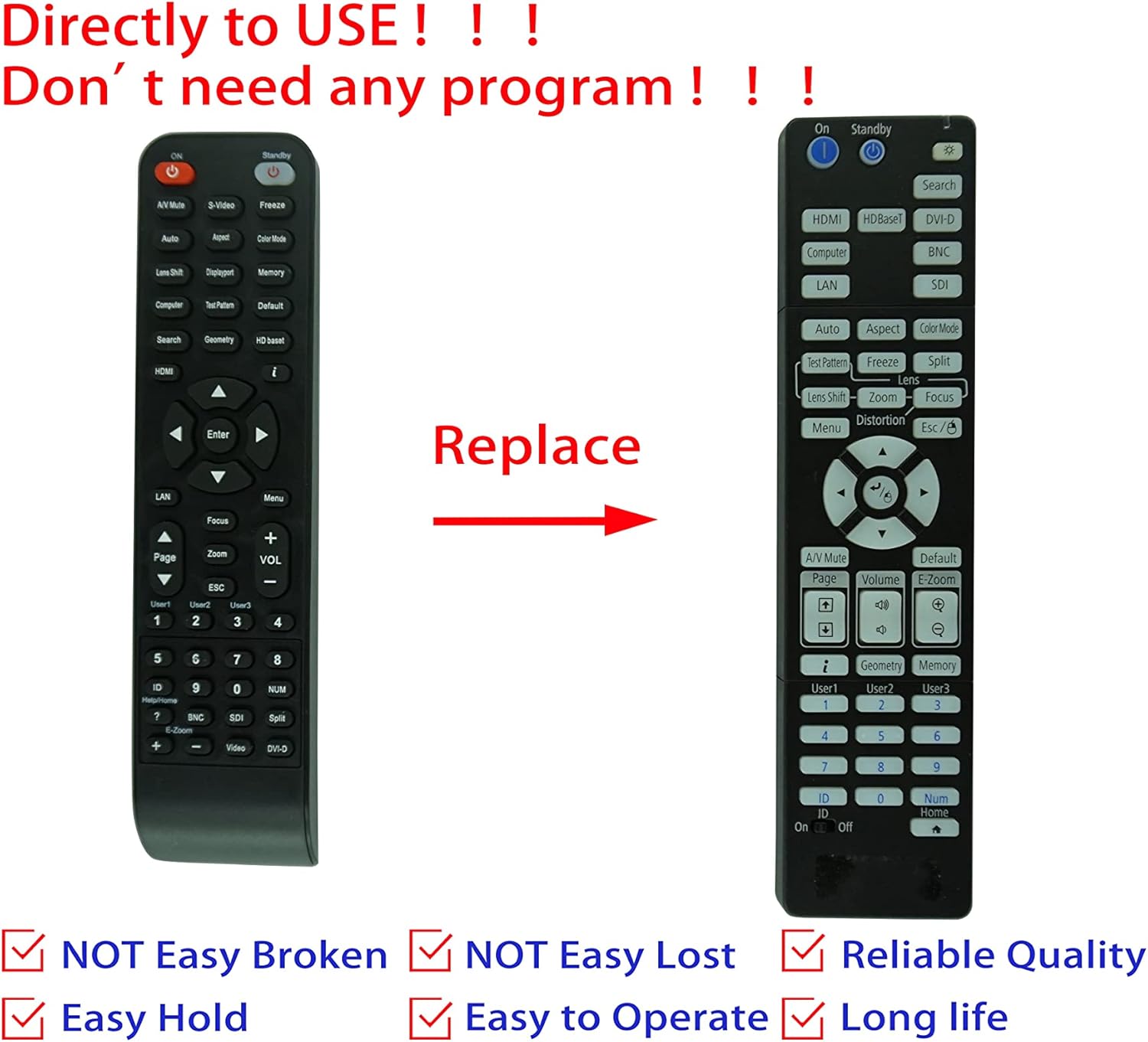
Image: Comparison of an original Epson remote (left) and the HCDZ replacement remote (right), highlighting the replacement functionality.
3.1 Key Functions (General)
- Accensione/spegnimento: Typically a dedicated button, often red or clearly marked.
- Selezione input: Buttons for HDMI, Computer, Video, etc., to switch input sources.
- Navigazione: Arrow keys (Up, Down, Left, Right) and an Enter/OK button for menu navigation.
- Menu: Accesses the projector's on-screen display (OSD) menu.
- Volume: Adjusts audio output if the projector has built-in speakers or audio pass-through.
- Zoom/Messa a fuoco: Adjusts the projected image size and clarity.
- Tastiera numerica: For direct input or selecting specific functions.
4. Manutenzione e cura
To ensure the longevity and proper functioning of your remote control, observe the following guidelines:
- Pulizia: Pulisci il telecomando con un panno morbido e asciutto. Non utilizzare detergenti liquidi o materiali abrasivi.
- Ambiente: Avoid exposing the remote to extreme temperatures, high humidity, or direct sunlight.
- Sostituzione della batteria: Replace both batteries simultaneously. Do not mix new and old batteries, or different types of batteries.
- Magazzinaggio: Se il telecomando non verrà utilizzato per un periodo prolungato, rimuovere le batterie per evitare perdite e potenziali danni.
- Impatto: Evitare di far cadere il telecomando o di sottoporlo a forti urti.

Immagine: Posteriore view of the HCDZ remote control, illustrating its design.
5. Risoluzione Dei Problemi
Se riscontri problemi con il telecomando, prova a seguire i seguenti passaggi per la risoluzione dei problemi:
- Il telecomando non risponde:
- Assicurarsi che le batterie siano inserite correttamente, rispettando la polarità corretta.
- Sostituisci le vecchie batterie con batterie AAA nuove.
- Check for any obstructions between the remote and the projector's IR sensor.
- Ensure you are within the effective range and pointing the remote directly at the projector.
- Funzionalità intermittente:
- Fonti luminose intense (ad esempio, luce solare diretta, luci fluorescenti) possono interferire con i segnali IR. Provare a utilizzare il telecomando in condizioni di illuminazione diverse.
- Assicurarsi che i contatti della batteria siano puliti e privi di corrosione.
6. Specifiche
| Caratteristica | Dettaglio |
|---|---|
| Marca | HCDZ |
| Compatibilità | Epson EB-PU2010B, EB-PU1007B, EB-PU2010W, EB-PU1007W, EB-PU1008B, EB-PU1006W, EB-PU1008W Projectors |
| Tecnologia di connettività | Infrarossi (IR) |
| Fonte di alimentazione | 2 x batterie AAA (non incluse) |
| Programmazione richiesta | NO |
| Colore | Nero |
7. Garanzia e supporto
This HCDZ replacement remote control comes with a 90-day warranty from the date of purchase. This warranty covers manufacturing defects under normal use.
For warranty claims or technical support, please contact your retailer or the HCDZ customer service department with your purchase details.
Si prega di conservare la prova d'acquisto ai fini della garanzia.