
HP HP 240
HP 240 Bluetooth® Mouse
Manuale di istruzioni
Modello: HP 240
Introduzione
The HP 240 Bluetooth® Mouse is a wireless peripheral designed for seamless connectivity and precise control. This manual provides detailed instructions for setting up, operating, maintaining, and troubleshooting your mouse to ensure optimal performance.
Caratteristiche principali:
- Bluetooth 5.1 Wireless Connectivity: Enjoy a strong, energy-efficient connection without the need for a dongle.
- Super Accurate Tracking: Optical sensor tracks at up to 1600 DPI for smooth and lag-free movement.
- Progettato con cura: Features an ergonomic, slim, and ambidextrous design with three buttons and a scroll wheel for comfortable use.
- Batteria a lunga durata: Operates for up to 15 months on a single AA battery (included).
Cosa c'è nella scatola
Verificare che tutti gli articoli siano presenti nella confezione:
- Mouse Bluetooth nero HP 240
- Guida rapida
- Scheda di garanzia
- 1 batteria AA
Impostare
1. Installare la batteria
The HP 240 Bluetooth® Mouse requires one AA battery for operation. A battery is included in the package.
- Locate the battery compartment on the underside of the mouse. It is typically secured by a magnetic cover or a small latch.
- Per aprire il vano, far scorrere o sollevare delicatamente il coperchio.
- Insert the included AA battery, ensuring the positive (+) and negative (-) terminals align correctly with the indicators inside the compartment.
- Replace the battery compartment cover until it clicks or secures firmly into place.

Figura 1: parte inferiore view of the mouse with the battery compartment.
2. Power On the Mouse
Locate the power switch on the underside of the mouse, usually near the optical sensor. Slide the switch to the 'ON' position.
3. Pair with Your Device via Bluetooth
The HP 240 Bluetooth® Mouse connects wirelessly via Bluetooth 5.1, eliminating the need for a USB dongle.
- Ensure Bluetooth is enabled on your computer or laptop PC. Refer to your device's operating system settings for instructions on enabling Bluetooth.
- On the HP 240 mouse, press and hold the small button located on the top surface (often near the scroll wheel or an indicator light) for approximately 3 seconds. The indicator light on the mouse will begin to blink, indicating it is in pairing mode.
- On your computer, navigate to the Bluetooth settings and select 'Add a device' or 'Pair new device'.
- From the list of available Bluetooth devices, select 'HP 240 Bluetooth Mouse' (or a similar name).
- Follow any on-screen prompts to complete the pairing process. Once successfully paired, the indicator light on the mouse will stop blinking and remain solid, or turn off.
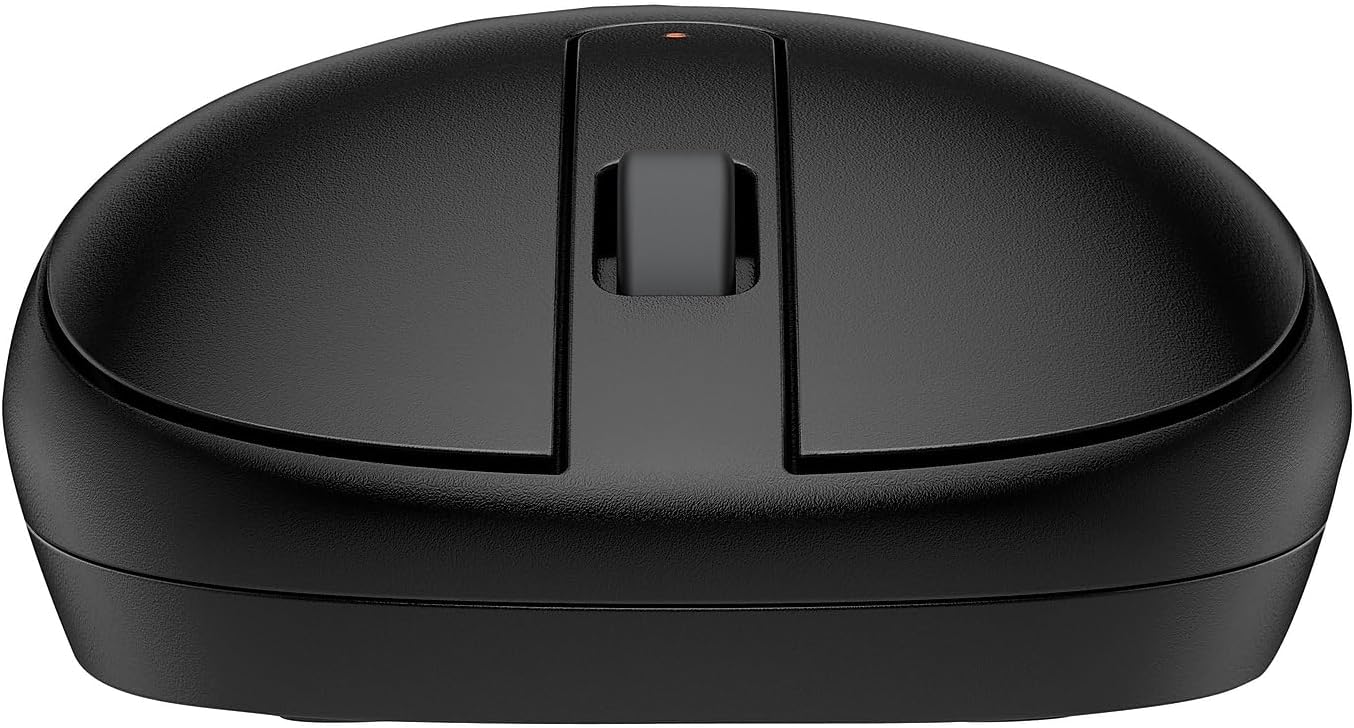
Figura 2: in alto view of the mouse, highlighting the pairing button and scroll wheel.
Istruzioni per l'uso
Funzioni di base:
- Clic sinistro: Pulsante principale per la selezione degli elementi, l'apertura filee interagire con il software.
- Clic destro: Pulsante secondario per accedere ai menu contestuali e alle opzioni aggiuntive.
- Rotella di scorrimento: Scorrere verso l'alto o verso il basso per navigare tra i documenti e web pages. The scroll wheel can also be pressed down for a middle-click function, often used to open links in new tabs.
Design ambidestro:
The HP 240 Bluetooth® Mouse features a sleek, ambidextrous design, making it comfortable for both left-handed and right-handed users. Its ergonomic grip and slim profile are optimized for all-day use.

Figura 3: lato view che illustra il design ergonomico.
Tracciamento ottico:
The mouse utilizes a super accurate optical sensor that tracks at up to 1600 DPI (Dots Per Inch). This high resolution ensures precise and responsive cursor movement across various surfaces, providing fast and lag-free control for your tasks.
Manutenzione
Sostituzione della batteria:
The HP 240 Bluetooth® Mouse offers an impressive battery life of up to 15 months on a single AA battery. When the mouse's performance degrades or the indicator light signals low battery, replace the AA battery following the steps outlined in the 'Install the Battery' section.
Pulizia:
To maintain optimal performance and hygiene, periodically clean your mouse. Use a soft, dry, lint-free cloth to wipe the exterior. For the optical sensor, use a cotton swab lightly dampened with isopropyl alcohol, ensuring no liquid enters the mouse's internal components.
Risoluzione dei problemi
Mouse Not Connecting/Pairing:
- Ensure the mouse is powered on and the battery is correctly installed and charged.
- Verify that Bluetooth is enabled on your computer and that the mouse is in pairing mode (indicator light blinking).
- Try restarting your computer's Bluetooth function or the computer itself.
- Remove the mouse from your device's paired Bluetooth devices list and attempt to pair it again.
- Assicurati che il sistema operativo del tuo computer sia aggiornato.
Cursor Movement is Erratic or Unresponsive:
- Controllare il livello della batteria e sostituirla se necessario.
- Assicurarsi che il sensore ottico sul lato inferiore del mouse sia pulito e privo di detriti.
- Utilizzare il mouse su una superficie pulita, non riflettente e uniforme. Evitare superfici in vetro o altamente riflettenti.
- Move closer to your computer to ensure a strong Bluetooth signal.
Specifiche
| Caratteristica | Dettaglio |
|---|---|
| Marca | HP |
| Serie | HP 240 Bluetooth Mouse |
| Numero modello articolo | CV 240 |
| Tecnologia di connettività | Bluetooth 5.1 |
| Tecnologia di rilevamento del movimento | Ottico |
| DPI | 1600 DPI |
| Numero di pulsanti | 3 (Sinistra, Destra, Rotellina di scorrimento/Clic centrale) |
| Fonte di alimentazione | Alimentato a batteria |
| Batterie richieste | 1 batteria AA (inclusa) |
| Durata media della batteria | Fino a 15 mesi |
| Peso dell'articolo | 1.92 once |
| Dimensioni del prodotto (LxWxH) | 4.21 x 2.38 x 1.15 pollici |
| Colore | Nero |
| Piattaforma hardware | Per PC, Mac |
| Compatibilità del sistema operativo | Chrome OS, macOS, Windows 11, Windows 10 |
Garanzia e supporto
Informazioni sulla garanzia:
This product comes with a standard manufacturer's warranty. For detailed information regarding warranty terms, conditions, and duration, please refer to the Warranty Card included in your product packaging or visit the official HP support websito.
Assistenza clienti:
For further assistance, technical support, or to access drivers and software updates, please visit the official HP Support websito:
You may also find helpful resources and FAQs on the product's Amazon listing page or by contacting HP customer service directly.
Importante esclusione di responsabilità legale
Ottieni documenti di qualità professionale utilizzando le cartucce di inchiostro e toner originali HP. Prestazioni affidabili, resa di stampa costante e risultati eccezionali sono la norma, caratteristiche che la concorrenza non può eguagliare. Con le cartucce di inchiostro e toner originali HP, puoi anche evitare costose ristampe e garantire le prestazioni impeccabili che ti aspetti dalla tua stampante HP.
Ask a question about this manual
Ask about setup, troubleshooting, compatibility, parts, safety, or missing instructions. Manuals+ will review the question and use this page’s manual context to help answer it.