
1. Informazioni importanti sulla sicurezza
Please read all safety and operating instructions carefully before using this television. Keep this manual for future reference. Always follow basic safety precautions to reduce the risk of fire, electric shock, and injury.
- Non esporre questo apparecchio a pioggia o umidità.
- Non ostruire le aperture di ventilazione. Installare secondo le istruzioni del produttore.
- Non installare vicino a fonti di calore come radiatori, bocchette di riscaldamento, stufe o altri apparecchi (inclusi amplificatori) che producono calore.
- Proteggere il cavo di alimentazione dall'essere calpestato o schiacciato, in particolare in corrispondenza di spine, prese di corrente e nel punto in cui escono dall'apparecchio.
- Utilizzare solo accessori/componenti specificati dal produttore.
- Affidare tutte le operazioni di manutenzione a personale di assistenza qualificato. L'assistenza è necessaria quando l'apparecchio è stato danneggiato in qualsiasi modo.
2. Cosa c'è nella scatola
Carefully unpack your new Sansui TV and ensure all items listed below are present.
- 1 x Sansui 4K Ultra HD Android LED TV (JSW50ASUHD)
- 2 x Base per supporto da tavolo
- 1 x Wall Mounting Set
- 4 x Screws for stand/mount
- 1 x Manuale utente
- 1 x Scheda di garanzia
- 1 x telecomando
- 2 batterie AAA (per il telecomando)
- 1 x cavo di alimentazione
- 1 cavo mini AV
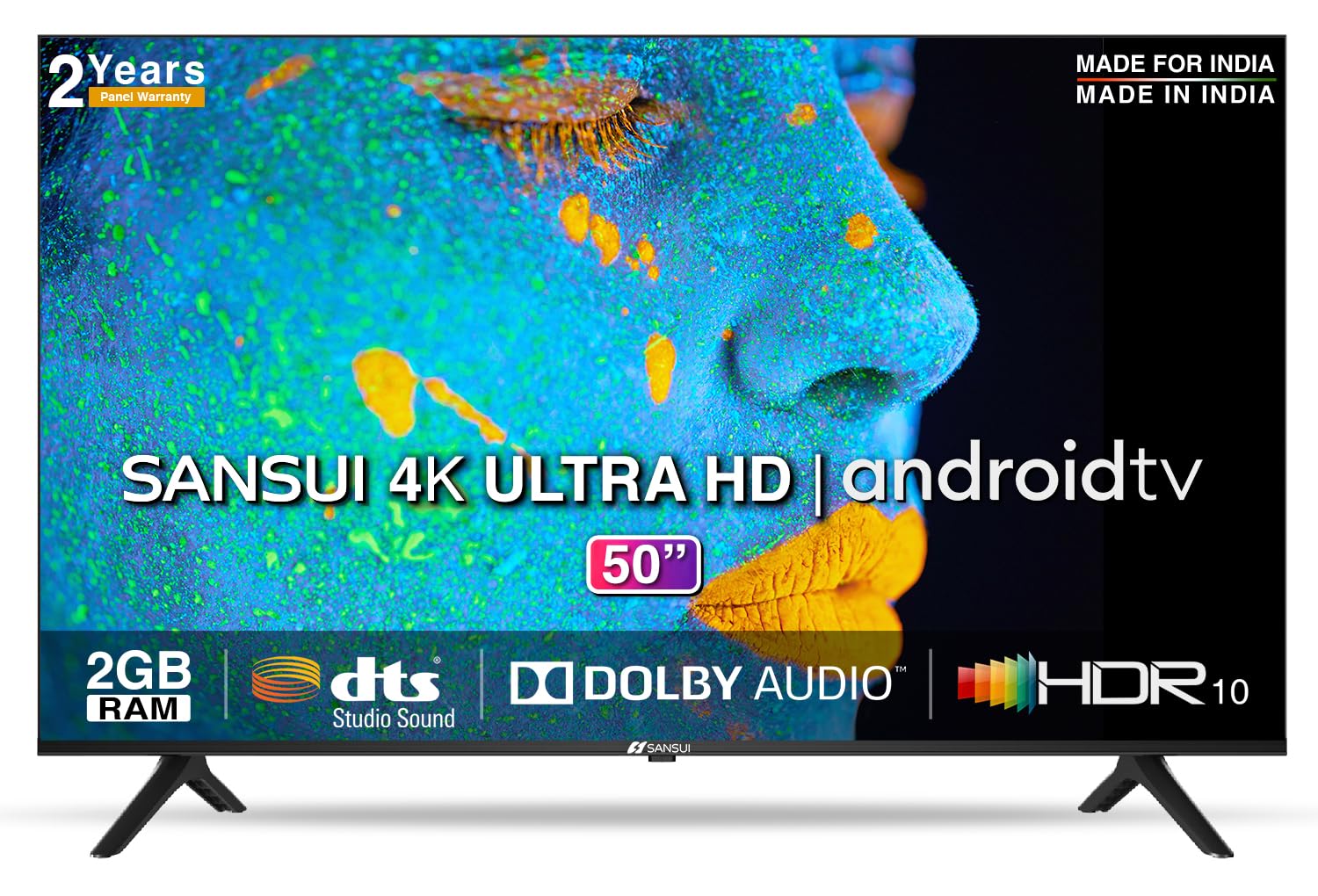
Image: Sansui 50-inch 4K Ultra HD Android LED TV with its table stand.
3. Prodotto finitoview
3.1. Caratteristiche principali
- Display: 4K Ultra HD (3840x2160) resolution, 60Hz refresh rate, Wide Viewing Angle, A+ Grade Panel, Wide Colour Gamut, HDR 10, Crystal Clear Display, High Brightness, Bezel-less Design.
- Audio: Dolby Audio, DTS Studio Sound, 20 Watts Audio Output.
- Caratteristiche della Smart TV: Android 10.0 (Certified by Google), Google Assistant, Alexa Enabled Support, Built-in Chromecast, CA53 Quad Core Processor, 2GB RAM, 8GB ROM.
- App supportate: Prime Video, Netflix, Disney + Hotstar, YouTube, Google Play.
- Connettività: 3 HDMI ports, 2 USB ports, 3.5mm audio jack, Bluetooth, Wi-Fi, RJ45 (Ethernet), Antenna.

Image: Visual representation of the TV's main features and capabilities.
3.2. Dimensioni
The TV features a 50-inch screen (127 cm diagonal) with a bezel-less design for an immersive viewesperienza di acquisizione.

Image: Detailed dimensions of the Sansui 50-inch TV, including width, height, and depth with and without the stand.
4. Impostazione
4.1. Installazione del supporto da tavolo
- Posizionare lo schermo del televisore su una superficie morbida e piana per evitare danni.
- Allineare le basi del supporto da tavolo con le fessure corrispondenti nella parte inferiore del televisore.
- Secure the bases using the provided screws. Ensure they are tightened firmly.
4.2. Montaggio a parete (opzionale)
If you choose to wall mount your TV, please use the provided wall mounting set and screws. The VESA mount standard is 800 x 400 mm. It is recommended to seek professional assistance for wall mounting to ensure proper and safe installation.
4.3. Collegamento dei dispositivi
The TV offers various connectivity options for your external devices.
- Energia: Collegare il cavo di alimentazione all'ingresso di alimentazione del televisore e poi a una presa a muro.
- HDMI: Use HDMI cables to connect devices like set-top boxes, gaming consoles, or Blu-ray players to the 3 HDMI ports.
- USB: Connect USB drives or other USB devices to the 2 USB ports for media playback.
- Uscita audio: Use the 3.5mm jack to connect headphones or external audio systems.
- Ethernet (RJ45): For a stable internet connection, connect an Ethernet cable from your router to the RJ45 port.
- Antenna: Connect your antenna cable to the RF input for terrestrial broadcasting.
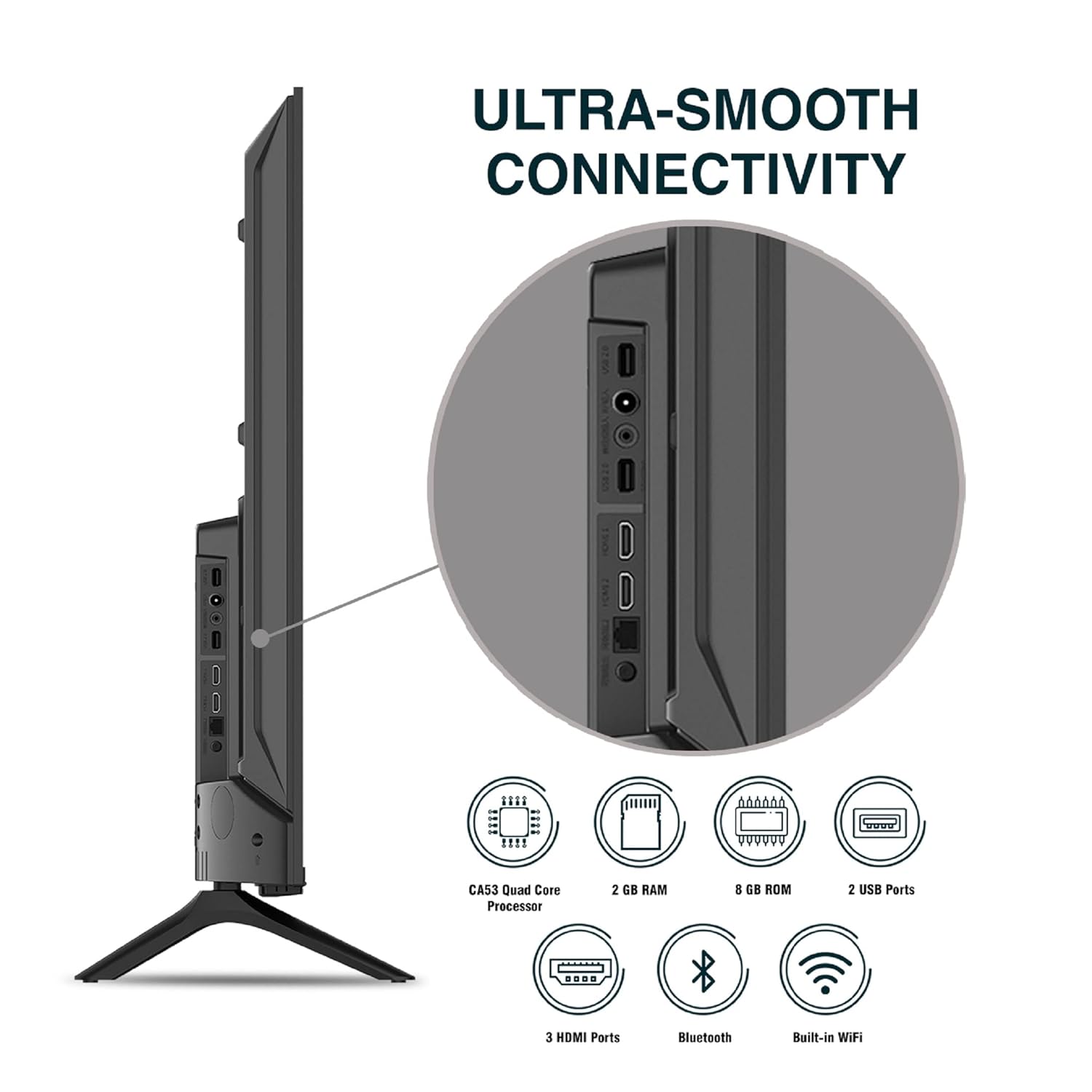
Immagine: dettagliata view delle porte di connettività del televisore.
5. Istruzioni per l'uso
5.1. Funzionamento di base
- Accensione/spegnimento: Press the power button on the remote control or on the TV to turn it on or off.
- Configurazione iniziale: Upon first power-on, follow the on-screen instructions to set up language, network connection, and Google account.
- Sorgente di input: Press the 'Input' button on the remote to select between HDMI, AV, TV, or other connected sources.
- Controllo del volume: Utilizzare i pulsanti Volume su/giù sul telecomando.
5.2. Using the Smart Remote
The included remote control features voice control and dedicated hotkeys for quick access to popular streaming services.
- Controllo vocale: Press the Google Assistant button (microphone icon) and speak your commands to search for content, control smart home devices, or ask questions.
- Tasti di scelta rapida: Directly launch Netflix, Prime Video, YouTube, and Google Play with a single press.
- Navigazione: Use the directional pad and 'OK' button to navigate the Android TV interface.

Image: Sansui Smart Remote Control with voice control and app hotkeys.
5.3. Android TV Interface and Smart Features
Your Sansui TV runs on Android 10.0, providing access to a wide range of apps and smart functionalities.
- Schermata iniziale: The home screen displays your favorite apps, recommended content, and input sources.
- Google Play Store: Download and install additional apps, games, and content from the Google Play Store.
- Chromecast integrato: Cast content (videos, photos, music) from your smartphone, tablet, or computer directly to the TV.
- Google Assistant/Alexa: Use voice commands via the remote or a compatible Alexa device to control your TV and other smart home devices.

Image: Android TV home screen showing available applications.
6. Manutenzione
Una cura e una manutenzione adeguate prolungheranno la vita del tuo televisore.
- Pulizia dello schermo: Pulisci delicatamente lo schermo con un panno morbido e privo di lanugine. Per le macchie ostinate, utilizza un detergente per schermi specifico per TV, applicato sul panno, non direttamente sullo schermo.
- Pulizia dell'armadio: Per pulire il mobile TV, utilizzare un panno morbido e asciutto. Non utilizzare detergenti abrasivi o solventi.
- Ventilazione: Assicurarsi che le aperture di ventilazione siano libere da polvere e detriti per evitare il surriscaldamento.
- Cavo di alimentazione: Regularly check the power cord for any damage. If damaged, replace it with an authorized part.
7. Risoluzione Dei Problemi
In caso di problemi, fare riferimento ai seguenti problemi comuni e alle relative soluzioni.
| Problema | Possibile causa | Soluzione |
|---|---|---|
| Nessun potere | Cavo di alimentazione scollegato; problema con la presa di corrente | Controllare il collegamento del cavo di alimentazione; testare la presa con un altro dispositivo. |
| Nessuna immagine, solo suono | Sorgente di input errata; problema con il dispositivo esterno | Select correct input source; Check external device connection and power. |
| Nessun suono, solo immagine | Volume muted/low; External audio system issue | Unmute or increase volume; Check external audio system connections. |
| Il telecomando non funziona | Batterie esaurite; Ostruzione tra telecomando e TV | Sostituire le batterie; rimuovere eventuali ostruzioni. |
| Problemi di connessione Wi-Fi | Password errata; Problemi con il router; Interferenza del segnale | Reinserisci la password; Riavvia il router; Avvicina la TV al router o usa Ethernet. |
Se il problema persiste dopo aver provato queste soluzioni, contattare l'assistenza clienti.
8. Specifiche
Detailed technical specifications for the Sansui JSW50ASUHD TV.
| Caratteristica | Descrizione |
|---|---|
| Nome del modello | SANSUI LED - JSW50ASUHD |
| Dimensioni dello schermo | 50 pollici (127 cm) |
| Tecnologia di visualizzazione | GUIDATO |
| Risoluzione | 4K Ultra HD (3840x2160) |
| Frequenza di aggiornamento | Frequenza 60 Hz |
| Sistema operativo | Android 10.0 (Certified by Google) |
| Processore | CA53Quadcore |
| Memoria RAM | 2 GB |
| ROM (Archiviazione) | 8 GB |
| Uscita audio | 20 Watt |
| Tecnologia del suono | Dolby Audio, DTS Studio Sound |
| Porte HDMI | 3 |
| Porte USB | 2 |
| Connettività wireless | Wi-Fi, Bluetooth |
| Altra connettività | Ethernet (RJ45), 3.5mm Audio Jack, Antenna |
| Supporto HDR | L'HDR10 |
| Tipo di montaggio | Montaggio a parete e montaggio da tavolo |
| Standard di montaggio VESA | 800 x 400 millimetri |
| Consumo energetico | 120 Watt |
| Peso dell'articolo | 9650 grammi |
| Colore | Mystique Black |
9. Garanzia e supporto
Your Sansui TV comes with a comprehensive warranty and dedicated customer support.
- Garanzia: 1 year comprehensive warranty and 1 year additional on panel from the date of purchase.
- Assistenza in garanzia: For warranty-related queries, please contact Sansui Toll Free No.: Numero di telefono: 1800-419-3777.
- Contatto dell'importatore: Jaina India Pvt Ltd., D170, Okhla Industrial Area, Phase-1, New Delhi-110020 INDIA | Email: sansuicare@jainaindia.com.
Conservare la ricevuta d'acquisto per eventuali reclami in garanzia.