

1. Introduzione
The WSDCAM 22R-03C is a wireless anti-theft vibration alarm system designed to protect your bicycle, motorcycle, scooter, or other valuable assets. Featuring a loud 113dB alarm, adjustable sensitivity, and remote control operation, it provides an effective deterrent against theft. This manual provides detailed instructions for setup, operation, and maintenance to ensure optimal performance and longevity of your device.
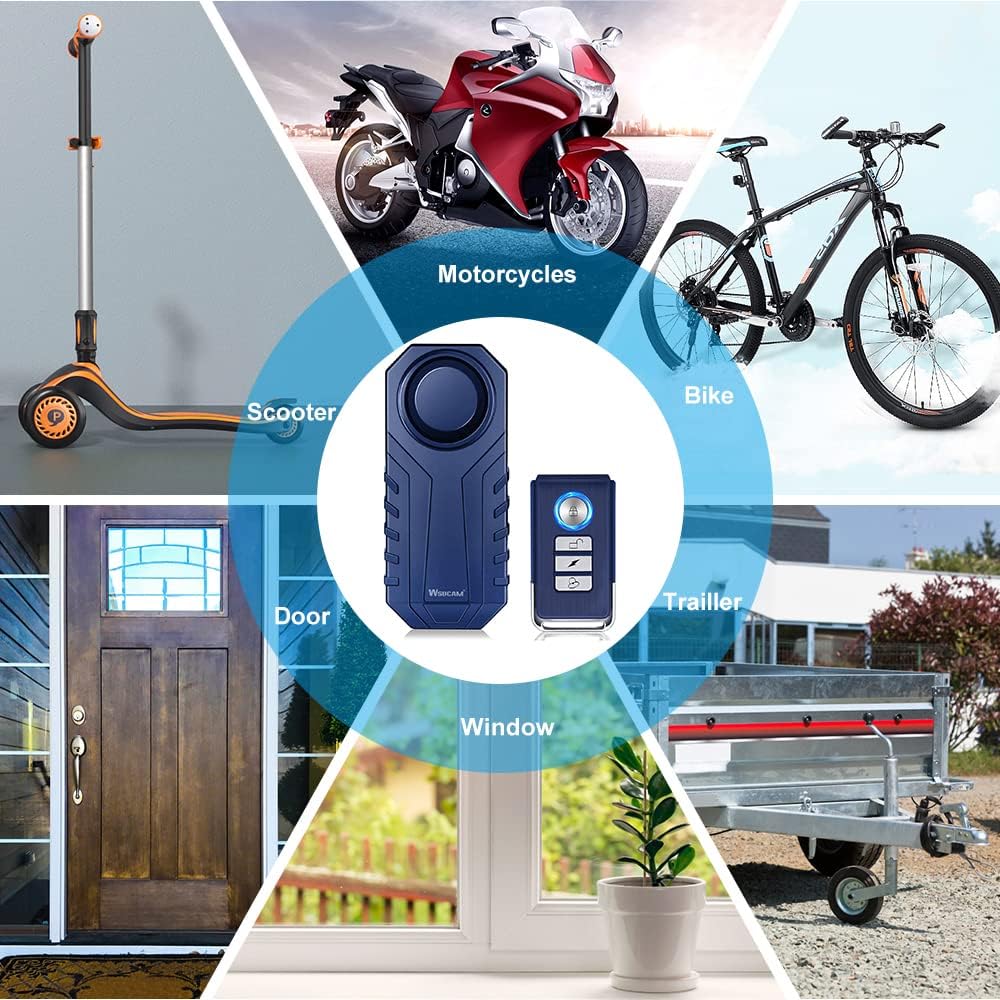
Image: The WSDCAM Bike Alarm is versatile, suitable for bikes, motorcycles, scooters, cars, trailers, luggage, doors, and windows.
2. Informazioni sulla sicurezza
- Tenere il dispositivo lontano da temperature estreme e dalla luce solare diretta.
- Non tentare di smontare o modificare il dispositivo, poiché ciò potrebbe invalidare la garanzia e causare danni.
- Ensure the battery compartment is securely closed after battery installation to maintain water resistance.
- The alarm produces a loud sound. Avoid prolonged exposure to prevent hearing damage.
3. Contenuto della confezione
Your WSDCAM 22R-03C package includes:
- 2 x WSDCAM Bike Alarm Units
- 2 x telecomandi
- Accessori di montaggio (adesivi bifacciali, fascette)
- Manuale d'uso
4. Prodotto finitoview
The WSDCAM 22R-03C system consists of an alarm unit and a remote control. The alarm unit features a vibration sensor, a loud siren, and a battery compartment. The remote control allows for arming, disarming, adjusting settings, and locating your vehicle.

Image: Remote control with buttons for Arm, Disarm, Change Tone, and Search Function. It has a wireless range of up to 66ft.

Image: Dimensions of the alarm unit (3.7in x 1.6in x 0.8in) and remote control (2.4in x 1.2in).
5. Impostazione
5.1. Battery Installation (Alarm Unit)
The alarm unit requires 3 AAA batteries. To install or replace batteries:
- Unscrew the small screw at the end of the alarm unit using a small screwdriver.
- Sollevare delicatamente il coperchio della batteria.
- Inserire 3 batterie AAA, assicurandosi della corretta polarità.
- Chiudere il coperchio della batteria e fissarlo con la vite.
For a visual guide on battery replacement, refer to the video below:
Video: A user demonstrates how to access the battery compartment and replace the AAA batteries in the WSDCAM bike alarm. This video also shows the installation process on a bike rack.
5.2. Montaggio dell'allarme
The alarm unit can be mounted using double-sided stickers or cable ties. Choose a discreet location on your vehicle where it is less accessible to potential thieves and the sound is not obstructed.
- Utilizzo di adesivi bifacciali: Clean the mounting surface thoroughly. Peel off the protective film from the sticker and firmly press the alarm unit onto the desired location.
- Utilizzo delle fascette stringicavo: Thread the cable ties through the designated slots on the alarm unit and around a secure part of your vehicle (e.g., bike frame, seat post, rack). Tighten the cable ties securely and trim any excess.

Image: The WSDCAM Bike Alarm is shown mounted on a bike seat post using cable ties, highlighting its IP55 waterproof rating for outdoor use.

Alarm on bike frame

Alarm in bicycle bag

Alarm under bike/motor seat
5.3. Accoppiamento del telecomando
The alarm unit and remote control are pre-paired from the factory. If you need to re-pair them or pair additional remotes/alarms, follow these steps:
- Pairing the First Alarm and Remote:
a. Remove the battery from the alarm unit and then reinstall it. The alarm will sound "Bi, Bi, Bi".
b. Immediately (within 3 seconds) press and hold the Bell Button on the remote for 6 seconds until you hear "Bi". (Note: Ignore any bell sound while pressing until you hear "Bi").
c. Short press the Arm Button or Disarm Button on the remote. If it sounds "Bi, Bi", the pairing is successful. - Pairing with More Alarms:
a. Repeat steps a-c from "Pairing the First Alarm and Remote" for each new alarm unit you wish to pair with the same remote. - Pairing with More Remotes:
a. Disarm the alarm unit using an already paired remote.
b. Press and hold the Bell Button on the already paired remote for about 6 seconds until you hear "Bi".
c. Immediately (within 3 seconds) press the Arm Button or Disarm Button of the NEW remote. If it sounds "Bi, Bi", the pairing is successful.
For a visual guide on pairing, refer to the video below:
Video: Official WSDCAM video demonstrating how to pair multiple alarm units and remote controls.

Image: The alarm unit can be controlled by multiple remote controls, and one remote can control multiple alarms.
6. Istruzioni per l'uso
6.1. Inserimento e disinserimento
- Braccio: Premere il tasto Serratura button on the remote control. The alarm will sound a single "Bi" to indicate it is armed. Any vibration will trigger a warning sound, followed by the full alarm if vibration continues.
- Disarmare: Premere il tasto Sbloccare button on the remote control. The alarm will sound "Bi, Bi" to indicate it is disarmed.
6.2. Regolazione della sensibilità
The alarm has 7 levels of adjustable sensitivity, from a gentle touch to a strong impact.
- Disattiva l'allarme.
- Premere e tenere premuto il tasto Sbloccare button until you hear a short "Bi".
- Premere il tasto Sbloccare button again to cycle through sensitivity levels (1-7). Each press will indicate the current level with a "Bi" sound (e.g., one "Bi" for level 1, seven "Bi"s for level 7).
- Once the desired sensitivity level is reached, stop pressing. The alarm will automatically save the setting after a few seconds.

Image: Diagram illustrating the 7 levels of adjustable sensitivity, from gentle touch to push/beat.
6.3. Regolazione del volume
The alarm has 3 levels of adjustable volume, up to 113dB.
- Disattiva l'allarme.
- Premere e tenere premuto il tasto Campana button until you hear a short "Bi".
- Premere il tasto Campana button again to cycle through volume levels. Each press will indicate the current level.
- Once the desired volume level is reached, stop pressing. The alarm will automatically save the setting after a few seconds.
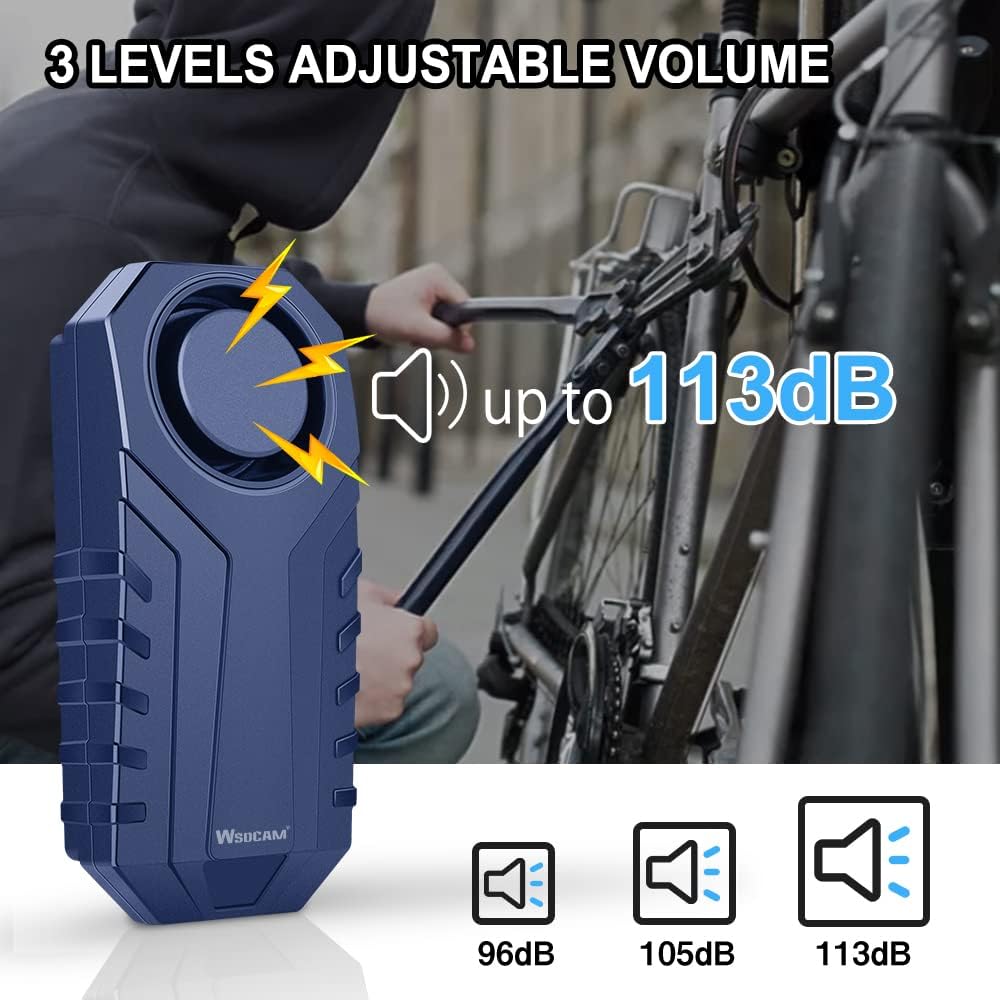
Image: Diagram showing the three adjustable volume levels: 96dB, 105dB, and 113dB.
6.4. Funzione di ricerca del veicolo
To locate your vehicle in a parking lot or crowded area:
- Premere il tasto Campana button on the remote control. The alarm will emit a distinct sound, helping you find your vehicle.

Image: The remote control's search function helps locate your vehicle within a certain distance.
6.5. Funzione SOS
The alarm includes an SOS function that activates if the device detects a tilt of 45 degrees or more, indicating a fall or impact. This function can be enabled or disabled.
- Enable/Disable SOS: While the alarm is disarmed, press and hold the Campana button for 3 seconds. The alarm will sound "Bi" once for enabled, or "Bi, Bi" for disabled.
7. Manutenzione
7.1. Sostituzione della batteria
When the alarm sound becomes weak or the remote control range decreases, it's time to replace the batteries. Refer to Section 5.1 for detailed instructions on battery installation.
7.2. Resistenza all'acqua
The WSDCAM 22R-03C alarm unit is IP55 waterproof, meaning it is protected against dust and low-pressure water jets. It is suitable for outdoor use and can withstand rain. However, it should not be submerged in water.
8. Risoluzione Dei Problemi
- L'allarme non risponde al telecomando: Check remote battery. Re-pair the remote and alarm (see Section 5.3). Ensure you are within the 66ft wireless range.
- Alarm sound is weak: Replace the batteries in the alarm unit (see Section 5.1). Adjust the volume level (see Section 6.3).
- Falsi allarmi: Adjust the sensitivity level to a lower setting (see Section 6.2). Ensure the alarm is securely mounted and not subject to excessive movement from wind or passing vehicles.
- Alarm not turning on: Controllare che le batterie siano installate correttamente e cariche.
9. Specifiche
| Caratteristica | Specificazione |
|---|---|
| Marca | WSDCAM |
| Numero di modello | 22R-03C |
| Livello di rumore | 113 decibel (regolabile) |
| Sensibilità | 7 livelli regolabili |
| Resistenza all'acqua | Grado di protezione IP55 |
| Gamma di controllo remoto | Fino a 66 piedi (20 metri) |
| Dispositivi compatibili | Bikes, Electric Bikes, Motorcycles, Scooters, Cars, Trailers, Luggage, Doors, Windows |
10. Garanzia e supporto
WSDCAM products are designed for quality and performance. For specific warranty details, please refer to the product packaging or contact WSDCAM customer support directly. If you encounter any issues or have questions regarding your WSDCAM 22R-03C alarm, please reach out to the seller or manufacturer for assistance.