
Prodotto finitoview
The Logitech MX Mechanical Mini is a minimalist wireless illuminated keyboard designed for precision and performance. It features low-profile mechanical switches, smart illumination, and multi-device connectivity, making it suitable for various operating systems and workflows.
Le caratteristiche principali includono:
- Linear mechanical key switches for smooth typing.
- a basso profilofile design for ergonomic comfort.
- Smart backlighting that adjusts to ambient light and hand proximity.
- Multi-device and multi-OS compatibility via Bluetooth Low Energy or Logi Bolt receiver.
- USB-C quick charging with extended battery life.
- Customizable Fn keys and backlighting effects via Logi Options+ software.
Configurazione e connettività
Your MX Mechanical Mini keyboard offers flexible connectivity options:
Connessione tramite ricevitore USB Logi Bolt
- Individuare il ricevitore USB Logi Bolt nella confezione del prodotto.
- Collega il ricevitore USB Logi Bolt a una porta USB-A disponibile sul tuo computer.
- Accendere la tastiera utilizzando l'interruttore di alimentazione situato sul lato.
- The keyboard should automatically connect to the receiver. If not, use the Logi Options+ software to pair.
Note: The Logi Bolt receiver provides a slightly more reliable wireless connection compared to Bluetooth, especially in environments with multiple wireless devices.

Image: The Logi Bolt USB receiver, a small black USB-A dongle, shown next to the MX Mechanical Mini keyboard, illustrating its compact size and wireless capability.
Connecting via Bluetooth Low Energy
- Accendi la tastiera utilizzando l'interruttore di alimentazione.
- Press and hold one of the Easy-Switch keys (F1, F2, or F3) for three seconds until the LED light on the key starts blinking rapidly. This indicates the keyboard is in pairing mode.
- On your device (computer, tablet, or smartphone), open Bluetooth settings and select "MX Mechanical Mini" from the list of available devices.
- Seguire le istruzioni visualizzate sullo schermo per completare il processo di associazione.
Important: If FileVault is enabled on your macOS computer, it might prevent password entry at start or reboot when connected via Bluetooth. In such cases, use the Logi Bolt USB Receiver.

Image: The MX Mechanical Mini keyboard positioned on a desk, wirelessly connected to both a laptop and a tablet, demonstrating its multi-device capability.
Istruzioni per l'uso
Tipi di interruttori a chiave
The MX Mechanical Mini is available with three distinct low-profile mechanical key switch types, each offering a unique typing experience:
- Linear (Smooth Typing): These switches provide uninterrupted key travel with minimal spring force, resulting in fast reactivity and an ultra-smooth typing feeling. They are generally quieter.

Image: A diagram illustrating the internal mechanism of a linear mechanical key switch, highlighting its smooth, consistent travel.
- Tactile Quiet (Quiet Typing): These switches offer a satisfying tactile bump that you can feel, providing precise feedback and reactive key reset with less noise. Ideal for environments where quiet operation is preferred.

Image: A diagram illustrating the internal mechanism of a tactile quiet mechanical key switch, showing the bump that provides feedback without excessive noise.
- Clicky (Satisfying Click): These switches deliver a gratifying, audible click and tactile feedback with every keystroke, offering a familiar mechanical feel and sound.

Image: A diagram illustrating the internal mechanism of a clicky mechanical key switch, showing the distinct click mechanism for audible feedback.
Note: The key switches are soldered in and cannot be hot-swapped. Ensure you select the desired switch type at the time of purchase.
Illuminazione intelligente
The keyboard features smart backlighting that enhances usability in various lighting conditions:
- Backlit keys illuminate automatically when your hands approach the keyboard.
- Backlight brightness adjusts automatically to suit changing ambient lighting conditions.
- The backlight will turn off when you move away from the keyboard to conserve battery life.
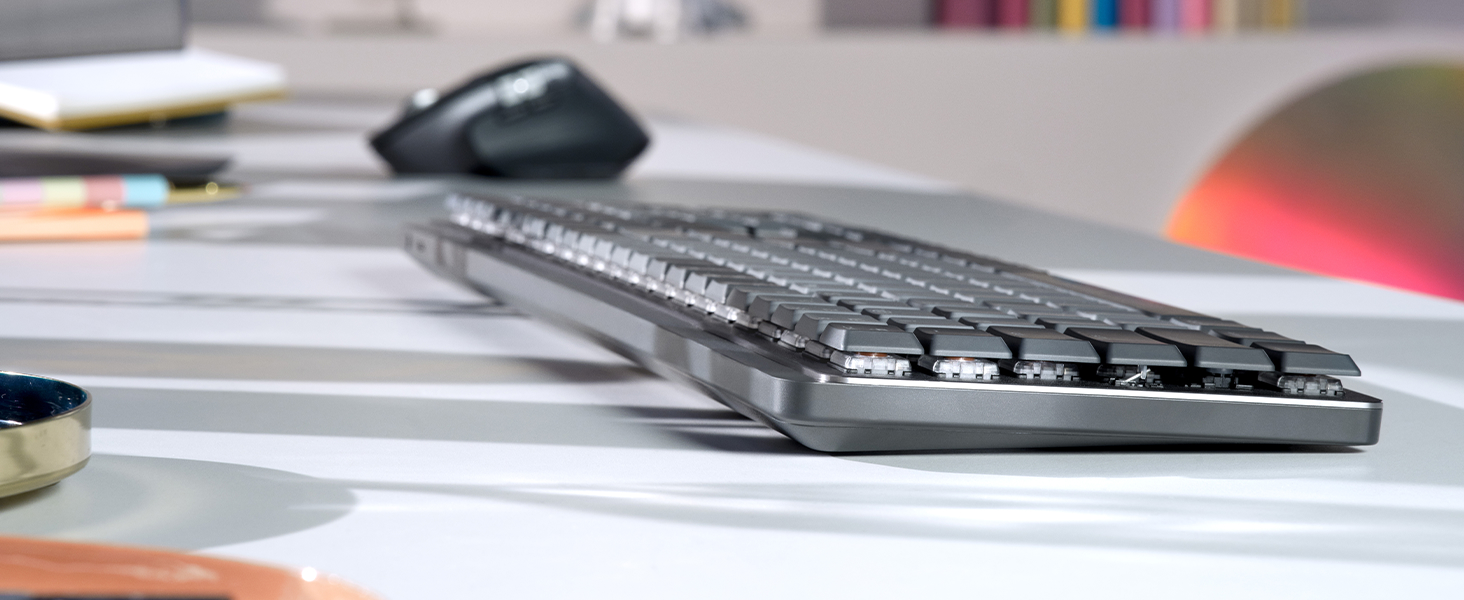
Image: The MX Mechanical Mini keyboard with its smart backlighting activated, illuminating the keys in a dimly lit environment.
Multi-Device and Multi-OS Functionality (Easy-Switch)
Seamlessly switch between up to three connected devices and across different operating systems:
- Use the F1, F2, and F3 keys as Easy-Switch buttons to instantly switch between paired devices.
- The keyboard is optimized for Windows, macOS, Linux, Chrome OS, iOS, and Android operating systems.
- Keycaps feature labels for both Mac and Windows specific commands, eliminating the need for reprogramming when switching OS.

Image: A user typing on the MX Mechanical Mini keyboard, seamlessly controlling content across a laptop and an external monitor, demonstrating the multi-device workflow.
Customization with Logi Options+ Software
Enhance your workflow and personalize your keyboard experience with the Logi Options+ software (available for Windows and macOS):
- Customize Fn keys (F4 through F12) to perform specific functions or launch applications.
- Assign different backlighting effects.
- Enable Flow cross-computer control for seamless navigation between multiple computers.
- Reprogram Home, End, Page Up, and Page Down buttons.
- Custom settings can be applied across your entire operating system or made active only for specific applications.

Image: A screenshot of the Logi Options+ software interface, displaying the MX Mechanical Mini keyboard and options for customizing keys and backlighting.
Disposizione dei tasti ed ergonomia
The MX Mechanical Mini features a compact layout designed for efficiency:
- a basso profilofile keys contribute to better ergonomics and a comfortable typing experience.
- Full-size arrow keys are included, though their placement below the Enter key and beside Shift may require adjustment for some users.
- The spacebar and command buttons are designed for optimal use, though personal preference may vary regarding their size and placement.
- The keyboard can be used flat or with two kickstand feet on the back to adjust the typing angle.
Manutenzione e batteria
Durata della batteria e ricarica
The MX Mechanical Mini is equipped with a rechargeable Li-Po (1500 mAh) battery:
- Enjoy up to 15 days of battery life on a full charge with backlighting enabled.
- With backlighting turned off, the battery can last up to 10 months.
- The keyboard recharges via USB-C. A USB-C to USB-A charging cable is included.
La durata della batteria può variare in base all'utente e alle condizioni di elaborazione.

Image: A circular icon representing battery life, indicating the keyboard's efficient power management.
Risoluzione dei problemi
- Problemi di connettività: If experiencing intermittent connection via Bluetooth, try connecting using the Logi Bolt USB receiver for a more stable connection. Ensure the keyboard is within range of your device.
- sistema operativo macOS FileVault: If FileVault is enabled on your macOS computer, you might be unable to enter your password at startup or reboot when connected via Bluetooth. Use the Logi Bolt USB Receiver in this scenario.
- Funzionalità chiave: If certain keys or customized functions are not working as expected, ensure the Logi Options+ software is installed and updated. Check your custom settings within the software.
- La retroilluminazione non funziona: Ensure the keyboard is charged. The smart illumination feature may turn off backlighting in bright environments or when hands are not detected.
Specifiche
| Marca | Logitech |
| Nome del modello | Mini meccanico MX |
| Numero di modello | 920-010551 |
| Tecnologia di connettività | Bluetooth, Logi Bolt |
| Descrizione della tastiera | Meccanico |
| Caratteristica speciale | Illuminato |
| Colore | Grafite |
| Stile | Linear (smooth typing) |
| Dimensioni del prodotto | 5.18 cm L x 12.31 cm P x 1.03 cm A |
| Peso dell'articolo | 1.65 libbre (612 g) |
| Fonte di alimentazione | Battery Powered (Rechargeable Li-Po 1500 mAh) |
| Dispositivi compatibili | PC (Windows, macOS, Linux, Chrome OS, iOS, iPadOS, Android) |
| Numero di chiavi | 104 |
Cosa c'è nella scatola
- Master Series MX Mechanical Wireless Illuminated Performance Keyboard
- Ricevitore Logi Bolt
- Cavo USB (da USB-C a USB-A)
- Documentazione utente

Image: The contents of the MX Mechanical Mini box, including the keyboard, Logi Bolt receiver, and USB-C charging cable.
Garanzia e supporto
The Logitech MX Mechanical Mini Wireless Illuminated Keyboard comes with a 1 anno di garanzia hardware limitata.
For additional support, product information, or to explore other Logitech products, please visit the Negozio Logitech su Amazon.
Video del prodotto
Sopraview Logitech MX Mechanical Mini, Wireless, Compact, Metal
Video: Un dettagliato sopraview of the Logitech MX Mechanical Mini keyboard, highlighting its compact design, wireless capabilities, and metal construction. The video showcases the keyboard's features and aesthetic appeal.
Logitech K850 VS MX Mechanical wireless keyboard #thisorthat
Video: A comparison between the Logitech K850 and the MX Mechanical Mini wireless keyboards, discussing their differences in size, features, and typing experience to help users decide which is best for their needs.
This keyboard feels great!
Video: A short demonstration highlighting the satisfying feel and responsiveness of the MX Mechanical Mini keyboard during use.