
FOXWELL NT630 Plus
FOXWELL NT630 Plus OBD2 Scanner ABS Auto Bleed Scan Tool User Manual
Model: NT630 Plus
1. Introduzione
The FOXWELL NT630 Plus is a professional diagnostic scan tool designed for automotive technicians and enthusiasts. It provides comprehensive diagnostic functions for Anti-lock Braking System (ABS) and Supplemental Restraint System (SRS) faults, along with full OBD2 engine diagnostics. Key features include ABS auto bleed, airbag light reset, Steering Angle Sensor (SAS) adjustment, and oil light reset. This manual provides detailed instructions for the proper use and maintenance of your NT630 Plus device.
2. Informazioni sulla sicurezza
Always observe the following safety precautions when using the NT630 Plus to prevent personal injury or damage to the vehicle or the device:
- Eseguire i test automobilistici in un'area ben ventilata.
- Indossare protezioni per gli occhi e indumenti protettivi adeguati.
- Keep the device dry and clean. Avoid exposure to moisture, oil, or grease.
- Non utilizzare il dispositivo durante la guida.
- Prima di collegare o scollegare lo strumento diagnostico, assicurarsi che l'accensione del veicolo sia spenta.
- Per le procedure diagnostiche specifiche e le avvertenze di sicurezza, fare riferimento al manuale di assistenza del veicolo.
3. Contenuto della confezione
Verify that all items are present in your NT630 Plus package:
- FOXWELL NT630 Plus Main Unit
- Diagnostic Cable (OBD-II connector)
- Cavo USB per gli aggiornamenti
- Manuale dell'utente / Guida rapida
- Custodia protettiva per il trasporto

Figura 3.1: FOXWELL NT630 Plus package contents. This image displays the NT630 Plus diagnostic tool, its diagnostic cable, a USB cable, a quick start guide, and a protective carrying case.
4. Dispositivo suview
The NT630 Plus features a clear color display, intuitive button layout, and a robust design for professional use.

Figura 4.1: FOXWELL NT630 Plus device. This image shows the diagnostic tool with its screen displaying menu options for OBD/EOBD, DTC Lookup, Review Data, and Setup. Below the screen are navigation buttons (Read, Erase, I/M, Help, Back, Enter) and directional arrows.
4.1. Componenti dell'unità principale
- Schermo LCD: Shows test results, menu options, and operating status.
- Pulsanti funzione: Navigate menus, select options, and perform diagnostic functions (e.g., READ, ERASE, I/M, HELP).
- Pulsanti direzionali: Sposta il cursore in alto, in basso, a sinistra oa destra.
- Connettore OBD-II: Collega lo strumento al connettore di collegamento dati (DLC) del veicolo.
- Porta USB: Per la connessione a un computer per gli aggiornamenti software.
5. Impostazione
Follow these steps to prepare your NT630 Plus for use:
5.1. Collegamento al veicolo
- Individuare il connettore di collegamento dati (DLC) a 16 pin del veicolo. Di solito si trova sotto il cruscotto, lato conducente.
- Assicurarsi che l'accensione del veicolo sia in posizione OFF.
- Connect the diagnostic cable from the NT630 Plus to the vehicle's DLC. The tool will power on automatically once connected.

Figura 5.1: OBD2 16-pin extension cable. This image shows a black extension cable with a male 16-pin connector on one end and a female 16-pin connector on the other, designed to extend the reach of diagnostic tools.
5.2. Using the Extension Cable (Optional)
If the vehicle's DLC is in a hard-to-reach location, you can use the provided OBD2 extension cable.
- Connect the male end of the extension cable to the vehicle's DLC.
- Connect the diagnostic cable from the NT630 Plus to the female end of the extension cable.

Figura 5.2: Male OBD2 connector. This image provides a close-up view of the male 16-pin connector of an OBD2 extension cable, which plugs into the vehicle's DLC.

Figura 5.3: Female OBD2 connector. This image shows a close-up of the female 16-pin connector of an OBD2 extension cable, into which the diagnostic tool's cable connects.
6. Istruzioni per l'uso
Once connected, the NT630 Plus will power on and display the main menu. Use the directional buttons to navigate and the ENTER button to select options.
6.1. OBD2 Engine Diagnostics
This function allows you to read and clear engine fault codes, view live data, and perform other standard OBD2 tests.
- Dal menu principale, seleziona OBD/EOBD.
- Choose the desired function (e.g., Read Codes, Erase Codes, Live Data).
- Seguire le istruzioni visualizzate sullo schermo per completare il processo diagnostico.
6.2. ABS (Anti-lock Braking System) Diagnostics
The NT630 Plus can diagnose ABS system faults and perform special functions like auto bleed.
- Dal menu principale, seleziona addominali.
- Seleziona la marca, il modello e l'anno del veicolo.
- Scegli la funzione desiderata:
- Leggi i codici: Retrieve current, pending, and historic ABS fault codes.
- Cancella codici: Clear ABS fault codes after repairs.
- Dati in tempo reale: View real-time data from ABS sensors.
- ABS Auto Bleed: Perform automated bleeding procedures for the ABS system.
- Follow the on-screen instructions carefully for each procedure.

Figura 6.1: ABS Bleeding Process. This diagram illustrates the importance of removing air from the brake pads for safe driving, showing the process after adding or replacing brake oil and after replacing the ABS pump. It highlights the brake pedal position and a warning light on the dashboard.
6.3. SRS (Supplemental Restraint System) Diagnostics
Diagnose airbag system faults and reset the airbag light.
- Dal menu principale, seleziona SRS.
- Seleziona la marca, il modello e l'anno del veicolo.
- Scegli di Leggi i codici or Cancella codici for the SRS system.
- Seguire le istruzioni visualizzate sullo schermo.
6.4. Funzioni speciali
The NT630 Plus supports various special service functions:
- SAS (Steering Angle Sensor) Adjustment: Calibrate the steering angle sensor after repairs or replacements.
- Ripristino spia olio: Dopo il cambio dell'olio, resettare la spia di manutenzione dell'olio.
- EPB (Electronic Parking Brake) Release: Release the electric parking brake for brake pad replacement.
6.5. Bidirectional Control / Active Test
This function allows the tool to send commands to vehicle systems to perform specific tests, such as activating ABS solenoids or motors.
- From the main menu, select the relevant system (e.g., ABS, SRS).
- Look for options like Test attivo or Controllo bidirezionale.
- Select the specific component or function to test (e.g., ABS Motor Test, Actuator Tests).
- Follow the on-screen instructions and observe the vehicle's response.
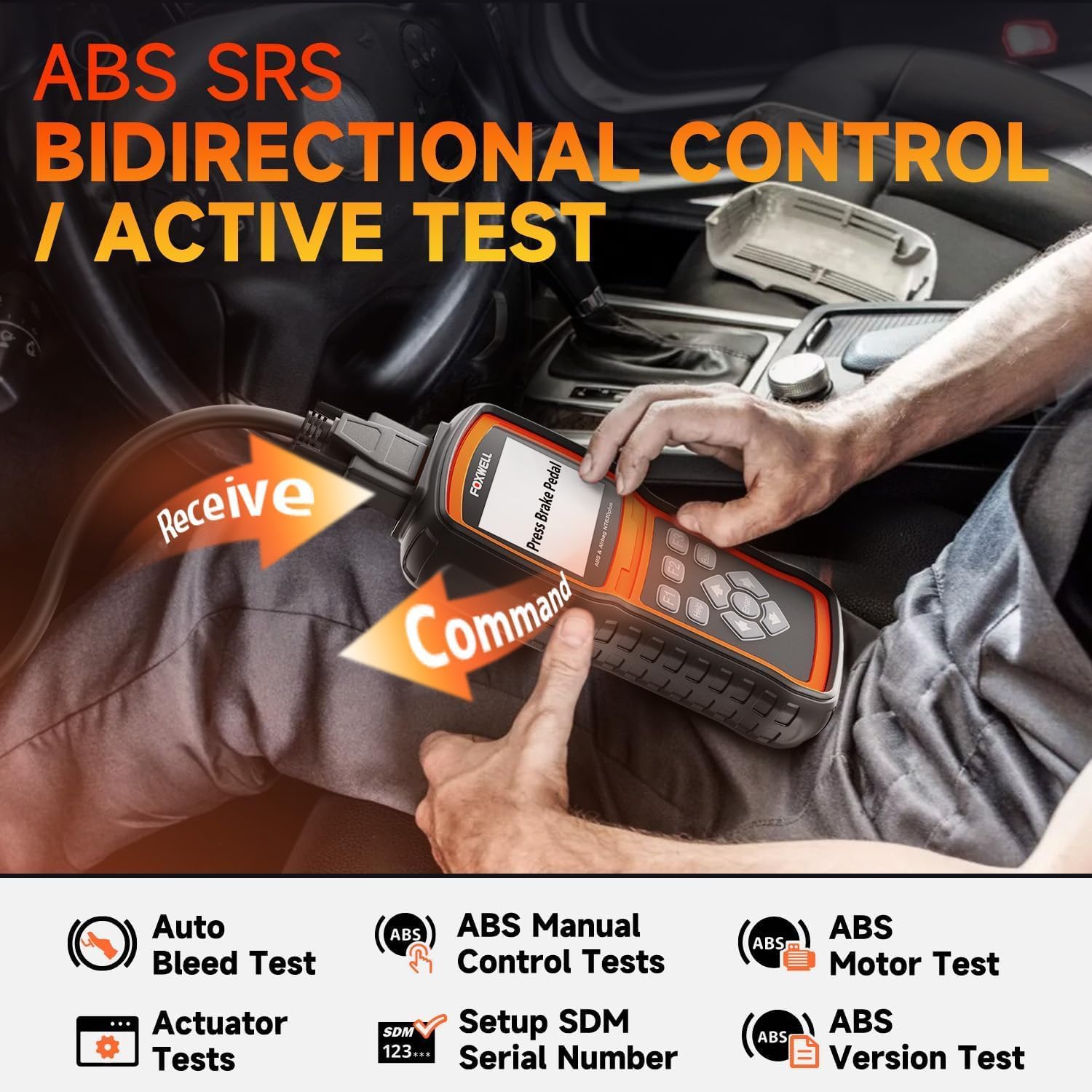
Figura 6.2: Bidirectional Control / Active Test. This image shows a user operating the NT630 Plus scanner, connected to a vehicle, performing a bidirectional control test. Arrows illustrate the command being sent from the scanner to the vehicle and data being received back, demonstrating active testing capabilities for ABS and SRS systems.
7. Manutenzione
Proper maintenance ensures the longevity and optimal performance of your NT630 Plus.
- Pulizia: Utilizzare un morbido, damp panno per pulire il dispositivo. Non utilizzare detergenti abrasivi o solventi.
- Magazzinaggio: Quando non lo si utilizza, conservare il dispositivo nella sua custodia protettiva in un ambiente asciutto e fresco.
- Aggiornamenti software: Regularly update the device software by connecting it to a computer via the USB cable. Visit the FOXWELL official website for the latest update tools and instructions. Updates often include new vehicle coverage and bug fixes.
8. Risoluzione Dei Problemi
If you encounter issues with your NT630 Plus, refer to the following common problems and solutions:
- Il dispositivo non si accende:
- Ensure the diagnostic cable is securely connected to the vehicle's DLC.
- Controllare il volume della batteria del veicolotage; the device draws power from the vehicle.
- "Unable to connect" message:
- Verify the ignition is ON (engine off or running, as required by the test).
- Check for loose connections at the DLC and the device.
- Ensure the vehicle supports the specific diagnostic protocol.
- Prova a connetterti a un veicolo diverso per escludere un problema specifico del veicolo.
- Lo schermo si blocca o il dispositivo non risponde:
- Scollegare il dispositivo dal veicolo e ricollegarlo.
- Perform a software update to ensure the latest firmware is installed.
9. Specifiche
| Caratteristica | Descrizione |
|---|---|
| Nome del marchio | VOLPE DI POMELLO |
| Modello | NT630 Plus |
| Fonte di alimentazione | Vehicle's OBD-II port (Adapter) |
| Display | LCD a colori |
| Connettività | OBD-II 16-pin, USB |
| Funzioni | OBD2, ABS, SRS, ABS Auto Bleed, SAS Adjustment, Oil Reset, EPB Release, Bidirectional Control |
10. Garanzia e supporto
The FOXWELL NT630 Plus comes with a standard manufacturer's warranty. For specific warranty details, please refer to the warranty card included in your package or visit the official FOXWELL website. For technical support, software updates, or any inquiries, please contact FOXWELL customer service through their official channels.
Websito: www.foxwelltech.com
Ask a question about this manual
Ask about setup, troubleshooting, compatibility, parts, safety, or missing instructions. Manuals+ will review the question and use this page’s manual context to help answer it.