
MageGee V510
Manuale utente della tastiera da gioco RGB wireless MageGee V510
Modello: V510
Introduzione
This manual provides detailed instructions for the setup, operation, maintenance, and troubleshooting of your MageGee V510 Wireless RGB Gaming Keyboard. Please read this manual carefully before using the product to ensure optimal performance and longevity.

Image: MageGee V510 Wireless RGB Gaming Keyboard, showcasinil suo layout completo e la sua vivace retroilluminazione.
1. Istruzioni per l'installazione
1.1 Contenuto della confezione
- MageGee V510 Wireless RGB Gaming Keyboard
- Ricevitore USB 2.4G
- Cavo di ricarica di tipo C.
- Manuale dell'utente (questo documento)
1.2 Collegamento della tastiera
- Locate the 2.4G USB receiver. It is typically stored in a compartment on the keyboard or included separately in the packaging.
- Collega il ricevitore USB 2.4G a una porta USB disponibile sul tuo PC o laptop.
- Accendere la tastiera tramite l'interruttore di alimentazione, solitamente situato sul lato o sul retro della tastiera.
- The keyboard should automatically connect to your device. If not, ensure the receiver is properly inserted and the keyboard is powered on.
The 2.4G wireless connection provides a stable transmission with reduced latency, offering a working distance of up to 10 meters.
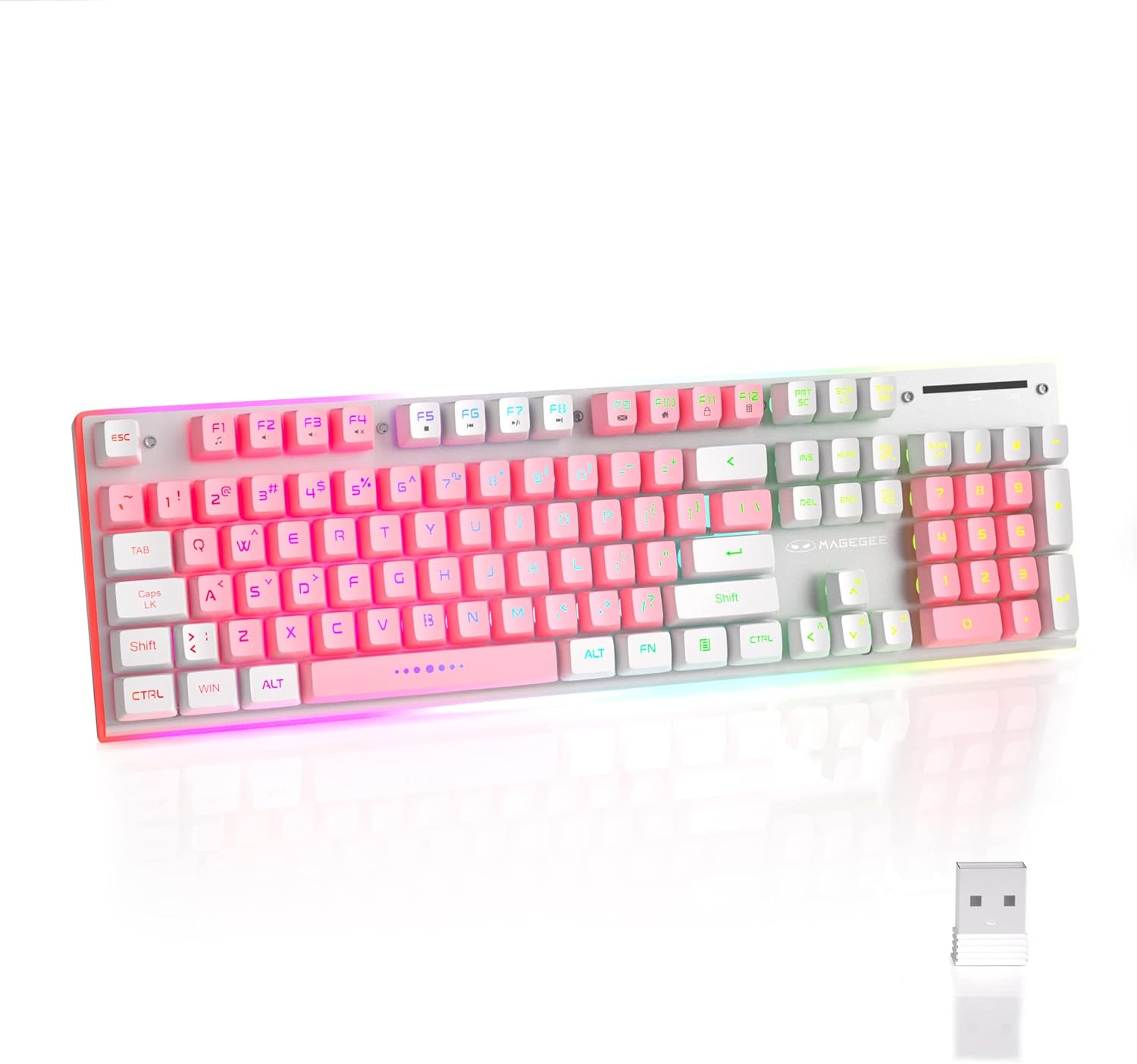
Image: The MageGee V510 keyboard shown alongside its compact 2.4G USB receiver, ready for wireless connection.

Image: Diagram illustrating the wireless connection between the keyboard and a laptop via the USB receiver, indicating a stable connection.
2. Istruzioni per l'uso
2.1 Controllo della retroilluminazione RGB
The V510 keyboard features dynamic RGB backlighting and unique side ambient lighting.
- Switch Backlight Effect: Premere Fin + 1-5 to cycle through multiple backlight modes and 8 different colors.
- Attiva/disattiva la retroilluminazione: Premere Fn + Scr (Scroll Lock key) to toggle the backlight on or off. Turning off the backlight conserves battery.
- Brighten/Dim Light: Premere Fn+↑ (Freccia su) per aumentare la luminosità e Fn + ↓ (Freccia giù) per diminuire la luminosità.
- Regola la velocità della luce: Premere Fn+← (Left Arrow) to slow down the light effect speed, and F + → (Right Arrow) to speed up the light effect.

Image: Visual guide to RGB backlight controls on the MageGee V510 keyboard, showing key combinations for changing effects, brightness, and speed.

Image: The MageGee V510 keyboard highlighting its unique surround LED strip, providing ambient lighting around all sides, not just keycap glow.

Image: A series of MageGee V510 keyboards demonstrating various brilliant RGB backlighting modes and switchable colors.
2.2 Tasti di scelta rapida multimediali
The keyboard includes 12 multimedia shortcut keys for quick access to frequently used programs and functions.
| Combinazione di tasti | Funzione |
|---|---|
| Tasto F1 | Giocatore |
| Tasto F2 | Abbassa il volume |
| Tasto F3 | Alza il volume |
| Tasto F4 | Muto |
| Tasto F5 | Last song |
| Tasto F6 | Prossima canzone |
| Tasto F7 | Riproduci/Pausa |
| Tasto F8 | Fermare |
| Tasto F9 | Casa |
| Tasto F10 | Posta |
| Tasto F11 | Il mio computer |
| Tasto F12 | Preferiti |

Image: A diagram illustrating the 12 multimedia shortcut keys (Fn + F1-F12) and their corresponding functions on the MageGee V510 keyboard.
2.3 Ricarica della tastiera
The MageGee V510 keyboard is equipped with a 2000mAh rechargeable battery.
- Connect the included Type-C charging cable to the charging port on the keyboard and to a USB power source (e.g., computer USB port, USB wall adapter).
- Charging time: Approximately 3.5 to 4 hours for fast charging, or 8 to 10 hours for slow charging.
- Battery life: Up to 20 hours of continuous use with RGB backlight, or up to 60 hours with monochrome backlight.

Immagine: Primo piano view of the MageGee V510 keyboard's side, showing the power switch and the Type-C charging port.

Image: Graphic displaying the 2000mAh battery capacity and up to 60 hours of usage time for the MageGee V510 keyboard.
3. Manutenzione
3.1 Pulizia della tastiera
The MageGee V510 features a waterproof design and floating keycaps for easy cleaning.
- To clean dust and debris, use a soft brush or compressed air.
- For spills, gently wipe the surface with a damp cloth. Ensure the keyboard is powered off and disconnected from any charging cable before cleaning.
- Avoid submerging the keyboard in water.

Image: The MageGee V510 keyboard with water droplets on its surface, illustrating its waterproof design and floating keycaps for easy cleaning.
3.2 Informazioni sui tasti
The keyboard uses mixed-color double-shot keycaps, which are wear-resistant, durable, and do not fade. The keycaps are removable for deeper cleaning or customization.

Immagine: Primo piano view of the MageGee V510 keyboard's mixed-color double-shot keycaps, showing a keycap removed to reveal the underlying switch mechanism.
4. Risoluzione Dei Problemi
- La tastiera non risponde:
- Ensure the 2.4G USB receiver is securely plugged into a USB port on your computer.
- Verify the keyboard's power switch is in the "ON" position.
- Controllare il livello della batteria. Se è basso, collegare il cavo di ricarica.
- Prova a collegare il ricevitore USB a un'altra porta USB.
- Riavvia il computer.
- Retroilluminazione non funzionante:
- Assicurarsi che la retroilluminazione non sia spenta (premere Fn + Scr).
- Check backlight brightness (press Fn+↑).
- Assicurarsi che la batteria della tastiera abbia una carica sufficiente.
- Tasti non registrati o ghosting:
- The keyboard features 25-key anti-ghosting. If issues persist, ensure the keyboard is clean and free of debris under the keycaps.
- Try reconnecting the USB receiver.
- Problemi di connettività:
- Ensure there are no significant obstructions between the keyboard and the USB receiver.
- Avoid placing the receiver near strong interference sources (e.g., Wi-Fi routers, other wireless devices).
If you encounter any persistent issues, please contact MageGee customer support for assistance.
5. Specifiche
| Caratteristica | Dettaglio |
|---|---|
| Marca | MageGee |
| Modello | V510 |
| Tecnologia di connettività | Wireless 2.4G (ricevitore USB) |
| Descrizione della tastiera | Gaming, Standard 104-key layout |
| Caratteristiche speciali | Ergonomic, RGB Backlit, Waterproof, 25-key Anti-ghosting, Metal Panel, Detachable Keycaps |
| Dispositivi compatibili | Laptop, PC (Win 2000 / XP / ME / 7 / 8 / 10 / Vista / Mac) |
| Colore | Bianco/Rosa |
| Gestione del colore della retroilluminazione | Colore RGB |
| Materiale | Plastic (with metal panel) |
| Capacità della batteria | 2000mAh |
| wireless Range | Fino a 10 metri |
| Dimensioni | Circa 422 mm (17.40 pollici) x 133 mm (5.37 pollici) x 37 mm (1.47 pollici) |

Image: Technical drawing of the MageGee V510 keyboard showing its length (422mm), width (133mm), and height (37mm).

Immagine: Pro lateralefile of the MageGee V510 keyboard illustrating its ergonomic design with an 8-degree tilt and adjustable foot supports.

Immagine: Un overview graphic highlighting key features of the MageGee V510 keyboard, including 2.4G Wireless, RGB Backlight, Surround Lighting, Mixed-Color Keycaps, Large Battery Capacity, Anti-Ghosting, and Ergonomic Design.
6. Garanzia e supporto
MageGee is committed to providing quality products and customer satisfaction.
- For any product issues or inquiries, please contact MageGee customer support.
- Per i termini e le condizioni di garanzia specifici, fare riferimento alla documentazione di acquisto.
Contact information for support is typically available on the official MageGee websito o tramite il tuo rivenditore.
Ask a question about this manual
Ask about setup, troubleshooting, compatibility, parts, safety, or missing instructions. Manuals+ will review the question and use this page’s manual context to help answer it.