
Sifely Sifely R
Manuale utente del portachiavi wireless Sifely
Model: Sifely R
Introduzione
This user manual provides comprehensive instructions for the Sifely Wireless Key Fob (Model: Sifely R). This key fob is designed to offer a convenient and contactless method for unlocking Sifely Smart Locks from a distance of up to 30 feet. It integrates seamlessly with your existing Sifely Smart Lock system via the "Sifely Smart Lock" application.
Si prega di leggere attentamente il presente manuale prima di utilizzare il dispositivo per garantirne il corretto funzionamento e massimizzarne la durata.
Contenuto della confezione
- 1 x Sifely Wireless Key Fob (Model: Sifely R)
- 1 batteria al litio metallico (preinstallata)
- 1 x Guida rapida (fare riferimento a questo manuale per istruzioni dettagliate)
Prodotto finitoview

Immagine: Frontale view of the Sifely Wireless Key Fob, showing the lock and unlock buttons.
The Sifely Wireless Key Fob features two primary buttons: one for locking and one for unlocking your Sifely Smart Lock. It is compact and designed for easy portability, often attached to a keychain.
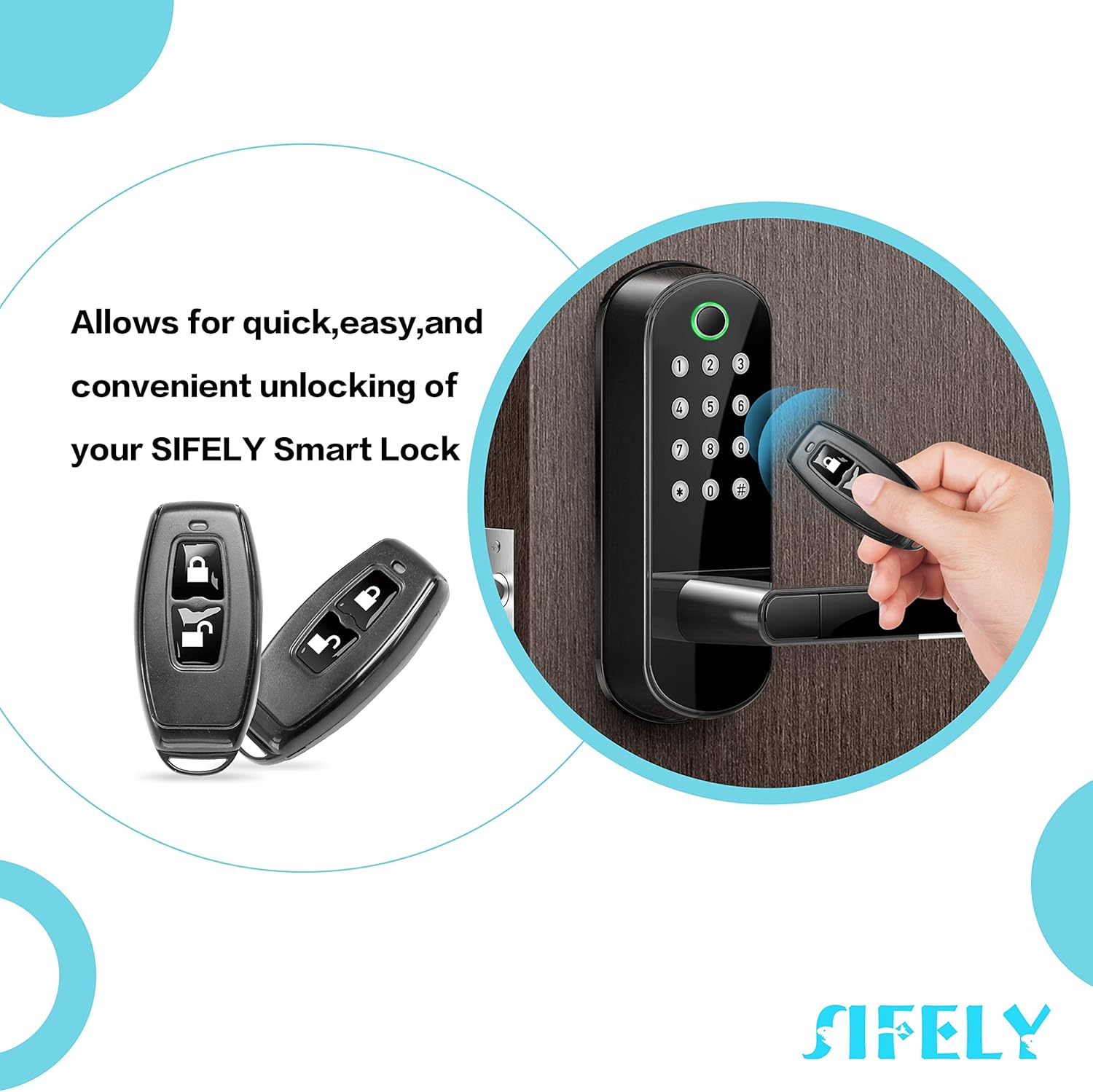
Image: Illustration of the Sifely Wireless Key Fob being used to unlock a Sifely Smart Lock, demonstrating its quick and convenient functionality.
This image illustrates the key fob's primary function: providing quick, easy, and convenient unlocking of your Sifely Smart Lock without needing to use the app or keypad directly at the door.
Impostare
- Download the Sifely Smart Lock App: Ensure you have the "Sifely Smart Lock" application installed on your smartphone. This app is available for both iOS and Android devices.
- Assicurati che il Bluetooth sia abilitato: On your smartphone, enable Bluetooth to allow the app to communicate with your Sifely Smart Lock and the key fob.
- Add the Key Fob in the App:
- Open the Sifely Smart Lock app.
- Navigate to the specific Sifely Smart Lock you wish to pair the key fob with.
- Look for an option such as "Add Remote" or "Add Key Fob" within the lock's settings. (Note: If this option is not present, your lock may require a Sifely Gateway for remote functionality. Refer to your lock's manual or Sifely support for details.)
- Follow the on-screen prompts to complete the pairing process. This typically involves pressing a button on the key fob when instructed by the app.
- Funzionalità di prova: After successful pairing, test the key fob by pressing the lock and unlock buttons to ensure it controls your Sifely Smart Lock as expected.
Istruzioni per l'uso
The Sifely Wireless Key Fob provides simple, one-touch control over your Sifely Smart Lock.
- Sblocco della porta:
Premere il tasto Sbloccare button (typically indicated by an open padlock icon) once. The Sifely Smart Lock will disengage, allowing you to open the door. Ensure you are within the effective range (up to 30 feet) of the lock.
- Chiusura della porta:
Premere il tasto Serratura button (typically indicated by a closed padlock icon) once. The Sifely Smart Lock will engage, securing the door. This is useful for locking the door as you leave or if you forgot to lock it after entering.
For optimal performance, ensure there are no significant obstructions between the key fob and the smart lock.
Manutenzione
- Pulizia: Wipe the key fob with a soft, dry cloth. Avoid using abrasive cleaners or solvents, as these can damage the surface.
- Sostituzione della batteria: The key fob uses a Lithium Metal battery. When the battery is low, you may notice a decrease in range or responsiveness. Refer to the "Specifications" section for battery type. To replace, carefully open the key fob casing (often by prying gently along the seam with a small, flat tool) and replace the battery, ensuring correct polarity.
- Magazzinaggio: Store the key fob in a dry place, away from extreme temperatures and direct sunlight.
- Resistenza fisica: While designed for daily use, avoid excessive force or impact, as the plastic housing can be fragile, particularly the key ring attachment point.
Risoluzione dei problemi
| Problema | Possibile causa | Soluzione |
|---|---|---|
| Key fob does not respond. | La batteria è scarica o scarica. | Sostituire la batteria. |
| Key fob out of range. | Move closer to the Sifely Smart Lock. | |
| Non abbinato correttamente. | Re-pair the key fob using the Sifely Smart Lock app. | |
| Il portachiavi funziona a intermittenza. | Batteria debole. | Sostituire la batteria. |
| Interferenze da altri dispositivi. | Ensure no strong wireless signals are interfering. Try using the fob in a different location relative to the lock. | |
| "Add Remote" option not available in app. | Sifely Gateway required for remote functionality with your specific lock model. | Check your Sifely Smart Lock's manual or contact Sifely support to confirm if a Gateway is needed for key fob integration. |
Specifiche
- Nome modello: Sifely R Model
- Numero parte: Sifely R
- Codice UPC: 767501154570
- Marca: Sifely
- Peso dell'articolo: 0.317 once
- Dimensioni della confezione: 3.27 x 2.2 x 0.55 pollici
- Materiale: ABS Plastic or TPU
- Colore: Nero
- Numero di pulsanti: 2 (Lock and Unlock)
- Tipo di batteria: 1 batteria al litio metallico (inclusa)
- Connettività: Wireless (Bluetooth)
- Campo di funzionamento: Fino a 30 piedi (circa 9 metri)
Garanzia e supporto
Sifely offers the following for your Wireless Key Fob:
- Garanzia di rimborso entro 30 giorni: Se non sei soddisfatto del tuo acquisto, puoi restituirlo entro 30 giorni per ottenere un rimborso completo.
- Garanzia del prodotto di 1 anni: The key fob is covered by a 1-year warranty from the date of purchase against manufacturing defects.
- Assistenza clienti a vita: Sifely provides lifetime customer support for the product.
For warranty claims, technical assistance, or any inquiries, please contact Sifely Customer Support through the "Sifely Smart Lock" app or visit the official Sifely websito per le informazioni di contatto.
Note: The key ring attachment point on the key fob is made of plastic and may be susceptible to breakage under excessive stress. This is generally not covered under warranty if due to physical misuse.
Ask a question about this manual
Ask about setup, troubleshooting, compatibility, parts, safety, or missing instructions. Manuals+ will review the question and use this page’s manual context to help answer it.