
1. Introduzione
The Espressif ESP32-LyraT-Mini is a compact and powerful audio development board designed for various audio applications. Based on the ESP32-WROVER-E module, it integrates advanced audio signal processing technologies such as Acoustic Echo Cancellation (AEC), Automatic Gain Control (AGC), Noise Suppression (NS), and Wake Word Engine (WWE). This manual provides essential information for setting up, operating, and maintaining your ESP32-LyraT-Mini development board.
2. Prodotto finitoview
The ESP32-LyraT-Mini is engineered for audio-centric projects, offering a robust platform for voice interaction and audio processing. Key features include:
- Design leggero: A compact audio development board based on the ESP32-WROVER-E.
- Integrated Audio Processing: Implements AEC, AGC, NS, and WWE for enhanced audio quality and voice command capabilities.
- PCB Antenna: Features an integrated PCB antenna for wireless connectivity.
- Memoria: Embeds 8 MB Flash and 8 MB PSRAM for ampcapacità di archiviazione e di elaborazione.
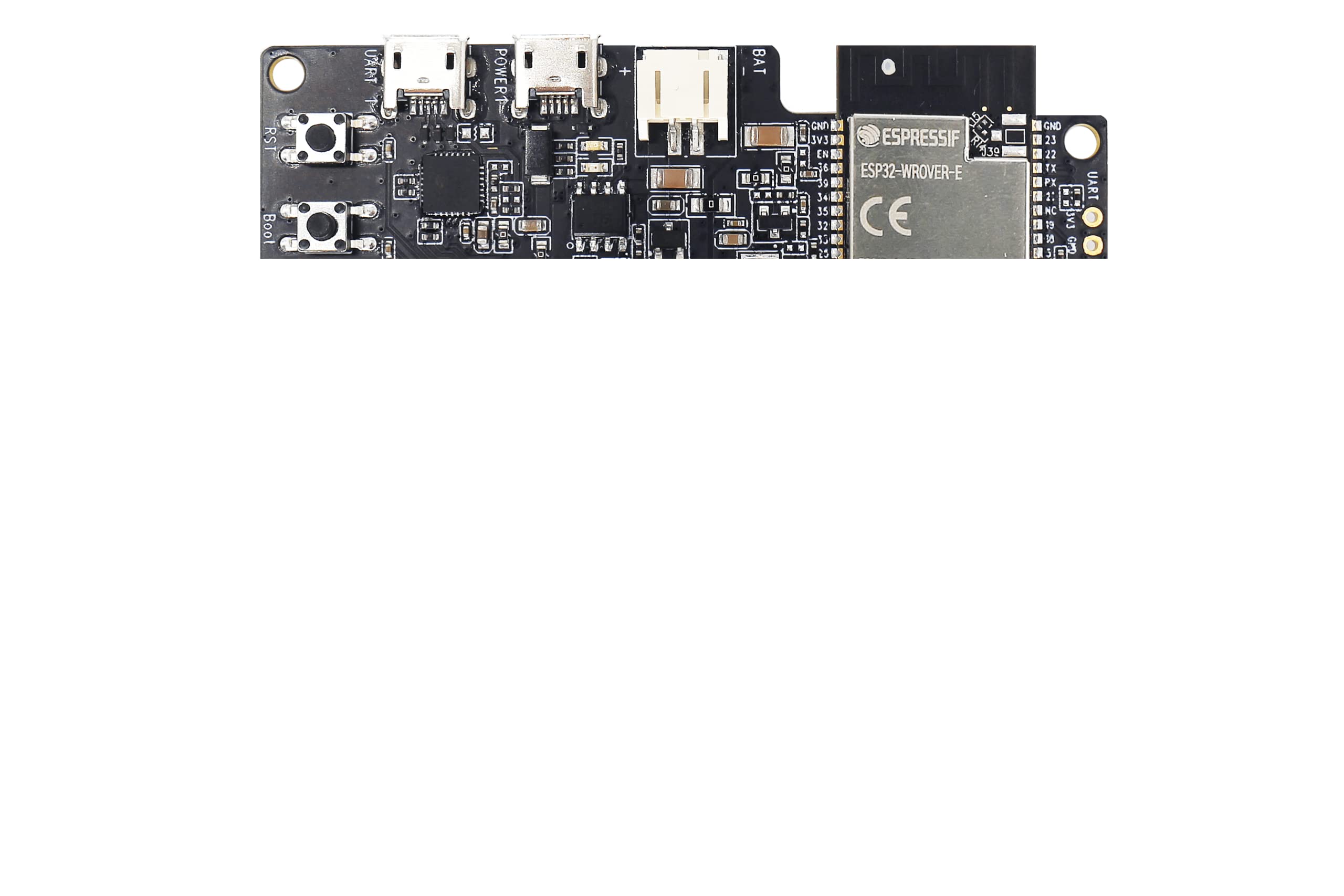
Figure 2.1: Espressif ESP32-LyraT-Mini Development Board. This image shows the compact design of the board with its various components and integrated PCB antenna.
3. Impostazione
Follow these steps to set up your ESP32-LyraT-Mini Development Board:
- Collegamento elettrico: Connect the development board to a power source using a compatible USB cable. Ensure the power supply meets the board's specifications.
- Installazione del driver: Depending on your operating system, you may need to install USB-to-serial drivers. Refer to Espressif's official documentation for specific driver requirements and installation guides.
- Configurazione dell'ambiente di sviluppo: Install the Espressif IoT Development Framework (ESP-IDF) or other preferred development tools. Detailed instructions are available on the Espressif websito.
- Connetti al PC: Use a USB cable to connect the board to your computer. This connection facilitates programming and serial communication.
4. Operativo
Once the ESP32-LyraT-Mini is set up, you can begin developing and testing your audio applications. The board's capabilities are primarily driven by the firmware you upload.
- Ingresso/uscita audio: Utilize the integrated audio interfaces for microphone input and speaker output.
- Cancellazione dell'eco acustico (AEC): Implement AEC algorithms to reduce echo in full-duplex audio communication.
- Controllo automatico del guadagno (AGC): Use AGC to maintain a consistent audio output level, regardless of input volume fluctuations.
- Noise Suppression (NS): Apply NS to filter out background noise, improving speech clarity.
- Wake Word Engine (WWE): Develop applications that respond to specific voice commands or wake words.
- Connettività wireless: Leverage the ESP32-WROVER-E's Wi-Fi and Bluetooth capabilities for network communication and device pairing.
Refer to the ESP-IDF programming guides and examples for detailed instructions on utilizing these features in your code.
5. Manutenzione
Proper care and maintenance will ensure the longevity and optimal performance of your ESP32-LyraT-Mini Development Board:
- Maneggiare con cura: Evitare di far cadere la tavola o di sottoporla a urti fisici.
- Mantenere asciutto: Protect the board from moisture and liquids. Operate it in a dry environment.
- Pulizia: Mantenere la scheda pulita da polvere e detriti. Utilizzare una spazzola morbida e asciutta o aria compressa per la pulizia.
- Magazzinaggio: When not in use, store the board in an anti-static bag in a cool, dry place.
- Spegni: Always disconnect power before making any physical connections or disconnections to the board.
6. Risoluzione Dei Problemi
If you encounter issues with your ESP32-LyraT-Mini, consider the following troubleshooting steps:
- Nessun potere: Ensure the USB cable is securely connected and the power source is functional. Try a different USB cable or power adapter.
- Problemi di connessione: Verify that the correct USB-to-serial drivers are installed on your computer. Check the device manager for any driver conflicts.
- Errore di caricamento del firmware: Confirm that your development environment is correctly configured and the board is in programming mode (if required). Check serial port selection.
- Problemi audio: Ensure microphones and speakers are correctly connected. Verify audio settings in your firmware and development environment.
- Problemi relativi al software: Consult the Espressif documentation and community forums for common software-related problems and solutions.
If problems persist, contact Espressif support for further assistance.
7. Specifiche
| Caratteristica | Specificazione |
|---|---|
| Marca | Espressivo |
| Nome del modello | ESP32 LyraT Mini Kit |
| Numero di modello | ESP32-LyraT-Mini |
| Marca del processore | Espressivo |
| Numero di processori | 1 |
| Dimensione della memoria RAM installata | 8 MB |
| Tecnologia della memoria RAM | PSRAM |
| Capacità di archiviazione della memoria | 8 MB |
| Tecnologia di connettività | Ethernet (via ESP32-WROVER-E capabilities) |
| Compatibilità wireless | 802.11b (Wi-Fi) |
| Sistema operativo | FreeRTOS (typical for ESP-IDF) |
| Porte USB totali | 1 (for power and data) |
| Dispositivi compatibili | Computer portatile, computer personale, smartphone, tablet |
8. Garanzia e supporto
For warranty information and technical support regarding your Espressif ESP32-LyraT-Mini Development Board, please refer to the official Espressif websito o contattare direttamente il loro team di supporto.
For business or technical questions, you may contact Espressif at: sales@espressif.com