
Introduzione
Grazie per l'acquistoasing the Gemmac Astronaut Galaxy Projector Star Night Light. This device is designed to project a captivating nebula and starry sky onto your walls and ceiling, creating a relaxing and immersive atmosphere. Please read this manual carefully before use to ensure proper operation and to maximize your enjoyment of the product.
Informazioni sulla sicurezza
Per garantire un funzionamento sicuro ed evitare danni, osservare le seguenti precauzioni:
- Non fissare direttamente la fonte di luce. The projector uses bright lights that can cause eye discomfort or damage.
- Tenere il dispositivo lontano dall'acqua o da altri liquidi per evitare scosse elettriche.
- Non smontare o tentare di riparare il dispositivo autonomamente. Contattare personale qualificato per l'assistenza.
- Use only the provided power adapter or one with compatible specifications.
- Keep out of reach of small children to prevent accidental ingestion of small parts or direct exposure to the light source.
- Assicurarsi che il dispositivo sia posizionato su una superficie stabile e piana per evitare che cada.
- Evitare di posizionare il proiettore vicino a fonti di calore o alla luce solare diretta.
Contenuto della confezione
Verificare che tutti gli articoli siano presenti nel pacco:
- 1 x Gemmac Astronaut Galaxy Projector
- 1 x telecomando
- 1 x cavo di alimentazione USB
- 1 x Manuale utente

Image: The package includes the astronaut projector, remote control, USB power cable, and user manual.
Prodotto finitoview
The Gemmac Astronaut Galaxy Projector features a unique astronaut design with a flexible head that can be rotated to adjust the projection angle. It combines nebula and star projections for a dynamic visual experience.

Image: The Gemmac Astronaut Galaxy Projector and its remote control.

Immagine: dettagliata view of the astronaut projector's flexible design and remote control functions.
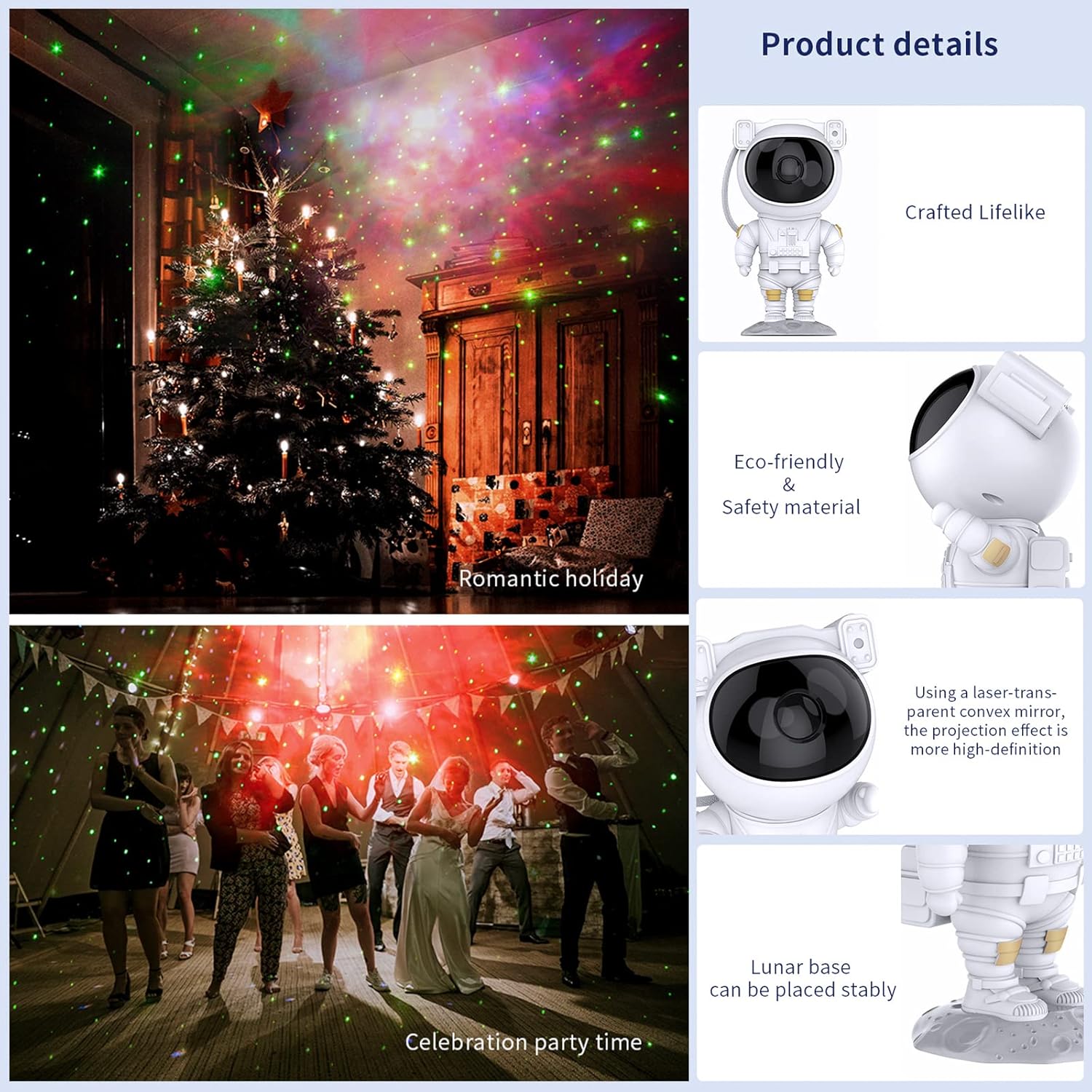
Image: Key product details including design, materials, projection lens, and stable base.
Impostare
Collegamento di potenza
- Place the astronaut projector on a stable, flat surface.
- Connect the USB power cable to the projector's power input port (located on the backpack).
- Collegare l'altra estremità del cavo USB a un adattatore di alimentazione USB compatibile (non incluso) o a una porta USB.
- Assicurarsi che la fonte di alimentazione sia stabile.
Istruzioni per l'uso
Pulsanti del dispositivo
The buttons on the back of the astronaut's backpack allow for basic control:
- Pulsante di accensione: Accende o spegne il proiettore.
- Nebula Mode Button: Cycles through different nebula colors and effects.
- Star Mode Button: Turns the star projection on or off.
Funzioni del telecomando
The included remote control provides comprehensive control over the projector's features:
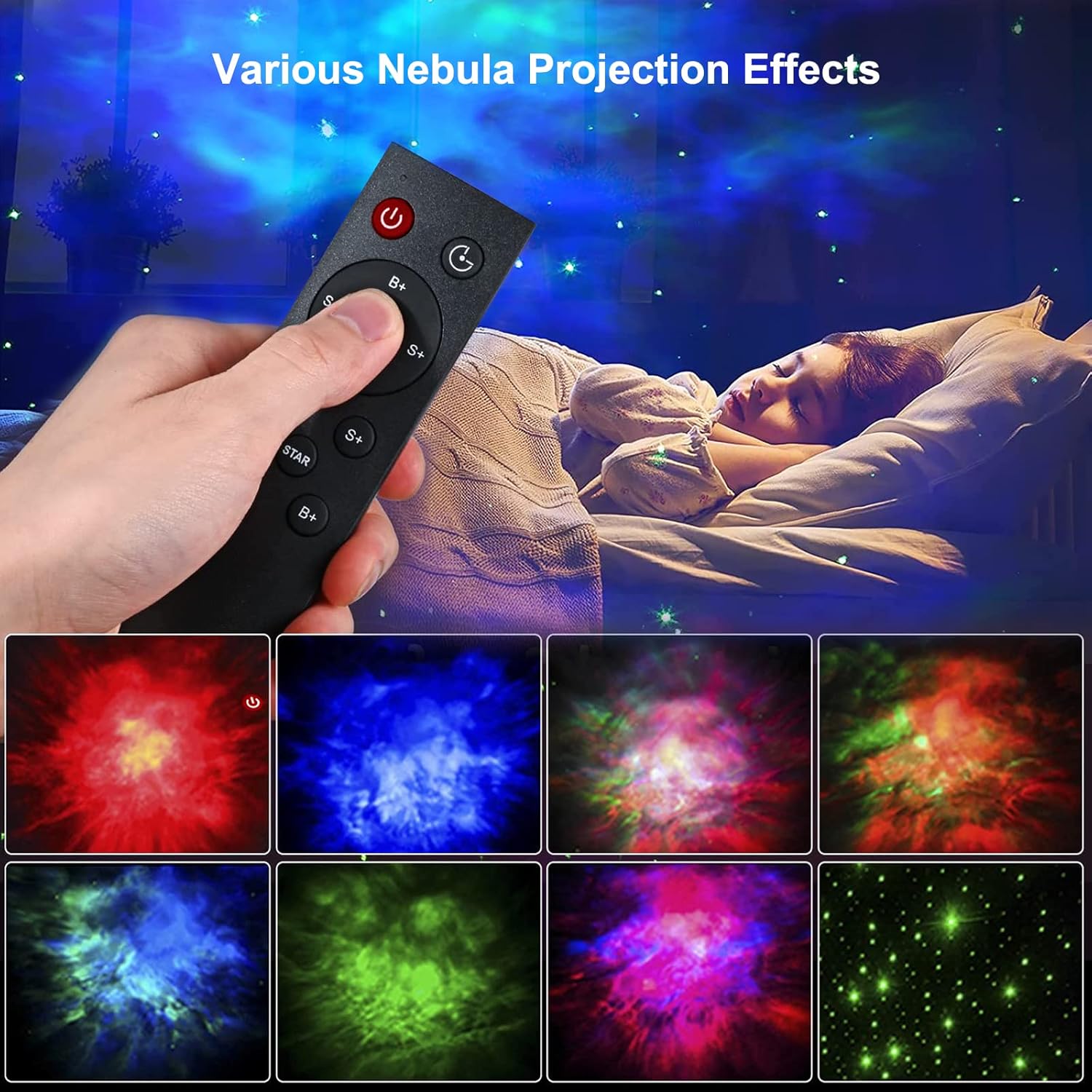
Image: Remote control in use, demonstrating various projection effects.
- Accensione/Spegnimento: Accende o spegne il proiettore.
- Interruttore orario: Sets the automatic shut-off timer (e.g., 45 minutes, 90 minutes).
- Nebula Brightness (B+/B-): Adjusts the brightness of the nebula projection.
- Nebula Change Speed (S+/S-): Controls the speed of nebula movement.
- Nebula Color Switching (NEBULA): Cycles through different nebula colors.
- Star Breathing Rate (S+/S-): Adjusts the fading speed of the stars.
- Star Switch (STAR): Turns the star projection on or off.
- Star Brightness (B+/B-): Adjusts the brightness of the star projection.
Caratteristiche
Proiezione di nebulose e stelle
The projector offers a combination of colorful nebula clouds and twinkling stars. These can be displayed together or independently, providing a variety of celestial scenes. The nebula colors and star brightness are adjustable to suit your preference.
Video: Demonstration of the Gemmac Astronaut Galaxy Projector's nebula and star light effects.

Image: The projector creating a green nebula and star effect in a living room setting.

Image: The projector creating a colorful nebula and star effect inside a car.
Funzione timer
Utilize the timer function on the remote control to set the projector to automatically turn off after a specified duration (e.g., 45 or 90 minutes). This is ideal for bedtime use.
Angolo di proiezione regolabile
The astronaut's head is magnetically connected to its body, allowing you to rotate it 360 degrees. This flexibility enables you to direct the projection to any desired angle on your ceiling or walls.
Manutenzione
Una corretta manutenzione garantisce la longevità e le prestazioni ottimali del proiettore:
- Pulizia: Utilizzare un panno morbido e asciutto per pulire l'esterno del proiettore. Non utilizzare detergenti abrasivi o solventi.
- Cura delle lenti: Gently clean the projection lenses with a soft, lint-free cloth to maintain clear projection quality. Avoid touching the lenses directly with your fingers.
- Magazzinaggio: Quando non viene utilizzato per lunghi periodi, conservare il proiettore in un luogo fresco e asciutto, lontano dalla luce solare diretta e dall'umidità.
Risoluzione dei problemi
In caso di problemi, fare riferimento ai seguenti problemi comuni e alle relative soluzioni:
| Problema | Possibile causa | Soluzione |
|---|---|---|
| Il proiettore non si accende. | Nessuna alimentazione, connessione allentata, adattatore difettoso. | Check power cable connection. Ensure power adapter is working. Try a different USB port or adapter. |
| Telecomando non funzionante. | Batterie scariche, telecomando fuori portata, ostruzione. | Replace remote control batteries. Ensure remote is pointed at the projector and within range. Remove any obstructions between the remote and projector. |
| Projection is blurry or dim. | Dirty lens, incorrect focus, too much ambient light. | Gently clean the projection lenses. Ensure the room is dark enough for optimal projection. Adjust brightness settings via remote. |
| Le stelle o la nebulosa non appaiono. | Feature turned off. | Use the remote control to turn on the star or nebula projection modes. |
Specifiche
| Caratteristica | Dettaglio |
|---|---|
| Marca | Gemmac |
| Modello | Proiettore di galassie per astronauti |
| Dimensioni del prodotto | 9.6"P x 4.5"L x 4.7"A |
| Peso dell'articolo | 2.4 once (0.15 libbre) |
| Tipo di sorgente luminosa | GUIDATO |
| Materiale | Acrilonitrile Butadiene Stirene (ABS) |
| Fonte di alimentazione | Elettrico con cavo |
| Cosatage | 5 watt |
| Metodo di controllo | Remote, Device Buttons |
| Caratteristiche speciali | Color Changing, Timer, Dimmable |
| Uso interno/esterno | Al chiuso |
| Codice UPC | 755419178313 |
Garanzia e supporto
For warranty information or technical support, please refer to the contact details provided with your purchase documentation or visit the official Gemmac websito. Conserva la ricevuta d'acquisto come prova d'acquisto.