
Introduzione
Thank you for choosing the SJOYBRING JOY-D008 Car Stereo. This manual provides essential information for the proper installation, operation, and maintenance of your new car stereo system. Please read this manual thoroughly before use to ensure optimal performance and safety.
Caratteristiche del prodotto
- Apple CarPlay: Connect your smartphone via USB for navigation, phone calls, notifications, and music playback with voice control.
- Bluetooth 5.0 & HD Microphone: Enjoy wireless audio streaming, hands-free calling with a built-in microphone, and an external microphone jack for enhanced call clarity.
- HD Touch Screen & Mirror Link: Features a 7-inch HD capacitive touchscreen for sensitive and accurate control. Supports smartphone mirroring for both iOS and Android devices, allowing 1080P video playback.
- Impostazioni dell'equalizzatore: Customize your audio experience with a built-in preset EQ and user-customized 16-band EQ options for various music styles and sound effects.
- Funzioni aggiuntive: Includes ID3 Tag display, pre-amp and subwoofer outputs, steering wheel control compatibility, A/V input, and 7-colored LED buttons.
Contenuto della confezione
Verificare che tutti gli elementi siano presenti nella confezione prima di procedere con l'installazione:
- SJOYBRING JOY-D008 Double Din Car Stereo
- Telaio
- Power & Audio Cable (Harness)
- Telecomando
- Staffe di montaggio
- Viti
- Manuale d'uso
- Posteriore View Fotocamera (se inclusa nel pacchetto specifico)
- Backup Camera Cable (if included)

Figura 1: Contenuto della confezione
Installazione
Si raccomanda l'installazione da parte di un professionista. Assicurarsi che l'alimentazione del veicolo sia scollegata prima di iniziare l'installazione.
Vehicle Compatibility and Sizing
The SJOYBRING JOY-D008 car stereo is designed to be compatible with most 12V vehicles. Before installation, measure your dashboard opening to ensure it matches one of the following standard double din sizes:
- U.S. and Europe Standard: 173 × 98mm (6.81 × 3.85 inches)
- Asian Standard: 178 × 100mm (7 × 4 inches)
- Other Common Sizes: 190 × 116mm (7.48 × 4.56 inches)
If your dash opening does not match, you may need to purchase a suitable dash kit (most use 173 × 98mm opening) or modify your dashboard. Additional items such as vehicle-specific kits, a wiring adapter, or an antenna adapter may be required and are not included in the package.

Figure 2: Stereo Dimensions
Collegamenti elettrici
Connect the power and audio harness to your vehicle's wiring according to the provided wiring diagram (refer to the user manual included in the package for detailed diagrams). Ensure all connections are secure to prevent electrical issues.
Istruzioni per l'uso
1. Supporto Apple CarPlay
Connect your iPhone to the car stereo via a USB cable. CarPlay will automatically launch, allowing you to access navigation, make phone calls, send messages, and play music directly from your iPhone on the stereo's display. Voice control is available to manage functions hands-free.

Figura 3: Interfaccia Apple CarPlay

Figure 4: Apple CarPlay App Icons
Video 1: Demonstrates Bluetooth connectivity and Apple CarPlay functionality on a similar car audio system.
2. Bluetooth 5.0 & Hands-Free Calling
Pair your smartphone with the car stereo via Bluetooth for wireless audio streaming and hands-free communication. Access your phone's contacts and call history directly from the stereo's screen. The built-in microphone and external mic jack ensure clear audio during calls.

Figura 5: Interfaccia di chiamata Bluetooth
3. Collegamento specchio
The Mirror Link function allows you to display your smartphone's screen directly onto the car stereo's 7-inch HD display. This feature supports most iOS and Android phones, enabling you to view apps, videos, and other content. Connect your phone via USB to activate this feature.

Figure 6: Mirror Link Displaying Navigation

Figura 7: Mirror Link per iOS e Android
4. Radio FM/AM
Access your favorite radio stations using the built-in FM/AM tuner. The interface allows for easy station scanning and saving presets.

Figura 8: Interfaccia radio FM/AM
5. Impostazioni EQ
Fine-tune your audio output with the 16-band equalizer. Adjust frequency bands to match your personal preferences or select from various preset EQ modes.

Figure 9: 16-Band EQ Settings
6. Posteriore View Telecamera
Una volta collegato, il retro view camera automatically displays the parking image on the stereo screen when the vehicle is shifted into reverse, providing visual assistance for safer parking and maneuvering.
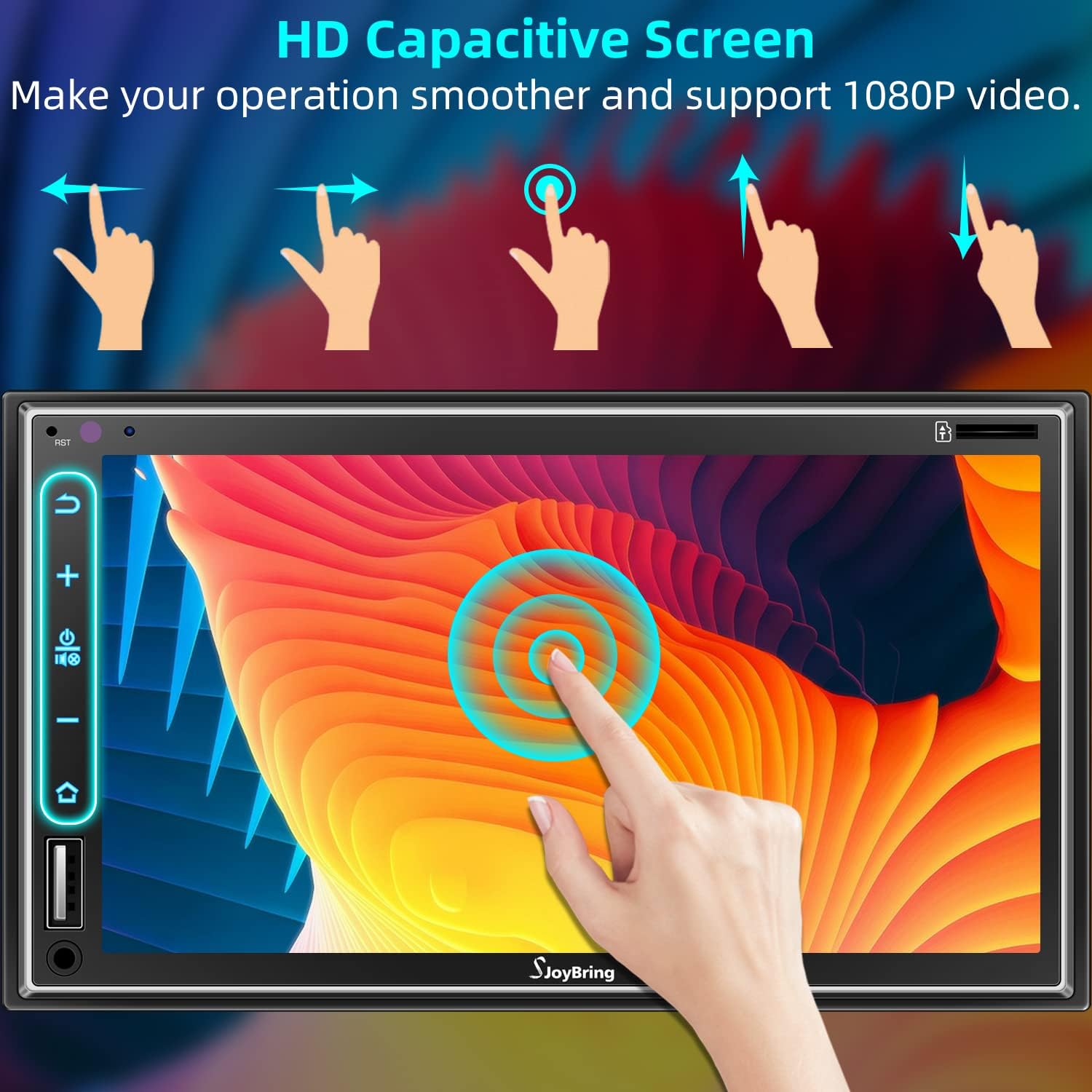
Figura 10: Posteriore View Display della fotocamera

Figure 11: Backup Camera Connection
7. Controllo del volante (SWC)
The unit supports steering wheel controls, allowing you to manage audio functions (volume, track, mode) directly from your steering wheel for convenience and safety. Refer to the wiring diagram for proper connection and programming instructions.

Figura 12: Configurazione del controllo del volante
8. HD Capacitive Touch Screen
The 7-inch HD capacitive touch screen offers smooth and responsive interaction. It supports 1080P video playback, providing a clear visual experience.

Figure 13: HD Capacitive Touch Screen Interaction
Manutenzione
To ensure the longevity and optimal performance of your SJOYBRING car stereo, follow these maintenance guidelines:
- Pulizia: Utilizzare un panno morbido e asciutto per pulire lo schermo e l'unità. Evitare detergenti abrasivi o solventi che potrebbero danneggiare la superficie.
- Temperatura: Evitare di esporre l'unità a temperature estreme, alla luce solare diretta per periodi prolungati o a elevata umidità.
- Connessioni: Controllare periodicamente tutti i collegamenti elettrici per accertarsi che siano saldi e privi di corrosione.
- Aggiornamenti software: Controllare il produttore websito per eventuali aggiornamenti firmware disponibili per migliorare le prestazioni e aggiungere nuove funzionalità.
Risoluzione dei problemi
Se riscontri problemi con l'autoradio, fai riferimento ai seguenti passaggi comuni per la risoluzione dei problemi:
| Problema | Possibile causa | Soluzione |
|---|---|---|
| L'unità non si accende | Collegamento elettrico allentato, fusibile bruciato, problema alla batteria del veicolo. | Controllare il cablaggio di alimentazione, ispezionare i fusibili del veicolo, assicurarsi che la batteria sia carica. |
| Nessuna uscita audio | Cablaggio degli altoparlanti errato, volume troppo basso, funzione mute attiva. | Verify speaker connections, increase volume, check mute status. |
| Apple CarPlay/Mirror Link not connecting | Faulty USB cable, phone not recognized, software glitch. | Use a certified USB cable, restart phone and stereo, check phone settings for CarPlay/Mirror Link permissions. |
| Touchscreen unresponsive or delayed | Temporary software issue, screen calibration needed. | Restart the unit. If issue persists, consult the full user manual for screen calibration steps. |
| Posteriore view la fotocamera non visualizza | Cablaggio errato della telecamera, malfunzionamento della telecamera. | Check camera power and video input connections. Ensure the camera is properly installed and functioning. |
For more detailed troubleshooting or persistent issues, please refer to the comprehensive user manual or contact SJOYBRING customer support.
Specifiche
| Caratteristica | Dettaglio |
|---|---|
| Marca | GIOCARE |
| Numero di modello | GIOIA-D008 |
| Dimensioni dello schermo | 7 pollici |
| Tipo di schermo | Touchscreen capacitivo HD |
| Tecnologia di connettività | Auxiliary, USB, Wi-Fi, Bluetooth |
| Versione Bluetooth | 5.0 |
| Tipo di controllore | iOS (for CarPlay) |
| Caratteristiche speciali | Equalizer, Touchscreen, Apple CarPlay, Phone Mirror Link, Steering Wheel Control |
| Dispositivi compatibili | Smartphone |
| Modalità di uscita audio | Stereo |
| Configurazione del canale audio surround | 4.0 |
| Numero di canali | 4 |
| Servizi Internet supportati | Mappe |
| Metodo di controllo | Tocco |
| Tipo di uscita audio | Bluetooth, FM/AM |
| Codice UPC | 734172141994 |
Garanzia e supporto
This SJOYBRING car stereo comes with a Garanzia di 1 anno dalla data di acquisto. La presente garanzia copre difetti di fabbricazione e malfunzionamenti in condizioni di normale utilizzo.
For technical assistance, warranty claims, or further inquiries, please contact SJOYBRING customer support through the retailer where the product was purchased or visit the official SJOYBRING websito per le informazioni di contatto.