
1. Introduzione
The ZINGYOU V1 is a compact 2.4GHz wireless lavalier microphone system designed for clear audio recording with various devices. It features a transmitter and a receiver, offering a wireless transmission range of up to 70 meters. This manual provides detailed instructions for setting up, operating, and maintaining your V1 microphone system.
2. Contenuto della confezione
Si prega di controllare il pacco per assicurarsi che siano presenti tutti gli articoli:
- 1 x Trasmettitore
- 1 x Ricevitore
- 1 microfono lavalier
- 1 x 3.5mm TRS Cable (for camera connection)
- 1 x 3.5mm TRRS Cable (for phone connection)
- 1 x 2-in-1 USB Power Cable
- 1 x Parabrezza peloso
- 1 x Oxford Bag
- 1 x Manuale utente

Image: All components included in the ZINGYOU V1 Wireless Lavalier Microphone package, laid out neatly.
3. Prodotto finitoview
The ZINGYOU V1 system consists of a transmitter (TX) and a receiver (RX). Both units are lightweight and designed for portability and ease of use.
3.1. Caratteristiche principali
- 2.4GHz Transmission Technology: Ensures stable and reliable wireless audio transmission up to 70 meters.
- Design leggero: Each microphone unit weighs only 30g, making it easy to clip onto clothing.
- Ottimizzazione audio: Features a professional noise reduction chip and 360° omnidirectional radio for clear sound capture.
- Funzione di monitoraggio: The receiver includes an audio button and monitoring function for real-time sound checks.
- Associazione automatica: Units automatically connect upon power-on for quick setup.

Image: A woman wearing the ZINGYOU V1 lavalier microphone clipped to her clothing, demonstrating its discreet and portable design.

Image: A hand holding the ZINGYOU V1 transmitter, emphasizing its small size and lightweight nature (30g).

Immagine: un primo piano view of the ZINGYOU V1 transmitter and receiver, illustrating their 2.4GHz wireless transmission technology and automatic pairing capability.
4. Istruzioni per l'installazione
Follow these steps to set up your ZINGYOU V1 wireless microphone system:
4.1. Ricarica delle unità
- Connect the 2-in-1 USB power cable to both the transmitter and receiver.
- Collegare l'estremità USB a un adattatore di alimentazione USB standard (non incluso) o a una porta USB del computer.
- Ensure both units are fully charged before first use.
4.2. Collegamento a un dispositivo di registrazione
The ZINGYOU V1 is compatible with various devices, including SLR cameras, video cameras, cell phones, and recorders.
- For Cameras (SLR, Video Cameras): Use the provided 3.5mm TRS cable. Connect one end to the receiver's output port and the other end to your camera's microphone input jack.
- For Smartphones (Cell Phones): Use the provided 3.5mm TRRS cable. Connect one end to the receiver's output port and the other end to your smartphone's headphone/microphone jack. Note: For iPhones without a 3.5mm jack, an official Lightning to 3.5mm adapter (not included) is required.

Image: A diagram illustrating the multi-device compatibility of the ZINGYOU V1, showing connections for cameras (DSLR, Camcorder, GoPro) using a 3.5mm TRS cable and smartphones (Android, iPhone, iPad) and laptops using a 3.5mm TRRS cable.

Image: A close-up of a hand connecting the 3.5mm TRS cable from the ZINGYOU V1 receiver to the microphone input of a DSLR camera.
5. Istruzioni per l'uso
5.1. Accensione e accoppiamento
- Press and hold the power button on both the transmitter (TX) and receiver (RX) until the indicator lights turn on.
- The units will automatically pair with each other. A solid blue light typically indicates a successful connection.
5.2. Indossare il trasmettitore
Clip the transmitter onto your clothing, such as a collar or tie, ensuring the microphone capsule (if using the external lavalier mic) is positioned approximately 6-8 inches from your mouth for optimal sound capture. If using the built-in microphone, ensure it faces the sound source.
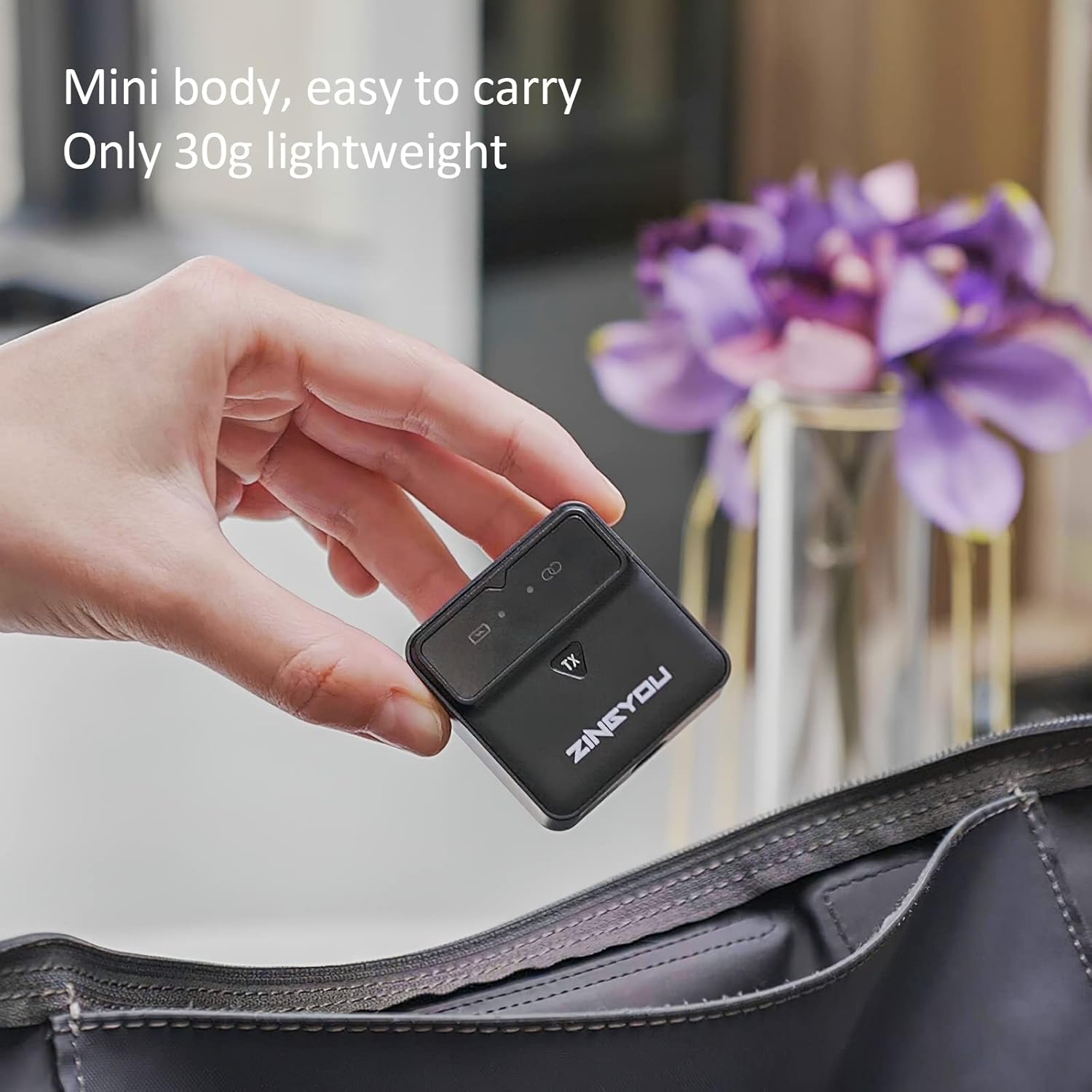
Image: A woman wearing the ZINGYOU V1 lavalier microphone, equipped with a furry windshield, clipped to her denim shirt.
5.3. Audio Monitoring and Adjustment
- The receiver features an audio output port for real-time monitoring. Connect headphones to this port to listen to the audio being recorded.
- Use the audio buttons on the receiver to adjust the output volume as needed. This helps in debugging the microphone before recording, preventing unsatisfactory results.

Image: A person recording a woman outdoors using the ZINGYOU V1 wireless lavalier microphone system, demonstrating its use in an open environment with a 70m transmission range.

Image: A woman recording indoors with the ZINGYOU V1 microphone clipped to her dress, illustrating the 360° omnidirectional radio and intelligent noise reduction features for clear audio.
Video: An official product video demonstrating the ZINGYOU V1 Wireless Lavalier Microphone in various usage scenarios, highlighting its portability, ease of setup, and sound quality for content creation.
6. Manutenzione
Proper maintenance ensures the longevity and optimal performance of your ZINGYOU V1 microphone system.
- Pulizia: Utilizzare un panno morbido e asciutto per pulire l'esterno del trasmettitore e del ricevitore. Evitare l'uso di detergenti liquidi o solventi.
- Magazzinaggio: Store the microphone system in the provided Oxford bag when not in use to protect it from dust and physical damage. Keep it in a cool, dry place.
- Cura della batteria: Recharge the units regularly, even if not in frequent use, to maintain battery health. Avoid fully discharging the batteries for extended periods.
- Parabrezza: The furry windshield can be gently cleaned with a soft brush if it collects dust or debris.
7. Risoluzione Dei Problemi
If you encounter issues with your ZINGYOU V1 microphone system, refer to the following common troubleshooting steps:
| Problema | Possibile causa | Soluzione |
|---|---|---|
| Nessun suono o volume basso |
|
|
| Intermittent audio or signal dropouts |
|
|
| Poor sound quality (hiss, distortion) |
|
|
8. Specifiche
| Caratteristica | Dettaglio |
|---|---|
| Marca | ZING VOI |
| Modello | V1 |
| Fattore di forma del microfono | Lavalier |
| Tecnologia di connettività | 2.4GHz wireless |
| wireless Range | Fino a 70 m (230 piedi) |
| Modello polare | Omnidirezionale |
| Sensibilità Audio | 30 decibel |
| Signal-to-Noise Ratio | 78 dB |
| Peso dell'articolo | 30 Grams (each unit) |
| Fonte di alimentazione | Alimentato a batteria (2 batterie agli ioni di litio incluse) |
| Dispositivi compatibili | Camera, Laptop, PC, Cell Phones (with appropriate cable/adapter) |
| Tipo di connettore | 3.5 mm Jack |
| Dimensioni del prodotto (L x P x A) | 6.1 x 3.74 x 1.57 pollici |
9. Garanzia e supporto
ZINGYOU provides customer support for its products. For any questions regarding your V1 Wireless Lavalier Microphone, please refer to the contact information provided with your purchase or visit the official ZINGYOU websito per assistenza.
Warranty information is typically included with the product packaging or available on the manufacturer's official websito. Conservare la prova d'acquisto per eventuali reclami in garanzia.