
1. Prodotto finitoview
The LENRUE TouchGo F4 is a compact, portable Bluetooth speaker designed for clear audio and ease of use. It features touch controls, Bluetooth 5.0 connectivity, and supports TWS (True Wireless Stereo) pairing for an enhanced audio experience. The speaker comes with a hard EVA travel case for protection and portability.

Figure 1: LENRUE TouchGo F4 Bluetooth Speaker.
2. Contenuto della confezione
Si prega di controllare la confezione per verificare la presenza dei seguenti elementi:
- LENRUE TouchGo F4 Bluetooth Speaker
- Hard EVA Travel Case
- Cavo di ricarica TYPE-C
- Manuale d'uso
3. Impostazione
3.1 Carica iniziale
Before first use, fully charge the speaker. Connect the provided TYPE-C charging cable to the speaker's charging port and a compatible USB power adapter (not included). The charging indicator light will show the charging status. A full charge typically takes approximately 4 hours.
3.2 Accensione/Spegnimento
- Per accendere: Press and hold the power button (usually the central play/pause button) for a few seconds until you hear an audible prompt and the indicator light illuminates.
- Per spegnere: Premere e tenere premuto nuovamente il pulsante di accensione per alcuni secondi, finché non si sente un segnale acustico e la spia luminosa non si spegne.
3.3 Associazione Bluetooth
To connect the speaker to your device:
- Ensure the speaker is powered on and in pairing mode (the indicator light will typically flash blue).
- Sul tuo dispositivo (smartphone, tablet, ecc.), attiva il Bluetooth e cerca i dispositivi disponibili.
- Select "ToughGo" or "LENRUE TouchGo" from the list of devices.
- Once connected, you will hear a confirmation sound, and the indicator light will turn solid blue.
L'altoparlante si riconnetterà automaticamente all'ultimo dispositivo associato quando viene acceso, se il dispositivo si trova nel raggio d'azione e il Bluetooth è abilitato.

Figure 2: Speaker with touch controls for sensitive and elegant operation.
3.4 TWS Wireless Pairing (Connect Two Speakers)
To achieve dual-channel stereo sound, you can pair two TouchGo F4 speakers together:
- Power on both TouchGo F4 speakers.
- Ensure both speakers are disconnected from any other Bluetooth devices.
- On uno of the speakers, press and hold the "+" button until you hear a prompt indicating TWS pairing mode.
- The two speakers will automatically pair with each other. You will hear a "beep" sound upon successful TWS pairing.
- Now, connect your device's Bluetooth to the device name "ToughGo". Both speakers will play audio in stereo.
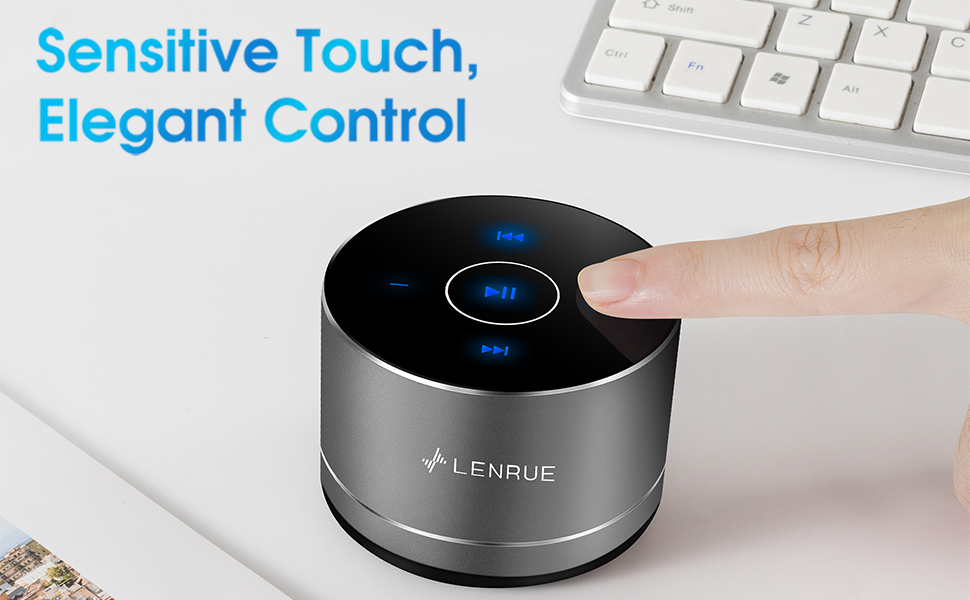
Figure 3: Two speakers connected for TWS wireless stereo pairing.
4. Istruzioni per l'uso
4.1 Comandi touch
The speaker features intuitive touch controls located on the top surface:
- Riproduci/Pausa: Tap the central button once to play or pause music.
- Aumenta volume: Tap the "+" button to increase volume.
- Volume basso: Tap the "-" button to decrease volume.
- Traccia successiva: Tap the ">>" button to skip to the next song.
- Traccia precedente: Tap the "<<" button to go to the previous song.
4.2 Chiamate in vivavoce
The speaker includes a built-in microphone for hands-free calls:
- Rispondi alla chiamata: When a call comes in, tap the central button once to answer.
- Termina chiamata: During a call, tap the central button once to end the call.
- Rifiuta chiamata: Per rifiutare una chiamata in arrivo, tenere premuto il pulsante centrale per circa 2 secondi.

Figure 4: Speaker with hands-free calling capability.
4.3 Durata della batteria e risparmio energetico
The speaker is equipped with a 1200mAh lithium-ion battery, providing 6-15 hours of music playback at 2/3 volume. To conserve power, the speaker will automatically shut down if Bluetooth is disconnected for 30 minutes.
5. Manutenzione
5.1 Pulizia
To clean the speaker, use a soft, dry cloth. Do not use abrasive cleaners, solvents, or immerse the speaker in water.
5.2 Conservazione
When not in use for extended periods, store the speaker in its hard EVA travel case in a cool, dry place. Avoid extreme temperatures and direct sunlight.
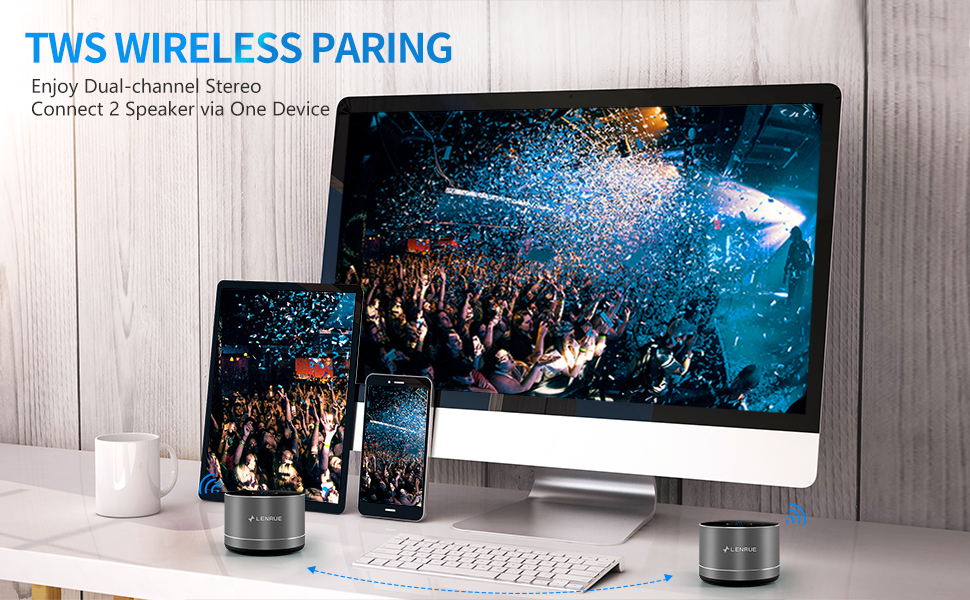
Figure 5: Speaker with its protective hard EVA travel case.
6. Risoluzione Dei Problemi
| Problema | Possibile causa | Soluzione |
|---|---|---|
| L'altoparlante non si accende. | Batteria scarica; il pulsante di accensione non è premuto correttamente. | Caricare completamente l'altoparlante; tenere premuto il pulsante di accensione per alcuni secondi. |
| Impossibile accoppiarsi con il dispositivo Bluetooth. | Altoparlante non in modalità di associazione; Bluetooth del dispositivo disattivato; Altoparlante già connesso a un altro dispositivo. | Ensure speaker is in pairing mode (flashing blue light); Turn on Bluetooth on your device; Disconnect from other devices and try again. |
| Poor sound quality / Muffled sound. | Speaker placement; Obstructions; Low volume. | Ensure the speaker is placed on a flat, open surface, ideally not directly on its bottom where the speaker grille is located. Try placing it on its side for clearer sound. Remove any obstructions; Adjust volume on both speaker and device. |
| L'associazione TWS non riesce. | Speakers already paired to a device; Incorrect pairing procedure. | Ensure both speakers are disconnected from any Bluetooth devices before initiating TWS pairing. Follow the TWS pairing steps precisely. |
| Nessun suono. | Volume too low; Paused playback; Device not connected. | Increase volume on both speaker and device; Press play; Verify Bluetooth connection. |
7. Specifiche
| Caratteristica | Dettaglio |
|---|---|
| Numero di modello | F4 |
| Tecnologia di connettività | Bluetooth 5.0 |
| Potenza massima in uscita dell'altoparlante | 5 Watt |
| Fonte di alimentazione | Alimentato a batteria (1 batteria agli ioni di litio inclusa) |
| Capacità della batteria | 1200mAh |
| Tempo di gioco | 6-15 ore (a 2/3 del volume) |
| Tempo di ricarica | Circa 4 ore |
| Metodo di controllo | Tocco |
| Dimensioni del prodotto | 3.15 x 3.15 x 1.18 pollici |
| Peso dell'articolo | 9 once |
| Caratteristica speciale | Portable, Hands-Free Calling, TWS Pairing |
8. Garanzia e supporto
For warranty information and customer support, please refer to the documentation included with your purchase or contact LENRUE customer service directly. Contact details can typically be found on the official LENRUE websito o tramite il tuo rivenditore.