
Codice articolo: 910-006346
Manuale utente del mouse wireless Logitech Signature M650 L for Business
Modello: 910-006346
1. Introduzione
The Logitech Signature M650 L for Business Wireless Mouse is designed to enhance productivity and comfort for users with large-sized hands. It offers versatile connectivity options, including Logi Bolt USB receiver for secure connections and Bluetooth Low Energy for cross-platform flexibility. Featuring SmartWheel technology for adaptable scrolling and SilentTouch technology for quiet clicks, this mouse aims to reduce fatigue and improve user experience.
This manual provides comprehensive instructions for setting up, operating, maintaining, and troubleshooting your Signature M650 L mouse.

Image: The Logitech Signature M650 L mouse in graphite color, displayed alongside its retail packaging, highlighting its design and key features.
2. Cosa c'è nella scatola
Upon unboxing your Logitech Signature M650 L mouse, verify that all the following components are included:
- Signature M650L Mouse
- USB Receiver (Logi Bolt)
- 1 batteria AA (preinstallata o inclusa separatamente)
- Istruzioni (questo manuale)

Image: A visual representation of the items included in the product package: the Signature M650 L mouse and the Logi Bolt USB receiver, alongside the product box.
3. Caratteristiche principali
- Scorrimento SmartWheel: Automatically switches between line-by-line precision and super-fast free-spin mode for efficient navigation.
- Clic silenzioso: Equipped with SilentTouch technology, reducing click noise by 90% for a quieter work environment.
- Doppia connettività: Connects via Logi Bolt USB receiver for robust, secure connections or via Bluetooth Low Energy for broad compatibility.
- Design ergonomico: Contoured shape and soft thumb area provide comfort, reducing forearm muscle activity by 25% compared to a laptop touchpad.
- Pulsanti laterali personalizzabili: Two programmable side buttons allow for personalized shortcuts and increased productivity.
- Batteria a lunga durata: Enjoy up to 24 months of battery life on a single AA battery.
- Compatibilità multipiattaforma: Works seamlessly with Windows, macOS, Linux, Chrome OS, iPadOS, and Android.
- Progettazione sostenibile: Made with certified post-consumer recycled plastic to minimize environmental impact.

Image: An annotated diagram highlighting the key features of the Logitech Signature M650 L mouse, including silent clicking, SmartWheel, Bluetooth connectivity, customizable side buttons, comfort shape & texture, and 24-month battery life.

Image: A comparison showing the relative sizes of the standard M650 mouse and the larger M650 L mouse, indicating that the product is available in two sizes to fit different hand dimensions.
4. Guida all'installazione
4.1. Installazione della batteria
- Individuare il vano batteria sul lato inferiore del mouse.
- Aprire il coperchio del vano batterie.
- Inserire la batteria AA inclusa, assicurandosi della corretta polarità (+/-).
- Chiudere saldamente il coperchio del vano batterie.
4.2. Collegamento del mouse
The Signature M650 L offers two primary connection methods:
4.2.1. Logi Bolt USB Receiver (Recommended for Business Environments)
- Remove the Logi Bolt USB receiver from the mouse's battery compartment (if stored there).
- Collega il ricevitore USB Logi Bolt a una porta USB-A disponibile sul tuo computer.
- Accendere il mouse utilizzando l'interruttore di alimentazione posto sul lato inferiore.
- The mouse should automatically connect to the receiver. If not, press and hold the connect button on the mouse (usually near the power switch) until the LED indicator blinks, then release.

Immagine: un primo piano view of the Logi Bolt USB receiver plugged into the side of a laptop, illustrating its compact size and secure connection.
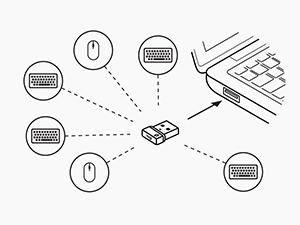
Image: A diagram illustrating how a single Logi Bolt USB receiver can connect to multiple compatible Logitech devices, including mice and keyboards, providing a unified wireless solution.
4.2.2. Bluetooth a basso consumo energetico
- Accendere il mouse utilizzando l'interruttore di alimentazione posto sul lato inferiore.
- Press and hold the connect button on the mouse (usually near the power switch) for 3 seconds until the LED indicator blinks rapidly, indicating it's in pairing mode.
- Sul tuo computer o dispositivo, apri le impostazioni Bluetooth.
- Select "Logitech M650 L" from the list of available devices and follow any on-screen prompts to complete pairing.
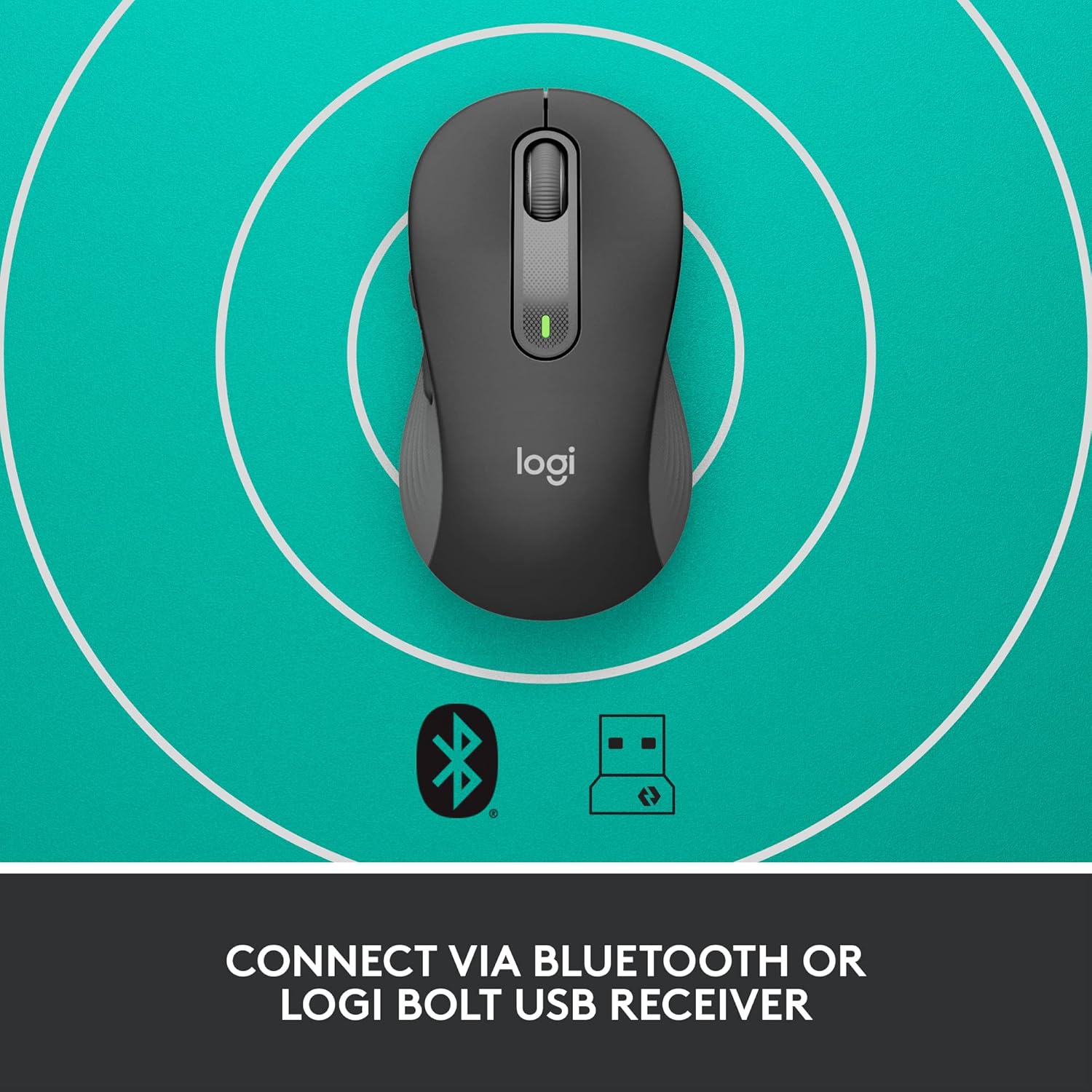
Image: The Logitech Signature M650 L mouse positioned on a surface with concentric circles, accompanied by Bluetooth and Logi Bolt icons, signifying its dual connectivity options.
5. Utilizzo del mouse
5.1. Funzioni di base
- Clic sinistro: Azione primaria, selezione.
- Clic destro: Menu contestuale.
- Ruota intelligente: Scroll up/down. The wheel automatically switches between precise line-by-line scrolling and hyper-fast free-spin scrolling based on your scrolling speed.
- Pulsanti laterali: By default, these buttons may perform forward/back actions in web browser.
5.2. Customizing Buttons (Logitech Options Software)
To unlock the full potential of your Signature M650 L mouse, download and install the Logitech Options software from the official Logitech webposto (www.logitech.com/software/logi-options-plus.html). This software allows you to:
- Reassign the side buttons to perform various functions (e.g., copy, paste, open applications, media controls).
- Adjust pointer speed (DPI).
- Customize SmartWheel behavior.
- View stato della batteria.
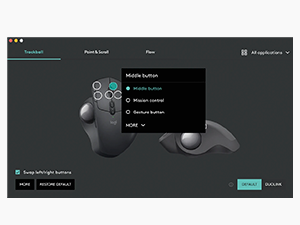
Image: A screenshot of the Logitech Options software interface, demonstrating how users can customize mouse buttons and settings for enhanced productivity.
6. Manutenzione
6.1. Pulizia del mouse
Per mantenere prestazioni e igiene ottimali, pulisci regolarmente il mouse:
- Utilizzare un panno morbido e privo di lanugine leggermente dampcon acqua o una soluzione detergente adatta ai dispositivi elettronici.
- Wipe down the surface of the mouse.
- For optical sensor, use a dry cotton swab to gently clean any dust or debris.
- Evitare di utilizzare prodotti chimici aggressivi, detergenti abrasivi o di immergere il mouse in liquidi.
6.2. Sostituzione della batteria
When the battery indicator light on your mouse turns red or the mouse becomes unresponsive, it's time to replace the AA battery. Follow the battery installation steps in Section 4.1.
7. Risoluzione Dei Problemi
| Problema | Possibile causa | Soluzione |
|---|---|---|
| Il mouse non risponde | Low battery; Receiver disconnected; Bluetooth not paired; Mouse powered off. | Replace battery; Re-insert Logi Bolt receiver; Re-pair Bluetooth; Turn mouse on. |
| Cursor lag or erratic movement | Interferenza; Sensore ottico sporco; Problemi di superficie; Batteria scarica. | Move mouse closer to receiver/device; Clean optical sensor; Use a mouse pad; Replace battery. |
| I pulsanti laterali non funzionano | Logitech Options not installed or configured; Software conflict. | Install/reinstall Logitech Options; Check button assignments in software; Restart computer. |
| Impossibile connettersi tramite Bluetooth | Mouse not in pairing mode; Device's Bluetooth off; Interference. | Ensure mouse is in pairing mode (blinking LED); Enable Bluetooth on device; Move away from other wireless devices. |
8. Specifiche
| Caratteristica | Dettaglio |
|---|---|
| Marca | Logitech |
| Nome del modello | Firma M650 L |
| Numero modello articolo | 910-006346 |
| Tecnologia di connettività | Ricevitore USB Logi Bolt a basso consumo energetico |
| Tecnologia di rilevamento del movimento | Ottico |
| Colore | Grafite |
| Peso dell'articolo | 3.93 once (circa 111.4 grammi) |
| Dimensioni del prodotto (LxWxH) | 4.65 x 2.58 x 1.64 pollici (circa 11.8 x 6.55 x 4.17 cm) |
| Tipo di batteria | Batteria 1 x AA (inclusa) |
| Durata media della batteria | Fino a 24 mesi |
| Piattaforma hardware | PC, Linux, Mac |
| Compatibilità del sistema operativo | Windows 11, Windows 10, macOS 10.15+, Linux, Chrome OS, iPadOS 13.4+, Android 5.0+ |
| Paese di origine | Cina |
9. Garanzia e supporto
9.1. Informazioni sulla garanzia
Logitech products typically come with a limited hardware warranty. Please refer to the warranty card included with your product or visit the official Logitech website for the most current and detailed warranty information applicable to your region and product model.
9.2. Assistenza clienti
For technical assistance, product inquiries, or to report issues, please visit the Logitech support websito:
You may also find helpful FAQs, troubleshooting guides, and driver downloads on their support portal.
Ask a question about this manual
Ask about setup, troubleshooting, compatibility, parts, safety, or missing instructions. Manuals+ will review the question and use this page’s manual context to help answer it.