
MageGee GT860
MageGee GT860 Wired Keyboard User Manual
Model: GT860 | Brand: MageGee
1. Introduzione
Thank you for choosing the MageGee GT860 Wired Keyboard. This manual provides detailed instructions for setting up, operating, and maintaining your new keyboard. The GT860 is a 96-key compact layout keyboard designed for gaming and daily use, featuring RGB backlighting and an ergonomic design.

Image: The MageGee GT860 wired keyboard showcasingrazie al suo layout compatto a 96 tasti e alla vivace retroilluminazione RGB.
2 Caratteristiche
- 92% Compact Minimalism Layout: Retains all commonly used keys in a space-saving design.
- Membrane with Mechanical Feeling: Utilizes advanced imitation mechanical technology for a tactile typing experience.
- Design ergonomico: Key layout is engineered for comfortable use, reducing fatigue during long sessions.
- Upgrade RGB Backlit Lighting Effect: Features a variety of light colors and modes, with adjustable brightness and breathing speed. Letters on keys are illuminated.
- High Quality and Reliable Performance: Plug and play functionality, compatible with Windows 10/8/7/XP/VISTA and Mac OS.

Image: Visual representation of the keyboard's ergonomic design, RGB lighting effects, and adjustable foot support for improved performance.

Immagine: un primo piano view of the keyboard with some keycaps removed, illustrating the underlying membrane switch mechanism that provides a mechanical-like feel.
3. Guida all'installazione
- Disimballare la tastiera: Estrarre con cautela la tastiera dalla confezione.
- Connessione al computer: Locate an available USB port on your computer. Insert the USB cable from the MageGee GT860 keyboard into the USB port.
- Installazione del driver: The keyboard is plug-and-play. Your operating system (Windows, Mac OS) will automatically detect and install the necessary drivers. No additional software installation is required.
- Posizionamento: Place the keyboard on a stable, flat surface. Adjust the integrated feet on the underside of the keyboard for your preferred typing angle.
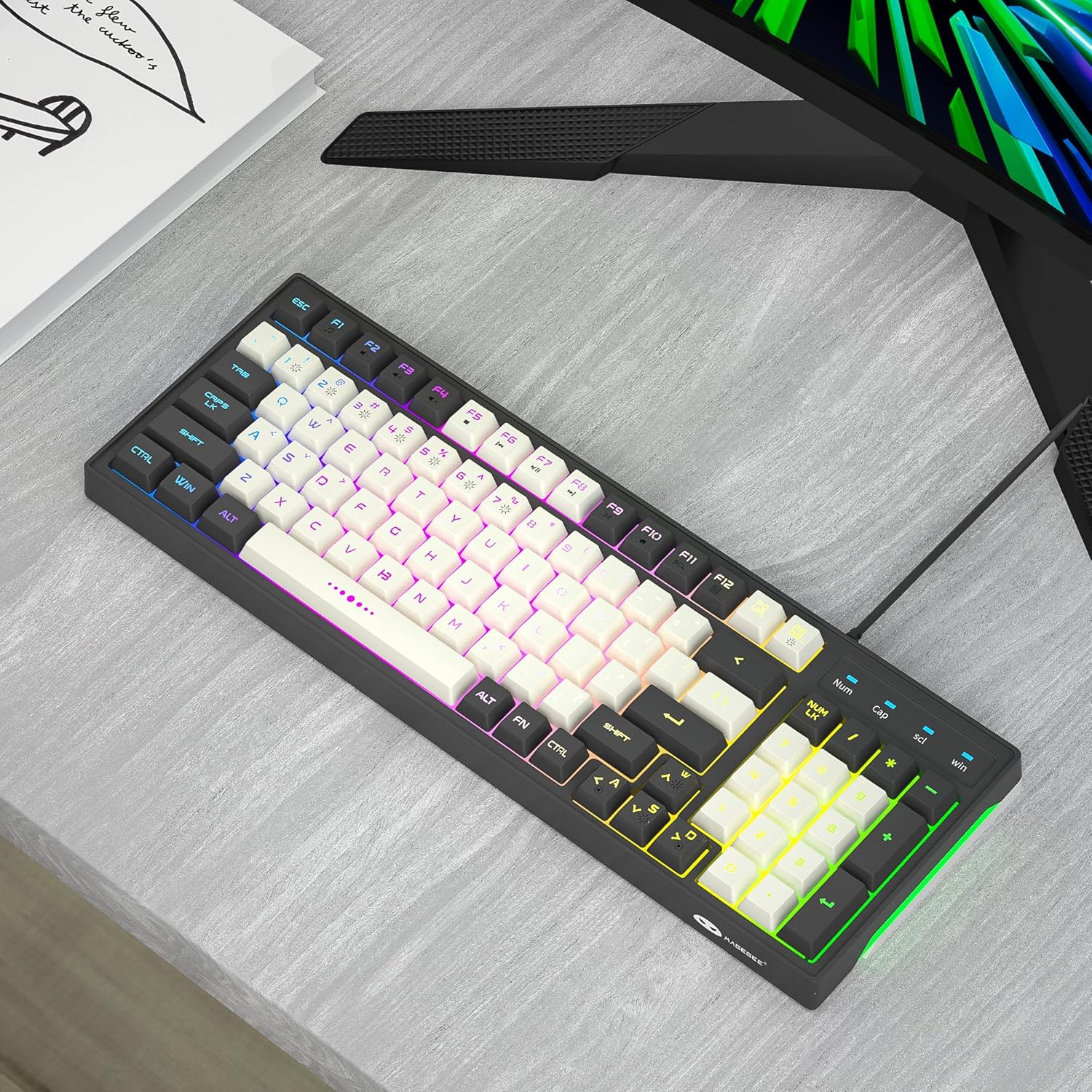
Image: The MageGee GT860 keyboard positioned on a desk, ready for use with a computer monitor, demonstrating a typical setup.
4. Istruzioni per l'uso
4.1 Controllo della retroilluminazione RGB
The MageGee GT860 keyboard features multiple RGB lighting modes. Use the Function (Fn) key in combination with other keys to control the backlight:
- Fn + Scroll Lock (SCL): Scorri tra le diverse modalità di illuminazione RGB.
- Fn + Page Up (PGUP): Aumentare la luminosità della retroilluminazione.
- Fn + Page Down (PGDN): Ridurre la luminosità della retroilluminazione.
- Fn + tasti freccia (sinistra/destra): Adjust lighting effect speed (for dynamic modes).

Image: The MageGee GT860 keyboard showcasing its 18 distinct RGB lighting modes, illustrating the variety of visual effects available.

Image: A detailed diagram illustrating the various Function (Fn) key combinations for controlling RGB backlight effects and accessing multimedia functions on the MageGee GT860 keyboard.
4.2 Funzioni multimediali
Access multimedia controls by holding the Fn key and pressing the corresponding F-keys:
- Fn+F1: Lettore multimediale
- Fn+F2: Abbassa il volume
- Fn+F3: Alza il volume
- Fn+F4: Muto
- Fn+F5: Traccia precedente
- Fn+F6: Traccia successiva
- Fn+F7: Riproduci/Pausa
- Fn+F8: Fermare
- Fn+F9: E-mail
- Fn+F10: Pagina iniziale
- Fn+F11: Blocco scorrimento
- Fn+F12: Calcolatrice
5. Manutenzione
To ensure the longevity and optimal performance of your MageGee GT860 keyboard, follow these maintenance guidelines:
- Pulizia: Regularly clean the keyboard with a soft, dry cloth. For dust and debris between keys, use compressed air. For stubborn dirt, a slightly damp È possibile utilizzare un panno imbevuto di sapone neutro, assicurandosi che non penetri liquido nella tastiera.
- Evitare i liquidi: Non rovesciare liquidi sulla tastiera. In caso di versamento, scollegare immediatamente la tastiera dal computer e lasciarla asciugare completamente prima di ricollegarla.
- Magazzinaggio: Quando non viene utilizzata per lunghi periodi, conservare la tastiera in un ambiente pulito e asciutto, lontano dalla luce solare diretta e da temperature estreme.
- Maneggiare con cura: Evitare di far cadere la tastiera o di sottoporla a forti urti.
6. Risoluzione Dei Problemi
If you encounter issues with your MageGee GT860 keyboard, refer to the following common problems and solutions:
| Problema | Possibile soluzione |
|---|---|
| La tastiera non risponde. |
|
| La retroilluminazione non funziona o è scarsa. |
|
| Alcuni tasti non funzionano. |
|
7. Specifiche
| Caratteristica | Dettaglio |
|---|---|
| Modello | La GT860 |
| Tecnologia di connettività | USB cablato |
| Numero di chiavi | 96 |
| Descrizione della tastiera | Gioco d'azzardo |
| Caratteristiche speciali | RGB Backlit, Ergonomic Design, Anti-Ghosting |
| Dispositivi compatibili | PC, Gaming Console (via USB) |
| Compatibilità del sistema operativo | Windows 10, Windows 8, Windows 7, Windows XP, Windows VISTA, Mac OS |
| Dimensioni del prodotto | 14 x 6 x 2 pollici (35.56 x 15.24 x 5.08 cm) |
| Peso dell'articolo | 1.63 libbre (0.74 kg) |
| Colore | Grey White Keycaps |
8. Garanzia e supporto
MageGee products are designed for reliability and performance. For any product inquiries, technical support, or warranty claims, please refer to the contact information provided with your purchase or visit the official MageGee websito. Si prega di conservare la prova d'acquisto ai fini della garanzia.
For further assistance, you may visit the MageGee store on Amazon: MageGee Amazon Store
Ask a question about this manual
Ask about setup, troubleshooting, compatibility, parts, safety, or missing instructions. Manuals+ will review the question and use this page’s manual context to help answer it.