
1. Prodotto finitoview
The Philips Sonicare ProtectiveClean 4300 electric toothbrush utilizes advanced sonic technology to provide a gentle yet effective cleaning experience. It is designed to remove up to 7 times more plaque compared to a manual toothbrush, promoting improved gum health and whiter teeth.
Key features include a built-in pressure sensor to prevent excessive brushing force, dual-intensity settings for personalized comfort, a 2-minute Smartimer, and a QuadPacer to ensure thorough cleaning of all mouth quadrants. The BrushSync feature tracks brush head usage for optimal replacement reminders.

Image: Philips Sonicare ProtectiveClean 4300 Electric Toothbrush with charging base and brush head.
2. Contenuto della confezione
Verifica che il pacco contenga i seguenti articoli:
- Philips Sonicare ProtectiveClean 4300 Handle
- 1 x Brush Head
- Base di ricarica
3. Per iniziare (installazione)
3.1 Montaggio della testina della spazzola
- Align the brush head with the front of the toothbrush handle.
- Press the brush head down onto the metal shaft until it stops.
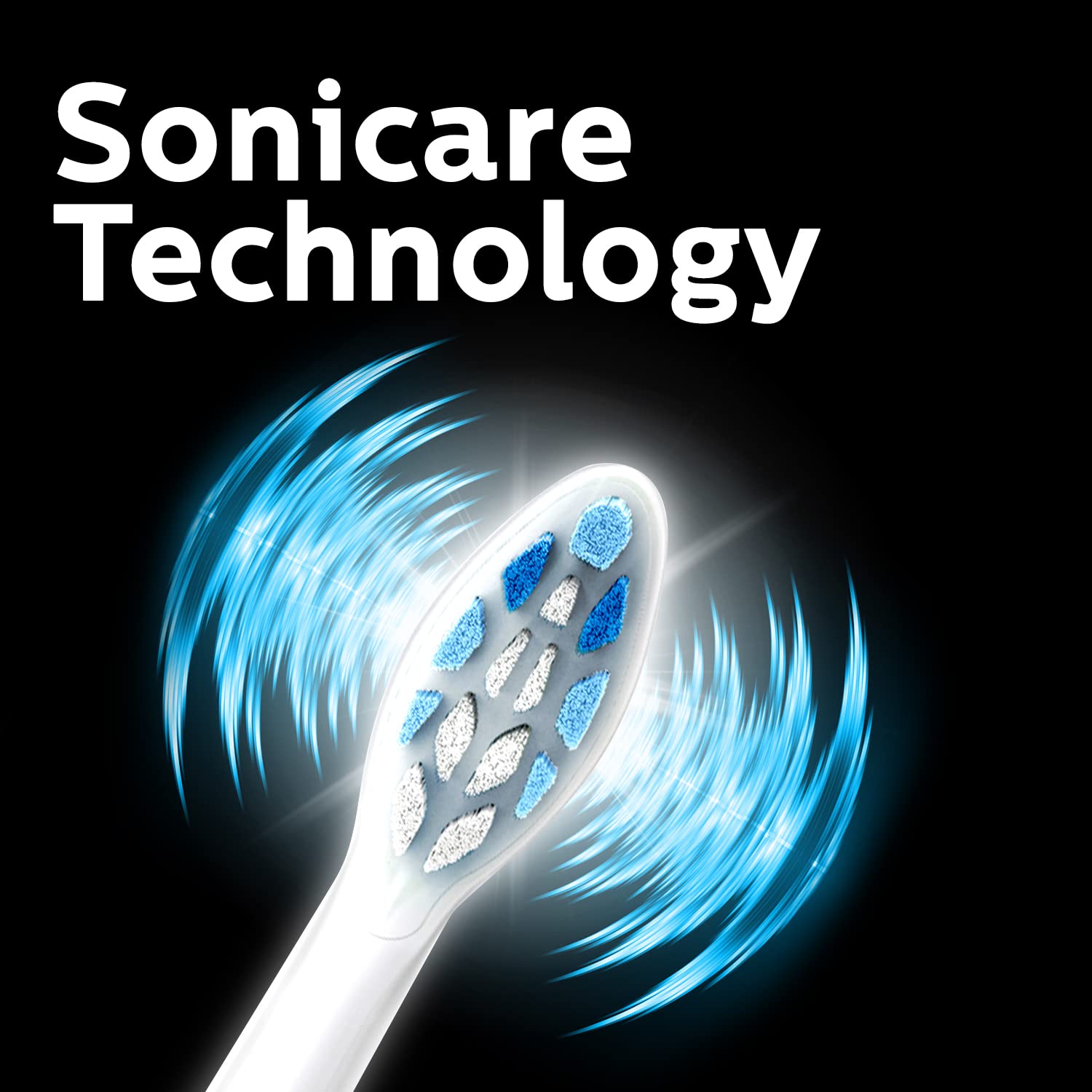
Image: Close-up of the Philips Sonicare brush head, illustrating its design.
3.2 Ricarica dello spazzolino da denti
Before first use, charge the toothbrush for at least 24 hours. A full charge provides up to 2 weeks of regular use.
- Plug the charger base into an electrical outlet.
- Place the toothbrush handle onto the charger base.
- The battery indicator light will flash to show charging is in progress. When fully charged, the light will remain solid green.
4. Istruzioni per l'uso
4.1 Lavarsi i denti
- Bagnare la testina dello spazzolino e applicare una piccola quantità di dentifricio.
- Posizionare la testina dello spazzolino sui denti, leggermente inclinata verso il bordo gengivale.
- Premere il pulsante di accensione per iniziare a spazzolare.
- Gently move the brush head slowly across your teeth in small back-and-forth motions, allowing the sonic vibrations to do the work.
- The QuadPacer will signal every 30 seconds to move to the next quadrant of your mouth.
- Smartimer spegnerà automaticamente lo spazzolino dopo 2 minuti di spazzolamento.
- Dopo l'uso, sciacquare la bocca e la testina dello spazzolino.

Image: Sonicare Technology gently pulses liquid between teeth for effective cleaning.
4.2 Dual Intensity Settings
Your toothbrush offers dual intensity settings to suit your preference. Press the mode button to switch between the two intensity levels (Gentle and Regular) during brushing.
5. Caratteristiche spiegate
Sensore di pressione 5.1
The built-in pressure sensor alerts you if you are brushing too hard. When excessive pressure is applied, the handle will emit a gentle pulsing sound to remind you to ease off. This helps protect your teeth and gums from damage.

Image: Visual representation of the Pressure Sensor, QuadPacer, 2-minute timer, and battery life features.
5.2 Smartimer and QuadPacer
- Smartimer: Ensures you brush for the dentist-recommended 2 minutes by automatically turning off the toothbrush.
- QuadPacer: A 30-second interval timer that indicates when to move to the next quadrant of your mouth, ensuring even cleaning.
5.3 BrushSync Technology
The BrushSync feature tracks how long you have been using your brush head and how hard you have been brushing. When it's time to replace the brush head (approximately every 3 months), a light on your handle and a short beep will notify you, ensuring optimal cleaning performance.

Image: The Philips Sonicare ProtectiveClean 4300 removes up to 7 times more plaque than a manual toothbrush.
6. Manutenzione
6.1 Pulizia dello spazzolino da denti
- Dopo ogni utilizzo, sciacquare accuratamente la testina e le setole sotto l'acqua corrente.
- Pulisci la maniglia con l'annuncioamp panno. Non immergere l'impugnatura in acqua.
- Clean the charger base periodically with a damp stoffa.
6.2 Sostituzione della testina della spazzola
For optimal performance and hygiene, replace your Philips Sonicare brush head every 3 months, or sooner if the bristles become splayed or worn. The BrushSync feature will remind you when it's time.
7. Risoluzione Dei Problemi
- Lo spazzolino non si accende: Assicurarsi che la batteria sia carica. Se il problema persiste, contatta l'assistenza clienti.
- Spazzolino da denti non in carica: Check if the charger is properly plugged in and the handle is correctly placed on the charger. Ensure the outlet is functional.
- Pressure sensor not activating: Ensure you are applying sufficient pressure to trigger the sensor. If it still doesn't work, contact customer support.
- Potenza di spazzolatura ridotta: This may indicate a low battery. Recharge the toothbrush. If the issue persists after charging, the brush head might be worn and needs replacement.
8. Specifiche
| Marca | Philips |
| Numero di modello | Modello HX6807/24 |
| Tecnologia | Sonico |
| Rimozione della placca | Up to 7x more than manual toothbrush |
| Sensore di pressione | Incorporato |
| Impostazioni di intensità | Doppia intensità |
| Timer | 2-minute Smartimer, QuadPacer |
| Promemoria sostituzione testina Brush | BrushSync Feature |
| Durata della batteria | Fino a 2 settimane |
| Fonte di alimentazione | Alimentato a batteria |
| Peso dell'articolo | 306 grammi |
| Dimensioni del prodotto | Dimensioni: 3.11 x 2.81 x 18.71 cm |
9. Garanzia e supporto
For warranty information, service, or support, please contact Philips customer care:
- N. assistenza clienti: 18001022929
- E-mail: Customercare.india@philips.com
- Produttore: Philips India Limited, 3rd Floor, Tower A, DLF IT Park, 8 Block AF, Major Arterial road, Kolkata - 700156
Conservare la prova d'acquisto per eventuali richieste di garanzia.