
1. Prodotto finitoview
This replacement remote control is designed to function as a direct substitute for your original Yamaha remote. It comes pre-programmed with all the essential functions of the original RAV477, RAV501, RAV504, RX-A730, RX-V675, and RX-V773 remote controls, requiring no setup or pairing. Simply insert batteries, and it is ready for immediate use.
1.1 Modelli compatibili
This remote control is compatible with the following Yamaha models:
- YAMAHA RAV477
- YAMAHA RAV501
- YAMAHA RAV504
- YAMAHA RX-A730
- YAMAHA RX-V675
- YAMAHA RX-V773
2. Per iniziare
2.1 Installazione della batteria
Il telecomando richiede due batterie alcaline AAA (non incluse). Per installarle, segui questi passaggi:
- Individuare il vano batterie sul retro del telecomando.
- Premere il fermo e far scorrere il coperchio della batteria verso il basso per aprirlo.
- Inserire due batterie AAA, assicurandosi che i terminali positivo (+) e negativo (-) siano allineati correttamente con le marcature all'interno del vano.
- Far scorrere il coperchio della batteria in posizione finché non scatta in modo sicuro.
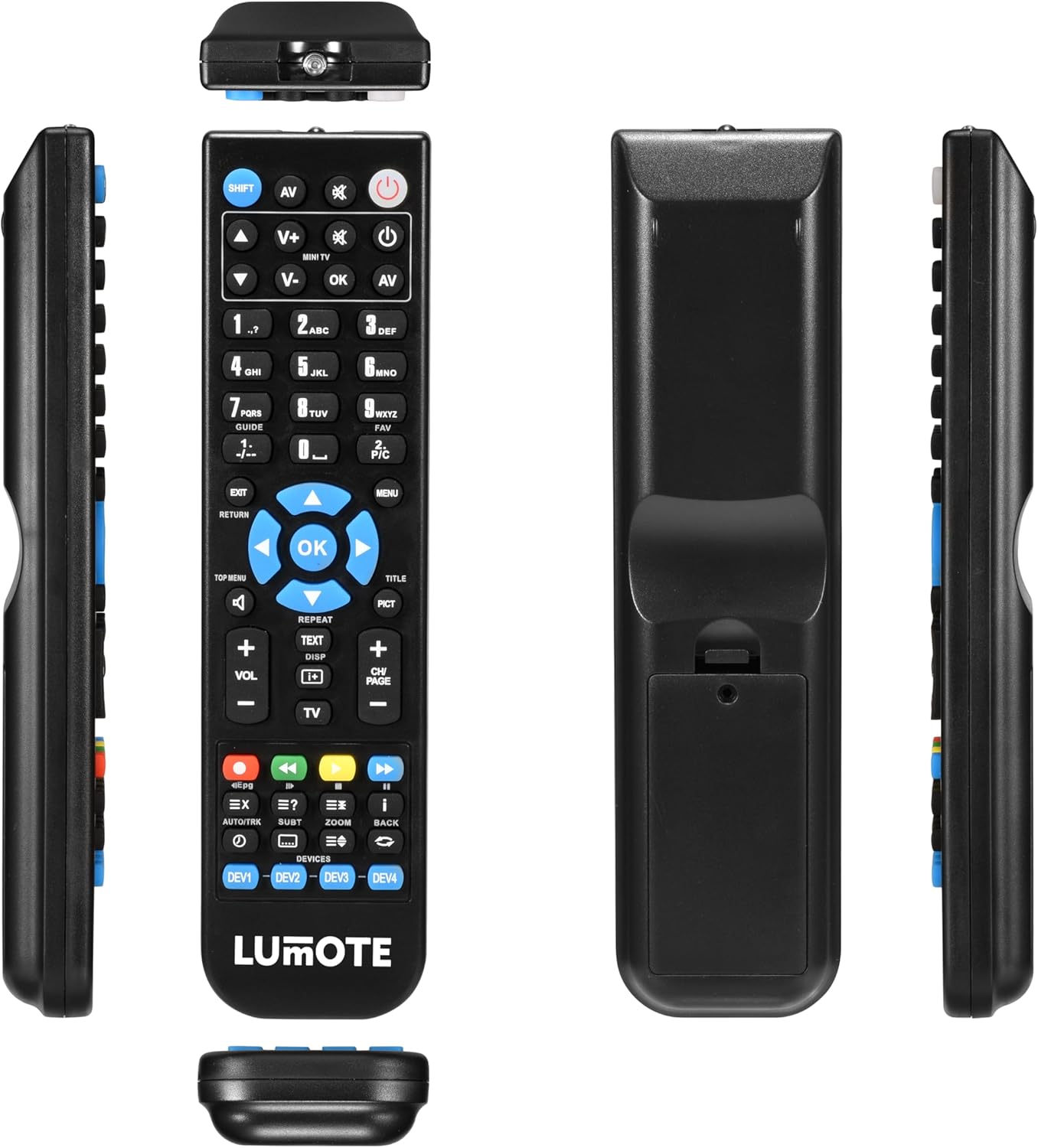
Image: The Generic Replacement Remote Control, displaying its front, back, and side profiles. The battery compartment is visible on the back.
3. Istruzioni per l'uso
3.1 Funzionamento di base
Once batteries are installed, the remote control is ready for use. Point the remote directly at your Yamaha audio/video receiver or compatible device. Ensure there are no obstructions between the remote and the device's infrared sensor.
3.2 Funzioni dei pulsanti
The remote control features a comprehensive set of buttons designed to replicate the functionality of your original Yamaha remote. Below is a general guide to common button groups:
- Pulsante di accensione (ENERGIA): Accende o spegne il dispositivo.
- Input Select Buttons (e.g., AV, TV, DVD): Seleziona la sorgente di ingresso audio/video.
- Controllo del volume (VOL+/-): Regola il livello del volume.
- Pulsante muto (MUTE): Disattiva o riattiva l'audio.
- Tastierino numerico (0-9): Per l'inserimento diretto dei numeri dei canali o di altre selezioni numeriche.
- Pulsanti di navigazione (SU, GI, SINISTRA, DESTRA, OK): Utilizzato per navigare nei menu e confermare le selezioni.
- Menu/Setup Buttons (MENU, SETUP, RETURN, EXIT): Accesses device menus, navigates back, or exits current screens.
- Pulsanti di controllo multimediale (PLAY, PAUSE, STOP, REW, FF, SKIP): Controls playback of media (e.g., CD, DVD, USB).
- Function Buttons (e.g., SHIFT, TOP MENU, TITLE, PICT): Specific functions related to device operation or display modes.
4. Cura e manutenzione
- Pulizia: Wipe the remote control with a soft, dry cloth. Do not use abrasive cleaners, solvents, or alcohol, as these can damage the surface.
- Sostituzione della batteria: Sostituisci le batterie quando la risposta del telecomando diventa lenta o smette di funzionare. Sostituisci sempre entrambe le batterie contemporaneamente con batterie nuove dello stesso tipo.
- Magazzinaggio: Se il telecomando non viene utilizzato per un periodo prolungato, rimuovere le batterie per evitare perdite e potenziali danni. Conservare in un luogo fresco e asciutto, al riparo dalla luce solare diretta.
- Evitare l'umidità: Tenere il telecomando lontano dall'acqua e da umidità elevata.
5. Risoluzione Dei Problemi
Se riscontri problemi con il telecomando, consulta le seguenti soluzioni comuni:
- Il telecomando non risponde:
- Controllare che le batterie siano inserite correttamente, rispettando la polarità corretta.
- Sostituire le batterie con batterie alcaline AAA nuove.
- Assicurarsi che non vi siano ostacoli tra il telecomando e il sensore a infrarossi del dispositivo.
- Make sure you are pointing the remote directly at the device.
- Breve raggio d'azione:
- Sostituire le batterie. Batterie scariche possono ridurre la portata effettiva del telecomando.
- Ensure the remote's infrared emitter and the device's sensor are clean and unobstructed.
- Funzioni specifiche non funzionanti:
- Verify that the function you are trying to use is supported by your specific Yamaha model.
- Some advanced functions might require specific settings on your Yamaha device. Refer to your Yamaha device's original manual.
6. Specifiche tecniche
| Marca | Generico |
| Tecnologia di connettività | Infrarossi |
| Tipo di controllore | Telecomando |
| Portata massima | 10 metri |
| Descrizione della batteria | Alcaline (AAA) |
| Numero di articoli | 1 |
| Codice UPC | 037203302044 |
7. Informazioni sulla garanzia
Questo prodotto viene fornito con un Garanzia di 12 mesi from the date of purchase. This warranty covers manufacturing defects under normal use. It does not cover damage caused by misuse, accidents, unauthorized modifications, or battery leakage. Please retain your proof of purchase for warranty claims.
8. Assistenza clienti
If you encounter any issues not covered in this manual or require further assistance, please contact your retailer or the point of purchase for support. Provide your product model and a detailed description of the issue to facilitate a quicker resolution.