
Perixx PERIBOARD-332
Perixx PERIBOARD-332 Wired Backlit USB Keyboard User Manual
Introduzione
This manual provides detailed instructions for the setup, operation, maintenance, and troubleshooting of your Perixx PERIBOARD-332 Wired Backlit USB Keyboard. Please read this manual thoroughly before using the product to ensure optimal performance and longevity.

Image: The Perixx PERIBOARD-332 Wired Backlit USB Keyboard, showcasing il suo design compatto.
Contenuto della confezione
Verificare che tutti gli articoli siano presenti nel pacco:
- Perixx PERIBOARD-332 Wired Backlit USB Keyboard
- Cavo USB integrato
- Manuale dell'utente (questo documento)

Image: The Perixx PERIBOARD-332 keyboard, its integrated USB cable, the user manual, and the product packaging.
Istruzioni di installazione
Collegare la tastiera: Locate an available USB port on your computer (PC, laptop, tablet, or smartphone with appropriate adapter). Insert the USB cable from the PERIBOARD-332 into the USB port.
Installazione del driver: The keyboard is plug-and-play and typically does not require additional drivers for basic functionality on Windows, macOS, Linux, or Chrome OS. Your operating system should automatically detect and configure the device.
Posizionamento: Place the keyboard on a stable, flat surface. The compact design is ideal for small workspaces.

Image: A user typing on the Perixx PERIBOARD-332 keyboard, demonstrating its compact size and wired connection on a desk.
Istruzioni per l'uso
Uso generale
The Perixx PERIBOARD-332 features a standard US English QWERTY layout with 84 keys. Its low-profile scissor keys provide a quiet and comfortable typing experience, similar to laptop keyboards. The compact design helps optimize desk space.

Image: A user typing on the Perixx PERIBOARD-332 keyboard, highlighting its compact size and ergonomic placement in a workspace.

Immagine: Primo piano view of the sculpted, low-profile scissor keys of the Perixx PERIBOARD-332, highlighting their design.
Function Keys (Fn Hotkeys)
The keyboard includes integrated Fn hotkeys for quick access to multimedia and system functions. These functions are primarily designed for Windows operating systems. For other operating systems (macOS, Linux, Chrome OS), their functionality may vary or require specific system settings/configurations.
- Fn+F1: Blocco Fn
- Fn+F2: Backlight Brightness Adjustment (Cycle through levels)
- Fn+F3: Muto
- Fn+F4: Abbassa il volume
- Fn+F5: Alza il volume
- Fn+F6: Traccia precedente
- Fn+F7: Riproduci/Pausa
- Fn+F8: Traccia successiva
- Fn+F9: Pausa
- Fn+F10: Blocco scorrimento
- Fn+F11: Inserire
- Fn+F12: Stampa schermo

Image: Diagram illustrating the integrated Fn hotkeys on the Perixx PERIBOARD-332, showing the function of each F-key when pressed with the Fn key.
Controllo della retroilluminazione
The PERIBOARD-332 features white LED backlighting with adjustable brightness. To adjust the backlight brightness, press the Tasto F2 keys simultaneously. Repeatedly pressing this combination will cycle through different brightness levels (including off).
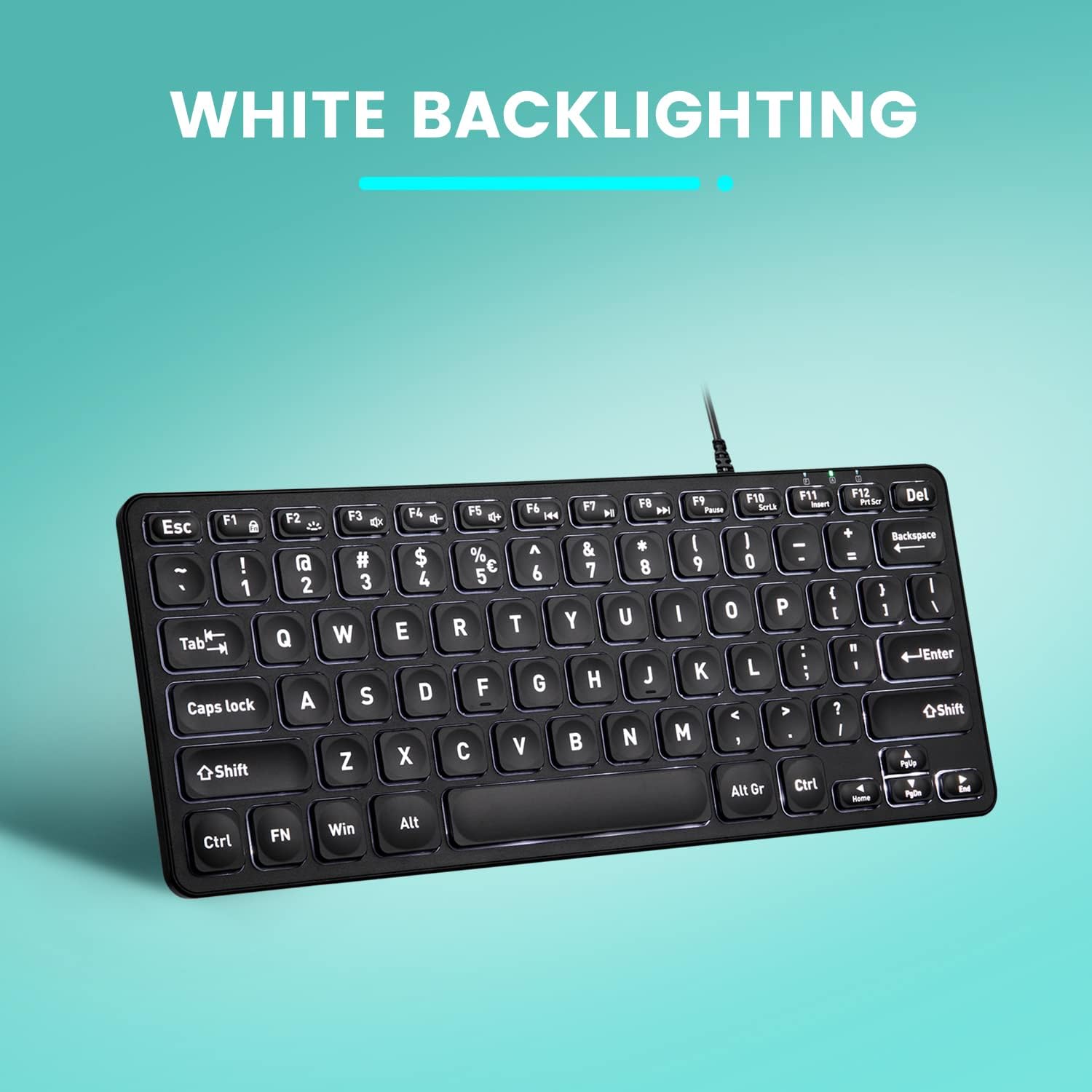
Immagine: dall'alto verso il basso view of the Perixx PERIBOARD-332 keyboard with its white LED backlighting illuminated, showcasing the clear, large font on the keys.
Manutenzione
Per garantire la longevità e il corretto funzionamento della tastiera, seguire queste linee guida per la manutenzione:
- Pulizia: Utilizzare un panno morbido e privo di lanugine leggermente dampPulire la superficie della tastiera con acqua o una soluzione detergente delicata. Evitare l'eccessiva umidità. Non spruzzare detergenti direttamente sulla tastiera.
- Rimozione della polvere: Utilizzare aria compressa per rimuovere polvere e detriti dagli spazi tra i tasti.
- Evitare fuoriuscite: Keep liquids away from the keyboard to prevent damage. The keyboard is not water-resistant.
- Magazzinaggio: Quando non viene utilizzata, conservare la tastiera in un ambiente pulito e asciutto, lontano da temperature estreme.
Risoluzione dei problemi
If you encounter issues with your Perixx PERIBOARD-332, refer to the following common solutions:
La tastiera non risponde
- Controllare la connessione USB: Ensure the USB cable is securely plugged into both the keyboard and the computer's USB port. Try a different USB port.
- Riavvia il computer: A volte, un semplice riavvio del computer può risolvere i problemi di connettività.
- Prova su un altro dispositivo: Connect the keyboard to another computer or device to determine if the issue is with the keyboard or the original computer.
Retroilluminazione non funzionante o non regolabile
- Check Brightness Setting: Premere Tasto F2 repeatedly to cycle through all brightness levels, including off. Ensure it's not set to the lowest or off setting.
- Fonte di energia: Ensure the keyboard is properly connected to a powered USB port.
I tasti non funzionano correttamente
- Chiavi pulite: Check for any debris or obstructions under the affected keys. Use compressed air to clear them.
- Conflitti software: If specific keys are not working, check for any software or driver conflicts on your computer.
Multimedia Keys Not Working on macOS/Linux/Chrome OS
- Compatibilità con il sistema operativo: The multimedia shortcut keys are primarily designed for Windows. On other operating systems, their functionality may vary or require specific system settings/configurations.
Specifiche
| Caratteristica | Dettaglio |
|---|---|
| Marca | Perixx |
| Numero di modello | PERIBOARD-332 |
| Tecnologia di connettività | USB (cablato) |
| Descrizione della tastiera | US English QWERTY |
| Caratteristica speciale | Retroilluminato (LED bianco) |
| Tipo di interruttore | Scissor Switches |
| Numero di chiavi | 84 |
| Dimensioni del prodotto (L x P x A) | 11.22" x 4.57" x 0.83" (28.5 cm x 11.6 cm x 2.1 cm) |
| Peso dell'articolo | 0.79 lbs (12.3 Ounces / 350 grams approx.) |
| Dispositivi compatibili | PC, Laptop, Tablet, Smartphone (with compatible USB port/adapter) |
| Compatibilità del sistema operativo | Windows 7, 8, 10, 11; macOS; Linux; Chrome OS |
| Materiale | Plastica |
Garanzia e supporto
Informazioni sulla garanzia
Your Perixx PERIBOARD-332 keyboard comes with a Garanzia limitata di 12 mesi from the date of purchase. This warranty covers manufacturing defects and workmanship under normal use. It does not cover damage caused by misuse, accidents, unauthorized modifications, or external factors.
Conservare la prova d'acquisto per eventuali richieste di garanzia.
Assistenza clienti
For technical assistance, warranty claims, or any questions regarding your Perixx product, please visit the official Perixx website or contact their customer support team. Contact information can typically be found on the Perixx websito o nella confezione del prodotto.
Puoi anche visitare il Negozio Perixx su Amazon per ulteriori informazioni e risorse di supporto.
Documenti correlatiPERIBOARD-332


Ask a question about this manual
Ask about setup, troubleshooting, compatibility, parts, safety, or missing instructions. Manuals+ will review the question and use this page’s manual context to help answer it.