
Introduzione
Thank you for choosing the NASUS W200 Wireless Gaming Mouse. This manual provides essential information for setting up, operating, and maintaining your new device. Please read it carefully to ensure optimal performance and longevity of your mouse.
Contenuto della confezione
- NASUS W200 Wireless Gaming Mouse
- Ricevitore USB 2.4 GHz
- Charging Cable (if applicable, not specified but common for rechargeable wireless mice)
- Manuale d'uso
Impostare
1. Ricarica del mouse
Before first use, it is recommended to fully charge the mouse. Connect the charging cable to the mouse's charging port and the other end to a USB power source (e.g., computer USB port, USB wall adapter). The LED indicator will show charging status.
2. Collegamento del ricevitore USB
- Locate the USB 2.4 GHz receiver, typically stored in a compartment on the underside of the mouse.
- Collega il ricevitore USB a una porta USB disponibile sul tuo computer.
- Accendere il mouse utilizzando l'interruttore di alimentazione situato nella parte inferiore.
- Il computer dovrebbe rilevare e installare automaticamente i driver necessari. L'operazione potrebbe richiedere alcuni istanti.
Il mouse è ora pronto per l'uso.
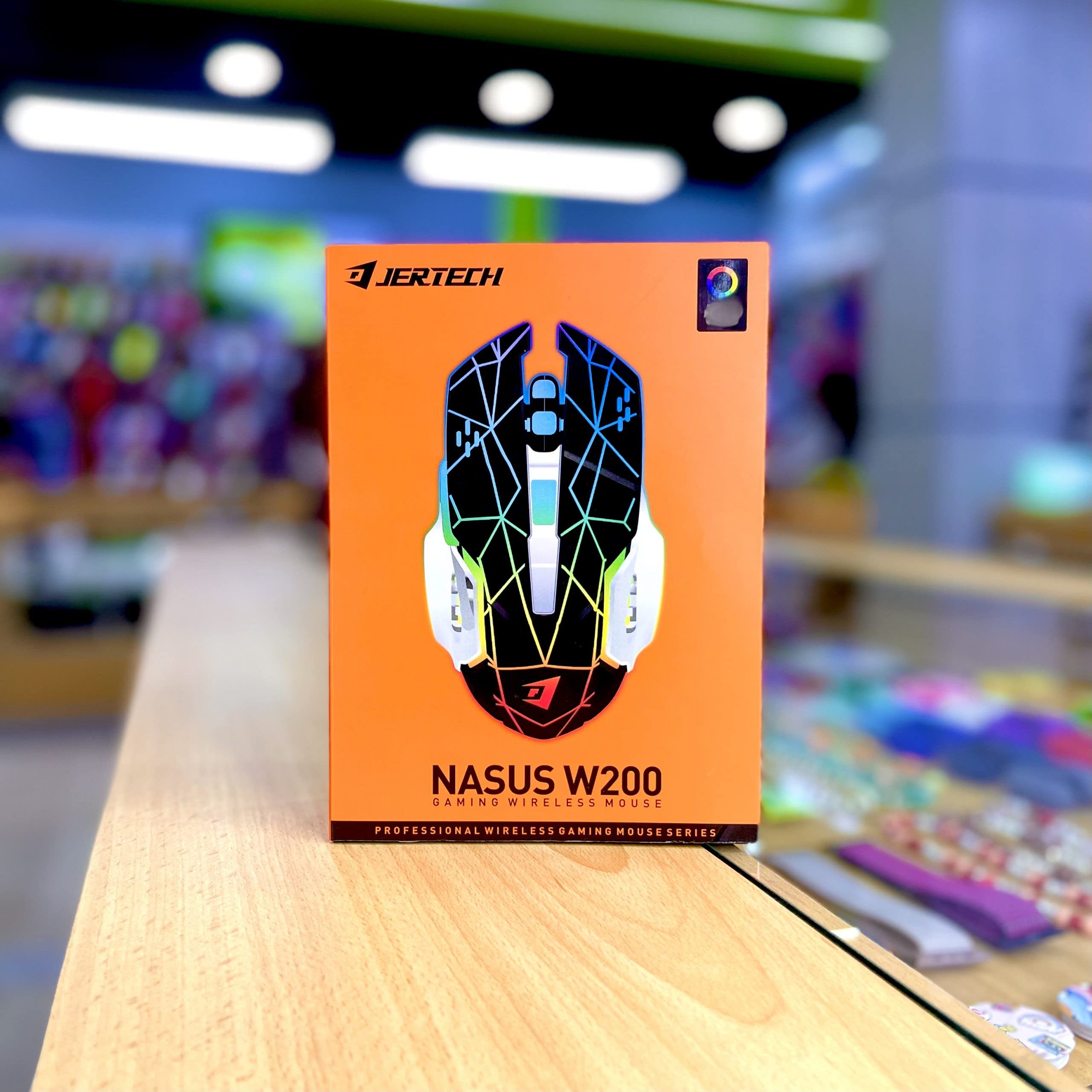
Istruzioni per l'uso
Funzioni di base
- Clic sinistro: Selezione e attivazione standard.
- Clic destro: Accede ai menu contestuali.
- Rotella di scorrimento: Scorre i documenti e web pages vertically. Can also be clicked for middle-click functionality.
Regolazione DPI
The NASUS W200 mouse features a 2400 DPI sensor, allowing for adjustable sensitivity. There is typically a dedicated DPI button (often located behind the scroll wheel) that cycles through different DPI settings. Press this button to change the cursor speed to suit your preference for gaming or general use.

Pulsanti aggiuntivi
The mouse is equipped with 6 buttons. In addition to the standard left, right, and scroll wheel click, there are typically two side buttons and a DPI adjustment button. These additional buttons can often be programmed for specific functions in games or applications using your operating system's mouse settings or third-party software (if available).
Clic silenziosi
The NASUS W200 features silent click technology, reducing click noise for a quieter user experience, especially beneficial in shared environments or during late-night use.
Manutenzione
Pulizia
- To clean the mouse, disconnect it from your computer.
- Utilizzare un panno morbido e privo di lanugine leggermente damplucidato con acqua o una soluzione detergente delicata.
- Avoid using harsh chemicals, abrasives, or spraying liquids directly onto the mouse.
- Regularly clean the optical sensor area on the underside to ensure accurate tracking.
Cura della batteria
- The mouse has a built-in 400 mAh rechargeable battery.
- Evitare di scaricare completamente la batteria frequentemente per prolungarne la durata.
- Se il mouse non verrà utilizzato per un periodo prolungato, caricarlo al 50% circa e conservarlo in un luogo fresco e asciutto.
Risoluzione dei problemi
Il mouse non risponde
- Assicurati che il mouse sia acceso.
- Controlla che il ricevitore USB sia collegato saldamente a una porta USB funzionante. Prova una porta USB diversa.
- Verify the mouse battery is charged. Connect the charging cable and allow it to charge for a while.
- Move the mouse closer to the USB receiver to ensure it's within the 10-meter wireless range.
- Riavvia il computer.
Movimento irregolare del cursore
- Pulisci il sensore ottico sul lato inferiore del mouse.
- Assicurati di utilizzare il mouse su una superficie adatta. Evita superfici altamente riflettenti o trasparenti. Si consiglia l'uso di un tappetino per mouse.
- Verificare la presenza di forti interferenze elettromagnetiche nelle vicinanze.
DPI non cambia
- Assicurati di premere il pulsante di regolazione DPI corretto.
- If the issue persists, try restarting the mouse and your computer.
Specifiche
| Caratteristica | Dettaglio |
|---|---|
| Marca | Generico |
| Modello | W200 |
| Tecnologia | Tracciamento ottico |
| Connettività wireless | 2.4 GHz USB Wireless |
| wireless Range | 10 metri (33 piedi) |
| Numero di pulsanti | 6 |
| Risoluzione DPI | 2400 DPI |
| Capacità della batteria | 400 mAh |
| Velocità di tracciamento | 150 Inches Per Second (IPS) |
| Fare clic su Tipo | Clic silenziosi |
| Requisiti di sistema | Windows XP/Vista/7/10, Mac OS |
| Fonte di alimentazione | Alimentato a batteria |
| Colore | Multicolore |
| Tipo di finitura | Opaco |
Garanzia e supporto
Informazioni sulla garanzia
This NASUS W200 Wireless Gaming Mouse comes with a Garanzia del produttore di 1 anno dalla data di acquisto. La presente garanzia copre i difetti di fabbricazione. Non copre i danni causati da uso improprio, incidenti, modifiche non autorizzate o normale usura.
Assistenza clienti
For technical assistance, warranty claims, or further inquiries, please contact your retailer or the manufacturer's customer service. Refer to your purchase documentation for specific contact details.