
Introduzione
The TELE System TS6815 is a DVB-T2 HEVC 10-bit digital terrestrial decoder designed to receive digital television broadcasts. It supports HD, HDR, and HLG technologies, offering enhanced viewing experiences. This manual provides essential information for setting up, operating, and maintaining your decoder.
Cosa c'è nella scatola
- TELE System TS6815 Decoder
- Telecomando
- Alimentazione esterna
- Guida rapida
Prodotto finitoview
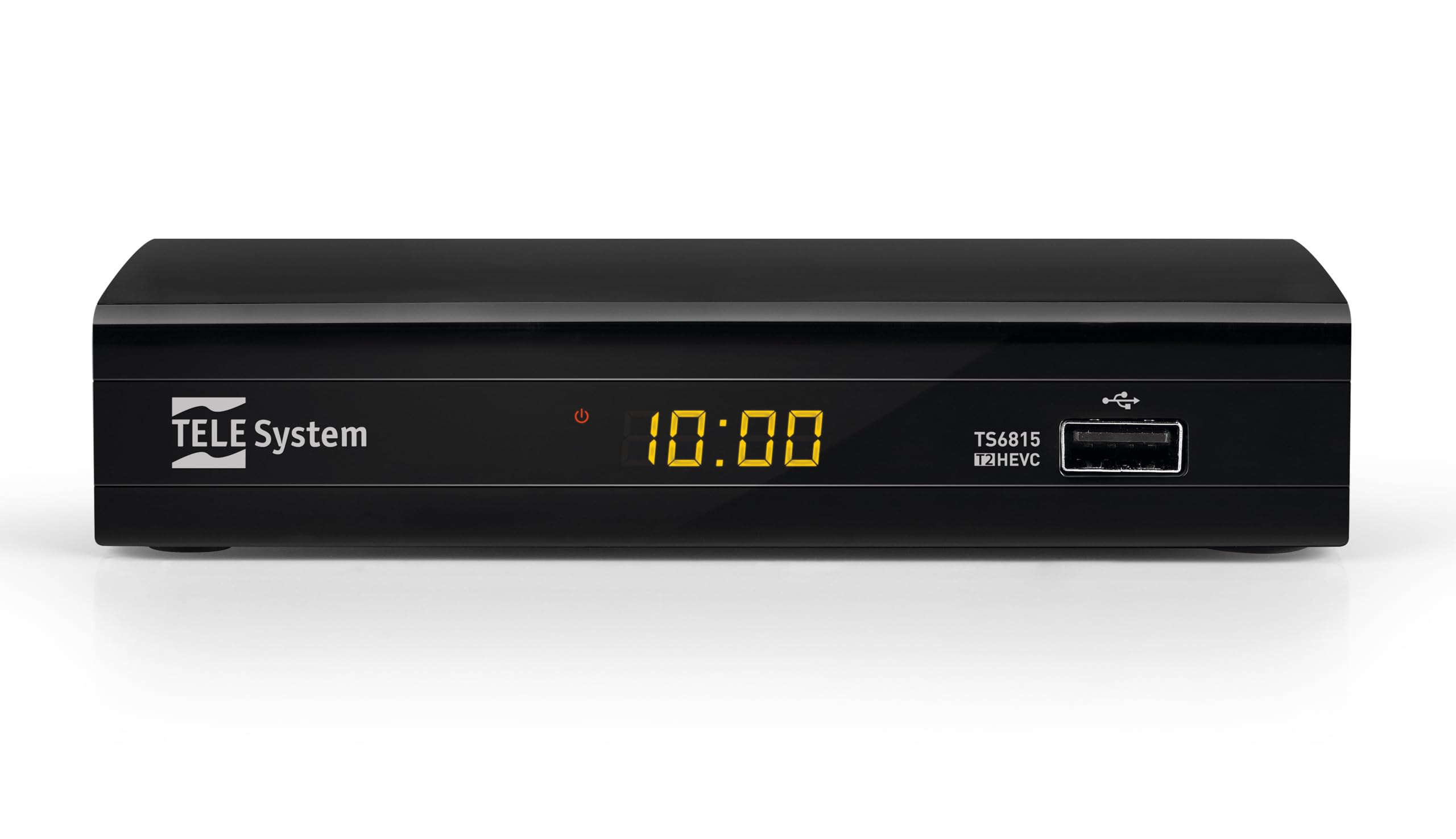
Davanti View: The front panel features the TELE System logo, model number TS6815, DVB-T2 HEVC branding, and a USB port for media playback and updates.

Posteriore View: The rear panel includes an RF IN port for antenna connection, an HDMI output, a TV SCART connector, and a DC IN port for power.

Telecomando: The included remote control allows for full functionality, including power, channel selection, volume adjustment, EPG access, and media playback controls.

Etichetta del prodotto: This label provides important information such as the model number (TS6815 T2HEVC/02), power input (DC 5V = 1A), and maximum power consumption (5W Max).
Istruzioni di installazione
- Collegare l'antenna: Connect your terrestrial antenna cable to the RF IN port on the back of the decoder.
- Collegamento alla TV: Use an HDMI cable to connect the decoder's HDMI OUT port to an HDMI IN port on your television. Alternatively, use a SCART cable to connect the TV SCART port to your TV's SCART input.
- Connetti alimentazione: Plug the external power supply into the DC IN port on the decoder, then plug the power adapter into a wall outlet.
- Accensione: Turn on your television and select the correct HDMI or SCART input source. The decoder should power on automatically or can be turned on using the remote control.
- Initial Channel Scan (AUTOSCAN): Upon first use, the decoder will typically initiate an automatic channel scan. Follow the on-screen prompts. The AUTOSCAN feature will find all available channels, and LCN (Logical Channel Numbering) will organize them into a logical order.
- Language and Region Settings: Select your preferred language and region during the initial setup process.
Istruzioni per l'uso
Funzionamento di base
- Accensione/spegnimento: Premere il tasto ENERGIA pulsante sul telecomando.
- Selezione canale: Utilizzare il CH+ / CH- pulsanti o il tastierino numerico per cambiare canale.
- Controllo del volume: Utilizzare il Volume+ / vol- Pulsanti per regolare il volume.
- Accesso al menu: Premere il tasto MENU pulsante per accedere al menu principale per impostazioni e funzionalità.
- Guida elettronica ai programmi (EPG): Premere il tasto EPG pulsante per view the program schedule for current and upcoming broadcasts.
Riproduzione multimediale tramite USB
The decoder supports media playback from a USB storage device. Insert a USB drive into the front USB port.
- Premere il tasto MEDIA button on the remote control to access the media player interface.
- Naviga attraverso il tuo files (videos, music, photos) using the arrow keys and press OK per selezionare e riprodurre.
Timeshift Function
The Timeshift function allows you to pause live TV and resume watching later. A USB storage device is required for this feature.
- Mentre si guarda un programma, premere il tasto PAUSA button on the remote control to activate Timeshift.
- Premere GIOCARE per riprendere la riproduzione.
Risoluzione dei problemi
- No Signal / Poor Image Quality:
- Ensure the antenna cable is securely connected to the RF IN port.
- Check your TV's HDCP compatibility.
- Try replacing the HDMI or SCART cable.
- In the decoder's AV settings, try changing the "color-space" option to RGB.
- If experiencing image fluidity issues, navigate to AV SET > Screen > Screen Options > Resolution and select a 50Hz format.
- Perform a new channel scan (AUTOSCAN) to refresh the channel list.
- HDMI Signal Issues (e.g., no signal after changing TV source):
- If the signal does not return after switching TV sources, try powering off and on both the TV and the decoder.
- Ensure the HDMI cable is not faulty.
- Il telecomando non risponde:
- Controllare che le batterie siano inserite correttamente e non siano scariche. Sostituirle se necessario.
- Ensure there are no obstructions between the remote control and the decoder's IR sensor.
- Decoder Not Compatible with UHD Channels:
- The TS6815 is an HD decoder, not a 4K (UHD) decoder. It is not designed to receive or display UHD channels.
Specifiche
| Caratteristica | Descrizione |
|---|---|
| Modello | TS6815 |
| Tipo di sintonizzatore | Digitale terrestre (DVB-T/T2) |
| Decodifica video | MPEG-2, MPEG-4 H264/AVC, H.265/HEVC Main10 |
| Risoluzione video | Max. 1080p@50/60Hz |
| Caratteristiche speciali | HD, HDR, HLG, AUTOSCAN, LCN, EPG, Timeshift, Media Player |
| Connettività | 1x HDMI, 1x SCART, 1x USB, Ethernet |
| Modalità di uscita audio | Surround (5.1 channels) |
| Potenza in ingresso | 5 V CC = 1 A |
| Consumo energetico | 5W max |
| Colore | Nero |
Garanzia e supporto
The TELE System TS6815 decoder comes with a 2-year manufacturer's warranty. For technical support, further assistance, or to access detailed instruction manuals in various languages, please refer to the official TELE System websito o contattare il loro servizio clienti.
You can find additional information and support resources by visiting the Negozio del marchio TELE System.


