
1. Introduzione
This manual provides essential information for the safe and efficient operation of your SANSUI 43-inch 4K Ultra HD Certified Android LED TV, model JSW43ASUHD. Please read these instructions thoroughly before using your television and retain them for future reference.

Image: SANSUI 43-inch 4K Ultra HD Android LED TV JSW43ASUHD.
2. Cosa c'è nella scatola
Disimballare con attenzione la scatola e assicurarsi che siano presenti tutti i seguenti elementi:
- 1 unità TV
- 1 Telecomando
- 1 Manuale utente (questo documento)
- 1 Scheda di garanzia
- 1 Montaggio a parete
- 2 batterie AAA
- 2 supporti di base
- 4 Screws (for base stand)
- 1 Mini AV Cable
- 1 Cavo di alimentazione
3. Impostazione
3.1 Disimballaggio e posizionamento
Remove the TV and all accessories from the packaging. Place the TV on a stable, flat surface or prepare for wall mounting. Ensure adequate ventilation around the TV.
3.2 Installazione dello stand
If using the included base stands:
- Posizionare con cautela lo schermo del televisore su una superficie morbida e pulita per evitare graffi.
- Allineare ciascun supporto di base con le fessure corrispondenti nella parte inferiore del televisore.
- Fissare ciascun supporto utilizzando le viti fornite. Assicurarsi che siano ben serrate.
- Sollevare con cautela il televisore in posizione verticale su una superficie stabile.

Image: SANSUI TV with base stands installed.
3.3 Montaggio a parete
Your SANSUI TV supports VESA wall mounting with a standard of 200 x 200 millimetri. Follow the instructions provided with your wall mount kit. Ensure the wall mount is securely fastened to a suitable wall structure and can support the weight of the TV (approximately 6.75 kg).
3.4 Collegamento delle periferiche
Connect your external devices to the appropriate ports on the TV's rear panel.
- Porte HDMI (3): Connect Blu-ray players, gaming consoles, set-top boxes, etc.
- Porte USB (2): Connect USB drives for media playback or other USB devices.
- 3.5mm Jack audio: Connect headphones or external audio systems.
- RJ45 (Ethernet): Per la connessione Internet cablata.
- Ingresso antenna: Connect your terrestrial or cable antenna.

Image: Rear panel connectivity ports.
3.5 Accensione
After connecting all necessary cables, plug the power cord into a wall outlet. Press the power button on the remote control or on the TV to turn it on. Follow the on-screen instructions for initial setup, including network connection and Google account login.
4. Utilizzo della TV
4.1 Funzionalità Smart TV (Android 10.0)
Your SANSUI TV runs on Android 10.0, offering a smart and intuitive user experience. Key features include:
- Google Assistant & Alexa Enabled Support: Use voice commands for navigation, content search, and smart home control.
- Chromecast integrato: Easily cast content from your smartphone or tablet to the TV screen.
- App supportate: Access popular streaming services like Prime Video, Netflix, Disney+ Hotstar, YouTube, and Google Play Store.
- Prestazione: Powered by a CA53 Quad Core Processor with 2GB RAM and 8GB ROM for smooth operation.
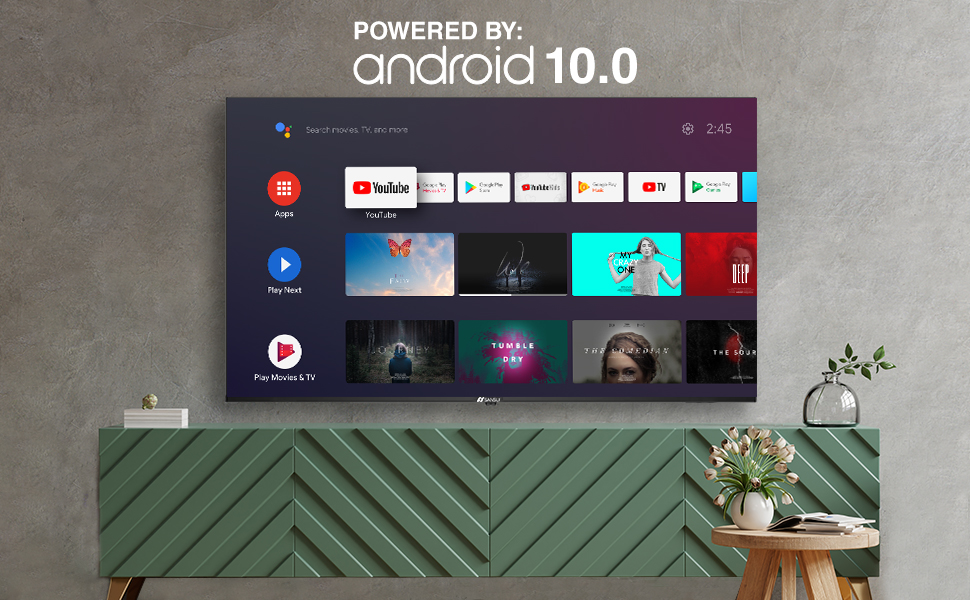
Image: Android 10.0 Smart TV interface.
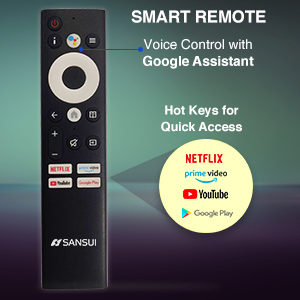
Image: Built-in Chromecast functionality.
4.2 telecomando
The included remote control features voice search capabilities with Google Assistant and dedicated hotkeys for quick access to popular streaming services.
- Controllo vocale: Press the microphone button and speak your commands.
- Tasti di scelta rapida: Direct access buttons for Netflix, Prime Video, YouTube, and Google Play.

Image: SANSUI Smart Remote Control.

Image: Smart Remote features.
4.3 Connettività
La TV offre versatili opzioni di connettività:
- Wifi: Connect to your home wireless network for internet access.
- Bluetooth: Pair with compatible wireless headphones, speakers, or other Bluetooth devices.
- Ethernet (RJ45): For a stable wired internet connection.
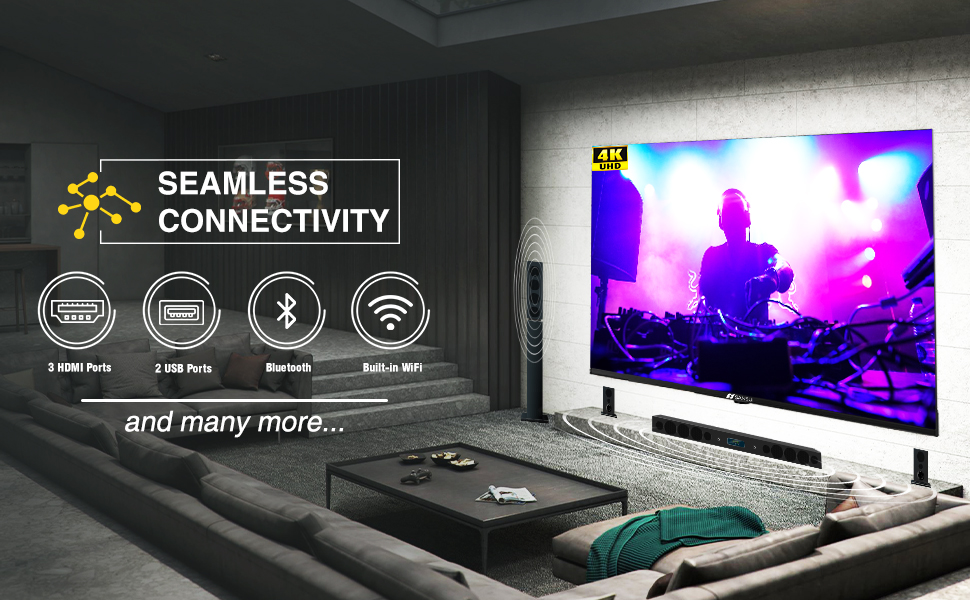
Image: Seamless connectivity options.
5. Caratteristiche di visualizzazione e audio
5.1 Qualità dello schermo
Experience stunning visuals with your SANSUI 4K UHD Android TV:
- 4K UHD (3840x2160) Resolution: Delivers sharp, detailed images.
- Colore: HDR10: Enhances contrast and color accuracy for a more dynamic picture.
- Ampia gamma di colori: Produces a broader range of vibrant colors.
- Design senza cornice: Maximizes screen space for an immersive viewesperienza di acquisizione.
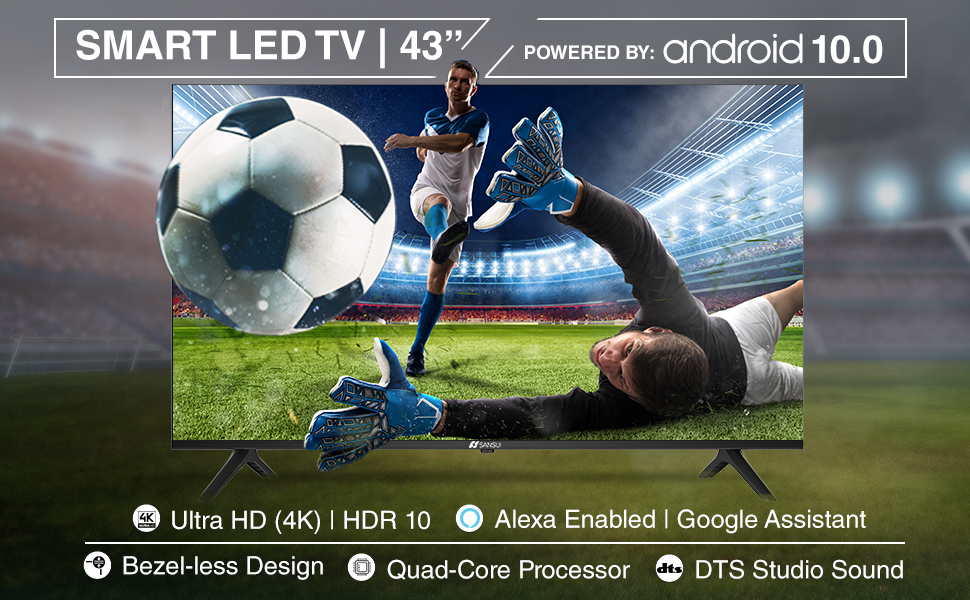
Image: Incredible visual possibilities with 4K UHD.
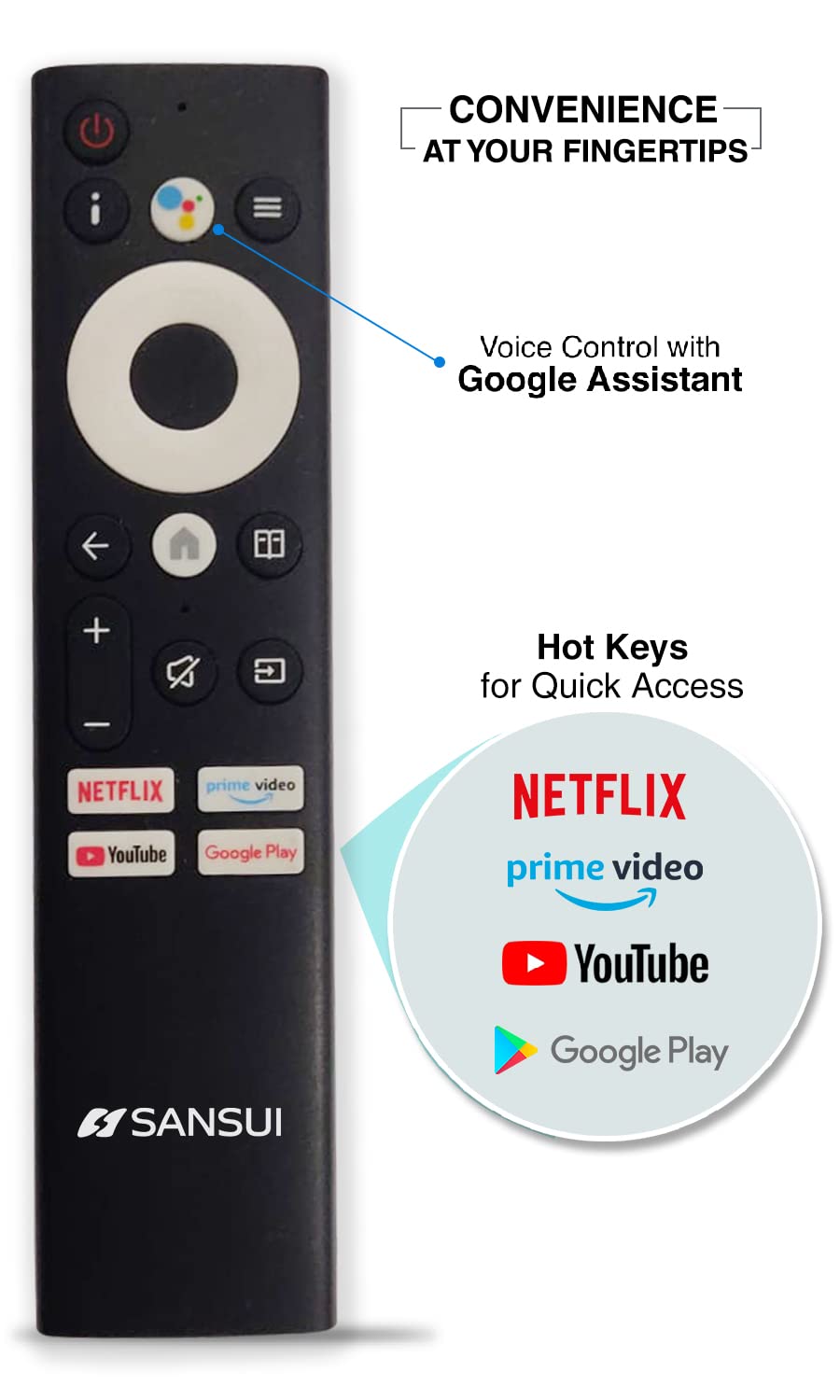
Image: Bezel-less design for an expansive view.
5.2 Qualità audio
The TV features:
- 20W Audio Output: Provides clear and powerful sound.
- Dolby Audio & DTS Studio Sound: Enhances audio quality for an immersive listening experience.
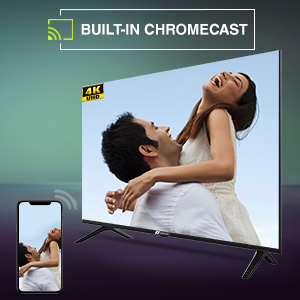
Image: Incredible audio features.
6. Manutenzione
6.1 Pulizia dello schermo
Per pulire lo schermo, strofinarlo delicatamente con un panno morbido e privo di lanugine. Per macchie ostinate, strofinare leggermenteampPulisci il panno con acqua o con un detergente specifico per schermi. Non fare utilizzare prodotti chimici aggressivi, detergenti abrasivi o spruzzare liquidi direttamente sullo schermo.
6.2 Cura generale
- Tenere il televisore lontano dalla luce solare diretta, da fonti di calore e da polvere eccessiva.
- Garantire un'adeguata ventilazione attorno al televisore per evitare il surriscaldamento.
- Scollegare il televisore dalla presa di corrente durante i temporali o quando si prevede di non utilizzarlo per lunghi periodi.
7. Risoluzione Dei Problemi
Se riscontri problemi con la tua TV, fai riferimento alle seguenti soluzioni comuni:
| Problema | Possibile soluzione |
|---|---|
| Nessun potere | Controlla che il cavo di alimentazione sia collegato saldamente al televisore e alla presa a muro. Assicurati che la presa sia funzionante. Prova a premere il pulsante di accensione sul televisore stesso. |
| Nessuna immagine, ma l'audio è presente | Controlla la sorgente di ingresso. Assicurati che i dispositivi esterni siano accesi e collegati correttamente. Prova a riavviare il televisore. |
| Nessun suono, ma l'immagine è presente | Controlla il livello del volume e assicurati che il televisore non sia disattivato. Verifica le impostazioni audio e i collegamenti degli altoparlanti esterni, se applicabile. |
| Il telecomando non funziona | Ensure the AAA batteries are correctly inserted and not depleted. Point the remote directly at the TV's IR sensor. Remove any obstructions. |
| Impossibile connettersi al Wi-Fi | Check if your Wi-Fi router is on and functioning. Re-enter the Wi-Fi password. Try restarting both the TV and the router. |
Se il problema persiste dopo aver provato queste soluzioni, contattare l'assistenza clienti SANSUI.
8. Specifiche tecniche
Below are the detailed technical specifications for the SANSUI JSW43ASUHD TV:

Image: TV dimensions.
| Caratteristica | Specificazione |
|---|---|
| Dimensioni dello schermo | 43 pollici (109 cm) |
| Tecnologia di visualizzazione | GUIDATO |
| Risoluzione | 4K UHD (3840x2160) |
| Frequenza di aggiornamento | Frequenza 60 Hz |
| Sistema operativo | Android 10.0 (Certified by Google) |
| Processore | CA53Quadcore |
| Memoria RAM | 2 GB |
| ROM (Archiviazione) | 8 GB |
| Formato HDR supportato | L'HDR10 |
| Viewangolo di ing | 178 gradi |
| Uscita audio | 20 L |
| Tecnologia audio | Dolby Audio, DTS Studio Sound |
| Porte HDMI | 3 |
| Porte USB | 2 |
| Connettività | Bluetooth, Wi-Fi, Ethernet (RJ45) |
| Tipo di montaggio | Wall Mount & Table Top |
| Standard di montaggio VESA | 200 x 200 millimetri |
| Peso dell'articolo | 6750 grammi |
| Anno del modello | 2022 |
9. Garanzia e supporto
9.1 Informazioni sulla garanzia
Your SANSUI TV comes with a Garanzia completa di 1 anni e un garanzia aggiuntiva di 1 anno sul pannello, forniti dal marchio a partire dalla data di acquisto.
9.2 Assistenza clienti
For warranty support or any technical assistance, please contact SANSUI customer service:
- Toll-Free No.: 1800-419-3777
- E-mail: sansuicare@jainaindia.com
- Importer Contact: Jaina India Pvt Ltd., D170, Okhla Industrial Area, Phase-1, New Delhi-110020 INDIA
10. Note importanti
No official product videos with 'Seller' as creator type were available for embedding in this manual.