
1. Introduzione
The Perixx PERIMICE-819B is an ergonomic vertical mouse designed for comfort and versatility. It features 3-in-1 wireless connectivity, allowing connection via Bluetooth, 2.4 GHz USB-A receiver, or 2.4 GHz USB-C receiver. This mouse is equipped with silent-click buttons, adjustable DPI settings, and a built-in rechargeable battery, making it suitable for prolonged use across various devices.

Image: The ergonomic design promotes a natural handshake position, reducing wrist strain.

Image: The compact size of the PERIMICE-819B makes it highly portable for on-the-go use.
2. Contenuto della confezione
Si prega di verificare che tutti gli articoli siano presenti nel pacco:
- Perixx PERIMICE-819B Vertical Mouse
- Ricevitore USB-A
- Ricevitore USB-C
- Cavo di ricarica
- Manuale d'uso
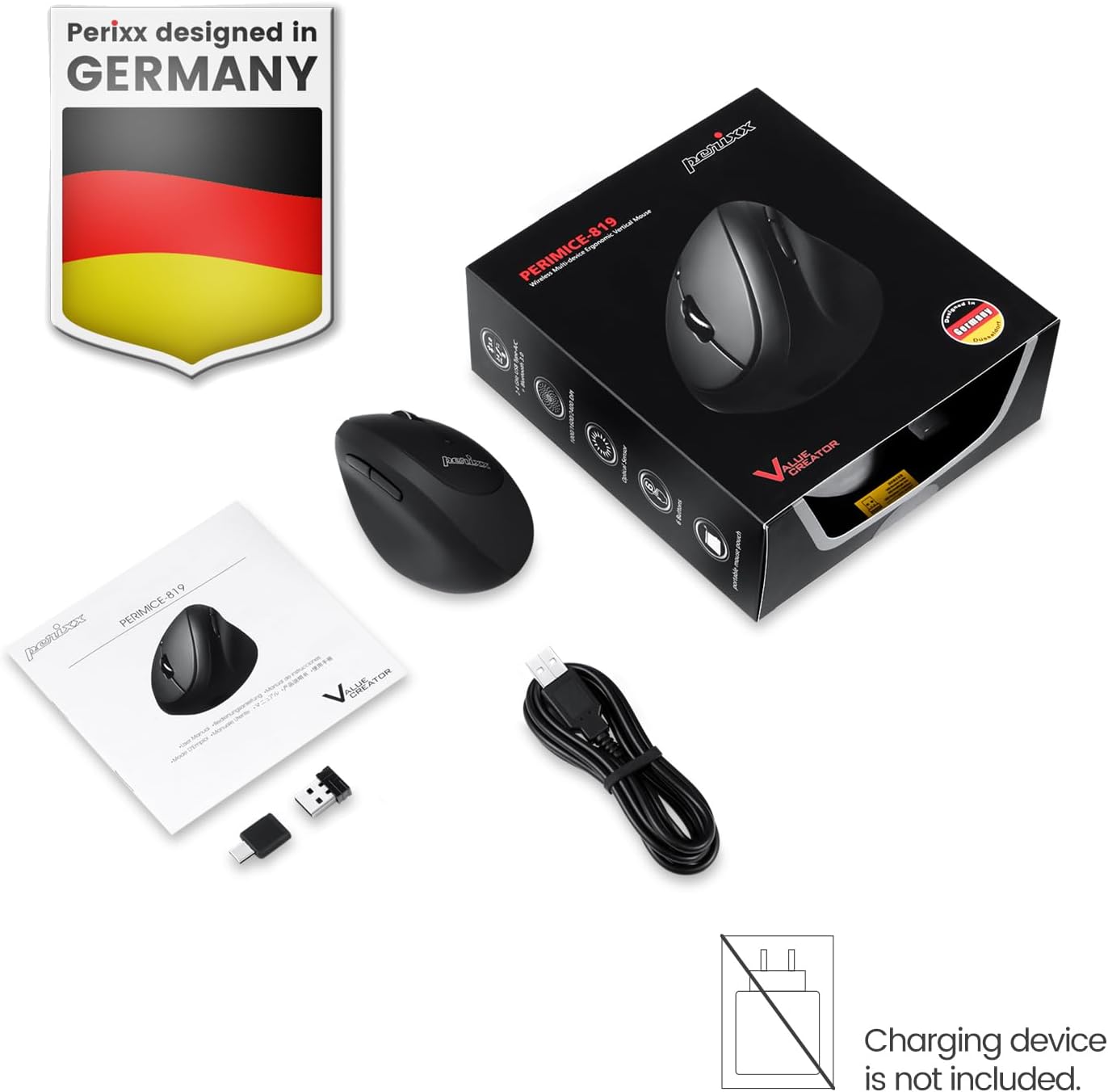
Image: The package includes the mouse, USB-A and USB-C receivers, a charging cable, and the user manual.
3. Istruzioni per l'installazione
3.1 Ricarica del mouse
Before initial use, fully charge the mouse. Connect the provided charging cable to the mouse's charging port and to a USB power source. The LED indicator will show charging status. A full charge can last up to 15 days with typical use (4 hours/day).

Image: Connect the mouse to a USB port using the charging cable to recharge its internal battery.
3.2 Collegamento del mouse
The PERIMICE-819B offers three wireless connection methods:

Image: The bottom of the mouse displays the connectivity switch and receiver storage.
- 2.4 GHz Wireless (USB-A or USB-C Receiver):
- Locate the USB-A or USB-C receiver stored in the mouse's bottom compartment.
- Plug the desired receiver into an available USB port on your computer.
- Accendere il mouse utilizzando l'interruttore ON/OFF situato nella parte inferiore.
- Il mouse dovrebbe connettersi automaticamente.
- Connessione Bluetooth:
- Accendere il mouse utilizzando l'interruttore ON/OFF.
- Press the 'Connect' button on the bottom of the mouse to enter Bluetooth pairing mode. The LED indicator will flash.
- Sul tuo dispositivo (computer, tablet, smartphone), vai alle impostazioni Bluetooth e cerca nuovi dispositivi.
- Select "PERIMICE-819B" from the list of available devices to pair.

Image: The mouse supports Bluetooth, 2.4 GHz USB-A, and 2.4 GHz USB-C wireless connections.
4. Istruzioni per l'uso
4.1 Regolazione DPI
The PERIMICE-819B features an adjustable DPI (Dots Per Inch) switch, allowing you to change the mouse cursor speed and sensitivity. Press the DPI button, located behind the scroll wheel, to cycle through the available settings: 1000, 1600, and 2400 DPI. Choose the setting that best suits your task and preference.
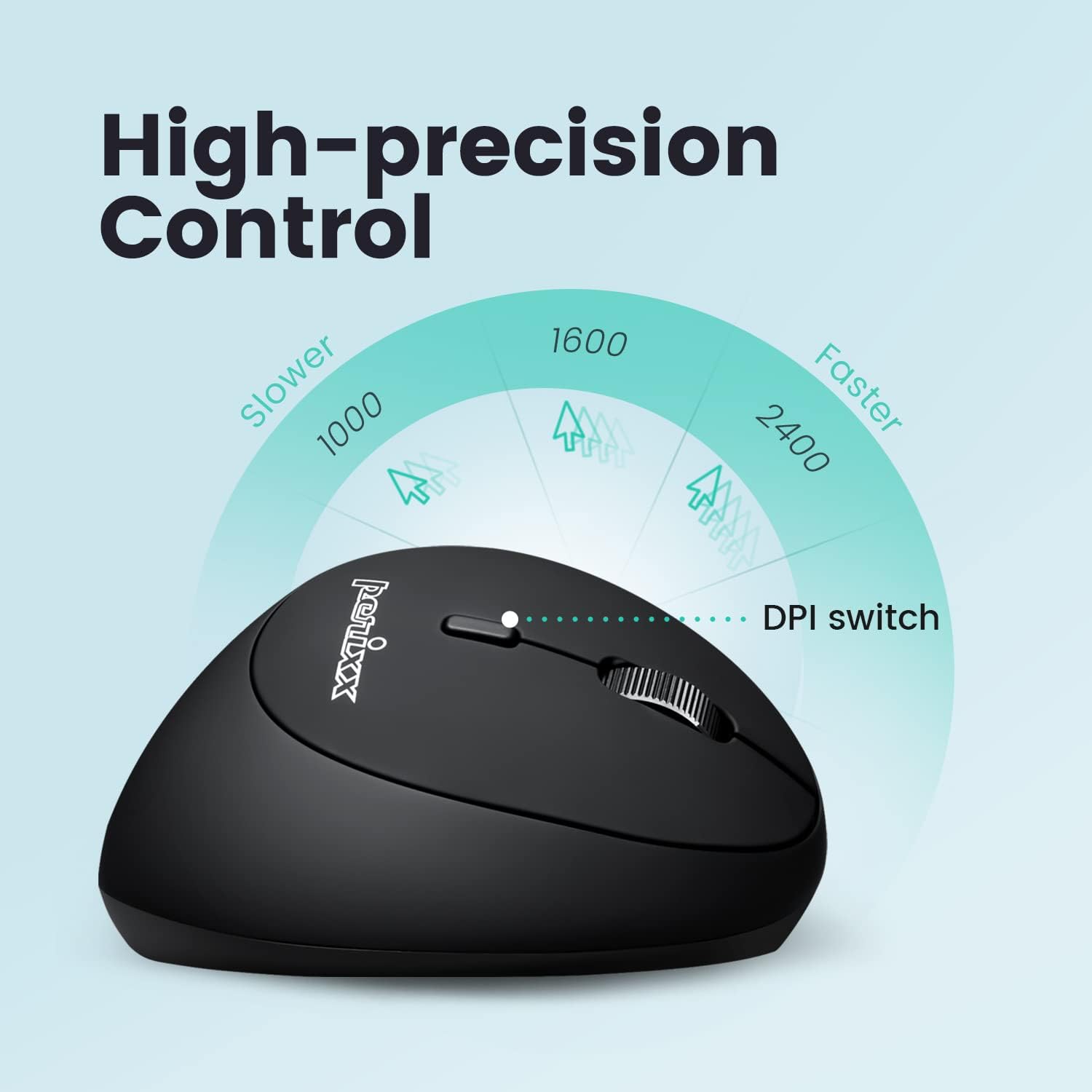
Image: Adjust the mouse sensitivity using the DPI switch for optimal control.
4.2 Pulsanti silenziosi
The left and right mouse buttons are designed for silent clicking, providing a quiet working environment.
4.3 pulsanti di navigazione
The mouse includes convenient forward and backward buttons located on the side, typically operated by the thumb. These buttons allow for quick navigation in web browser e file esploratori. Note: Forward and backward buttons may not be fully functional on macOS.

Image: Use the side buttons for quick page navigation (backward and forward).
5. Manutenzione
5.1 Gestione della batteria
The PERIMICE-819B features a built-in rechargeable Li-Po 300mAh battery. To conserve power, the mouse will automatically enter sleep mode after a period of inactivity. Move the mouse or click a button to wake it up. Recharge the mouse when the battery indicator shows low power to ensure uninterrupted use.
5.2 Pulizia
Per pulire il mouse, utilizzare un panno morbido e asciutto. Evitare l'uso di prodotti chimici aggressivi o materiali abrasivi che potrebbero danneggiarne la superficie.
6. Risoluzione Dei Problemi
- Il mouse non risponde:
- Assicurarsi che il mouse sia acceso.
- Controllare il livello della batteria e ricaricarla se necessario.
- For 2.4 GHz connection, ensure the receiver is securely plugged into a USB port. Try a different USB port.
- Per la connessione Bluetooth, assicurati che il Bluetooth sia abilitato sul tuo dispositivo e che il mouse sia associato correttamente. Prova a ripetere l'associazione.
- Cursor movement is erratic or stops:
- Assicurarsi che il sensore del mouse sia pulito e libero da ostruzioni.
- Utilizzare il mouse su una superficie adatta (ad esempio un tappetino per mouse).
- Controllare che la batteria non sia scarica.
- Interference from other wireless devices can affect performance. Try moving closer to the receiver or device.
- L'impostazione DPI non cambia:
- Assicurati di premere il pulsante di commutazione DPI corretto.
- The change in cursor speed should be noticeable. If not, try restarting the mouse and your device.
7. Specifiche
| Caratteristica | Dettaglio |
|---|---|
| Numero di modello | PERIMICE-819 (12013) |
| Tecnologia di connettività | Bluetooth, 2.4 GHz Radio Frequency (USB-A, USB-C) |
| Rilevamento del movimento | Ottico |
| Impostazioni DPI | 1000/1600/2400 |
| Caratteristiche speciali | Ergonomic Design, Portable, Rechargeable, Silent-Click |
| Tipo di batteria | Built-in Li-Po 300mAh |
| Durata media della batteria | Up to 60 hours (approx. 15 days at 4 hours/day) |
| Peso dell'articolo | 2.93 once |
| Dimensioni del prodotto (LxWxH) | 4.5 x 2.64 x 2.28 pollici |
| Colore | Nero |
| Compatibilità | Windows OS, Linux Ubuntu 16.04, Chromebook, iPadOS, Android, Amazon Fire Tablet. Partial compatibility with macOS (forward/backward buttons not available). |
8. Garanzia e supporto
Perixx products typically come with a manufacturer's warranty. For specific warranty details, please refer to the warranty information included with your purchase or visit the official Perixx website. For technical support, product inquiries, or assistance with troubleshooting, please contact Perixx customer service through their official channels.
Produttore: Perixx Computer GmbH
Websito: www.perixx.com