Introduzione
This manual provides detailed instructions for the installation, operation, and maintenance of your Real HD 5MP Eyeball Dome 4-in-1 Security Camera (Model HD-5EB28WA). Please read this manual thoroughly before using the product to ensure proper setup and functionality. This camera is designed for surveillance applications, offering high-definition video output compatible with various DVR systems.
Informazioni sulla sicurezza
- Ensure the power supply used is DC12V and meets the camera's specifications (1000mA). Incorrect voltage può danneggiare il dispositivo.
- Non tentare di smontare o modificare la fotocamera. Ciò potrebbe invalidare la garanzia e causare danni.
- Keep the camera away from extreme temperatures, humidity, and direct sunlight to prevent malfunction.
- Maneggiare la fotocamera con cura per evitare danni fisici.
- In caso di dubbi sulla procedura, l'installazione deve essere eseguita da personale qualificato.
Contenuto della confezione
Verificare che tutti gli articoli siano presenti nel pacco:
- 1 x Real HD 5MP Eyeball Dome Camera
- 1 x sacchetto di viti di montaggio
- 1 x Installing Template
- 1 x Manuale utente (questo documento)
Note: Power adapter and DVR are sold separately and are required for camera operation and recording.
Prodotto finitoview
The Real HD 5MP Eyeball Dome Camera is a versatile surveillance solution featuring a 2.8mm fixed lens with a 100-degree wide field of view. It supports multiple video formats (TVI, CVI, AHD, 960H) and offers 65ft (20 meters) IR night vision. Its full metal housing provides IP66 weather resistance for both indoor and outdoor use.
Componenti della fotocamera
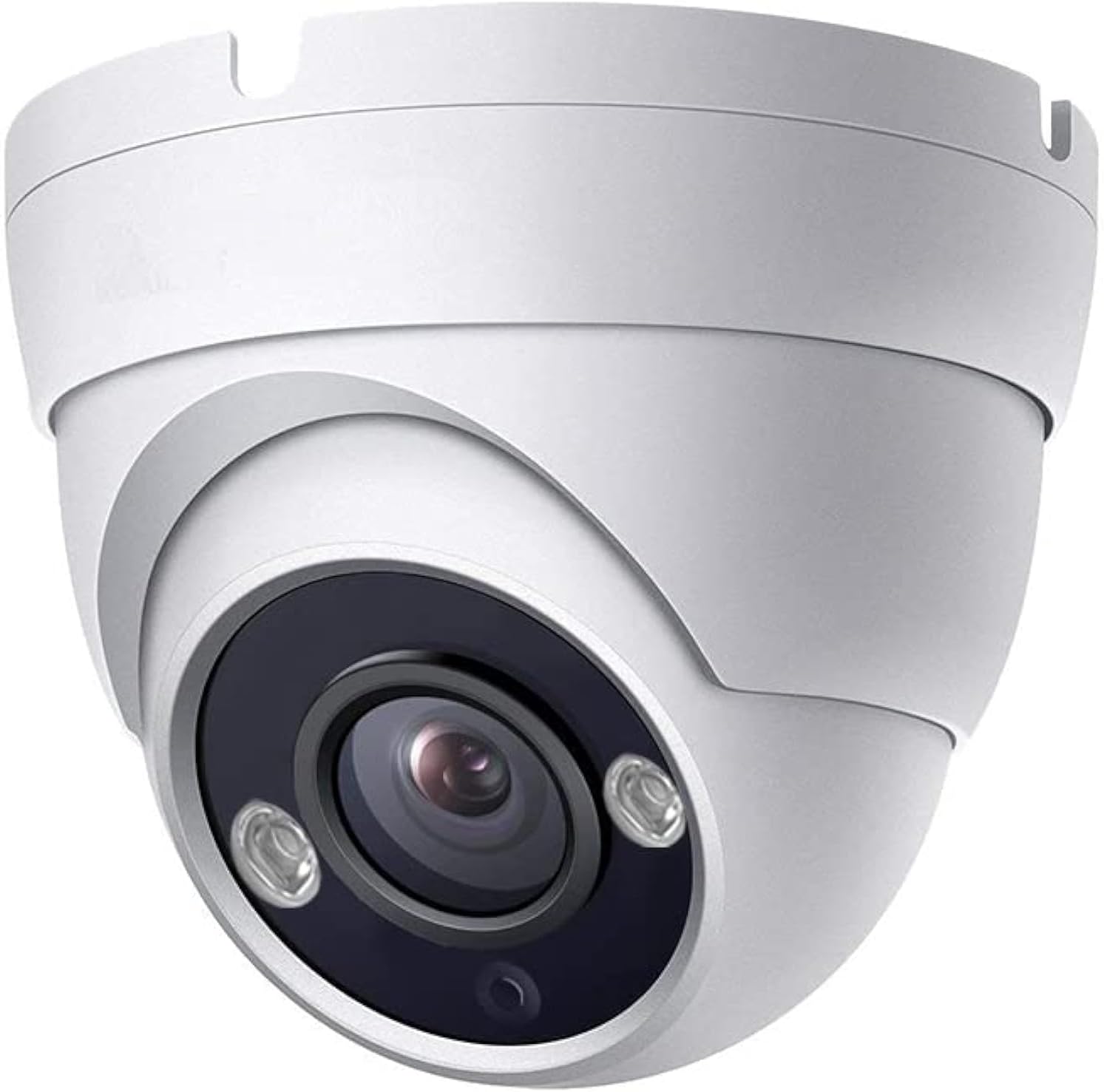
Immagine: Davanti view of the Real HD 5MP Eyeball Dome Camera, showing the lens and IR LEDs.
Dimensioni

Immagine: Technical drawing illustrating the dimensions of the Eyeball Dome Camera, approximately 3.6 inches wide and 3.0 inches high.
Configurazione e installazione
Requisiti di compatibilità
This camera is specifically designed to work with 5MP or 8MP (4K) TVI, CVI, or AHD DVRs. It is also compatible with 960H DVRs in CVBS mode (resolution will be 1000TVL). The camera will non work with 4MP or lower resolution DVRs in HD modes. It does not support IP NVRs.
Cablaggio della telecamera
The camera requires a DC12V power supply and a coaxial cable for video transmission to a compatible DVR. Power adapters and DVRs are sold separately.

Immagine: Diagram showing how to connect the camera. The camera has a power input and a video output. The video output connects to the DVR via a coaxial cable. A separate power adapter (DC12V) is required for the camera.
- Connect a DC12V power adapter (sold separately) to the camera's power input.
- Connect the camera's video output to your DVR using a coaxial cable.
- Assicurarsi che tutti i collegamenti siano sicuri.
Switching Video Output Format (DIP Switch)
The camera supports HD-TVI, HD-CVI, AHD, and 960H (CVBS) video formats. The default mode is typically AHD. If your DVR uses a different format, you must switch the camera's video output using the DIP switch located on the camera's cable or body (refer to the wiring diagram image for typical location).
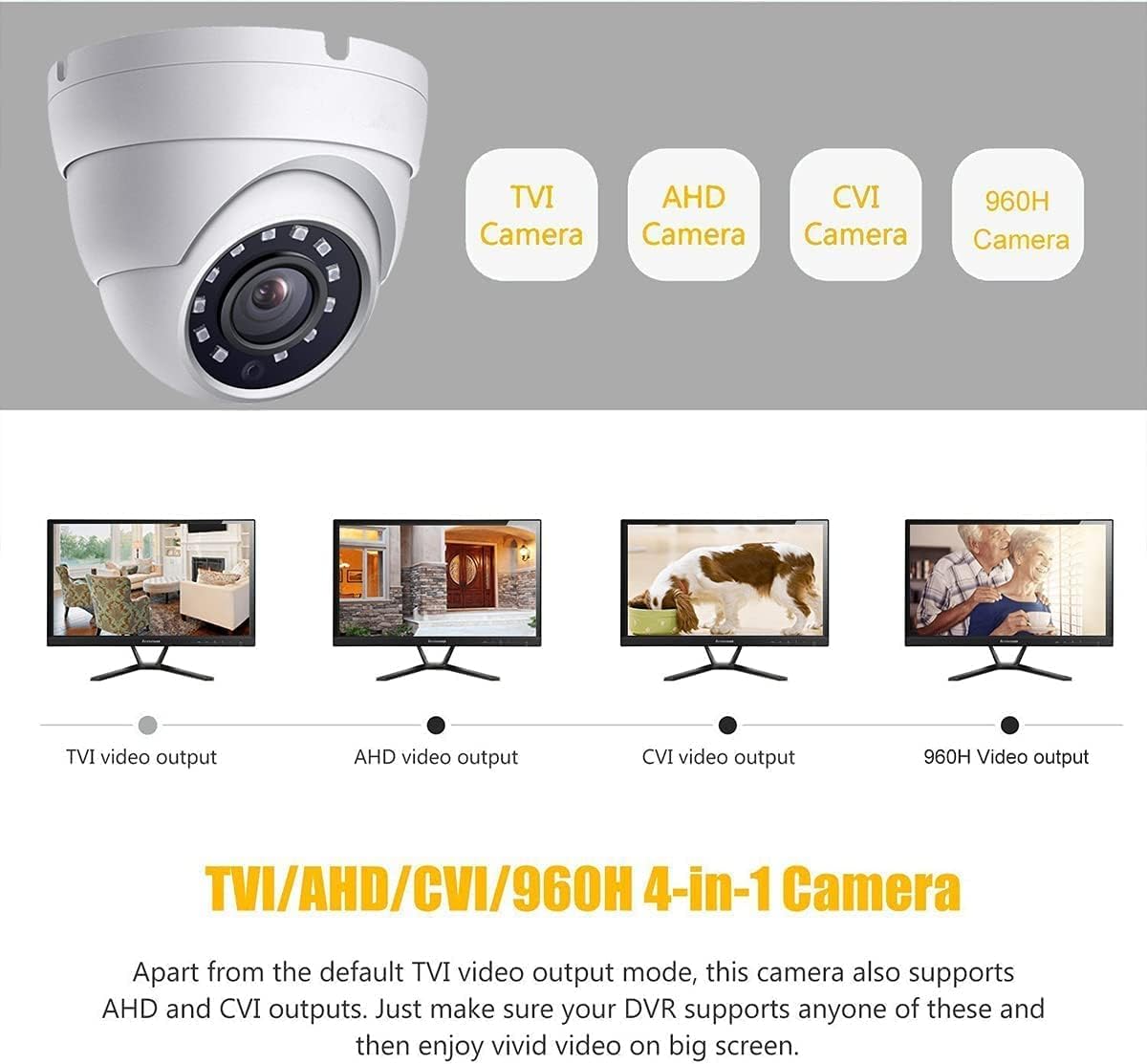
Immagine: Illustration showing the four video output modes (TVI, AHD, CVI, 960H) and how they appear on a monitor. A DIP switch on the camera's cable allows selection between these modes.
Consult your DVR's manual to determine the required video input format. Adjust the DIP switch settings accordingly. Incorrect settings will result in no video signal or a distorted image.
Montaggio della telecamera
The camera is designed for surface mounting and can be installed indoors or outdoors due to its IP66 weatherproof rating. Use the provided mounting screws and template for secure installation.

Immagine: un example of the Eyeball Dome Camera mounted under an outdoor overhang, demonstrating its suitability for outdoor installation.
- Scegliere una posizione di montaggio adatta che fornisca il desiderato viewangolo di inclinazione ed è a portata di mano dei cavi di alimentazione e video.
- Utilizzare la dima di foratura fornita per contrassegnare i fori per le viti sulla superficie di montaggio.
- Se necessario, praticare dei fori pilota.
- Fissare la base della telecamera alla superficie utilizzando le viti di montaggio.
- Adjust the camera's angle as needed (refer to Camera Adjustment section).
Istruzioni per l'uso
Funzionamento di base
This camera functions as a video input device for a compatible DVR system. It does not have built-in recording capabilities, nor does it support direct remote viewing or mobile access. All recording, playback, motion detection, and remote viewing features are managed by the connected DVR. Refer to your DVR's instruction manual for details on these functions.
Visione notturna
The camera is equipped with Smart IR LEDs, providing up to 65 feet (20 meters) of infrared night vision. In low-light conditions, the camera automatically switches to black and white night vision mode to ensure continuous surveillance.

Immagine: A night-time view captured by the camera, demonstrating the effectiveness of the Smart IR LEDs for clear visibility up to 65 feet in dark conditions.
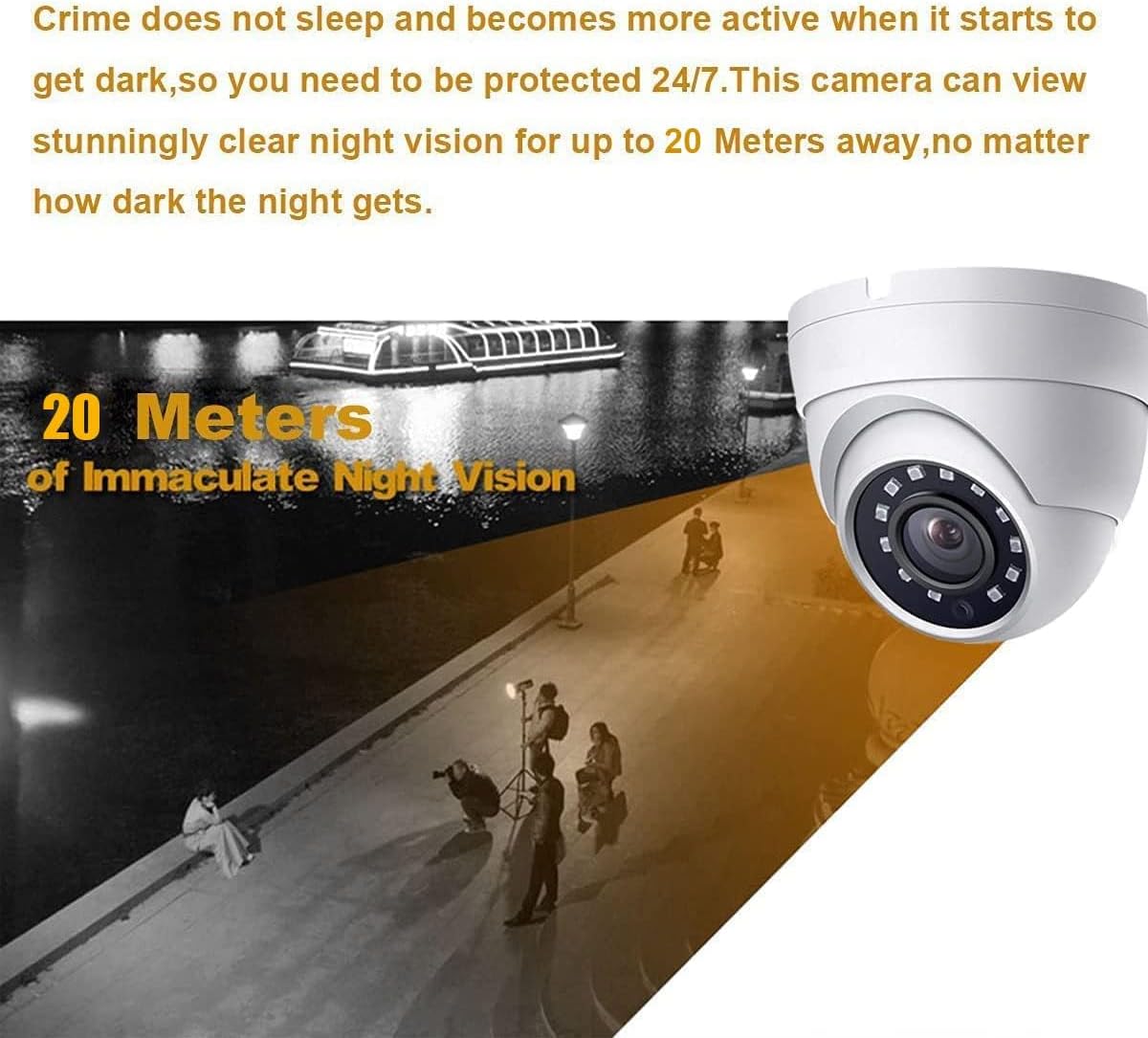
Immagine: An illustration depicting the camera's night vision capability, showing clear visibility up to 20 meters (65 feet) in dark environments.
Regolazione della fotocamera
The eyeball dome design allows for flexible adjustment of the camera's viewing angle after installation. You can rotate the camera module within its housing to achieve the desired coverage.

Immagine: Diagram illustrating the camera's adjustable features, including 180-degree tile rotation, 180-degree pan rotation, and 360-degree horizontal rotation for flexible positioning.
- 180° Tile Rotation: Adjust the vertical tilt of the lens.
- 180° Pan Rotation: Adjust the horizontal pan of the lens.
- Rotazione orizzontale di 360°: Rotate the entire camera module around its axis.
Loosen the adjustment screws (if present) or gently rotate the camera module to position it correctly, then tighten to secure.
Manutenzione
- Pulizia: Use a soft, dry cloth to clean the camera lens and housing. For stubborn dirt, a slightly damp è possibile utilizzare un panno, ma evitare prodotti chimici aggressivi o detergenti abrasivi.
- Protezione ambientale: While the camera is weatherproof (IP66), regularly check for any debris or obstructions that might accumulate on the lens or housing, especially in outdoor installations.
- Ispezione dei cavi: Periodically inspect all cables for signs of wear, damage, or loose connections.
Risoluzione dei problemi
No Video Signal / Black Screen
- Controlla la potenza: Ensure the camera is receiving power (DC12V). Verify the power adapter is functioning and connected securely.
- Controllare il cavo video: Ensure the coaxial cable is securely connected at both the camera and the DVR. Try a different cable if possible.
- Verify DVR Compatibility: Confirm your DVR is a 5MP or 8MP (4K) TVI/CVI/AHD DVR. This camera will not work with 4MP or lower resolution DVRs in HD modes.
- Controlla il formato video: Ensure the camera's video output format (TVI/CVI/AHD/CVBS) matches the input setting on your DVR. Adjust the DIP switch on the camera if necessary.
Poor Image Quality / Distorted Video
- Lente pulita: Assicurarsi che l'obiettivo della fotocamera sia pulito e privo di polvere, macchie o ostruzioni.
- Qualità del cavo: Use high-quality coaxial cables. Long or poor-quality cables can degrade signal strength.
- Alimentazione elettrica: An unstable or insufficient power supply can affect image quality. Ensure the power adapter meets specifications.
- Risoluzione DVR: If connected to a 960H DVR, the resolution will be 1000TVL, not 5MP. Ensure your DVR supports 5MP input for full resolution.
Visione notturna non funzionante
- Controllare eventuali ostruzioni: Ensure nothing is blocking the IR LEDs or the camera's view.
- Alimentazione elettrica: Insufficient power can affect IR functionality.
- Luce ambientale: Ensure the area is dark enough for the IR to activate automatically.
Specifiche
| Nome del modello | HD-5EB28WA |
| Sensore di immagine | Sensore CMOS a colori da 1/2.9" |
| Risoluzione video | 5 MP (2592x1944) |
| Risoluzione fissa efficace | 8 MP (Note: This refers to the sensor's capability, actual video output is 5MP) |
| Lente | Obiettivo fisso 2.8mm |
| Viewangolo di ing | 100 Degrees (FOV) |
| Gamma di visione notturna | 65ft (20 meters) IR Night Vision |
| Formati di uscita video | HD-TVI, HD-CVI, AHD, 960H (CVBS) |
| Sistema TV | Formato NTSC |
| Frequenza dei fotogrammi | 25fps (50Hz), 30fps (60Hz) |
| Illuminazione minima | 0.1lux (LED ON), 0.01lux (0-3 lux LED) |
| Alimentazione elettrica | DC12V 1000mA (Power adapter sold separately) |
| Consumo energetico | 7 watt |
| Materiale | Alloggiamento interamente in metallo |
| Valutazione resistente alle intemperie | Grado di protezione IP66 |
| Temperatura di esercizio | -40 ° F ~ 140 ° F (-40 ° C ~ 60 ° C) |
| Dimensioni | 4.41 x 4.41 x 3.7 pollici (dimensioni imballo) |
| Peso dell'articolo | 14 once |
Garanzia e supporto
For warranty information and technical support, please refer to the official Real HD websito o contattare direttamente il venditore. Conservare la ricevuta d'acquisto come prova d'acquisto per eventuali reclami in garanzia.
Real HD is committed to providing reliable products and customer support. If you encounter any issues not covered in this manual, please reach out to their support team for assistance.
- Produttore: Real HD
- Negozio del marchio: Visit the Real HD Store on Amazon