1. Introduzione
This manual provides instructions for the JISOWA replacement remote control, designed for use with various Hisense 4K UHD LED Smart TV models. This remote control offers a convenient and direct replacement solution, requiring no complex programming.
2. Impostazione
2.1 Installazione della batteria
- Individuare il coperchio del vano batterie sul retro del telecomando.
- Per aprirlo, far scorrere il coperchio verso il basso oppure premere il fermo.
- Inserire due (2) batterie AAA da 1.5 V, assicurandosi che i terminali positivo (+) e negativo (-) siano allineati correttamente con le marcature all'interno del vano.
- Chiudere saldamente il coperchio del vano batterie.
Note: AAA batteries are not included with this product.
2.2 No Programming Required
This replacement remote control is pre-programmed for compatible Hisense TV models. No additional setup, programming, or pairing is required. Simply insert the batteries, and the remote is ready for use.
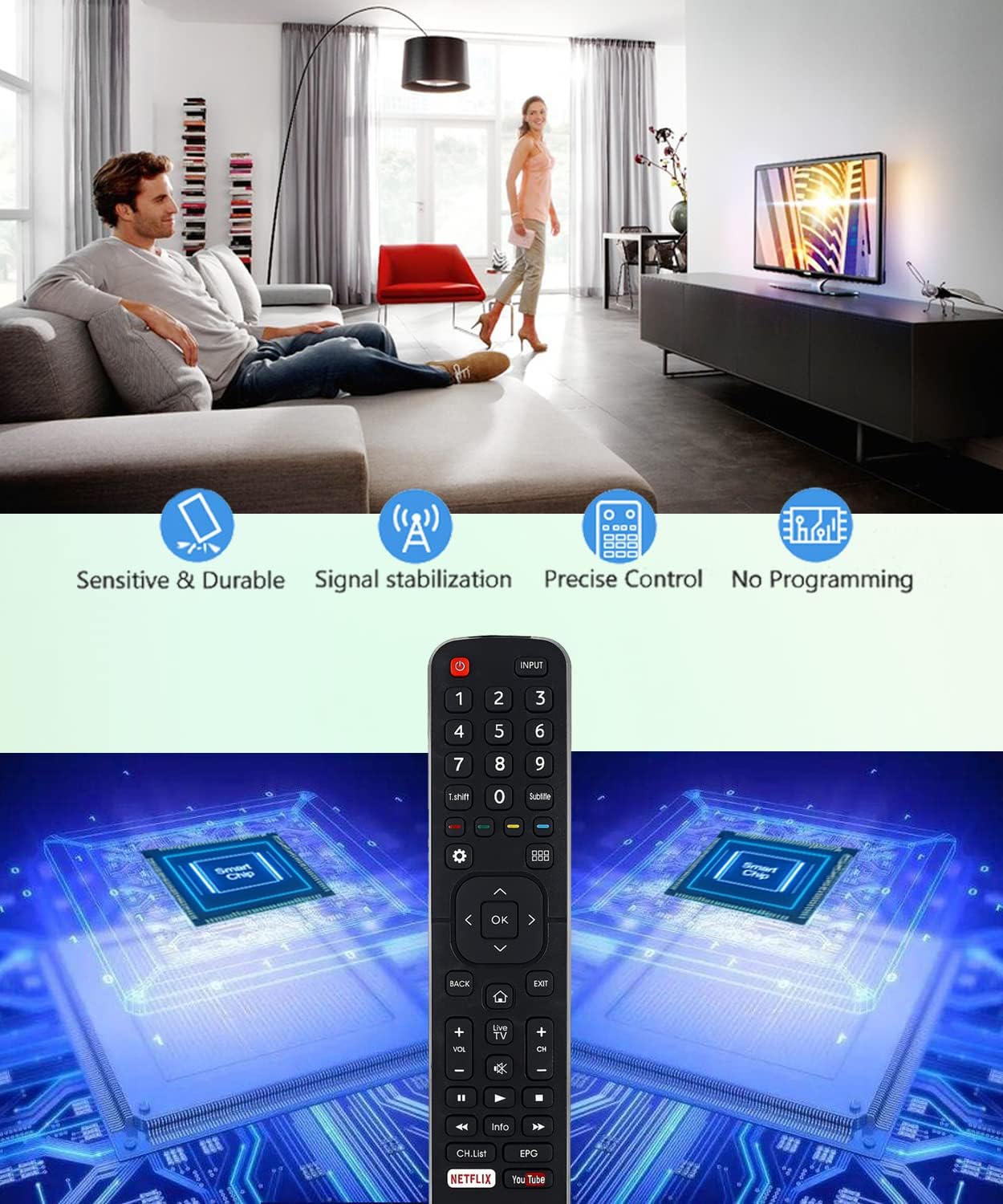
Image: The JISOWA replacement remote control, highlighting its features such as sensitivity, durability, stable signal, precise control, and the absence of programming requirements. This image illustrates the ease of use and reliability of the device.
3. Istruzioni per l'uso
The remote control features an ergonomic design for comfortable handling and agile operation. Below is a general overview of the button layout and their functions.
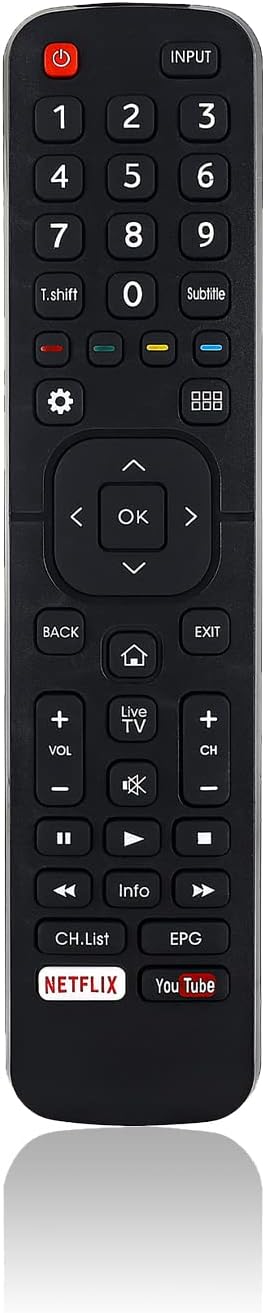
Immagine: Un fronte chiaro view of the JISOWA replacement remote control, displaying all buttons including power, input, number pad, navigation, volume, channel, and dedicated Netflix and YouTube buttons.
3.1 Funzioni dei pulsanti
- Energia (⏻): Accende o spegne la TV.
- INGRESSO: Seleziona la sorgente di ingresso (ad esempio, HDMI 1, HDMI 2, AV).
- Tastierino numerico (0-9): Seleziona direttamente i canali TV.
- Sottotitolo: Attiva o disattiva i sottotitoli.
- Navigation Buttons (▲ ◀ OK ▶ ▼): Utilizzato per navigare nei menu e confermare le selezioni.
- INDIETRO: Ritorna al menu o alla schermata precedente.
- EXIT: Esce dal menu o dall'applicazione corrente.
- HOME (⌂): Accede alla schermata principale della TV o all'interfaccia della smart TV.
- VOLUME (+/-): regola il livello del volume.
- Disattiva audio (🔇): Disattiva o riattiva l'audio della TV.
- CH (+/-): Cambia canale TV.
- Media Control Buttons (◀◀, ▶, ▶▶, ■): Control playback of media (e.g., play, pause, fast forward, rewind, stop).
- Informazioni: Visualizza informazioni sul programma o sul contenuto corrente.
- Elenco CANALI: Opens the channel list.
- EPG: Accesses the Electronic Program Guide (functionality depends on TV model).
3.2 tasti di scelta rapida
The remote control includes dedicated shortcut buttons for popular streaming services:
- Netflix: Avvia direttamente l'applicazione Netflix.
- YouTube: Avvia direttamente l'applicazione YouTube.
4. Manutenzione
4.1 Pulizia
To clean the remote control, use a soft, dry cloth. Avoid using liquid cleaners, sprays, or abrasive materials, as these can damage the remote's surface or internal components.
4.2 Sostituzione della batteria
Replace batteries when the remote control's response becomes sluggish or stops working. Always replace both batteries at the same time with new ones of the same type (AAA 1.5V). If the remote will not be used for an extended period, remove the batteries to prevent leakage and potential damage.
5. Risoluzione Dei Problemi
- Il telecomando non risponde:
- Controllare che le batterie siano inserite correttamente, rispettando la polarità corretta.
- Sostituire le vecchie batterie con quelle nuove.
- Assicurarsi che ci sia una linea visiva libera tra il telecomando e il ricevitore a infrarossi del televisore. Rimuovere eventuali ostacoli.
- Pulsanti specifici non funzionanti:
- Some advanced functions, such as the EPG button, may not work if your specific TV model did not originally feature that button on its factory remote.
- Ensure the TV is fully powered on and not in a standby state.
- La portata remota è limitata:
- Assicurarsi che le batterie siano nuove.
- The effective operating range is typically over 40 feet (approximately 12 meters). Ensure you are within this range and facing the TV.
6. Specifiche

Image: The JISOWA replacement remote control shown from front and side profiles, with precise dimensions indicated for length (8.07 inches), width (1.90 inches), and thickness (0.59 inches).
| Caratteristica | Dettaglio |
|---|---|
| Dimensioni del prodotto | 8.07 x 1.9 x 0.59 pollici |
| Peso dell'articolo | 1.76 once |
| Tecnologia di connettività | Infrarossi |
| Fonte di alimentazione | 2 batterie AAA (non incluse) |
| Dispositivi compatibili | Televisione |
| Caratteristica speciale | Universal replacement, Pre-programmed |
7. Compatible Hisense TV Models
This remote control is compatible with a wide range of Hisense 4K UHD LED Smart TV models, including but not limited to:
- EN2B27, EN-2B27, EN2B27D, EN2B27HI
- 40K321UW, 40K321UWT, 50K321UW, 55K321UW, 58K321UW, 65K321UW
- 58K700UWD, 65K700UWD, 75K700UWD
- 55K720UW, 65K720UW, 55K720UWG, 65K720UWG
- 32K3110W, 40K3110PW, 43K3110PW, 50K3110PW, 55K3110PW, 65K3110PW
- 40K3300UW, 50K3300UW, 55K3300UW, 65K3300UW
- 50M7000UW, 55M7000UW, 65M7000UW, 70M7000UW, 75M7000UWD
- 50M7000UWG, 55M7000UWG, 65M7000UWG, 70M7000UWG, 75M7000UWG
- 32N4, 39N4, 50N4, 55N4
- 55N5, 58N5, 65N5
- 43N6, 50N6, 55N6, 65N6
If your specific model is not listed, please verify compatibility with the product description or contact customer support.
8. Garanzia e supporto
JISOWA offers an unconditional money-back guarantee for any defective items. For any issues or inquiries regarding this remote control, please contact JISOWA customer service. A suitable solution will be offered within 1 business day.