
1. Introduzione
Thank you for choosing the VOYEE WE-07 Wired Game Controller. This manual provides detailed instructions for setting up, operating, and maintaining your controller. The WE-07 is designed for a responsive and immersive gaming experience on both PC and PlayStation 3 platforms.

Image: The VOYEE WE-07 wired game controller, featuring a black and red design with prominent VOYEE branding and illuminated rumble effects, indicating its dual shock capabilities.
2. Caratteristiche del prodotto
- Connettività cablata: Equipped with a 1.8-meter (5.9ft) USB cable for a stable connection and comfortable gaming distance.
- Vibrazione Dual Shock: Built-in dual motion motors provide varied intensity feedback for an authentic gaming experience.
- Design ergonomico: Features a special matte layer for a comfortable grip during extended gaming sessions.
- Ampia compatibilità: Supports Windows 7/8/8.1/10/11 PC games (DInput and XInput modes) and is fully compatible with Sony PlayStation 3 consoles.

Image: An illustration highlighting the internal dual shock rumble motor within the VOYEE WE-07 controller, emphasizing its vibration feedback capability.
3. Disposizione del controller
Familiarize yourself with the buttons and controls of your VOYEE WE-07 controller:

Image: A detailed diagram of the VOYEE WE-07 controller, labeling all buttons and joysticks, including R1/R2/L1/L2 buttons, LED indicators, SELECT, START, HOME, D-Pad, Left/Right Joysticks, and A/B/X/Y buttons.
- Joystick sinistro: Per il movimento direzionale.
- Joystick destro: Per il controllo o la mira della telecamera.
- Tasto direzionale: Tastierino direzionale per un input preciso.
- Pulsanti di azione (A, B, X, Y): Per le azioni di gioco.
- Pulsanti sulle spalle (L1, R1): Pulsanti montati nella parte superiore.
- Pulsanti di attivazione (L2, R2): Grilletti analogici montati nella parte inferiore.
- Pulsante SELEZIONA: Typically for menu navigation or specific game functions.
- Pulsante Start: Typically for pausing or starting games.
- HOME/P3 Button: For accessing system menus or PlayStation 3 home screen.
- Indicatori LED (1-4): Show player number or connection status.
4. Istruzioni per l'installazione
Connecting your VOYEE WE-07 controller is a straightforward process:
4.1. Connecting to a PC (Windows 7/8/8.1/10/11)
- Individua una porta USB disponibile sul tuo computer.
- Plug the USB connector of the VOYEE WE-07 controller into the USB port.
- Your computer will automatically detect and install the necessary drivers. This may take a few moments.
- Once installed, the controller will be ready for use. You may need to configure the controller settings within your game or platform (e.g., Steam) for optimal performance.
The controller supports both DInput (DirectInput) and XInput modes. Most modern PC games use XInput, which is automatically recognized. For older games, DInput might be used.
4.2. Connecting to a PlayStation 3 (PS3)
- Assicurati che la tua console PS3 sia accesa.
- Plug the USB connector of the VOYEE WE-07 controller into an available USB port on your PS3.
- The PS3 will recognize the controller. The LED indicators on the controller will light up to show the assigned player number.
- The controller is now ready for use with your PlayStation 3 games.

Image: A close-up of the VOYEE WE-07 controller's USB cable connecting to a device, illustrating the wired connection process.
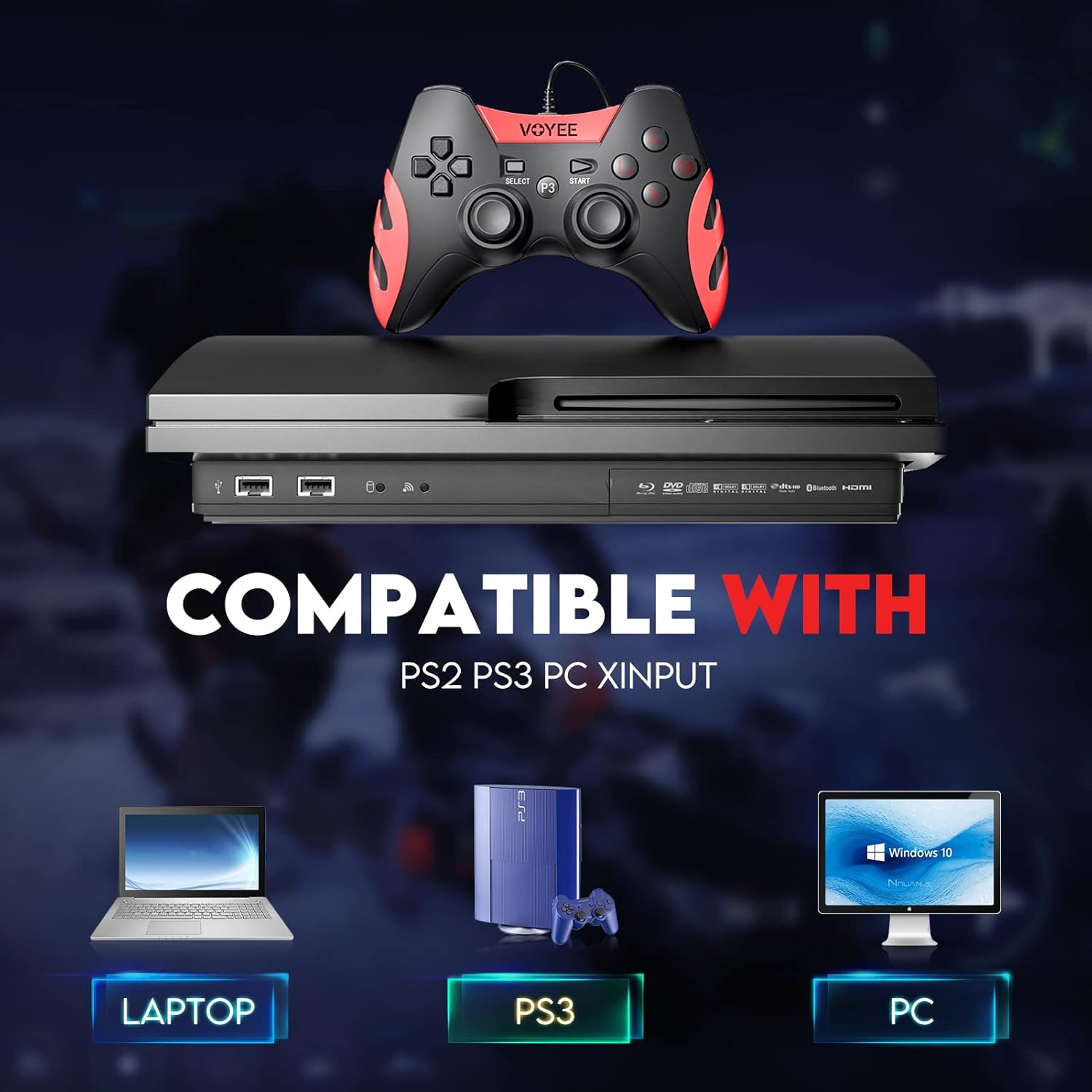
Image: A graphic demonstrating the VOYEE WE-07 controller's compatibility with various platforms, including laptops, PlayStation 3 consoles, and desktop PCs, highlighting its versatility.
5. Istruzioni per l'uso
Once connected, the VOYEE WE-07 controller functions similarly to standard gamepads. Here are some general operating tips:
- Game Control: Use the joysticks and D-Pad for movement and navigation. The action buttons (A, B, X, Y) and shoulder/trigger buttons (L1, R1, L2, R2) perform in-game actions as defined by the specific game.
- Risposte di vibrazione: The dual shock motors will provide tactile feedback during gameplay, enhancing immersion. This feature is automatically enabled when supported by the game.
- HOME/P3 Button: Press this button to access the system menu on PS3 or to bring up the game overlay on PC (depending on the game or platform).
- Ergonomia: The controller's matte finish and ergonomic design are intended for comfortable use during long gaming sessions.
6. Risoluzione Dei Problemi
If you encounter issues with your VOYEE WE-07 controller, please refer to the following common solutions:
| Problema | Soluzione |
|---|---|
| Controller not recognized by PC/PS3. |
|
| Il feedback tramite vibrazione non funziona. |
|
| I pulsanti o i joystick non rispondono. |
|
7. Manutenzione
To ensure the longevity and optimal performance of your VOYEE WE-07 controller, follow these maintenance guidelines:
- Pulizia: Utilizzare un panno morbido e asciutto per pulire la superficie del controller. Per lo sporco ostinato, leggermente dampLavare il panno con acqua. Evitare l'uso di prodotti chimici aggressivi o detergenti abrasivi.
- Magazzinaggio: Conservare il controller in un luogo fresco e asciutto, lontano dalla luce solare diretta e da temperature estreme. Evitare di posizionare oggetti pesanti sul controller.
- Cura del cavo: Do not sharply bend or pull the USB cable. Always grasp the plug when disconnecting, not the cable itself.
- Evitare gocce: Proteggere il controller da cadute e urti che potrebbero danneggiare i componenti interni.
8. Specifiche
| Modello | WE-07 |
| Marca | VOYEE |
| Connettività | USB cablato |
| Lunghezza del cavo | 1.8 metri (5.9 piedi) |
| Dispositivi compatibili | PC (Windows 7/8/8.1/10/11), PlayStation 3 |
| Tipo di controllore | Gamepad, Joystick (DInput & XInput) |
| Caratteristiche aggiuntive | Dual Shock Vibration, Ergonomic Design, Matte Finish |
| Quantità del pulsante | 17 |
9. Garanzia e supporto
VOYEE provides a Garanzia di 365 giorni for the WE-07 wired gamepad controller from the date of purchase. This warranty covers manufacturing defects under normal use.
If you encounter any problems or have questions regarding your VOYEE WE-07 controller, please do not hesitate to contact our customer service team via e-mail. Our friendly customer service is available to assist you.
For support, please visit the official VOYEE websito o fare riferimento alla documentazione di acquisto per le informazioni di contatto.