1. Introduzione
Thank you for choosing the HUXGO HXA007 Wireless Alarm System. This system provides comprehensive home security with dual Wi-Fi and GSM 4G connectivity, allowing for flexible control and reliable alerts. This manual will guide you through the installation, operation, and maintenance of your alarm system to ensure optimal performance and security.
2. Contenuto della confezione
The HUXGO HXA007 Wireless Alarm System package includes the following components:
- 1x Control Panel with 4.3" TFT LCD Touchscreen
- 1x Internal Siren
- 1x Wireless External Siren
- 5x Wireless Motion Detectors
- 5x Wireless Door/Window Opening Sensors
- 2 telecomandi
- 2x RFID Key Fobs
- 1x adattatore di alimentazione
- Batteries (for backup power)
- Installation Accessories (screws, adhesive tape)
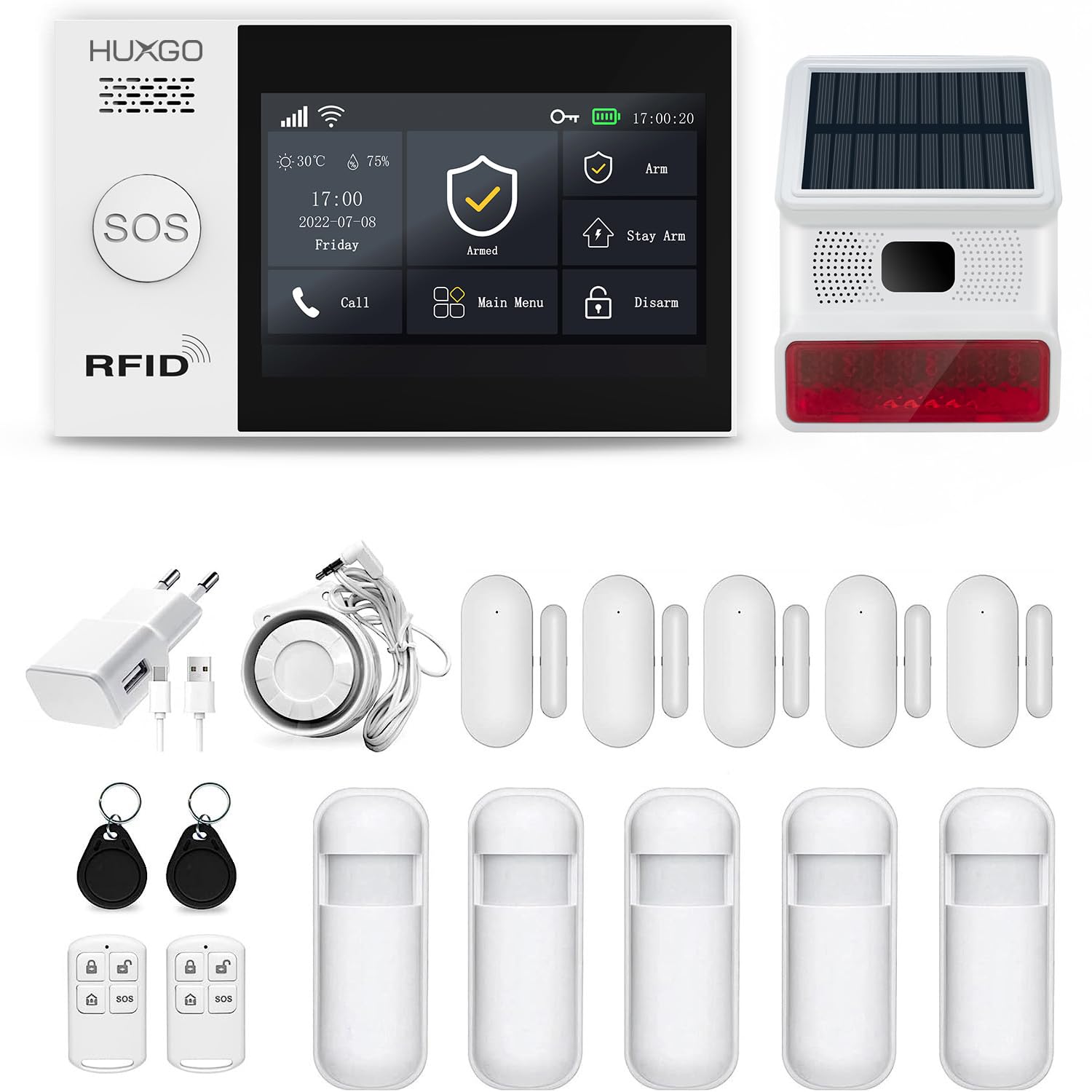
Immagine 2.1: Passoview of the HUXGO HXA007 Wireless Alarm System components, including the control panel, outdoor siren, motion sensors, door/window sensors, remote controls, and RFID key fobs.
3. Prodotto finitoview
3.1 Pannello di controllo
The central control panel features a 4.3-inch TFT LCD touchscreen for easy interaction. It serves as the brain of your alarm system, managing all connected sensors and communication modules.

Immagine 3.1: Fronte e lato views of the HUXGO HXA007 control panel, illustrating its compact dimensions (160mm width, 98mm height, 19mm depth).
3.2 Sensori
The system includes wireless motion detectors and door/window opening sensors to detect unauthorized entry.

Image 3.2: A wireless motion sensor, designed to detect movement within its coverage area.

Image 3.3: A wireless door/window opening sensor, consisting of two parts that trigger an alarm when separated.
3.3 Sirens
The system includes both an internal and a wireless external siren, capable of producing a loud 120-decibel alert to deter intruders and notify neighbors.

Image 3.4: The wireless outdoor siren, featuring a solar panel for power and a flashing light for visual alert.

Image 3.5: The wired internal siren, designed for indoor use to provide an audible alarm.
3.4 Remote Controls and RFID Key Fobs
The system can be armed or disarmed using the included remote controls or by tapping an RFID key fob on the control panel.

Image 3.6: A remote control with buttons for arming, disarming, home arming, and an SOS function.
4. Impostazione
4.1 Configurazione iniziale e collegamento all'alimentazione
- Inserire la scheda SIM (facoltativo): If you plan to use GSM 4G features, insert a compatible SIM card into the designated slot on the control panel. Ensure the SIM card is active and has sufficient credit for SMS and calls.
- Connetti alimentazione: Connect the power adapter to the control panel and plug it into a standard electrical outlet. The control panel has a built-in backup battery providing 4-6 hours of emergency power.
- Accensione: The system will automatically power on. Follow the on-screen prompts for initial language selection and basic settings.
4.2 Installazione dell'app e connessione Wi-Fi
The HUXGO HXA007 system is compatible with the Tuya Smart mobile application, available for iOS and Android devices.
- Scarica l'app: Cercare "Tuya Smart" nell'app store del tuo dispositivo e installalo.
- Registrati/Accedi: Crea un nuovo account o accedi se ne hai già uno.
- Aggiungi dispositivo: In the Tuya Smart app, tap '+' to add a new device. Select 'Security & Video Surveillance' > 'Alarm (Wi-Fi)'.
- Connettiti al Wi-Fi: Follow the in-app instructions to connect your control panel to your home Wi-Fi network. This typically involves putting the control panel into pairing mode and entering your Wi-Fi credentials in the app.
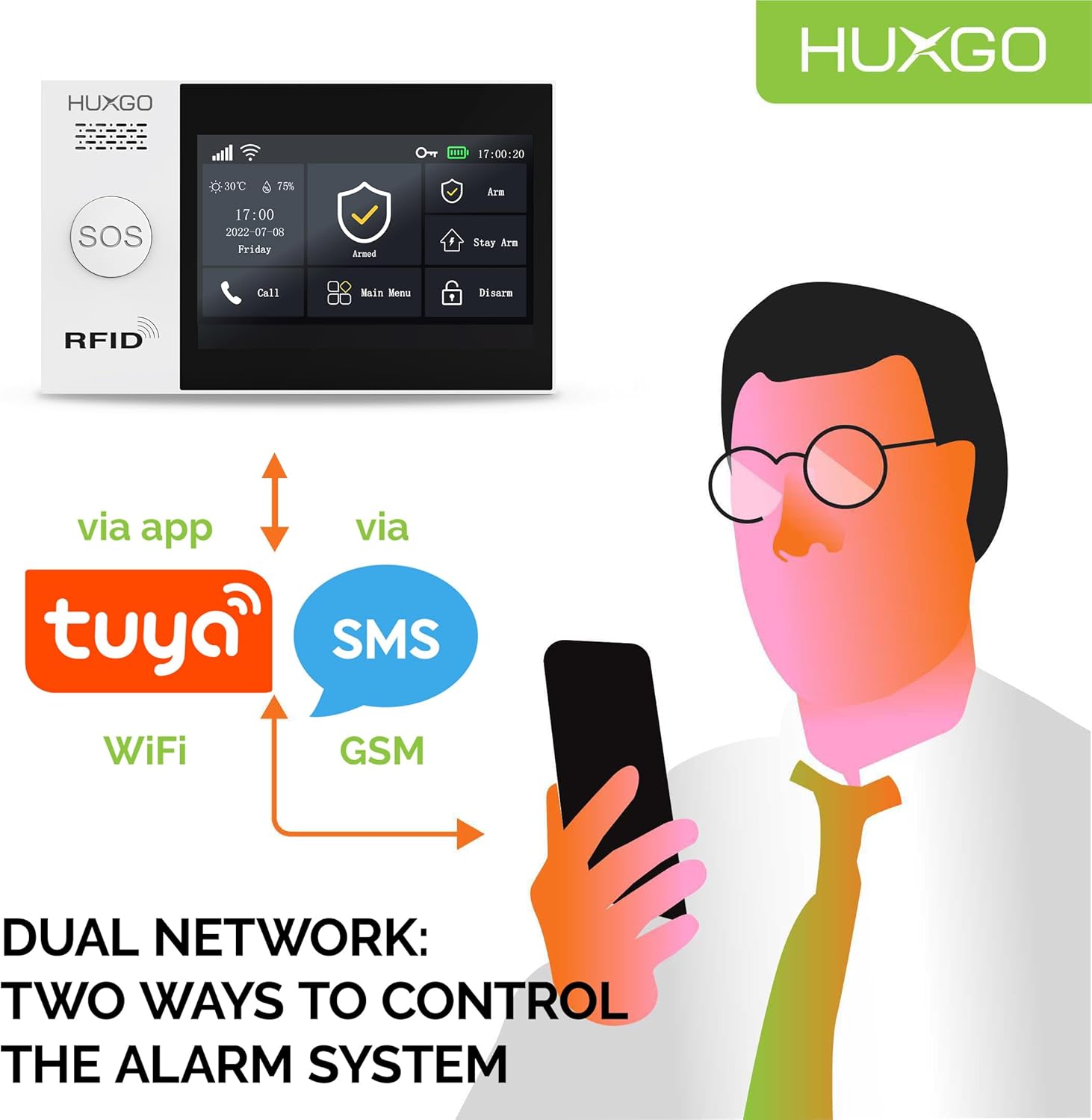
Image 4.1: Illustration of the dual network control capabilities, showing control via the Tuya Smart app (Wi-Fi) and SMS (GSM).
4.3 Accoppiamento di sensori e accessori
The wireless sensors allow for quick and efficient installation without additional cabling.
- Entra in modalità di associazione: On the control panel, navigate to the 'Sensor Management' or 'Add Device' menu.
- Attiva sensore: For motion sensors, trigger them by moving in front of them. For door/window sensors, separate the two parts. For remote controls/RFID fobs, press any button or tap the fob on the control panel.
- Conferma: The control panel will confirm successful pairing. Assign each sensor to a specific zone (e.g., 'Interior Zone', '24/7 Zone', 'Exterior Zone') and give it a descriptive name for easy identification.

Image 4.2: Diagram illustrating the three types of security zones: Interior Zone, 24/7 Zone, and Exterior Zone, for customized alarm behavior.
5. Funzionamento del sistema
5.1 Inserimento e disinserimento
The system can be armed or disarmed using the control panel, remote controls, RFID key fobs, or the Tuya Smart app.
- Braccio (braccio intero): Attiva tutti i sensori. Da utilizzare quando si esce dai locali.
- Braccio di sostegno (braccio di casa): Activates perimeter sensors (e.g., door/window sensors) while allowing movement within interior zones. Use when staying at home.
- Disarmare: Disattiva tutti i sensori, consentendo il libero movimento.
5.2 Funzione SOS
In case of emergency, press the SOS button on the control panel or remote control. The system will immediately trigger an alarm and send alerts to pre-programmed emergency contacts.

Image 5.1: Visual representation of alarm scenarios, including an intruder triggering a motion sensor or door/window sensor, and the use of the SOS button on the remote control for emergencies.
5.3 Notifications and Control
The system provides alarm notifications via SMS and the Tuya Smart app. You can also control the system remotely.
- Avvisi SMS: When an alarm is triggered, the system sends SMS messages to configured phone numbers.
- Controllo app: The Tuya Smart app allows you to arm/disarm the system, check status, and receive real-time notifications from anywhere with an internet connection.
- Comunicazione bidirezionale: The control panel supports two-way audio communication, allowing you to speak through the panel and hear responses.

Image 5.2: An illustration depicting a user interacting with the alarm control panel and receiving alerts on a smartphone, highlighting the system's connectivity and user interface.
6. Manutenzione
6.1 Gestione della batteria
- Control Panel Backup Battery: The control panel has an internal backup battery that provides power during outages. Ensure the control panel is always connected to power to keep this battery charged.
- Batterie del sensore: Wireless sensors are battery-powered. The system will notify you when sensor batteries are low. Replace batteries promptly to ensure continuous protection.
- Outdoor Siren: The wireless outdoor siren is solar-powered with a backup battery. Ensure its solar panel is exposed to sufficient sunlight.
6.2 Pulizia
Pulire il pannello di controllo e i sensori con un panno morbido e asciutto. Evitare l'uso di detergenti abrasivi o solventi che potrebbero danneggiare le superfici.
7. Risoluzione Dei Problemi
- Il sensore non si attiva:
- Check battery levels of the sensor.
- Ensure the sensor is correctly paired with the control panel.
- Verify the sensor's placement and ensure it's within range and not obstructed. - Nessuna notifica dell'app:
- Ensure the control panel is connected to Wi-Fi.
- Check your phone's notification settings for the Tuya Smart app.
- Verify your internet connection. - No SMS Alerts:
- Ensure a valid and active SIM card is inserted in the control panel.
- Check SIM card balance.
- Verify the emergency contact numbers are correctly configured in the system. - Falsi allarmi:
- Adjust sensitivity settings for motion detectors if available.
- Ensure door/window sensors are securely mounted and not affected by vibrations or drafts.
- Check for pets or objects that might trigger motion sensors. - Il pannello di controllo non risponde:
- Ensure the power adapter is connected and the backup battery is charged.
- Try restarting the control panel by disconnecting and reconnecting power.
8. Specifiche
| Produttore | HUXGO |
| Numero di modello | HXA007 4G B R5D5 WS |
| Dimensioni (pannello di controllo) | Dimensioni: 16 x 9.8 x 2 cm |
| Peso | 1.69 kg |
| Fonte di alimentazione | Electric cable, Battery powered (backup) |
| Metodo di installazione | Senza fili |
| Livello sonoro (sirena) | 120 decibel |
| Tecnologia di connettività | Wireless (Wi-Fi & GSM 4G) |
| Metodo di controllo | Application (Tuya Smart) |
| Dispositivi compatibili | Smartphone, Tablet |
| Durata della batteria di backup | Circa 5 ore |
| Espandibilità | Supporta fino a 99 sensori |
9. Garanzia e supporto
For warranty information and technical support, please refer to the documentation provided with your purchase or contact HUXGO customer service directly. Details regarding spare parts availability are currently unavailable.
You can visit the HUXGO brand store for additional information and products: HUXGO Store