
1. Prodotto finitoview
The Oladance OWS1 Open Ear Headphones offer a unique open-ear design for comfort and situational awareness. These wireless Bluetooth 5.2 headphones feature dual 16.5mm drivers for high-quality sound and extended battery life, making them suitable for various activities.
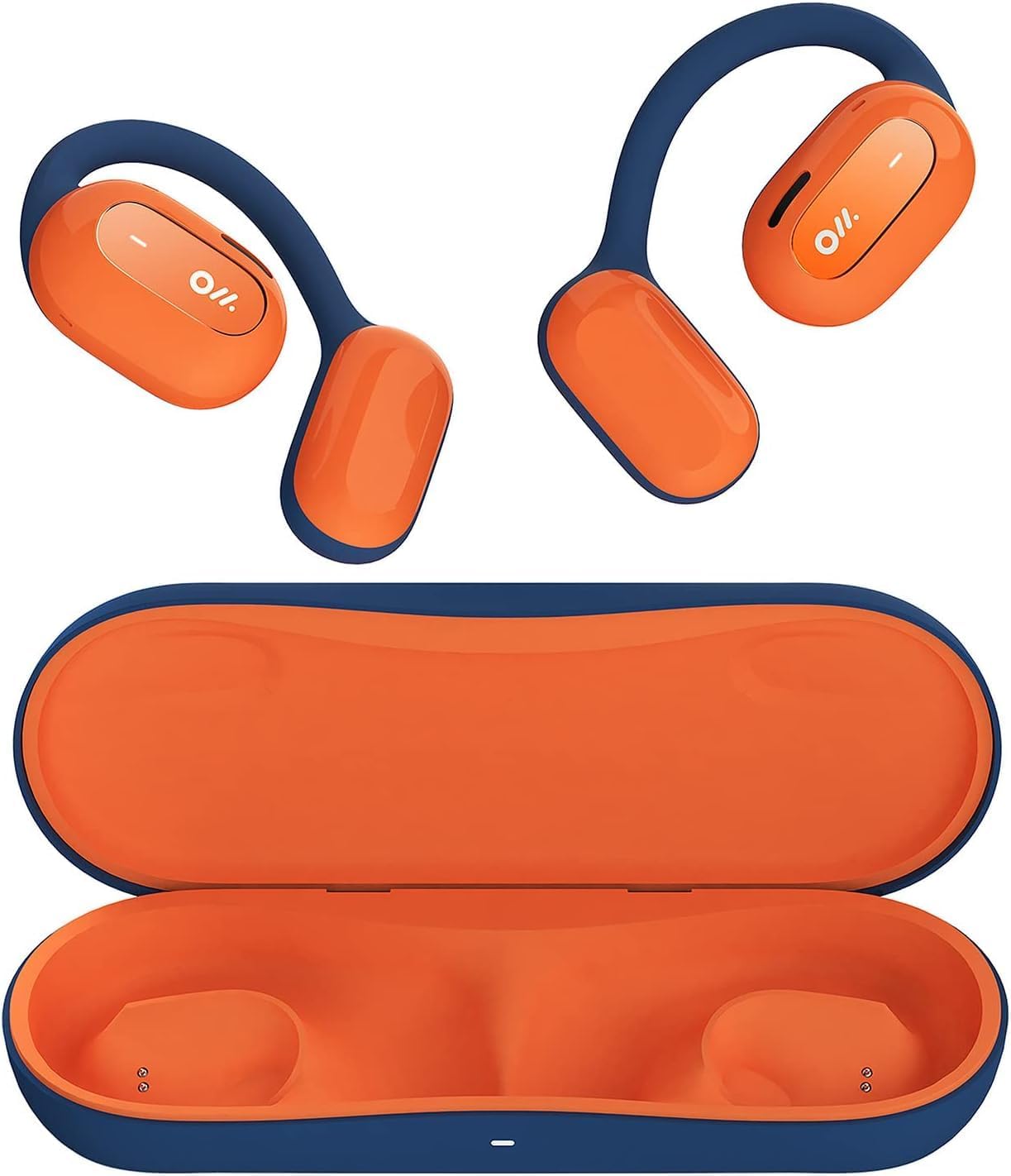
Image 1: Oladance OWS1 Open Ear Headphones and their carry case.
2. Cosa c'è nella scatola
- 1 × Oladance Wearable Stereo (Pair of Open Ear Headphones)
- 1 × Non-charging Carry Case
- 1 × Cavo di tipo C
- 1 × Manuale utente
3. Caratteristiche principali
- Design a vero orecchio aperto: Earbuds rest gently on top of the ear, avoiding insertion into the ear canal for enhanced comfort and situational awareness.
- 360° Superior Sound: Equipped with dual powerful 16.5mm dynamic drivers and bio-diaphragm technology for rich, clear audio across all volume levels.
- Anti-Hearing Loss Focus: Designed to prevent common health issues associated with traditional earbuds by not blocking the ear canal, reducing pressure and potential hearing damage.
- Extended 16-Hour Playtime: Features a built-in 160mAh battery and low-consumption algorithms, providing up to 16 hours of continuous playback on a single charge. Note: A separate charging case is required for extended playtime beyond the included carry case.
- Vestibilità sicura e confortevole: Multi-point support system distributes weight evenly across the ear, ensuring a stable and comfortable fit for various activities.

Image 2: The Oladance OWS1 headphones are designed for a secure and comfortable fit, ideal for activities like yoga.
4. Guida all'installazione
4.1 Carica iniziale
Before first use, fully charge your Oladance OWS1 headphones. Connect the provided Type-C cable to the charging port on the headphones and a compatible USB power source. The LED indicator will show charging status.
4.2 Accensione/Spegnimento
- Per accendere: Press and hold the power button (location typically on one of the earbud units) for approximately 2-3 seconds until you hear an audible prompt or see an LED indicator light up.
- Per spegnere: Press and hold the power button for approximately 3-5 seconds until you hear an audible prompt or the LED indicator turns off.
4.3 Associazione Bluetooth
- Assicurati che le cuffie siano spente.
- Press and hold the power button for approximately 5-7 seconds until the LED indicator flashes red and blue alternately. This indicates the headphones are in pairing mode.
- Sul tuo dispositivo (smartphone, tablet, computer), vai alle impostazioni Bluetooth.
- Cercare "Oladance OWS1" nell'elenco dei dispositivi disponibili.
- Select "Oladance OWS1" to connect. Once connected, the LED indicator will typically flash blue slowly or turn off, and you will hear a confirmation tone.

Image 3: The Oladance OWS1 headphones are designed for an ergonomic and stable fit during various activities.
5. Istruzioni per l'uso
5.1 Controlli di base
| Funzione | Azione |
|---|---|
| Riproduci/Pausa musica | Premere una volta il pulsante multifunzione. |
| Traccia successiva | Premere due volte il pulsante multifunzione. |
| Traccia precedente | Premere tre volte il pulsante multifunzione. |
| Alza il volume | Premere una volta il pulsante Volume +. |
| Abbassa il volume | Premere una volta il pulsante Volume -. |
| Rispondi/Termina chiamata | Premere una volta il pulsante multifunzione durante una chiamata in arrivo o una chiamata attiva. |
| Rifiuta chiamata | Durante una chiamata in arrivo, tenere premuto il pulsante Multifunzione per 2 secondi. |
| Attiva l'Assistente Vocale | Tenere premuto il pulsante multifunzione per 2 secondi. |
5.2 Connessione multi-punto
The Oladance OWS1 headphones support multi-point connection, allowing them to be connected to two Bluetooth devices simultaneously. This enables seamless switching between devices without re-pairing.
- Ensure the headphones are paired with the first device.
- Put the headphones into pairing mode again (usually by holding the power button until the LED flashes red and blue).
- On the second device, search for "Oladance OWS1" in the Bluetooth settings and connect.
- The headphones should now be connected to both devices. Audio will automatically switch to the device playing content or receiving a call.

Image 4: The open-ear design allows for comfortable extended wear, even during work or calls.
6. Cura e manutenzione
- Pulizia: Per pulire le cuffie, utilizzare un panno morbido e asciutto. Evitare l'uso di prodotti chimici aggressivi o materiali abrasivi.
- Magazzinaggio: Store the headphones in their provided non-charging carry case when not in use to protect them from dust and damage.
- Resistenza all'acqua: The headphones are water-resistant (IPX4 rated). Avoid submerging them in water or exposing them to high-pressure water jets. Dry thoroughly if they get wet.
- Temperatura: Evitare di esporre le cuffie a temperature estreme (calde o fredde) o a elevata umidità.

Image 5: The included carry case protects your Oladance OWS1 headphones during transport and storage.
7. Risoluzione Dei Problemi
- Impossibile accendere
- Assicurati che le cuffie siano completamente cariche. Collegale a una fonte di alimentazione tramite il cavo Type-C.
- Impossibile accoppiarsi con il dispositivo
- Assicurarsi che le cuffie siano in modalità di associazione (LED lampeggiante in rosso e blu).
- Disattiva e riattiva il Bluetooth del tuo dispositivo.
- Cancella le precedenti connessioni Bluetooth sul tuo dispositivo.
- Avvicina le cuffie al dispositivo.
- Nessun suono o volume basso
- Controlla i livelli del volume sia delle cuffie che del dispositivo collegato.
- Assicurati che le cuffie siano collegate correttamente al dispositivo.
- Prova a riprodurre l'audio da un'applicazione o una sorgente diversa.
- Connessione intermittente
- Assicurati che non ci siano ostacoli tra le cuffie e il dispositivo.
- Evitare forti interferenze elettromagnetiche.
- Keep the headphones within the effective Bluetooth range (typically 10 meters).
8. Specifiche del prodotto
| Caratteristica | Dettaglio |
|---|---|
| Numero di modello | OLA02 |
| Marca | Olanda |
| Tecnologia di connettività | Senza fili (Bluetooth 5.2) |
| Posizionamento dell'orecchio | Orecchio aperto |
| Fattore di forma | Orecchio aperto |
| Dimensioni del conducente | Doppi driver dinamici da 16.5 mm |
| Durata della batteria (media) | Fino a 16 ore |
| Tempo di ricarica | Circa 2 ore |
| Livello di resistenza all'acqua | Resistente all'acqua (IPX4) |
| Formato del microfono | Incorporato |
| Tipo di controllo | Controllo multimediale (pulsanti) |
| Materiale | Plastica |
| Dimensioni del prodotto | Dimensioni: 13 x 11 x 457.2 cm |
| Peso dell'articolo | 260 grammi |

Image 6: A close-up of the Oladance OWS1 headphones, highlighting their design and color.
9. Garanzia e supporto
Oladance products are covered by a limited warranty. For detailed warranty information, product support, or service inquiries, please refer to the official Oladance webo contattare direttamente il servizio clienti. Conservare la prova d'acquisto per eventuali reclami in garanzia.
Per ulteriore assistenza, visitare: www.oladance.com


