
1. Introduzione
This manual provides detailed instructions for the safe and proper installation, operation, and maintenance of your Barkan M121T Monitor Desk Mount. Please read this manual thoroughly before installation and retain it for future reference. This mount is designed for flat and curved screens ranging from 13 to 34 inches, supporting a maximum weight of 17.6 lbs (8 kg).
2. Informazioni sulla sicurezza
AVVERTIMENTO: Failure to read and follow all instructions may result in personal injury or damage to the product. Ensure all components are securely fastened as described in this manual. Do not exceed the maximum weight capacity of 17.6 lbs (8 kg).
- Verify that the mounting surface can safely support the combined weight of the mount and the monitor.
- Use only the provided hardware. If any parts are missing or defective, contact Barkan customer support.
- Do not install on a vibrating surface or a surface prone to movement.
- Tenere lontani i bambini durante l'installazione. Le piccole parti potrebbero rappresentare un rischio di soffocamento.
- Controllare periodicamente che il supporto sia ben fissato e che tutti i dispositivi di fissaggio siano ben serrati.
3. Contenuto della confezione
Before installation, ensure all parts are present and undamaged. Refer to the image below for a visual representation of the included components.
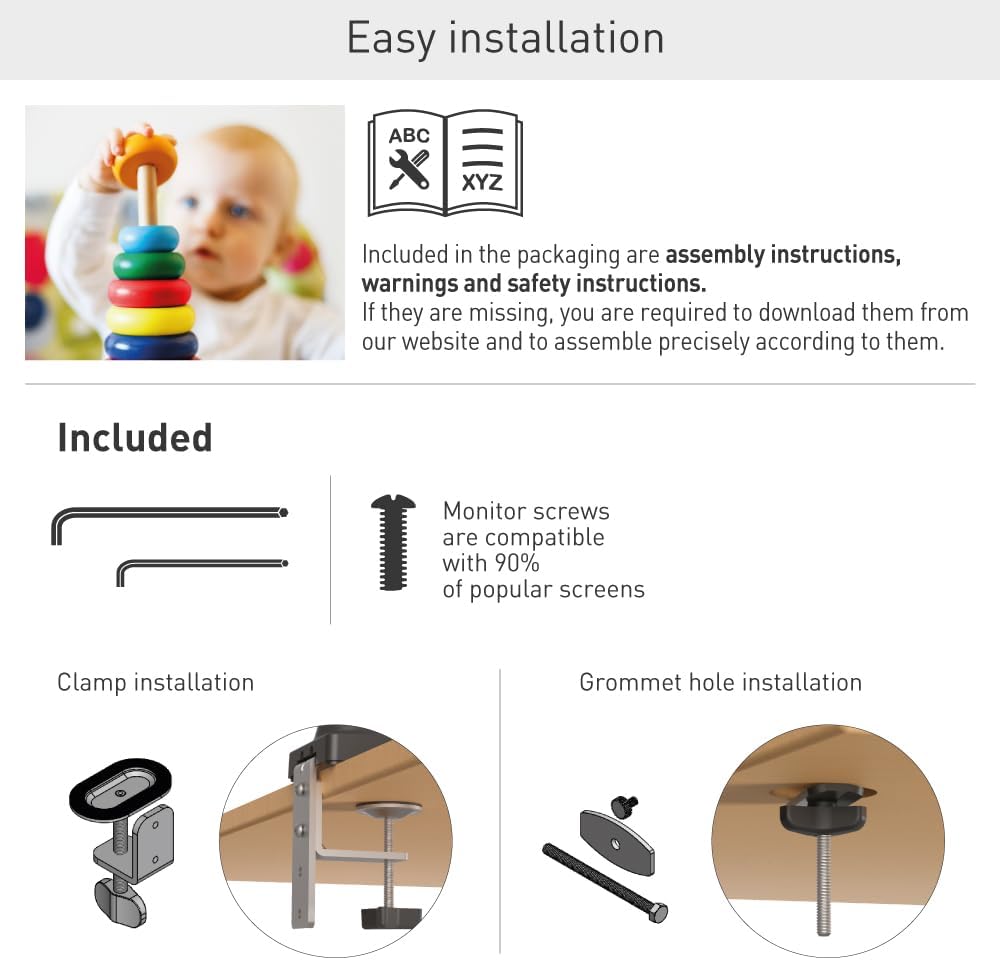
Figure 1: Included components for the Barkan M121T Monitor Desk Mount. This includes various screws, washers, and parts for both clamp e installazione dell'anello di tenuta.
- Monitor Mount Arm Assembly
- Scrivania Clamp Assemblea
- Componenti della base dell'occhiello
- Monitor Mounting Screws (compatible with most screens)
- Hex Keys for adjustment
- Manuale di istruzioni (questo documento)
4. Specifiche
The Barkan M121T Monitor Desk Mount offers robust support and flexibility. Review the detailed specifications below.
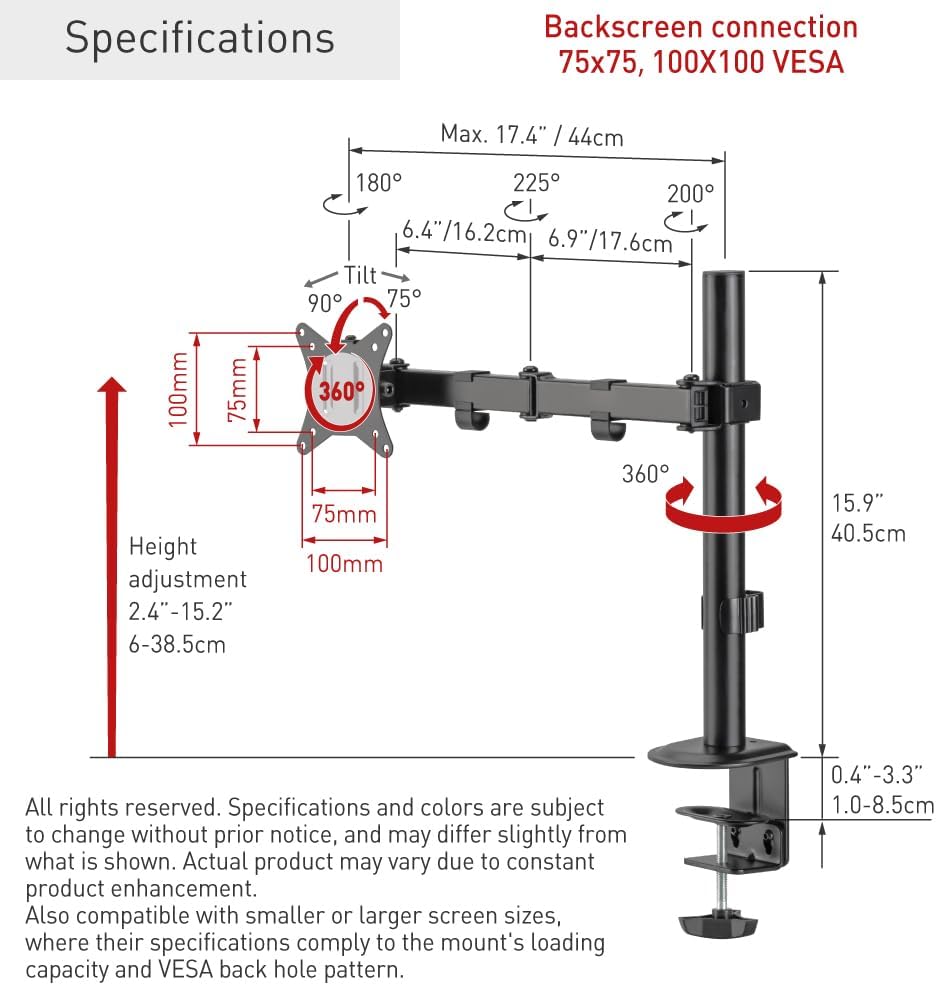
Figure 2: Technical specifications and dimensions of the Barkan M121T Monitor Desk Mount.
| Caratteristica | Specificazione |
|---|---|
| Compatibilità delle dimensioni dello schermo | 13 - 34 pollici |
| Capacità di carico massima | 17.6 libbre (8 kg) |
| Compatibilità VESA | 75x75 mm, 100x100 mm |
| Angolo di inclinazione | Up to 165° (tool-free) |
| Angolo di rotazione | 180° (vicino alla piastra di collegamento dello schermo) |
| Rotazione | 360° (ritratto/paesaggio) |
| Gamma di regolazione dell'altezza | 2.4 - 15.2 pollici (6 - 38.5 cm) |
| Opzioni di montaggio | Scrivania Clamp, Grommet Hole |
| Materiale | Ferro |
| Colore | Nero |
5. Configurazione e installazione
The Barkan M121T offers two installation methods: desk clamp or grommet hole. Choose the method suitable for your desk.
5.1 Scrivania Clamp Installazione
- Fissare la scrivania clamp montaggio al palo principale.
- Posizionare il clamp on the edge of your desk and tighten the screw until the mount is secure. Ensure the clamp è saldamente fissato per impedirne il movimento.
5.2 Grommet Hole Installation
- Insert the grommet bolt through the grommet hole in your desk.
- Attach the grommet base components to the bolt from underneath the desk and tighten securely.
- Fissare il palo principale alla base dell'occhiello.
5.3 Fissaggio del monitor

Figure 3: Monitor attached to the Barkan M121T mount, demonstrating its adjustable features.
- Carefully attach the VESA plate from the mount to the back of your monitor using the appropriate monitor screws. Ensure the screws are tightened securely but do not overtighten.
- Slide the monitor with the attached VESA plate onto the arm assembly.
- Secure the monitor to the arm using the provided locking mechanism or screw.
6. Istruzioni per l'uso
The Barkan M121T mount allows for various adjustments to achieve an ergonomic viewesperienza di acquisizione.
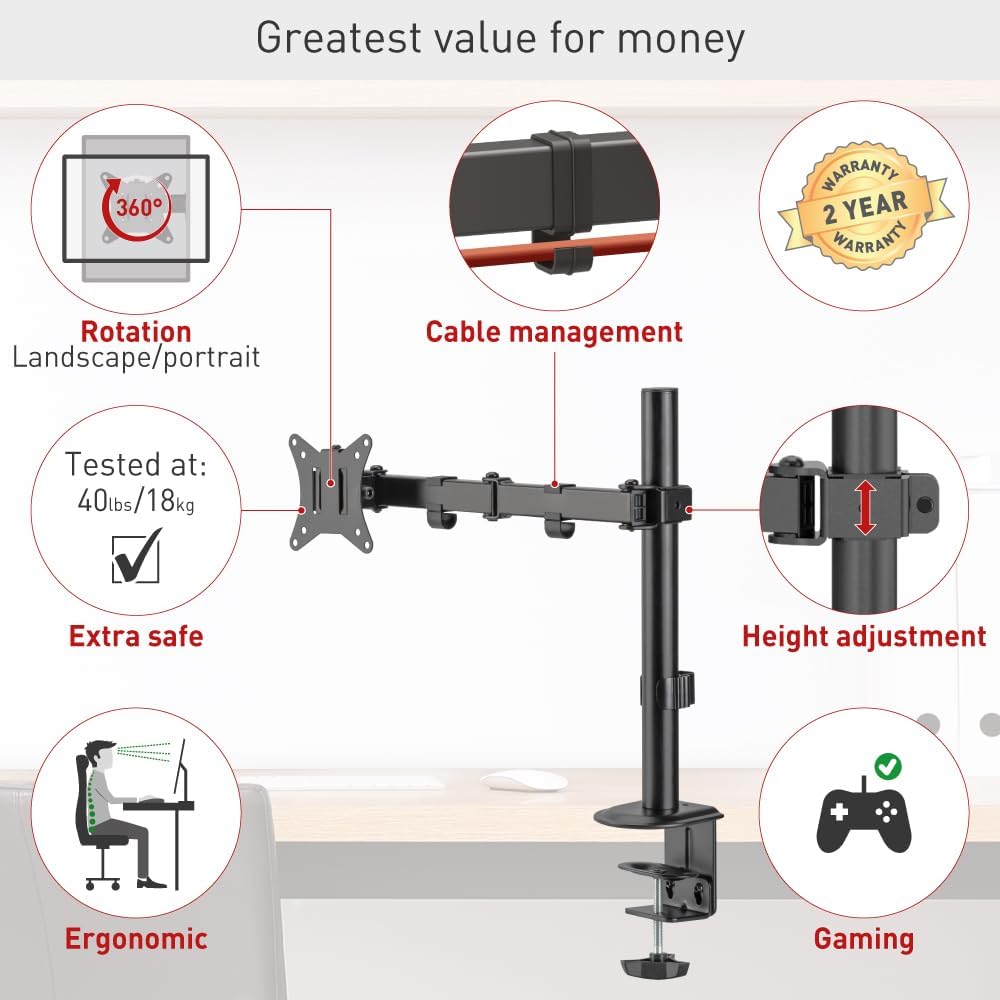
Figura 4: Oltreview of the Barkan M121T mount's adjustable features.
- Regolazione dell'altezza: Loosen the collar on the main pole, adjust the arm to the desired height, and then re-tighten the collar.
- Inclinazione: Gently push or pull the top or bottom of your monitor to adjust the tilt angle up to 165°. This adjustment is tool-free.
- Girevole: Rotate the monitor horizontally up to 180° at the screen connection plate.
- Rotazione: Ruotare il monitor di 360° per passare dall'orientamento orizzontale a quello verticale e viceversa.
- Gestione dei cavi: Utilize the integrated cable management clips on the arm to route and organize your monitor cables for a tidy workspace.
7. Manutenzione
Una manutenzione regolare garantisce la longevità e il funzionamento sicuro del supporto per monitor.
- Pulizia: Pulisci il supporto con un panno morbido eamp panno. Evitare detergenti abrasivi o solventi.
- Controlli periodici: Every 3-6 months, check all screws and connections to ensure they are tight and secure. Re-tighten if necessary.
- Lubrificazione: Non è richiesta alcuna lubrificazione per le parti mobili.
8. Risoluzione Dei Problemi
In caso di problemi, fare riferimento ai seguenti problemi comuni e alle relative soluzioni.
| Problema | Possibile causa | Soluzione |
|---|---|---|
| Il monitor si abbassa o non mantiene la posizione. | Le viti di montaggio sono allentate; il peso del monitor supera la capacità. | Ensure all screws are tightened. Verify monitor weight is within 17.6 lbs (8 kg). |
| Il supporto sembra instabile. | Scrivania clamp or grommet base is not securely fastened. | Stringere nuovamente la chiusura della scrivaniaamp or grommet base. Ensure the desk surface is stable. |
| Difficoltà nella regolazione dell'inclinazione/rotazione. | Joints may be stiff. | Apply gentle, consistent force. Do not force adjustments. |
If the problem persists, please contact Barkan customer support.
9. Informazioni sulla garanzia
The Barkan M121T Monitor Desk Mount comes with a Garanzia di 2 anno. This warranty covers defects in materials and workmanship under normal use. It does not cover damage caused by improper installation, misuse, accidents, or unauthorized modifications. Please retain your proof of purchase for warranty claims.
10. Assistenza clienti
For further assistance, technical support, or warranty inquiries, please visit the official Barkan website. Our customer service experts are available to help with any questions you may have regarding your Barkan M121T Monitor Desk Mount.
Produttore: Monti Barkan
Websito: www.barkanmounts.com