
1. Introduzione
This manual provides essential instructions for the safe and effective use of your UpBright 12V 2.5A AC/DC Adapter. This power supply is designed to provide stable and reliable power to compatible PVO YG300 series mini LED projectors.
The adapter features a wide input voltage range (100-240VAC) for global compatibility and includes built-in safety protections: Over VoltagProtezione da sovracorrente (OVP), protezione da sovracorrente (OCP) e protezione da cortocircuito (SCP).
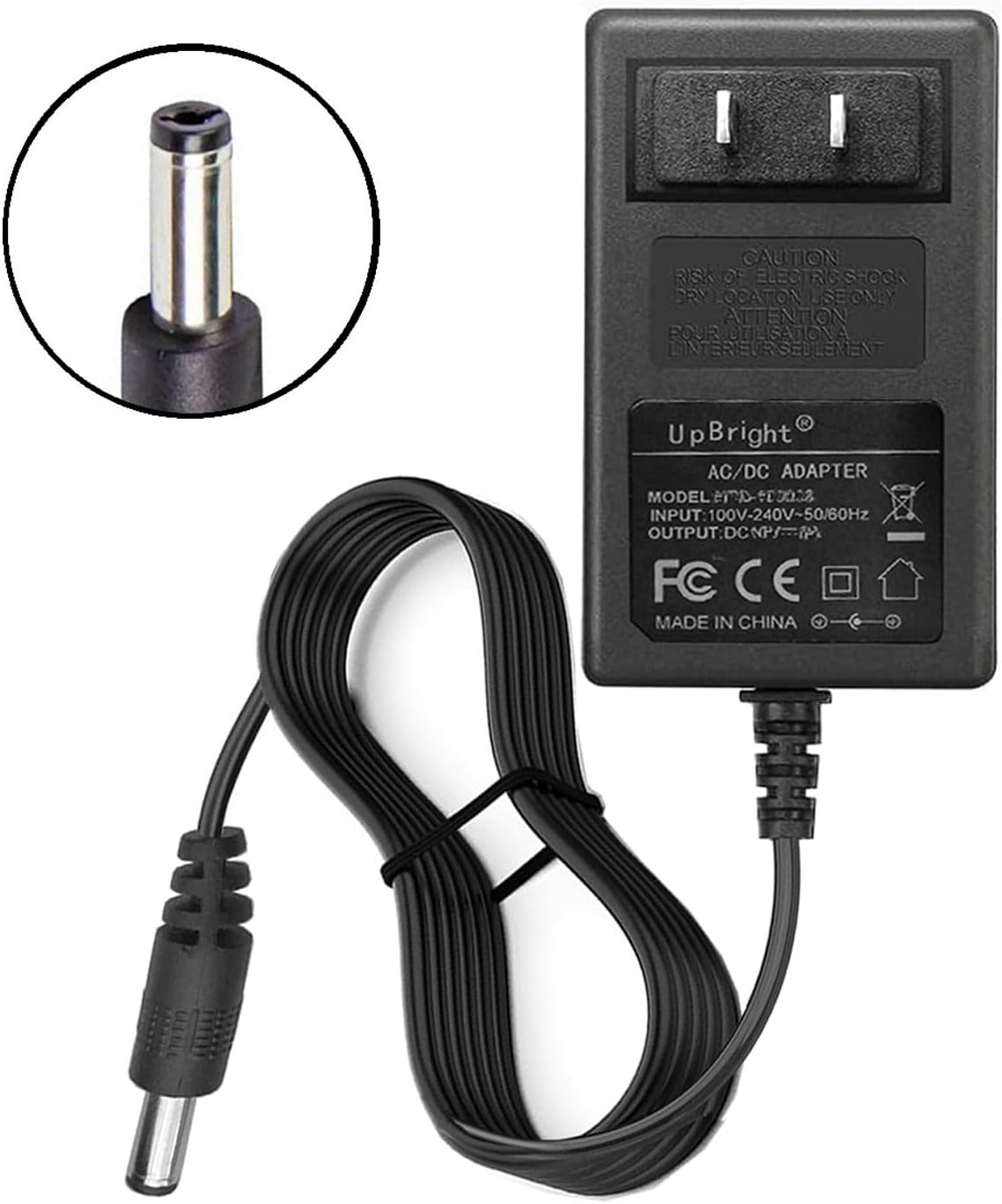
Image 1.1: UpBright 12V 2.5A AC/DC Adapter. This image shows the main power adapter unit with its attached DC output cable and barrel connector, along with the input plug.
2. Impostazione
Follow these steps to properly set up your AC/DC adapter with your compatible projector:
- Identify the Adapter Components: Ensure you have the UpBright 12V 2.5A AC/DC adapter, which consists of the main power brick, the attached DC output cable, and the barrel connector.
- Connect to Projector: Carefully insert the DC barrel connector of the adapter into the power input port of your PVO YG300 series mini LED projector. Ensure a snug and secure fit.
- Collegare alla presa di corrente: Plug the AC input prongs of the adapter into a standard wall power outlet. The adapter supports input voltages from 100V to 240V AC at 50/60Hz.
- Verifica potenza: Once connected, your projector should receive power. Refer to your projector's manual for specific power indicator lights or startup procedures.
Compatibilità: This adapter is compatible with various PVO YG300 series mini LED projectors, including but not limited to: PVO YG300 Pro, YG300ProMax, YG260, WePvo YG300Plus, and VF200 models requiring a 12V 2.5A power supply.

Immagine 2.1: Lato view of the UpBright 12V 2.5A AC/DC Adapter. This image provides another perspective of the adapter, showing the power brick and the coiled DC output cable.

Immagine 2.2: Es.ample of international outlet adapters. This image illustrates different types of international plug adapters (AU, EU, UK) that may be provided for international orders, ensuring compatibility with various wall outlets.
3. Istruzioni per l'uso
The UpBright AC/DC adapter is designed for straightforward operation. Once properly connected to your projector and a power outlet, it will continuously supply the necessary power.
- Potenza continua: The adapter provides a constant 12V DC output at 2.5A to your connected device.
- Caratteristiche di sicurezza: The adapter is equipped with Over Voltage Protection (OVP), Over Current Protection (OCP), and Short Circuit Protection (SCP) to safeguard both the adapter and your connected projector from electrical damage.
- Condizioni ambientali: Use the adapter in a well-ventilated area. Avoid covering the adapter during operation to prevent overheating.
4. Manutenzione
Proper maintenance ensures the longevity and safe operation of your UpBright AC/DC adapter.
- Pulizia: Disconnect the adapter from the power outlet and the projector before cleaning. Use a soft, dry cloth to wipe the exterior. Do not use liquid cleaners or solvents.
- Magazzinaggio: When not in use for extended periods, unplug the adapter and store it in a cool, dry place away from direct sunlight and extreme temperatures. Avoid tightly coiling the cable to prevent damage.
- Ispezione: Periodically inspect the power cord and connector for any signs of damage, such as cuts, fraying, or bent pins. If any damage is observed, discontinue use and replace the adapter.
5. Risoluzione Dei Problemi
If you encounter issues with your UpBright AC/DC adapter, refer to the following common troubleshooting steps:
- Projector Not Powering On:
- Ensure the adapter's DC barrel connector is fully inserted into the projector's power input.
- Verify that the adapter is securely plugged into a functional wall outlet. Test the outlet with another device if necessary.
- Check the adapter's cable for any visible damage.
- Confirm that your projector model is listed as compatible with a 12V 2.5A power supply.
- Surriscaldamento dell'adattatore:
- It is normal for power adapters to become warm during operation. However, if the adapter feels excessively hot to the touch, disconnect it immediately.
- Ensure the adapter is in a well-ventilated area and not covered by anything that could trap heat.
- Verify that the projector's power requirements do not exceed the adapter's 12V 2.5A (30W) output.
- Potenza intermittente:
- Check for loose connections at both the wall outlet and the projector.
- Inspect the DC barrel connector for any debris or damage that might prevent a solid connection.
Se questi passaggi non risolvono il problema, consultare la sezione Garanzia e supporto.
6. Specifiche
| Caratteristica | Specificazione |
|---|---|
| Marca | UPBRIGHT |
| Modello | 12V 2.5A AC/DC Adapter |
| Ingresso volumetage | 100-240 V CA, 50/60 Hz |
| Volume di uscitatage | 12V CC |
| Corrente di uscita | 2.5 A (2500 mA) |
| Potenza massima | 30 Watt |
| Caratteristiche di protezione | OVP (oltre voltage Protezione), OCP (Protezione da sovracorrente), SCP (Protezione da cortocircuito) |
| Dimensioni (L x P x A) | Circa 4 x 2 x 2 pollici (unità principale) |
| Certificazioni | CE |
| Modelli di proiettori compatibili | PVO YG300 Pro, YG300ProMax, YG260, WePvo YG300Plus, VF200 (and other models requiring 12V 2.5A) |
7. Garanzia e supporto
Informazioni sulla garanzia:
- This UpBright product comes with a Politica di rimborso di 30 giorni.
- A Garanzia di sostituzione di 24 mesi is also provided for manufacturing defects.
For warranty claims or technical support, please contact your retailer or the UpBright customer service directly. Please have your product model and purchase information ready when contacting support.
Immagine 7.1: Es.ample of a Limited Warranty Certificate. This image shows a representation of a warranty certificate, indicating the product's limited warranty coverage.