
1. Prodotto finitoview
This manual provides instructions for the safe and efficient use of your Digipartspower USB Charger AC Adapter Cable. This product is designed to provide power to compatible devices, specifically the AUVON TENS Unit 3rd Gen 16 Mode Machine.
Caratteristiche principali
- Protezione da sovratemperatura (OTP): Protezioni contro il surriscaldamento.
- oltre il volumetage Protezione (OVP): Protects devices from excessive voltage.
- Protezione da cortocircuito (SCP): Previene i danni causati dai cortocircuiti.
- Protezione da sovracorrente (OCP): Shields against excessive current flow.
- Design compatto e portatile per un facile trasporto.
- Constructed with high-quality materials for durability.
Contenuto della confezione
- 1 x Digipartspower USB Charger AC Adapter Cable
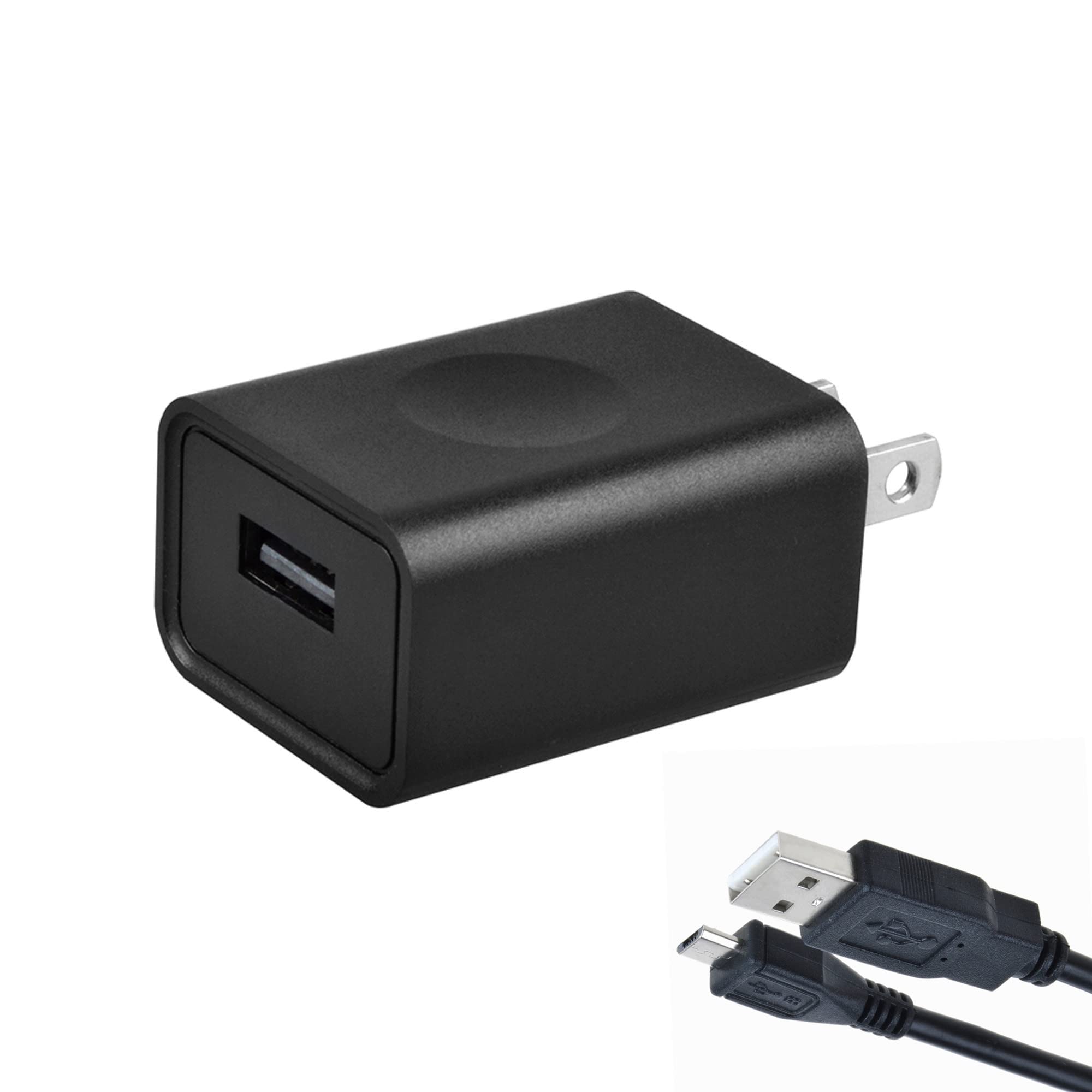
Image 1: Digipartspower USB Charger AC Adapter Cable. This image shows the black USB charger cable with its adapter plug.
2. Istruzioni per l'installazione
Follow these steps to properly set up your USB Charger AC Adapter Cable:
- Disimballare il cavo: Carefully remove the USB Charger AC Adapter Cable from its packaging.
- Identificare i componenti: The package includes one USB cable with an integrated AC adapter plug.
- Connetti al dispositivo: Insert the USB end of the cable into the appropriate USB charging port of your AUVON TENS Unit 3rd Gen 16 Mode Machine. Ensure the connection is firm.
- Collegare alla presa di corrente: Plug the AC adapter end (Type A - 2 pin) into a standard 100-240V AC wall power outlet.
- Verifica connessione: Confirm that the TENS unit indicates it is receiving power or charging, typically via an indicator light on the device itself.
Importante: This charger is specifically designed for the AUVON TENS Unit 3rd Gen 16 Mode Machine. Using it with incompatible devices may cause damage to the device or the charger.
3. Istruzioni per l'uso
Once properly connected, the Digipartspower USB Charger AC Adapter Cable will begin to supply power or charge your AUVON TENS Unit.
- Ricarica: The charger will automatically regulate the power output to safely charge your TENS unit. Refer to your TENS unit's manual for specific charging indicators and times.
- Alimentazione elettrica: If your TENS unit can operate directly from an external power source, the charger will provide continuous power.
- Caratteristiche di sicurezza: The built-in Over Temperature, Over Voltage, Short Circuit, and Over Current Protections ensure safe operation. If an issue is detected, the charger may automatically shut off to prevent damage.
Nota: Always ensure the charger and the device are placed in a well-ventilated area during operation to prevent heat buildup.
4. Cura e manutenzione
Proper care will extend the life of your Digipartspower USB Charger AC Adapter Cable.
- Pulizia: Disconnect the charger from the power outlet and the device before cleaning. Use a soft, dry cloth to wipe the surface. Do not use liquid cleaners or abrasive materials.
- Magazzinaggio: Store the charger in a cool, dry place away from direct sunlight and extreme temperatures when not in use. Avoid tightly coiling the cable to prevent damage.
- Gestione: Do not drop, disassemble, or attempt to repair the charger yourself. This may void any warranty and could lead to electrical hazards.
- Condizioni ambientali: Avoid exposing the charger to water, high humidity, or dusty environments.
5. Risoluzione Dei Problemi
Se riscontri problemi con il caricabatterie, fai riferimento ai seguenti problemi comuni e alle relative soluzioni:
- Device Not Charging/Powering On:
- Assicurarsi che il caricabatterie sia collegato saldamente a una presa a muro funzionante.
- Verify that the USB cable is firmly connected to both the charger and the TENS unit.
- Prova la presa a muro con un altro dispositivo per verificare che sia alimentata.
- Check the TENS unit for any damage or issues (refer to its own manual).
- Il caricabatterie è caldo:
- È normale che i caricabatterie si surriscaldino leggermente durante il funzionamento.
- If the charger becomes excessively hot, disconnect it immediately and contact support. Ensure it is in a well-ventilated area.
- Ricarica intermittente:
- Check for loose connections at both the wall outlet and the device.
- Inspect the cable for any visible damage (frays, bends). If damaged, discontinue use.
6. Specifiche del prodotto
| Attributo | Valore |
|---|---|
| Marca | Digipartspower |
| Modello | USB Charger AC Adapter Cable |
| Tipo di connettore | USB (output), Type A - 2 pin (input) |
| Dispositivi compatibili | AUVON TENS Unit 3rd Gen 16 Mode Machine |
| Componenti inclusi | 1 cavo USB |
| Caratteristiche speciali | Over Temperature Protection (OTP), Over Voltage Protection (OVP), Short Circuit Protection (SCP), Over Current Protection (OCP), Safe |
| Colore | Nero |
| Ingresso volumetage | 100-240 Volt (CA) |
| Volume di uscitatage | 12 Volt (CC) |
| Corrente di uscita | 0.02 Amps |
| Cosatage | 5 Watt |
| Gamma di frequenza | 60 Hertz |
| Peso dell'articolo | 4 once |
| Specifica Met | CE |
7. Garanzia e supporto
Digipartspower products are manufactured to high-quality standards. For information regarding warranty coverage, please refer to the documentation provided with your purchase or visit the official Digipartspower websito.
If you experience any issues or have questions about your USB Charger AC Adapter Cable, please contact Digipartspower customer support. Have your product model and purchase details ready when contacting support.
Produttore: Digipartspower
ASIN: B09WTSHKCC