
AutoSky WUA-1
AutoSky Wireless CarPlay Adapter User Manual
Modello: WUA-1
Introduzione
Thank you for choosing the AutoSky Wireless CarPlay Adapter. This device is designed to convert your existing wired CarPlay system into a wireless one, offering enhanced convenience and a seamless driving experience. Equipped with a 5Ghz module, it ensures a fast and stable connection. Please read this manual carefully to ensure proper installation and operation.

The AutoSky Wireless CarPlay Adapter, shown with a reflection of the CarPlay interface on a car's display.
Cosa c'è nella scatola
- AutoSky Wireless CarPlay Adapter
- Cavo da USB-A a USB-C
- USB-A to USB-A Extension Cable
- Manuale d'uso

The complete package includes the adapter, necessary cables, and the user manual for effortless setup.
Prodotto finitoview
The AutoSky Wireless CarPlay Adapter is a compact and powerful device designed to enhance your in-car connectivity. It features a robust 5Ghz module for optimal performance and comes with both USB-A and USB-C extensions for broad compatibility.

The adapter's compact size, smaller than a credit card, allows for a seamless and discreet fit in your vehicle.
Guida all'installazione
Follow these steps to set up your AutoSky Wireless CarPlay Adapter:
- Ensure Wired CarPlay is Present: This adapter requires your vehicle to have existing wired CarPlay functionality. It converts wired to wireless; it does not add CarPlay technology to your vehicle.
- Collegare l'adattatore: Plug the AutoSky Wireless CarPlay Adapter into your vehicle's USB port that supports wired CarPlay. Use the provided USB-A or USB-C cable as needed for your car's port.
- Accoppia tramite Bluetooth: On your iPhone, go to Bluetooth settings and pair with the AutoSky adapter.
- Abilita Wi-Fi: Ensure your iPhone's Wi-Fi settings are turned on. The adapter uses Wi-Fi for the CarPlay connection, but you do not need to connect to a specific Wi-Fi network.
- Connessione automatica: After initial pairing, the adapter will connect quickly and automatically each time you start your vehicle.
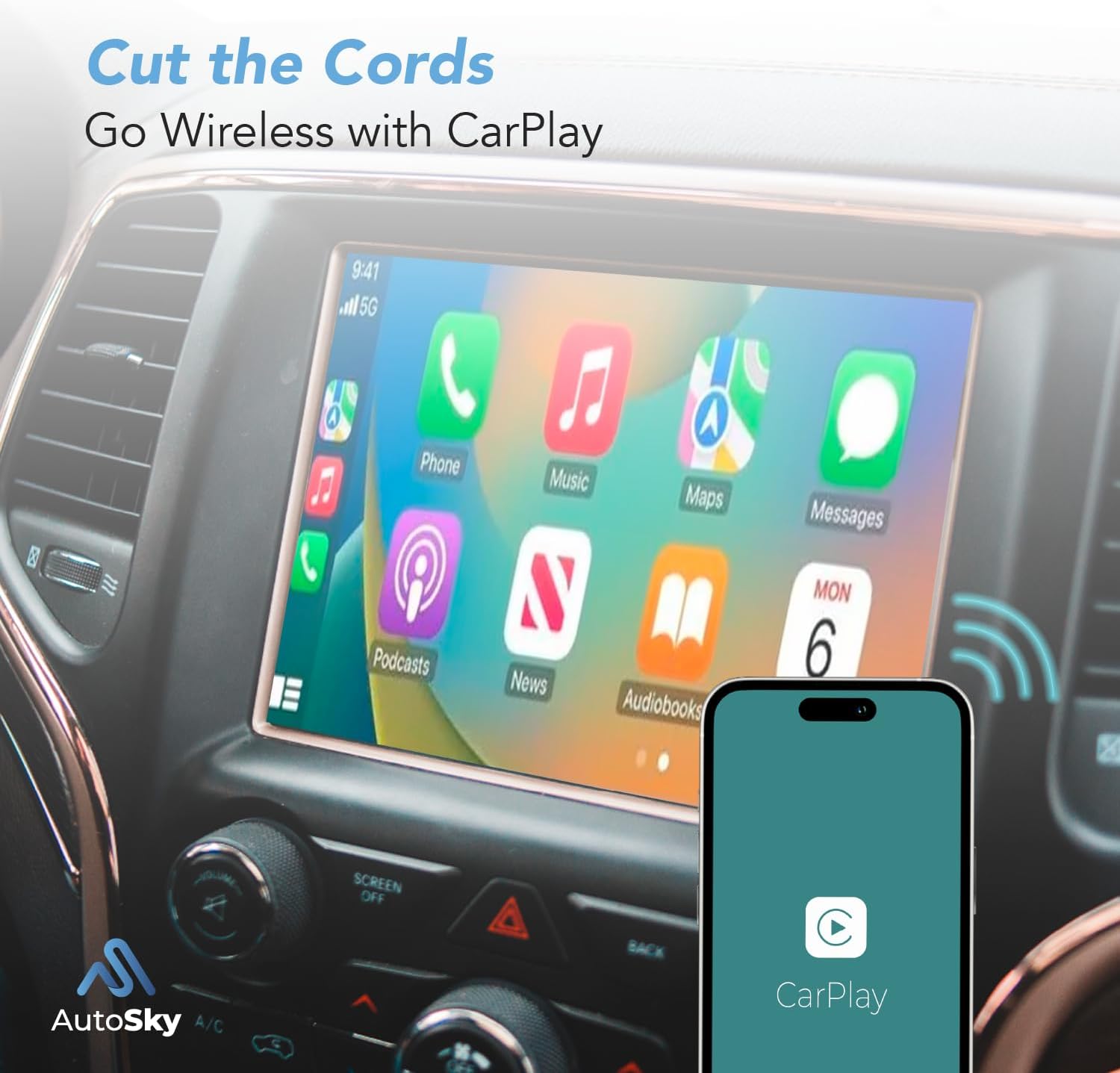
Cut the cords and go wireless with CarPlay, transforming your wired connection for a cleaner setup.
Istruzioni per l'uso
Once connected, the AutoSky Wireless CarPlay Adapter allows you to use all standard CarPlay functions wirelessly:
- Navigazione: Access your preferred navigation apps like Apple Maps, Google Maps, or Waze.
- Riproduzione musicale: Control music from apps like Apple Music, Spotify, or Podcasts.
- Controllo vocale Siri: Use Siri for hands-free commands, calls, and messages.
- Chiamate e messaggi: Make and receive calls, and send/receive messages directly from your car's display.
- Controllo del volume: Adjust audio volume using your car's controls.

The adapter automatically reconnects to your iPhone, typically within 3 seconds, for quick access to CarPlay.

Revolutionize your driving experience by seamlessly integrating wireless CarPlay.
Aggiornamento software
To ensure you have the latest features and bug fixes, it is recommended to keep your adapter's software updated:
- Connect your AutoSky Wireless CarPlay adapter to your iPhone.
- Scan the QR code provided in the physical manual (or visit the support section on the AutoSky website) for instructions on accessing the update portal.
- Seguire le istruzioni sullo schermo per scaricare e installare il software più recente.
- Nota importante: If updating directly in the car causes issues (e.g., radio restarting), try plugging the adapter into a powered USB port (like on a computer) for the update process.
Compatibilità
The AutoSky Wireless CarPlay Adapter is compatible with over 600 vehicle models that feature factory-installed wired CarPlay. Please refer to the compatibility list often found on the product's sales page or contact AutoSky support to verify if your car's model and year are listed.
WARNING: Aftermarket stereos are not always compatible. Sony Stereos are known not to work with this product.

The adapter offers wide compatibility, working with most cars that come with wired CarPlay.
Manutenzione
To ensure the longevity and optimal performance of your AutoSky Wireless CarPlay Adapter, follow these simple maintenance guidelines:
- Mantenere l'adattatore pulito e privo di polvere e detriti. Utilizzare un panno morbido e asciutto per la pulizia.
- Evitare di esporre l'adattatore a temperature estreme, alla luce solare diretta o a umidità eccessiva.
- Non tentare di smontare o riparare il dispositivo autonomamente. Ciò invaliderà la garanzia.
- Conservare l'adattatore in un luogo fresco e asciutto quando non viene utilizzato per lunghi periodi.
Risoluzione dei problemi
If you encounter issues with your AutoSky Wireless CarPlay Adapter, please refer to the following common solutions:
- Problemi di connessione: If your phone is not connecting, ensure Bluetooth is enabled and paired, and Wi-Fi is turned on (even if not connected to a network). Try unpairing and re-pairing the device.
- CarPlay Not Launching: Verify that your car's infotainment system is set to use CarPlay. Sometimes, restarting the car's infotainment system or the car itself can resolve the issue.
- Ritardo audio: A slight audio delay (1-2 seconds) can occur with wireless CarPlay adapters. This is generally normal and not indicative of a defect.
- Problemi di aggiornamento software: If updates fail in the car, connect the adapter to a powered USB port (e.g., on a computer) and try updating again.
- Segnalazioni di errori: If the product does not work with your specific head unit, you can submit an error report. Once connected to the device, navigate to 192.168.2.1 in your Safari browser to access the local page and submit working logs for remote troubleshooting.
Per informazioni più dettagliate sulla risoluzione dei problemi, fare riferimento al sito ufficiale Guida alla risoluzione dei problemi (PDF).
Specifiche
| Dimensioni del prodotto | 2 x 1 x 1 pollici |
| Peso dell'articolo | 2.08 once |
| Numero di modello | WUA-1 |
| Tecnologia di connettività | USB |
| Fonte di alimentazione | Elettrico con cavo |
| Materiale | Plastica |
| Caratteristica speciale | Circuiti di protezione |
Garanzia e supporto
AutoSky is a US-based company committed to providing high-quality products and excellent customer service. We continuously improve our products based on customer feedback.
For any questions, technical assistance, or warranty inquiries, please contact us directly. Our customer-oriented team is ready to assist you.
Informazioni sui contatti: Please refer to the contact details provided on the product packaging or the official AutoSky websito per i canali di supporto più aggiornati.