
1. Introduzione
This manual provides detailed instructions for the setup, operation, and maintenance of your SEDSEY K22 Tactical Smart Watch. Please read this manual thoroughly before using the device to ensure proper function and to maximize your user experience. The K22 Smart Watch is designed for active individuals, featuring a rugged design, comprehensive health monitoring, and convenient Bluetooth calling capabilities.
2. Contenuto della confezione
Upon unpacking your SEDSEY K22 Tactical Smart Watch, please verify that all items listed below are present and in good condition:
- SEDSEY K22 Tactical Smart Watch (k22-Army green)
- Cavo di ricarica
- Manuale dell'utente (questo documento)
3. Prodotto finitoview
The SEDSEY K22 Tactical Smart Watch features a 1.28-inch IPS full-touch round display housed in a rugged casing, designed for durability and clear visibility. It includes multiple physical buttons for navigation and quick access to functions.

Figura 3.1: Davanti view of the SEDSEY K22 Tactical Smart Watch, showcasing its round display and rugged army green design.
4. Guida all'installazione
4.1. Ricarica iniziale
Prima del primo utilizzo, carica completamente il tuo smartwatch. Collega il cavo di ricarica magnetico ai contatti di ricarica sul retro dell'orologio e collega l'estremità USB a un adattatore di alimentazione USB standard (non incluso). Una ricarica completa richiede in genere circa 2 ore.

Figura 4.1: The watch display indicating a charging status, showing the time and a battery icon.
4.2. Installazione e associazione dell'app
- Scarica l'App: Scan the QR code provided in the watch's quick start guide or search for the companion app (e.g., 'Dafit' or similar, as indicated in product information) on your smartphone's app store (Apple App Store for iOS or Google Play Store for Android).
- Abilita Bluetooth: Assicurati che il Bluetooth sia abilitato sul tuo smartphone.
- Accoppia il dispositivo: Open the app, create an account if prompted, and follow the on-screen instructions to add your device. Select 'K22' from the list of available devices. Confirm the pairing request on both your phone and the watch.

Figura 4.2: Illustration of the Bluetooth dial call feature, showing a smartphone's call interface alongside the watch's dial pad and incoming call screen.
4.3. Impostazioni di base
After successful pairing, you can customize various settings through the app or directly on the watch:
- Quadrante: Choose from a variety of pre-installed watch faces or customize your own via the app.
- Lingua: The watch language will automatically synchronize with your smartphone's language. Supported languages include English, Chinese, Japanese, German, French, Spanish, Arabic, Russian, Ukrainian, and Portuguese.
- Ora e data: These settings are typically synchronized automatically with your paired smartphone.
5. Istruzioni per l'uso
5.1. Navigazione
The K22 Smart Watch features a full-touch screen and physical buttons for intuitive navigation:
- Schermo tattile: Scorri verso sinistra/destra, su/giù per navigare tra i menu e le funzioni. Tocca per selezionare.
- Pulsanti laterali: Use the physical buttons on the side for power on/off, returning to the home screen, or quick access to specific functions as configured.
5.2. Chiamate Bluetooth
Once paired, the watch allows you to manage calls directly from your wrist.
- Effettuare le chiamate: Accedi al tastierino numerico o all'elenco dei contatti sull'orologio per avviare una chiamata.
- Ricevere chiamate: Quando arriva una chiamata, l'orologio visualizza l'ID del chiamante. Puoi rispondere o rifiutare la chiamata direttamente dall'orologio.
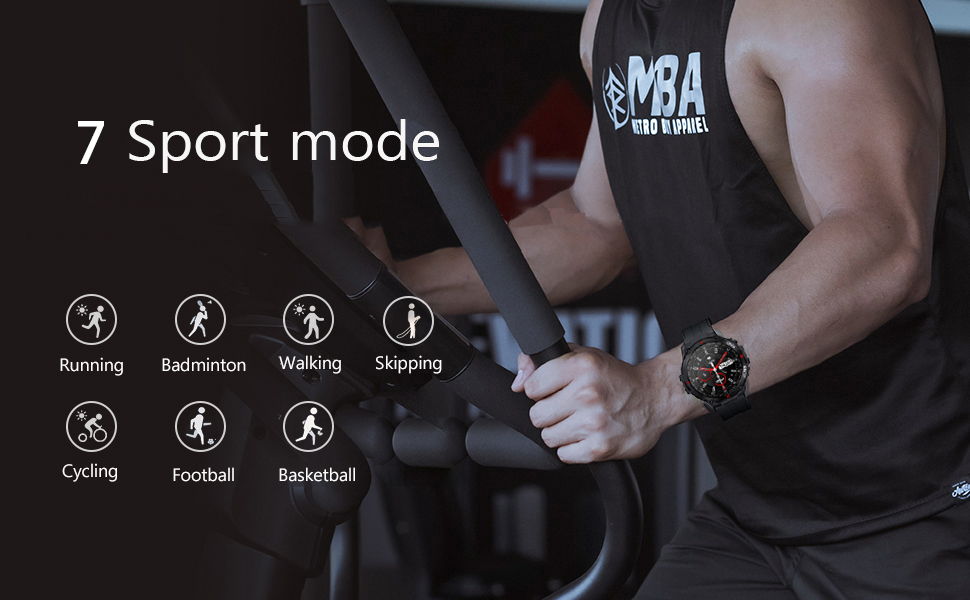
Figura 5.1: A user interacting with the smart watch to manage a Bluetooth call, demonstrating the convenience of hands-free communication.
5.3. Notifiche dei messaggi
Ricevi notifiche in tempo reale dal tuo smartphone direttamente sul tuo orologio.
- Impostare: Enable app notifications in the companion app on your smartphone for desired applications (e.g., Mail, Text, Facebook, Twitter, Instagariete).
- Viewin: Swipe down on the watch face or access the notifications menu to view recent messages.

Figura 5.2: The watch screen showing an incoming call reminder and various social media application icons, indicating notification support.
5.4. Monitoraggio della salute
The K22 Smart Watch provides continuous monitoring of key health metrics.
- Frequenza cardiaca: The watch features a 24-hour dynamic heart rate monitor. Access the heart rate interface on the watch to view dati in tempo reale.

Figura 5.3: A user wearing the smart watch, which displays a real-time heart rate graph, illustrating the continuous heart rate detection feature.
- Pressione sanguigna e SpO2: The watch can provide estimates for blood pressure and blood oxygen saturation (SpO2). These measurements are for reference only and should not be used for medical diagnosis.

Figura 5.4: The watch face showing various health metrics including heart rate (BPM), blood pressure (MMHG), and blood oxygen saturation (SpO2) percentage.
- Monitoraggio del sonno: The watch automatically records your sleep patterns, including deep and light sleep, to help you understand and adjust your sleep habits.

Figura 5.5: A person sleeping while wearing the smart watch, which displays a detailed sleep monitoring graph showing sleep duration and quality breakdown.
- Pedometro: Tracks your all-day steps, distance, and calories burned.
5.5. Modalità Sport
The K22 Smart Watch supports 17 sport modes to accurately track your exercise data.
- Modalità disponibili: Walking, Running, Cycling, Badminton, Basketball, Football, Skipping Rope, and more.
- Attivazione: Navigate to the 'Sport' menu on the watch, select your desired activity, and start your workout. The watch will record real-time heart rate, movement data, and other relevant health data.

Figura 5.6: The watch screen showing icons representing multiple sport modes, including walking, running, cycling, skipping, badminton, basketball, and football.
5.6. Altre funzioni utili
- Controllo della musica: Controlla la riproduzione musicale sul tuo smartphone (riproduci, metti in pausa, salta le tracce) direttamente dall'orologio.
- Tempo atmosferico: View current weather conditions and forecasts after syncing with your phone's weather app.
- Telecamera remota: Utilizza l'orologio come otturatore remoto per la fotocamera del tuo smartphone.
- Promemoria sedentario: Ricevi avvisi per spostarti dopo periodi di inattività.
- Alarm Clock, Stopwatch, Timer, Games: È possibile accedere a queste funzioni di utilità dal menu dell'orologio.
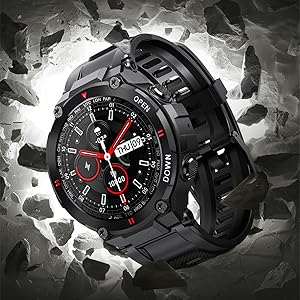
Figura 5.7: A composite image illustrating various smart watch features: remote camera control, sedentary reminder, real-time weather information, and a step counter.
6. Manutenzione
6.1. Pulizia
Regularly clean your watch to ensure optimal performance and hygiene:
- Pulisci lo schermo e il cinturino con un panno morbido eamp stoffa.
- Evitare l'uso di prodotti chimici aggressivi o materiali abrasivi.
- Prima di procedere alla ricarica, assicurarsi che i contatti di ricarica siano puliti e asciutti.
6.2. Resistenza all'acqua
The K22 Smart Watch is IP67 waterproof, meaning it is resistant to splashes, rain, and brief immersion in water. It can be worn during daily activities like hand washing or showering. However, it is not recommended for swimming, diving, or exposure to hot water/steam.
6.3. Cura della batteria
- Caricare regolarmente l'orologio per preservare la salute della batteria.
- Evitare temperature estreme, che possono compromettere le prestazioni della batteria.
- Se l'orologio non verrà utilizzato per un periodo prolungato, caricarlo fino a circa il 50% prima di riporlo.
7. Risoluzione Dei Problemi
If you encounter issues with your SEDSEY K22 Smart Watch, refer to the following common solutions:
| Problema | Possibile soluzione |
|---|---|
| L'orologio non si accende | Assicurati che l'orologio sia completamente carico. Tieni premuto il pulsante di accensione per alcuni secondi. |
| Impossibile associare allo smartphone | Check if Bluetooth is enabled on your phone. Ensure the watch is within range. Restart both the watch and phone. Try unpairing and re-pairing through the app. |
| Dati sanitari imprecisi | Assicurati che l'orologio sia indossato aderente al polso, né troppo stretto né troppo largo. Pulisci il sensore sul retro dell'orologio. Tieni presente che fattori ambientali e la fisiologia individuale possono influenzare le letture. |
| Notifiche non ricevute | Verifica che le notifiche delle app siano abilitate nelle impostazioni del telefono e nell'app complementare. Assicurati che l'orologio sia connesso tramite Bluetooth. |
| Durata breve della batteria | Reduce screen brightness, disable continuous heart rate monitoring if not needed, limit frequent notifications. Ensure background app usage is optimized on your phone. |
8. Specifiche
Key technical specifications for the SEDSEY K22 Tactical Smart Watch:
| Caratteristica | Dettaglio |
|---|---|
| Numero di modello | K22 |
| Display | 1.28-inch IPS Full Touch Round Screen, 240x240 resolution |
| Capacità della batteria | Polimeri di litio da 400 mAh |
| Durata della batteria | 7-15 days (working time), 30 days (standby time) |
| Tempo di ricarica | Circa 2 ore |
| Resistenza all'acqua | IP67 (Daily life waterproof, not for swimming/diving) |
| Connettività | Bluetooth 5.0 |
| Compatibilità | Android 4.4 o superiore, iOS 8.0 o superiore |
| Monitoraggio della salute | Heart Rate, Sleep Monitor, Pedometer, Calorie Tracker |
| Modalità sport | 17 modes (Walking, Running, Cycling, Badminton, Basketball, Football, Skipping Rope, etc.) |
| Dimensioni del prodotto | 1.18 x 1.97 x 9.45 pollici |
| Peso dell'articolo | 3.53 once |
9. Garanzia e supporto
SEDSEY is committed to providing high-quality products and customer satisfaction. Your K22 Tactical Smart Watch comes with a commitment to support, including:
- Money Back and Free Replacement: Unconditionally ensured for product issues.
- Life-long Accessories: Straps, bands, and charging cables are offered for your relaxed usage.
For further assistance or warranty claims, please refer to the contact information provided with your purchase or visit the official SEDSEY support channels.
10. Risorse video
No official product videos from the seller were available in the provided product data. Please refer to the manufacturer's official websito o canali di supporto per eventuali tutorial video o dimostrazioni disponibili.