
1. Introduzione
Thank you for choosing the Nilox NXM24FHD01 24-inch Full HD Frameless PC Monitor. This monitor is designed to provide a high-quality visual experience with its minimalist design and exceptional performance. Featuring a frameless screen and Full HD resolution, it is ideal for various applications, from office work to entertainment. This manual will guide you through the setup, operation, and maintenance of your new monitor.
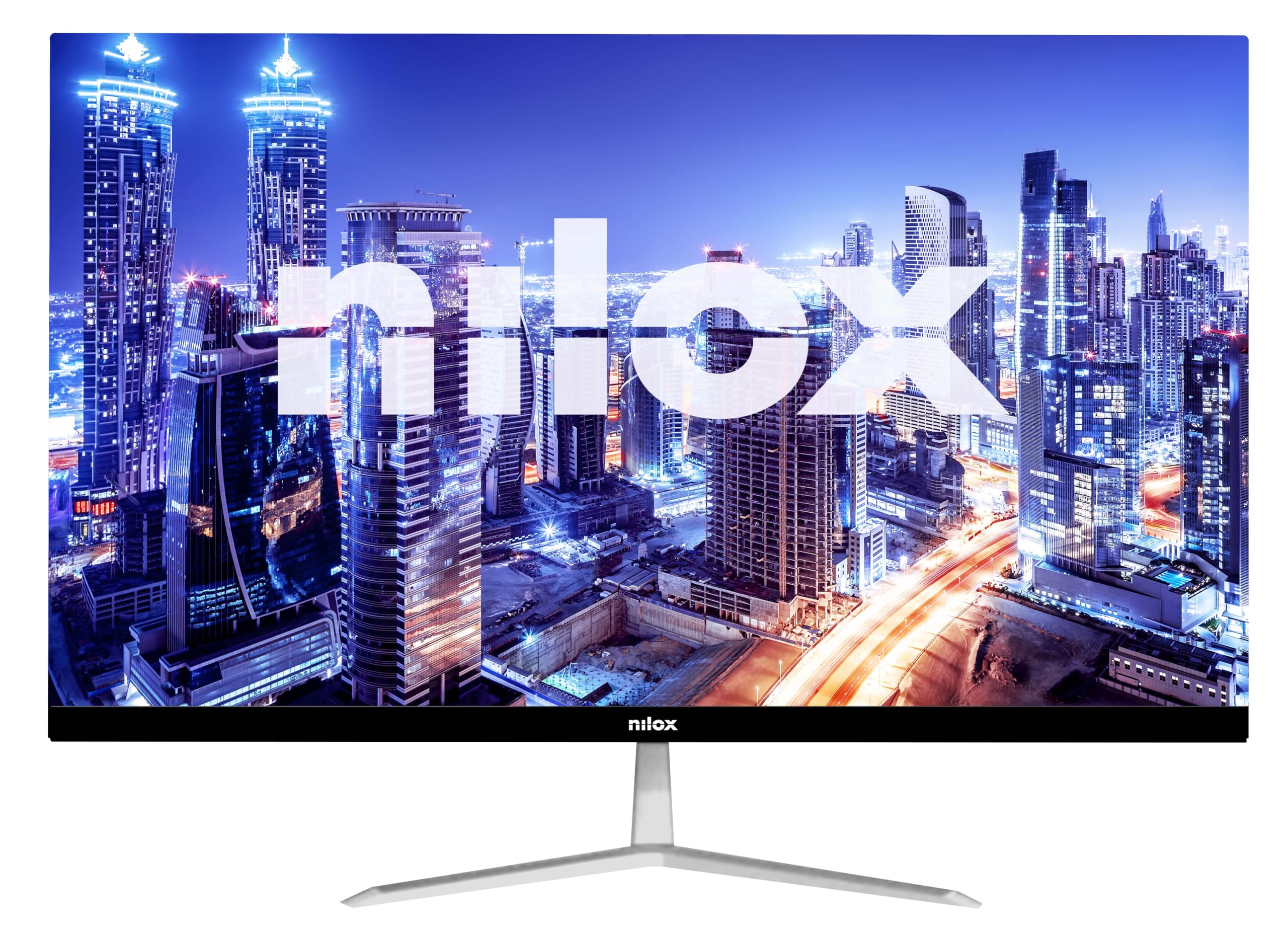
Figure 1: Nilox NXM24FHD01 Monitor - Front View
The image displays the Nilox NXM24FHD01 monitor from the front, showcasing its frameless design and sleek appearance. The Nilox logo is visible at the bottom center of the bezel.
2. Informazioni sulla sicurezza
Leggere attentamente tutte le istruzioni prima di utilizzare il monitor. Conservare il manuale per riferimento futuro.
- Non esporre il monitor alla pioggia o all'umidità per evitare rischi di incendio o scosse elettriche.
- Non aprire il monitor casing. All'interno non sono presenti parti riparabili dall'utente. Per qualsiasi intervento di assistenza, rivolgersi a personale qualificato.
- Posizionare il monitor su una superficie stabile e piana per evitare che cada.
- Assicurare una ventilazione adeguata attorno al monitor. Non ostruire le aperture di ventilazione.
- Utilizzare solo l'adattatore di alimentazione fornito con il monitor.
- Disconnect the power plug from the outlet if the monitor will not be used for a long period.
3. Contenuto della confezione
Verificare che tutti gli articoli siano presenti e in buone condizioni al momento del disimballaggio. Se alcuni articoli risultano mancanti o danneggiati, contattare il rivenditore.
- Nilox NXM24FHD01 Monitor
- Supporto per monitor (base e collo)
- Adattatore di alimentazione
- Cavo HDMI
- Manuale d'uso
4. Impostazione
4.1. Assemblaggio del supporto
- Estrarre con cautela il monitor e i componenti del supporto dalla confezione.
- Attach the stand neck to the stand base. Secure it with the provided screw (if applicable).
- Allineare il supporto assemblato con la fessura di montaggio sul retro del monitor.
- Spingere delicatamente il supporto nell'alloggiamento finché non scatta in posizione. Assicurarsi che sia saldamente fissato.

Figura 2: Monitor posteriore View with Stand Assembly
This image shows the rear of the Nilox NXM24FHD01 monitor with its stand attached. The stand features a minimalist design with a sturdy base, providing stable support for the display.
4.2. Collegamento del monitor
The Nilox NXM24FHD01 monitor offers versatile connectivity options. Connect your devices using the available ports:
- Connessione HDMI: Use the included HDMI cable to connect your computer or other HDMI-enabled device to the monitor's HDMI port.
- Connessione VGA: For older devices, use a VGA cable (not included) to connect to the monitor's VGA port.
- Collegamento elettrico: Collegare l'adattatore di alimentazione alla porta DC IN del monitor, quindi collegare l'adattatore a una presa di corrente.

Figura 3: Porte di connettività del monitor
Un primo piano view of the monitor's rear panel, highlighting the HDMI and VGA input ports, as well as the DC power input. These ports allow for flexible connection to various devices.
5. Istruzioni per l'uso
5.1. Accensione/Spegnimento
Premere il pulsante di accensione, solitamente situato nella parte inferiore o posteriore del monitor, per accenderlo o spegnerlo. La spia di accensione si accende quando il monitor è acceso.
5.2. Regolazione delle impostazioni di visualizzazione
The monitor features an On-Screen Display (OSD) menu for adjusting various settings. Use the control buttons (typically located on the back or bottom right) to navigate the menu.
- Luminosità/Contrasto: Adatta queste impostazioni alle tue esigenze viewambiente di lavoro.
- Impostazioni colore: Modify color temperature, hue, and saturation for optimal color reproduction.
- Selezione input: Manually switch between HDMI and VGA inputs if needed.
- Modalità luce blu: This monitor includes a blue light mode to reduce eye strain during prolonged use. Activate this feature for enhanced visual comfort.
- Tempo di risposta: The 5ms response time ensures smooth and blur-free images, suitable for fast-paced content.
6. Manutenzione
To ensure the longevity and optimal performance of your Nilox NXM24FHD01 monitor, follow these maintenance guidelines:
- Pulizia dello schermo: Pulire delicatamente lo schermo con un panno morbido e privo di lanugine. Per macchie ostinate, dampInumidire leggermente il panno con acqua o con un detergente specifico per schermi. Evitare l'uso di prodotti chimici aggressivi o materiali abrasivi.
- Pulizia del Casing: Utilizzare un panno morbido e asciutto per pulire il monitor casing.
- Ventilazione: Assicurarsi che le aperture di ventilazione sul retro del monitor siano libere da polvere e ostruzioni.
- Magazzinaggio: Quando non viene utilizzato per lunghi periodi, conservare il monitor in un luogo fresco e asciutto, preferibilmente nella confezione originale.
7. Risoluzione Dei Problemi
Se riscontri problemi con il monitor, fai riferimento ai seguenti problemi comuni e alle relative soluzioni:
- Nessun potere:
- Ensure the power cable is securely connected to the monitor and a working power outlet.
- Verificare che l'adattatore di alimentazione funzioni correttamente. - Nessun segnale:
- Verify that the video cable (HDMI or VGA) is securely connected to both the monitor and your computer.
- Assicurarsi che nel menu OSD del monitor sia selezionata la sorgente di ingresso corretta.
- Check your computer's display settings. - Schermo tremolante:
- Check the video cable for damage or loose connections.
- Adjust the refresh rate in your computer's display settings. - Scarsa qualità dell'immagine:
- Adjust brightness, contrast, and color settings in the OSD menu.
- Ensure the monitor is set to its native resolution (1920x1080).
If the problem persists after trying these solutions, contact Nilox customer support.
8. Specifiche
Below are the technical specifications for the Nilox NXM24FHD01 monitor:
| Caratteristica | Specificazione |
|---|---|
| Marca | Nilox |
| Numero di modello | NXM24FHD01 |
| Dimensioni dello schermo | 23.8 pollici |
| Risoluzione | 1920 x 1080 (Full HD) |
| Proporzioni | 16:9 |
| Frequenza di aggiornamento | Frequenza 75 Hz |
| Tempo di risposta | 5 millisecondi |
| Rapporto di contrasto dell'immagine | 1000:1 |
| Luminosità | 220 cd/m2 (from product description) |
| Numero di porte HDMI | 1 |
| Porte VGA | 1 |
| Colore | Nero |
| Dimensioni del prodotto | Dimensioni: 10 x 48 x 50 cm |
| Peso dell'articolo | 2 chilogrammi |
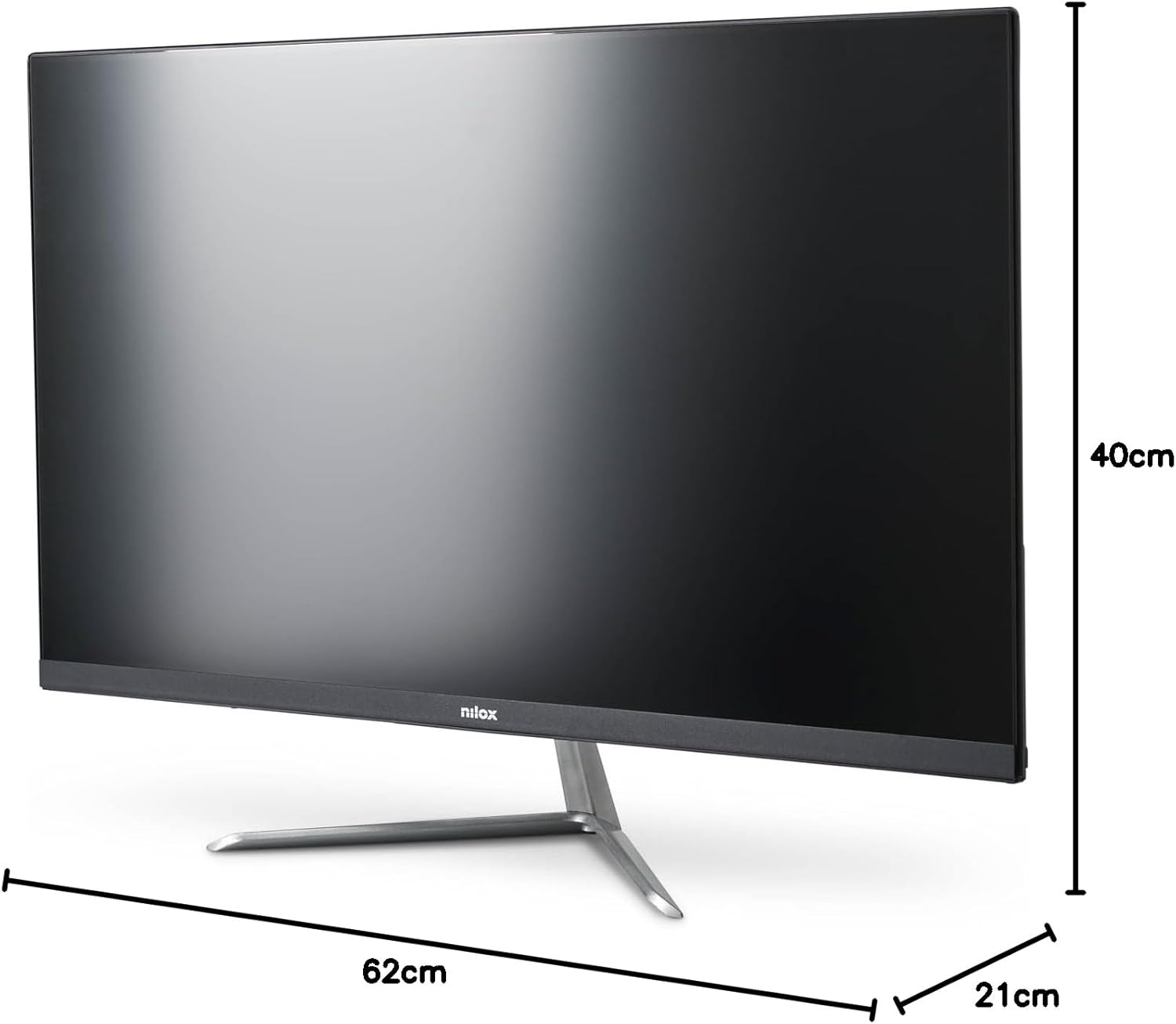
Figura 4: Dimensioni del monitor
This image illustrates the physical dimensions of the Nilox NXM24FHD01 monitor, showing its width, height, and depth for reference.
9. Garanzia e supporto
Nilox monitors are covered by a manufacturer's warranty. Please refer to the warranty card included in your package or visit the official Nilox websito per termini e condizioni di garanzia dettagliati.
For technical support, troubleshooting assistance, or service inquiries, please contact Nilox customer support through their official channels. Keep your purchase receipt and monitor serial number handy when contacting support.