
1. Introduzione
Thank you for choosing the ANRAN AR-W678 Security Camera. This manual provides detailed instructions for the installation, operation, and maintenance of your new security camera. Please read this manual thoroughly before use to ensure proper functionality and to maximize the lifespan of your device. Keep this manual for future reference.
2. Contenuto della confezione
Before installation, please verify that all components are present and in good condition. If any items are missing or damaged, contact customer support.
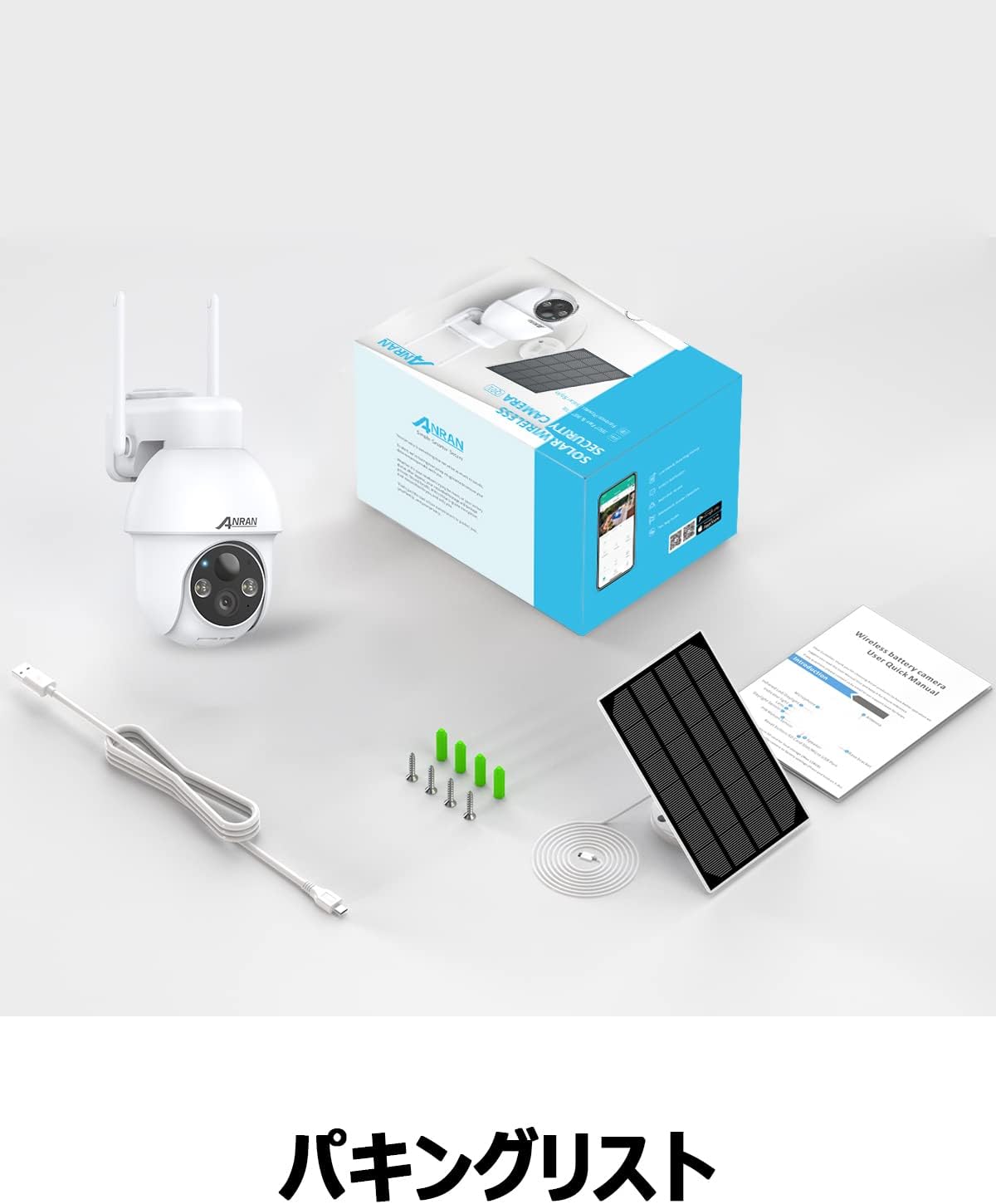
Image: The product package contents, including the camera, solar panel, mounting hardware, USB cable, and user manual.
- ANRAN AR-W678 Security Camera
- Pannello solare
- Wall Mount Bracket and Screws
- Cavo di ricarica USB
- Manuale d'uso
3. Prodotto finitoview
The ANRAN AR-W678 is a wireless, battery-powered security camera designed for both indoor and outdoor use. It features 1080p video resolution, Wi-Fi connectivity, and an IP65 waterproof rating for reliable performance in various environments.
- Video ad alta definizione: Captures clear 1080p footage for detailed monitoring.
- Funzionalità Pan-Tilt-Zoom (PTZ): Offre una panoramica orizzontale di 355° e un'inclinazione verticale di 90° per una copertura completa dell'area.
- Rilevamento intelligente AI: Advanced algorithms differentiate between people, vehicles, and other objects to reduce false alarms.
- Rilevamento del movimento e allarmi: Configurable motion detection with adjustable sensitivity (10 levels) and instant alerts, including sound and light warnings.
- Real-time Digital Zoom: Allows for closer inspection of live or recorded video via the mobile application.
- Compatibilità con l'assistente vocale: Integrates with smart home systems like Alexa for convenient voice control and viewing.
- Design resistente alle intemperie: IP65 rated for protection against dust and water, suitable for outdoor installation.

Image: A visual comparison demonstrating the clarity of higher resolution camera footage versus standard resolution.
4. Impostazione
4.1 Carica iniziale
Before first use, fully charge the camera's internal battery using the provided USB cable and a standard 5V/2A USB power adapter (not included). A full charge ensures optimal performance and allows the solar panel to maintain the charge effectively.
4.2 Download dell'app e creazione dell'account
- Scarica l'app ufficiale ANRAN dall'app store del tuo smartphone (iOS o Android).
- Apri l'app e segui le istruzioni sullo schermo per creare un nuovo account o per effettuare l'accesso se ne hai già uno.
4.3 Connessione Wi-Fi
- Accendi la videocamera. La spia luminosa lampeggerà, indicando che è pronta per l'associazione.
- Nell'app ANRAN, tocca l'icona '+' per aggiungere un nuovo dispositivo.
- Select your camera model and follow the app's instructions to connect it to your 2.4GHz Wi-Fi network. Ensure your phone is connected to the same Wi-Fi network during setup.
- Quando richiesto, scansiona il codice QR visualizzato sul tuo telefono con l'obiettivo della fotocamera.
- Una volta effettuata la connessione, la spia luminosa della telecamera diventerà blu fissa.
4.4 Istruzioni di montaggio
La telecamera è progettata per il montaggio a parete. Scegliere una posizione che fornisca l'immagine desiderata viewing angle and has good Wi-Fi signal strength. For optimal solar charging, ensure the solar panel is positioned to receive maximum direct sunlight throughout the day.
- Segnare i punti di foratura sulla parete utilizzando la staffa di montaggio come modello.
- Se necessario, praticare dei fori e inserire i tasselli a muro.
- Fissare la staffa di montaggio alla parete con le viti.
- Fissare la telecamera alla staffa di montaggio.
- Connect the solar panel to the camera and adjust its angle for optimal sun exposure.

Image: The ANRAN camera with its solar panel, mounted outdoors, illustrating its weather-resistant design.
5. Istruzioni per l'uso
5.1 Vivere View
Open the ANRAN app and select your camera from the device list to access the live video feed. You can view pippo in tempo realetage da qualsiasi luogo con una connessione Internet.
Controllo Pan-Tilt-Zoom (PTZ) 5.2
Dal vivo view screen in the app, use the directional controls to pan the camera horizontally up to 355° and tilt it vertically up to 90°. This allows you to adjust the viewangolo di ing in remoto.
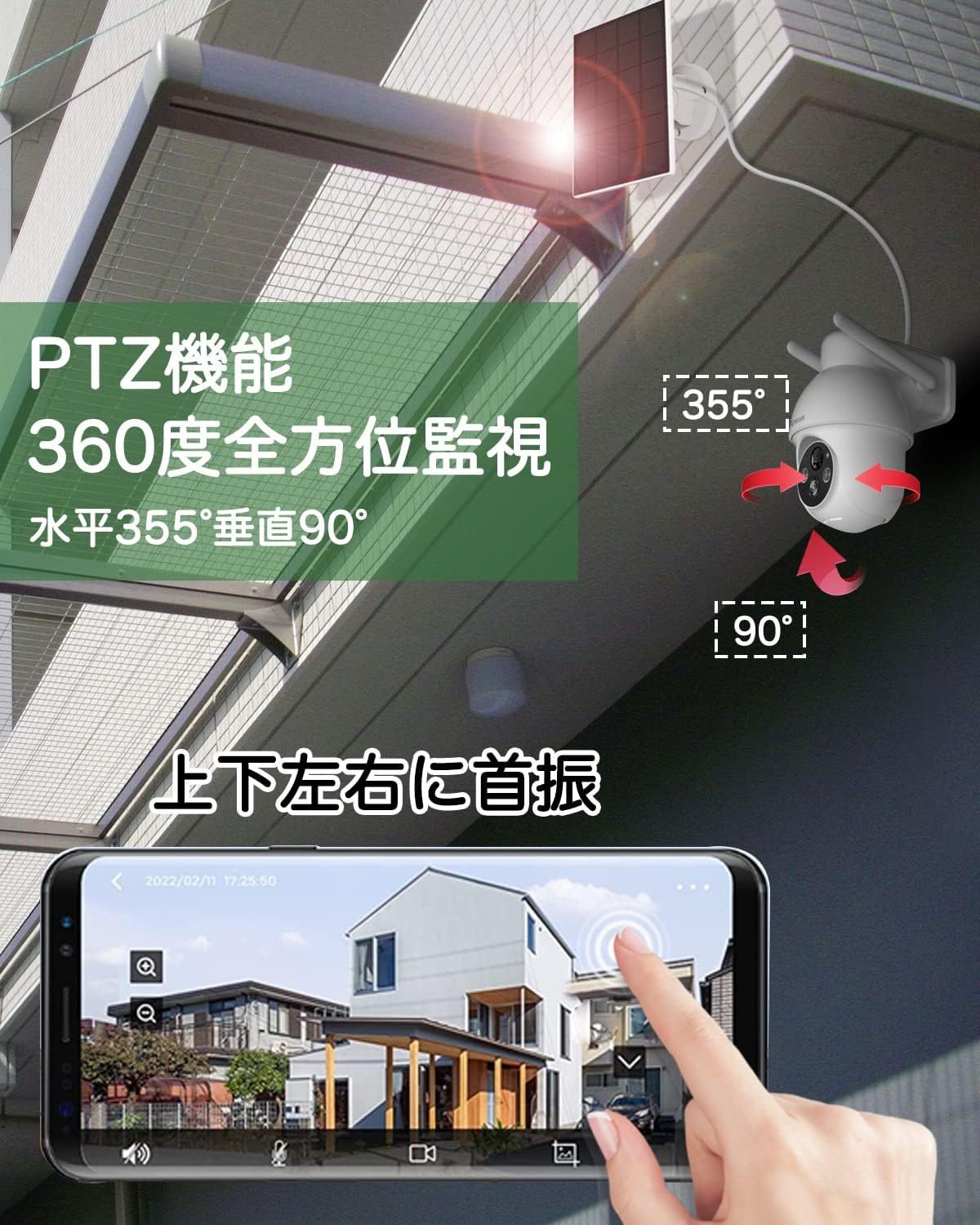
Image: An illustration of the camera's pan (355°) and tilt (90°) capabilities, controlled via a smartphone app interface.
5.3 AI Intelligent Detection
Enable AI detection in the app settings to receive more accurate alerts. The camera can distinguish between human shapes, vehicles, and other moving objects, reducing notifications from irrelevant movements like swaying branches.
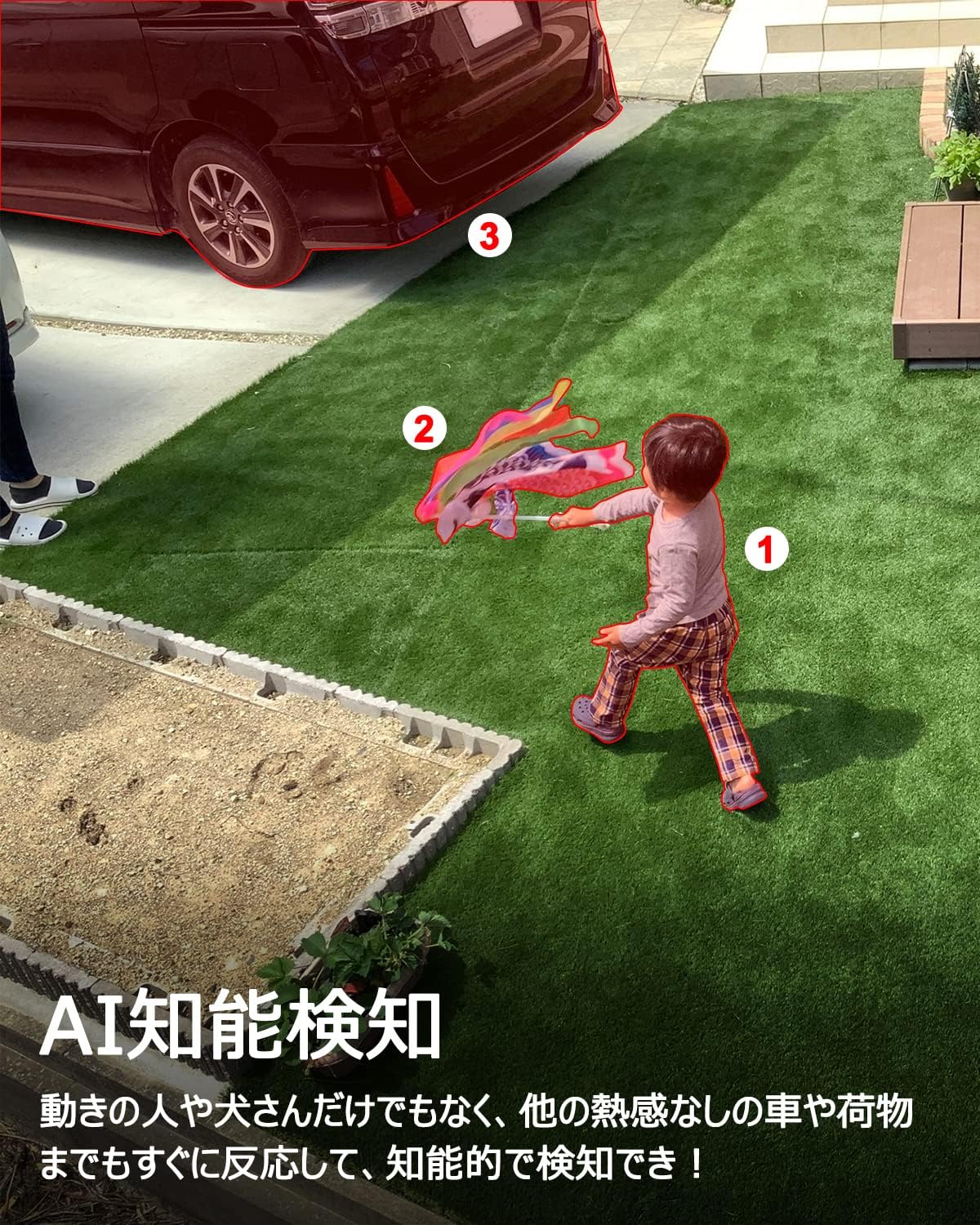
Image: A scene depicting the camera's AI intelligent detection feature highlighting a child and a car in a garden setting.
5.4 Rilevamento del movimento e allarmi
Configure motion detection sensitivity (1-10 levels) in the app. When motion is detected, the camera can send instant push notifications to your phone and trigger built-in sound and light alarms to deter intruders.

Image: The camera detecting a person at night, activating a sound and light alarm, with a smartphone displaying an alert notification.
5.5 Real-time Digital Zoom
Mentre viewing the live feed or recorded footage, you can use a pinch-to-zoom gesture on your smartphone screen to digitally zoom in on specific areas for a closer look.

Image: A smartphone screen demonstrating the digital zoom feature, showing a zoomed-in view of a car from the camera's feed.
5.6 Integrazione dell'assistente vocale (Alexa)
Link your ANRAN camera with Amazon Alexa through the Alexa app. Once linked, you can use voice commands such as "Alexa, show me the [camera name]" to view the live feed on compatible Alexa-enabled devices like the Echo Show.
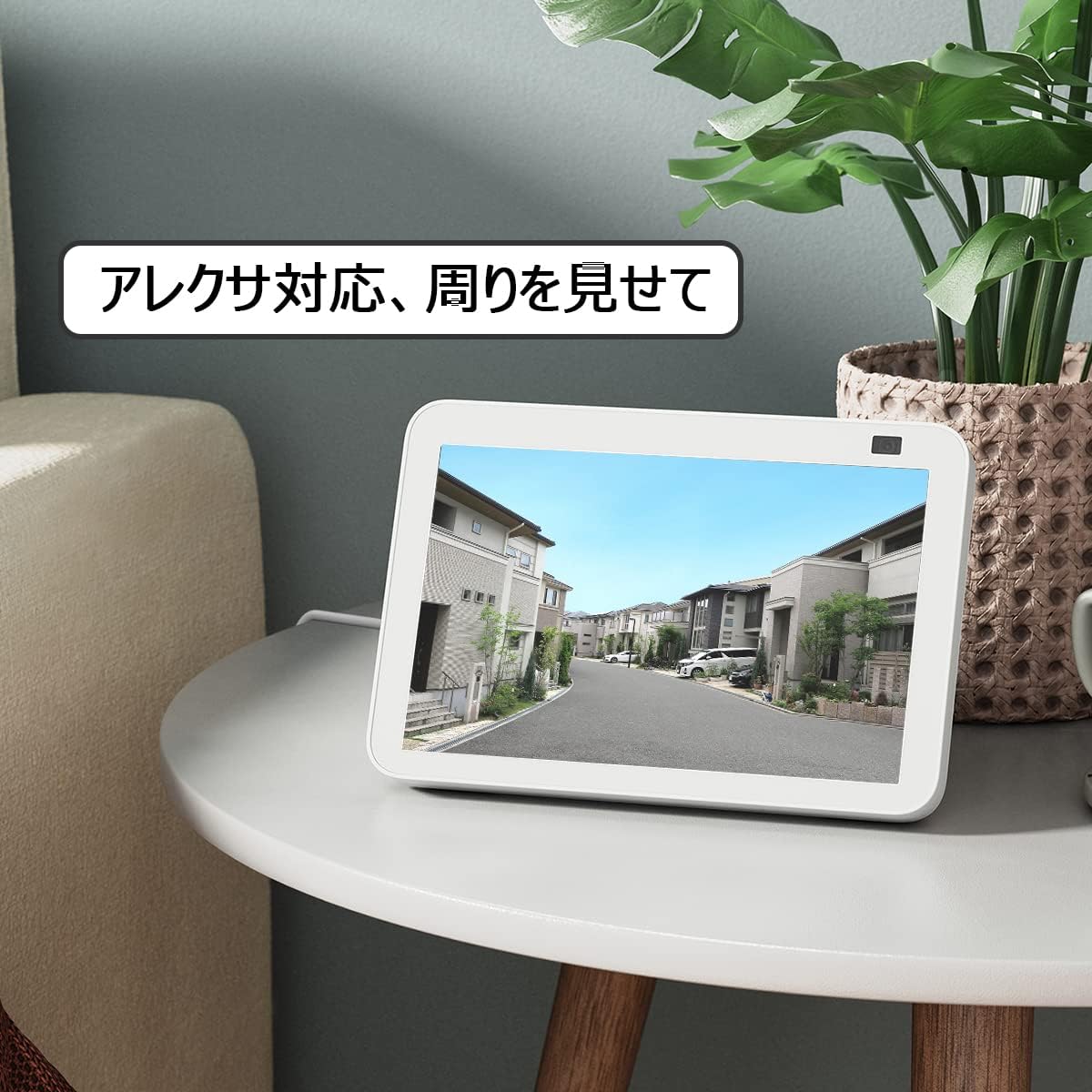
Image: An Amazon Echo Show device displaying the camera's live feed, demonstrating its compatibility with Alexa voice commands.
6. Manutenzione
6.1 Resistenza alle intemperie
The ANRAN AR-W678 camera has an IP65 rating, meaning it is protected against dust ingress and low-pressure water jets from any direction. While it is designed for outdoor use, avoid submerging the camera in water or exposing it to extreme weather conditions beyond its rating.
6.2 Gestione della batteria
For optimal battery life, ensure the solar panel receives adequate direct sunlight daily. In periods of low sunlight or heavy usage, the camera may require manual charging via the USB port. Monitor battery levels through the ANRAN app.
6.3 Pulizia
Pulire periodicamente l'obiettivo della fotocamera e il pannello solare con un panno morbido eamp cloth to remove dust, dirt, or smudges. Do not use harsh chemicals or abrasive materials, as these can damage the surfaces.
7. Risoluzione Dei Problemi
- La fotocamera non si connette al Wi-Fi: Assicurati che la tua rete Wi-Fi sia a 2.4 GHz. Controlla la potenza del segnale Wi-Fi nel punto in cui si trova la telecamera. Riavvia il router e la telecamera.
- Scarsa qualità video: Controlla la velocità della tua connessione internet. Assicurati che l'obiettivo della telecamera sia pulito. Regola la posizione della telecamera per evitare riflessi o ostruzioni.
- Allarmi di movimento falsi: Adjust the motion detection sensitivity in the app. Enable AI detection to filter out irrelevant movements.
- Batteria non in carica: Ensure the solar panel is clean and positioned for maximum direct sunlight. Check the connection cable between the solar panel and the camera.
- L'app non risponde: Close and reopen the app. Ensure your app is updated to the latest version. Restart your smartphone.
8. Specifiche
| Caratteristica | Specificazione |
|---|---|
| Marca | ANRAN |
| Numero di modello | AR-W678 |
| Tecnologia di connettività | Senza fili, Wi-Fi |
| Uso interno/esterno | Interno, Esterno |
| Fonte di alimentazione | Alimentato a batteria (con pannello solare) |
| Tipo di montaggio | Montaggio a parete |
| Risoluzione di acquisizione video | Formato: 1080p |
| Grado di impermeabilità | Grado di protezione IP65 |
| Fattore di forma | Proiettile |
| Materiale di recinzione | Metallo |
| Sorgente luminosa | Infrarossi |
| Voltage | 6 Volt |
| Cosatage | 12 watt |
| Dimensioni dell'articolo | 25.4 x 25.4 x 25.4 centimetri |
9. Garanzia e supporto
For specific warranty details, please refer to the documentation included with your purchase or visit the official ANRAN website. For technical support, troubleshooting assistance, or any product-related inquiries, please contact ANRAN customer service through their official channels.