
Introduzione
Thank you for choosing the BOBLOV W3 WiFi Body Camera. This manual provides detailed instructions for the proper setup, operation, and maintenance of your device. Please read this manual thoroughly before using the camera to ensure optimal performance and to prevent damage.
Contenuto della confezione
Verifica che tutti gli articoli elencati di seguito siano inclusi nel tuo pacchetto:
- 1x telecamera corporea BOBLOV W3
- 1x 64GB Micro SD Card (pre-installed in camera)
- 1x cavo di ricarica USB-C
- 1x cacciavite
- 1x Manuale utente (questo documento)
- 1x Back Magnets Clip
- 1x Brooch
Prodotto finitoview
Familiarizzare con i componenti e i comandi della fotocamera:

Immagine: BOBLOV W3 Body Camera with labels indicating the Power/Video Button, Audio/WiFi Button, Microphone, Reset button, Brooch attachment point, Back Magnetic Clip, and USB-C Charging Interface. The image also shows the dimensions of the camera.
- Power/Video Button: Used to power on/off the device and start/stop video recording.
- Audio/WiFi Button: Used to start/stop audio recording and activate/deactivate WiFi function.
- Mic: Microfono per la cattura audio.
- Reset: Piccolo pulsante per resettare il dispositivo (richiede un PIN).
- Brooch: Attachment point for the included brooch clip.
- Back Magnetic Clip: Removable clip for magnetic attachment.
- Interfaccia di ricarica: Porta USB-C per la ricarica e il trasferimento dati.
Impostare
1. Caricare la fotocamera
Before initial use, fully charge the camera. The built-in 1450mAh battery takes approximately 3 hours to fully charge.
- Connect the provided USB-C charging cable to the camera's charging interface.
- Collegare l'altra estremità del cavo a un adattatore di alimentazione USB (non incluso) o alla porta USB di un computer.
- La spia di carica si accenderà durante la ricarica e si spegnerà quando la carica sarà completamente completata.
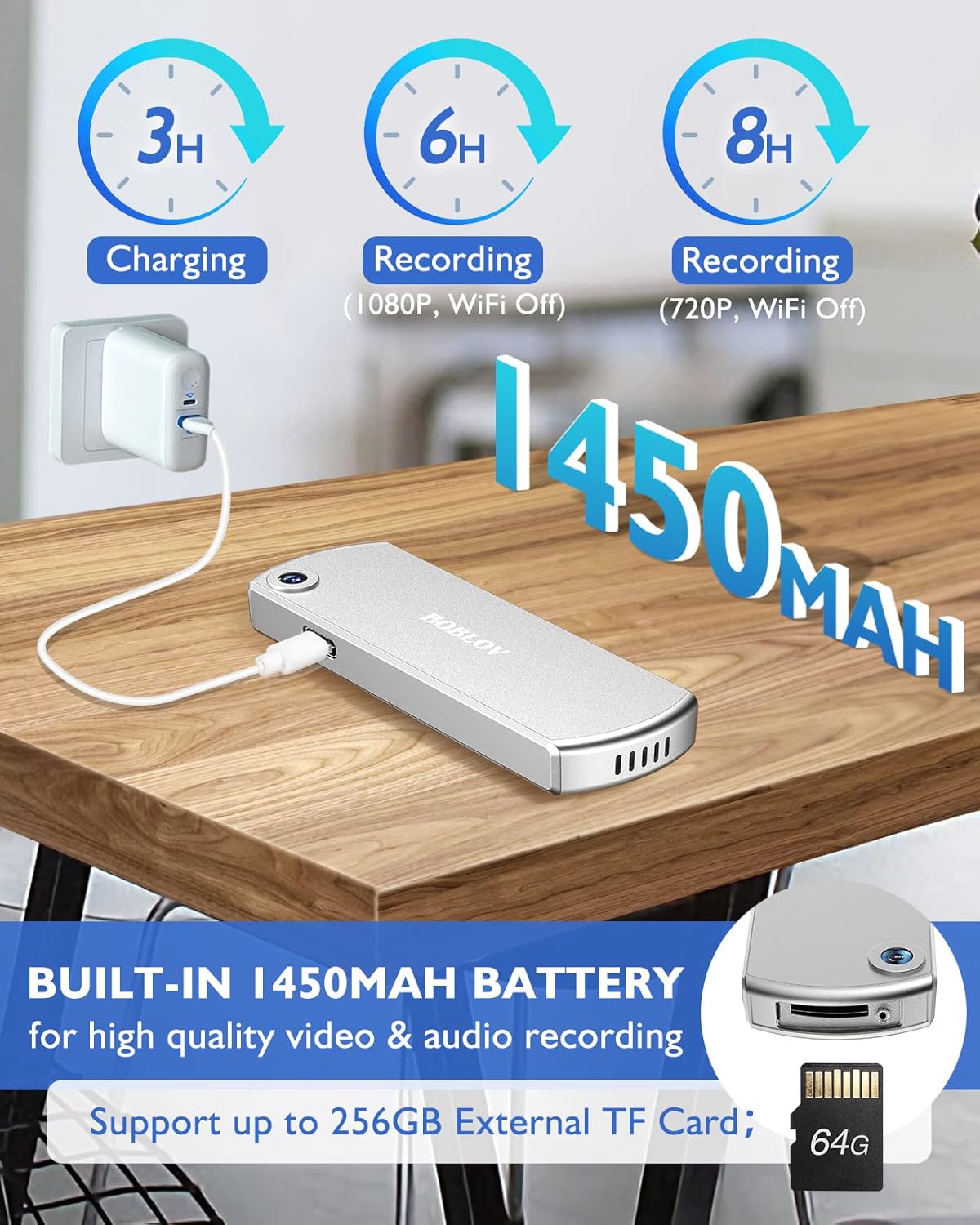
Immagine: The BOBLOV W3 Body Camera being charged via a USB-C cable, highlighting the 1450mAh battery and charging times: 3 hours for full charge, 6 hours recording (1080P, WiFi Off), and 8 hours recording (720P, WiFi Off).
2. Inserting/Expanding Memory Card
The W3 Body Camera uses an external Micro SD card. A 64GB card is included and pre-installed.
- Individuare lo slot della scheda di memoria sulla fotocamera.
- Use the included screwdriver to carefully unscrew the cover of the card slot.
- Insert or replace the Micro SD card (up to 256GB) into the slot with the contacts facing down.
- Securely fasten the card slot cover with the screwdriver.
3. Fissaggio della fotocamera
The camera offers two attachment options: a back magnetic clip and a brooch.
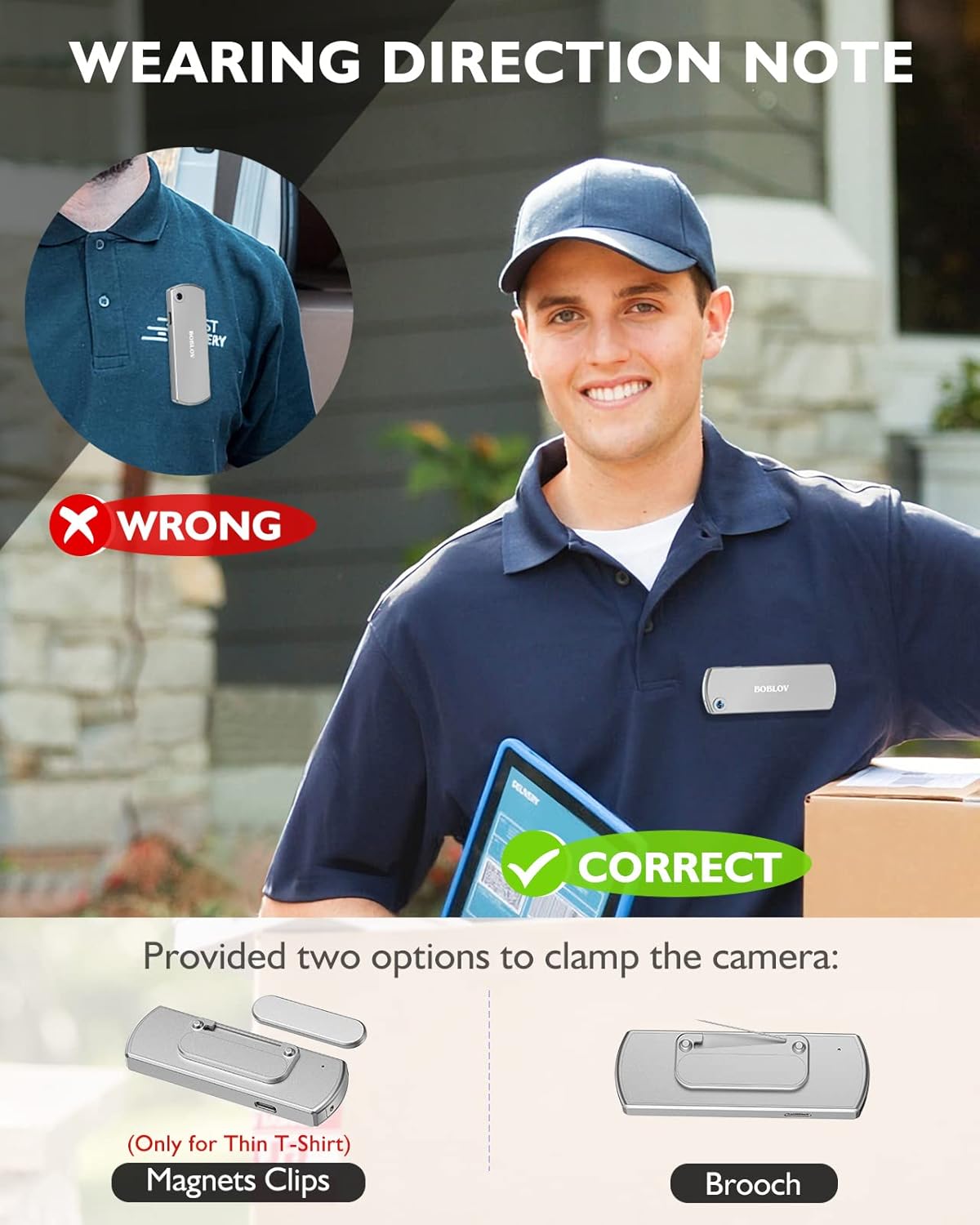
Immagine: Illustration demonstrating correct and incorrect ways to wear the BOBLOV W3 Body Camera. It shows that magnetic clips are suitable for thin T-shirts, while a brooch provides a more secure attachment for other clothing types.
- Clip magnetica: Attach the magnetic clip to the back of the camera. This is suitable for thin fabrics like T-shirts. Ensure the camera is securely held.
- Brooch: For more secure attachment or thicker clothing, use the provided brooch. Attach it to the camera's designated brooch point and then pin it to your clothing.
Istruzioni per l'uso
1. Accensione/spegnimento
- Accensione: Premere e tenere premuto il tasto Power/Video Button per alcuni secondi finché la spia non si accende.
- Spegni: Premere e tenere premuto il tasto Power/Video Button again for a few seconds until the indicator light turns off.
2. Registrazione video
- While the camera is powered on, press the Power/Video Button once to start video recording. The indicator light will flash to indicate recording is in progress.
- Premere il tasto Power/Video Button again to stop video recording. The indicator light will return to a steady state.
- The camera supports 1080P and 720P video recording. With WiFi off, it can record for approximately 6 hours at 1080P or 8 hours at 720P on a full charge.
- Videos are saved in 5-minute fragments by default. The camera supports loop recording, overwriting older files quando la scheda di memoria è piena.
3. Registrazione audio
- While the camera is powered on, press the Audio/WiFi Button once to start audio recording.
- Premere il tasto Audio/WiFi Button di nuovo per interrompere la registrazione audio.
4. WiFi Function and App Connectivity
The BOBLOV W3 features WiFi connectivity, allowing you to manage files and change settings via a smartphone app.
- Attiva il WiFi: Premere e tenere premuto il tasto Audio/WiFi Button for a few seconds to turn on the WiFi function. The WiFi indicator light will flash.
- Scarica l'app:
- For Android devices, download the DHiHZ applicazione.
- Per i dispositivi iOS, scarica il Mini-XRcam applicazione.
- Connetti alla fotocamera: On your smartphone, go to WiFi settings and connect to the camera's WiFi network (usually named "BOBLOV_W3_XXXX"). The default password is typically "12345678".
- Use App: Apri l'app scaricata per view cibo vivotage, riproduzione registrazioni, download filee regolare le impostazioni della fotocamera.
- Disattivare il Wi-Fi: Premere e tenere premuto il tasto Audio/WiFi Button di nuovo per disattivare il WiFi.

Immagine: The BOBLOV W3 Body Camera wirelessly connected to a smartphone, illustrating the WiFi function for managing files, changing settings, and accessing features like video, audio, preview, playback, and download through the dedicated Android (DHiHZ) and iOS (Mini-XRcam) applications.
5. Collegamento a un PC
You can connect the camera to a computer to manage recorded filee modificare le impostazioni.
- Ensure the camera is powered ON before connecting to the PC.
- Collega la fotocamera al computer utilizzando il cavo USB-C in dotazione.
- La fotocamera apparirà come un'unità disco rimovibile sul tuo computer.
- You can then access, copy, delete, or upload recorded files. Some settings may also be configurable via a configuration file on the camera's storage.

Immagine: The BOBLOV W3 Body Camera connected to a laptop via a USB-C cable, demonstrating how to manage recorded files and change settings. Icons for Playback, Delete, Upload, and Settings are shown, with a note to ensure the camera is powered ON for connection.
Manutenzione
- Pulizia: Use a soft, dry cloth to clean the camera body. Do not use liquid cleaners or solvents.
- Magazzinaggio: Conservare la fotocamera in un luogo fresco e asciutto, lontano dalla luce solare diretta e da temperature estreme.
- Cura della batteria: Per prolungare la durata della batteria, evitare di scaricarla completamente frequentemente. Caricare la fotocamera regolarmente, anche se non viene utilizzata per lunghi periodi.
- Scheda di memoria: Periodically back up important recordings from the Micro SD card to a computer. Format the Micro SD card regularly (e.g., once a month) to maintain optimal performance and prevent data corruption.
- Resistenza all'acqua: The camera has an IP65 waterproof rating, meaning it is protected against dust and low-pressure water jets. It is not designed for submersion.
Risoluzione dei problemi
| Problema | Possibile causa/soluzione |
|---|---|
| La fotocamera non si accende. | Battery may be depleted. Charge the camera for at least 3 hours. If the issue persists, try resetting the camera using a pin in the reset hole. |
| Camera gets hot when WiFi is on. | This is normal behavior for the camera when the WiFi function is active due to increased power consumption. |
| Cannot connect to WiFi via smartphone app. | Ensure WiFi is enabled on the camera. Check if you have downloaded the correct app (DHiHZ for Android, Mini-XRcam for iOS). Verify the WiFi password (default is "12345678"). Try restarting both the camera and your phone. |
| Camera stops recording unexpectedly. | The memory card may be full. The camera supports loop recording, but if the card is corrupted or too slow, it might cause issues. Try formatting the card or using a different high-speed Micro SD card. Battery may be low. |
| Impossibile accedere files su PC. | Ensure the camera is powered ON before connecting to the PC. Try a different USB-C cable or USB port. |
Specifiche
| Caratteristica | Dettaglio |
|---|---|
| Marca | capitoli |
| Nome del modello | W3 |
| Numero di modello | B-W3 |
| Tecnologia di connettività | Wifi |
| Caratteristiche speciali | Leggero |
| Dispositivi compatibili | Android/iOS Phone |
| Fonte di alimentazione | Alimentato a batteria |
| Risoluzione di acquisizione video | Formato: 1080p |
| Colore | Argento |
| Tipo di montaggio | Montaggio in superficie |
| Fattore di forma | Compatto |
| Materiale di recinzione | Metallo |
| Tipo di avviso | Solo movimento |
| Sorgente luminosa | Infrarossi |
| Grado di impermeabilità | Grado di protezione IP65 |
| Metodo di controllo | Applicazione |
| Cosatage | 3.7 Wattora |
| Visione notturna | Colore notturno |
| Dimensioni dell'articolo | 9 x 3 x 1.5 centimetri |
| Capacità della batteria | 1450 mAh (integrato) |
| Recording Time (1080P, WiFi Off) | Circa 6 ore |
| Recording Time (720P, WiFi Off) | Circa 8 ore |
| Tempo di ricarica | Circa 3 ore |
| Memoria esterna | Micro SD Card, up to 256GB (64GB included) |
| Peso netto | 60 g / 2 once |
Garanzia e supporto
BOBLOV provides a two-year warranty for high-value products, including the W3 Body Camera. For any technical assistance, troubleshooting, or warranty claims, please contact BOBLOV customer service.
Please refer to the official BOBLOV website or your purchase documentation for the most up-to-date contact information and warranty details.