
1. Introduzione
This manual provides essential information for the safe and efficient use of your Philips 24PHS5507/12 24-inch HD TV. This compact LED TV is designed for versatile placement in various environments such as offices, kitchens, or bedrooms. It features a triple tuner, HDMI, USB, and CI+ connectivity, delivering sharp and vibrant images.
2. Informazioni importanti sulla sicurezza
Leggere attentamente tutte le istruzioni di sicurezza prima di utilizzare il televisore. Conservare il presente manuale per riferimento futuro.
- Solo per uso esterno: This product is intended for indoor, external use only.
- Alimentazione elettrica: Connect the TV only to the specified power voltage (220 VAC 50 Hz). Ensure the power cord is not damaged or pinched.
- Ventilazione: Assicurare un'adeguata ventilazione attorno al televisore. Non ostruire le aperture di ventilazione. Evitare di posizionare il televisore su superfici morbide che potrebbero ostacolare il flusso d'aria.
- Calore: Do not place the TV near heat sources such as radiators, heat registers, stoves, or other apparatus that produce heat.
- Acqua e umidità: Non esporre il televisore a pioggia o umidità. Non posizionare oggetti contenenti liquidi, come vasi, sul televisore.
- Pulizia: Scollegare il televisore dalla presa a muro prima di pulirlo. Utilizzare un panno asciutto per la pulizia. Non utilizzare detergenti liquidi o spray.
- Manutenzione: Non tentare di riparare questo prodotto da soli. Affidare tutte le operazioni di manutenzione a personale di assistenza qualificato.
3. Cosa c'è nella scatola
Disimballare con attenzione la scatola e assicurarsi che siano presenti tutti gli articoli:
- Philips 24PHS5507/12 TV
- Telecomando
- 2 batterie AAA
- Cavo di alimentazione
- Guida veloce
- Legal and Safety Information Brochure
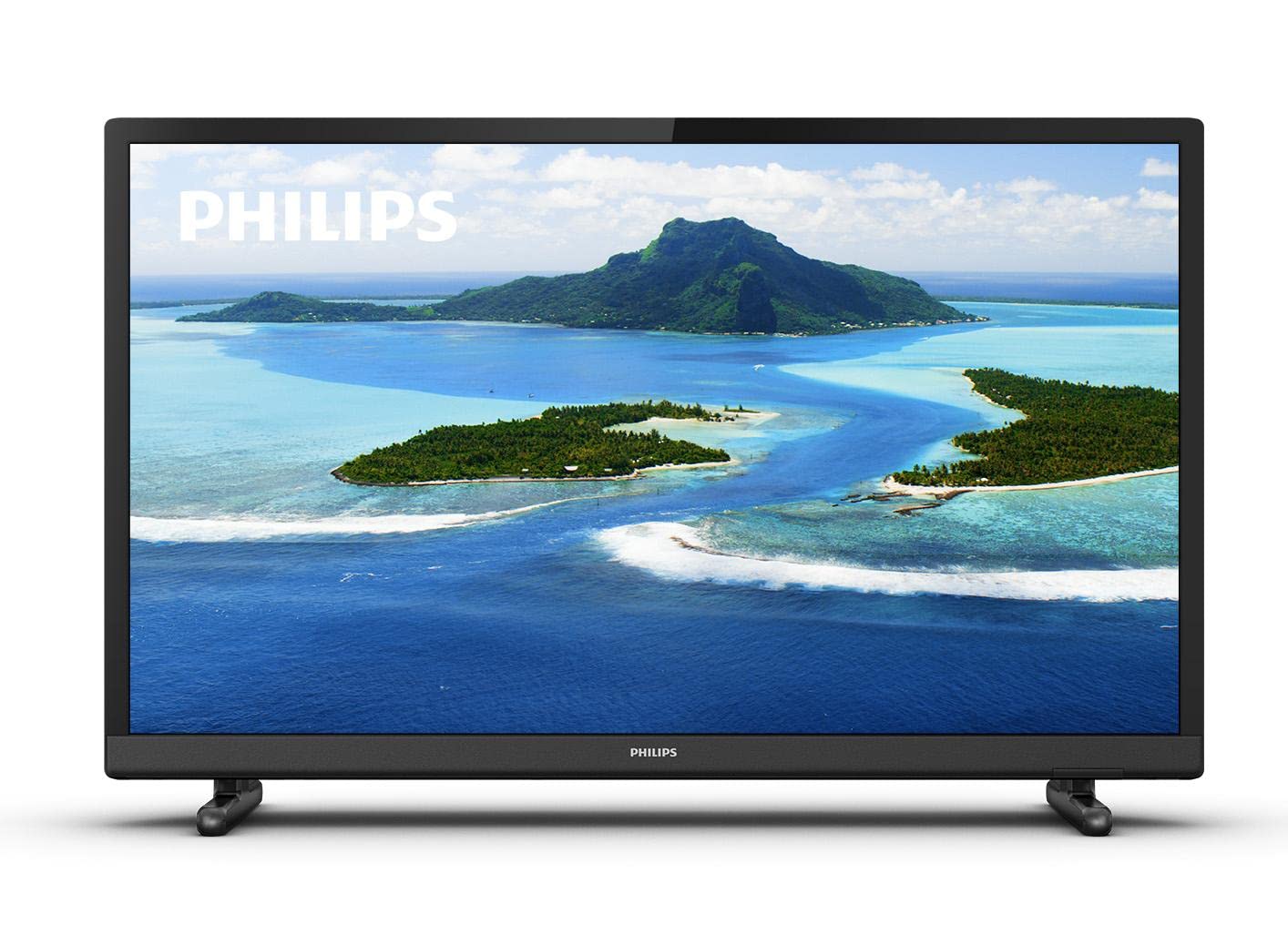
Immagine 1: anteriore view of the Philips 24PHS5507/12 TV with a scenic landscape displayed on the screen.
4. Impostazione
4.1. Disimballaggio e posizionamento
Remove the TV and all accessories from the packaging. Place the TV on a stable, flat surface or mount it on a wall using a compatible VESA mount (sold separately). Ensure there is sufficient space around the TV for proper ventilation.
4.2. Fissaggio del supporto
If using the included stand, carefully attach the stand feet to the bottom of the TV using the provided screws. Refer to the Quick Guide for detailed illustrations.
4.3. Collegamento dei dispositivi
Collega i tuoi dispositivi alla TV utilizzando le porte disponibili:
- Energia: Collegare il cavo di alimentazione all'ingresso di alimentazione del televisore e poi a una presa a muro.
- HDMI: Use an HDMI cable to connect external devices such as a set-top box, DVD/Blu-ray player, or gaming console to one of the two HDMI ports.
- USB: Connect a USB storage device (e.g., USB flash drive) to the USB port for media playback.
- Antenna/cavo: Connect your antenna or cable signal to the TV's antenna input for DVB-T2 reception.
- VGA: Connect older computers or retro consoles via the VGA port.
- Uscita audio: For external audio systems, use the digital audio output or headphone jack.
4.4. First-Time Installation
- Collegare il televisore e premere il pulsante di accensione sul telecomando o sul televisore.
- Seguire le istruzioni sullo schermo per selezionare la lingua preferita.
- The TV will guide you through the channel scanning process to find available TV channels.
5. Utilizzo della TV
5.1. Controllo remoto finitoview
The included remote control allows you to operate all functions of your TV. Insert the two AAA batteries into the remote control, ensuring correct polarity.
- Pulsante di accensione: Accende o spegne la TV.
- Pulsanti del volume (+/-): Regola il livello del volume.
- Channel Buttons (P+/P-): Cambia canale TV.
- Pulsante Sorgente/Ingresso: Selects the input source (HDMI 1, HDMI 2, USB, TV, VGA).
- Pulsante Menu: Accesses the TV's main menu for settings.
- Pulsanti di navigazione (frecce, OK): Consente di navigare nei menu e di confermare le selezioni.
5.2. Funzioni TV di base
- Accensione/spegnimento: Premere il pulsante di accensione sul telecomando.
- Regolazione del volume: Use the Volume + or - buttons.
- Modifica dei canali: Use the Channel P+ or P- buttons.
- Selezione della sorgente di input: Press the Source/Input button and use the navigation arrows to select the desired input (e.g., HDMI 1, USB).
5.3. Impostazioni immagine e audio
Access the TV's main menu to customize picture and sound settings:
- Premere il tasto Menu pulsante sul telecomando.
- Vai a Immagine settings to adjust brightness, contrast, color, sharpness, and select picture modes. The Philips Pixel Plus HD Engine optimizes image quality for sharp pictures and rich colors.
- Vai a Suono settings to adjust bass, treble, balance, and select sound modes.
5.4. Riproduzione multimediale tramite USB
You can play music and other media fileda un dispositivo di archiviazione USB:
- Connect your USB device to the TV's USB port.
- Select the USB input source using the Source/Input button.
- Navigare attraverso il files and folders on your USB device to select and play your media.
5.5. Funzionalità della Smart TV
The TV includes a web browser. For additional Smart TV functionalities and streaming services, you can connect a streaming dongle to one of the HDMI ports.
6. Manutenzione
6.1. Pulizia della TV
- Scollegare sempre la TV prima di pulirla.
- Utilizzare un panno morbido e asciutto per pulire lo schermo e casing.
- Do not use abrasive cleaners, waxes, or solvents as they can damage the TV's surface.
6.2. Aggiornamenti software
Periodically check the Philips support website for any available software updates for your TV model to ensure optimal performance and access to the latest features.
7. Risoluzione Dei Problemi
Se riscontri problemi con il tuo televisore, fai riferimento ai seguenti problemi comuni e alle relative soluzioni:
| Problema | Possibile soluzione |
|---|---|
| Nessun potere | Ensure the power cable is securely connected to the TV and the wall outlet. Check if the wall outlet is working. |
| Nessuna immagine, ma l'audio è presente | Controllare la sorgente di ingresso. Assicurarsi che il dispositivo collegato sia acceso e funzioni correttamente. |
| Nessun suono, ma l'immagine è presente | Check the volume level and mute status. Ensure audio cables are correctly connected if using external speakers. |
| Il telecomando non funziona | Controllare le batterie e sostituirle se necessario. Assicurarsi che non vi siano ostacoli tra il telecomando e il sensore IR del televisore. |
| Qualità dell'immagine scadente | Check antenna/cable connection. Adjust picture settings in the menu. If using an external device, check its output resolution. |
8. Specifiche tecniche
Detailed specifications for the Philips 24PHS5507/12 TV:
| Caratteristica | Specificazione |
|---|---|
| Nome del modello | 24PHS5507/12 |
| Dimensioni dello schermo | 24 pollici (60 cm) |
| Tecnologia di visualizzazione | GUIDATO |
| Risoluzione | 1080p (HD) |
| Frequenza di aggiornamento | Frequenza 60 Hz |
| Proporzioni | 16:9 |
| Connettività | 2 x HDMI, 1 x USB, CI+, VGA |
| Tecnologia sintonizzatore | DVB-T2 (Triple Tuner) |
| Potenza di uscita audio | 6 Watts (Surround Sound Mode) |
| Consumo energetico | 6 Watts (Efficiency E) |
| Voltage | 220 VAC 50 Hz |
| Dimensioni del prodotto (P x L x A) | 18.5P x 73.2B x 47.9A cm |
| Peso dell'articolo | 3 chilogrammi |
| Caratteristiche speciali | Motion Sensor, Pixel Plus HD |

Immagine 2: Lato view of the Philips 24PHS5507/12 TV with dimensions indicated: 33.31cm height, 8.2cm depth, 55.15cm width.
9. Garanzia e supporto
Your Philips 24PHS5507/12 TV comes with a Garanzia di 2 anno dalla data di acquisto. La presente garanzia copre i difetti di fabbricazione in normali condizioni d'uso.
For technical support, warranty claims, or further assistance, please contact Philips customer service. Refer to the contact information provided in the legal and safety information brochure included with your product or visit the official Philips support websito.