
Introduzione
The Victrola Journey+ Cassette Turntable offers a versatile audio experience, combining classic vinyl playback with modern features. This portable suitcase-style unit includes a 3-speed turntable, a built-in cassette player, Bluetooth connectivity for both input and output, auxiliary input, and RCA output. This manual provides detailed instructions for setting up, operating, and maintaining your device to ensure optimal performance and longevity.
Informazioni sulla sicurezza
- Leggere tutte le istruzioni prima di utilizzare il prodotto.
- Conservare il manuale per riferimento futuro.
- Non utilizzare questo apparecchio vicino all'acqua.
- Pulire solo con un panno asciutto.
- Non ostruire le aperture di ventilazione. Installare secondo le istruzioni del produttore.
- Non installare vicino a fonti di calore come radiatori, bocchette di riscaldamento, stufe o altri apparecchi (inclusi amplificatori) che producono calore.
- Proteggere il cavo di alimentazione per evitare che venga calpestato o schiacciato, in particolare in corrispondenza delle spine, delle prese di corrente e del punto in cui esce dall'apparecchio.
- Utilizzare solo accessori/componenti specificati dal produttore.
- Scollegare l'apparecchio durante i temporali o quando non viene utilizzato per lunghi periodi di tempo.
- Affidare tutti gli interventi di assistenza a personale di assistenza qualificato. L'assistenza è richiesta quando l'apparecchio è stato danneggiato in qualsiasi modo, ad esempio se il cavo di alimentazione o la spina sono danneggiati, se è stato versato del liquido o sono caduti degli oggetti nell'apparecchio, se l'apparecchio è stato esposto a pioggia o umidità, se non funziona normalmente o se è caduto.
Cosa c'è nella scatola
- Victrola Journey+ Cassette Turntable
- Adattatore di alimentazione
- Manuale di istruzioni
- Adattatore 45 giri
- Extra Stylus (Needle)
Caratteristiche e componenti del prodotto
Familiarize yourself with the various parts of your Victrola Journey+ Cassette Turntable.

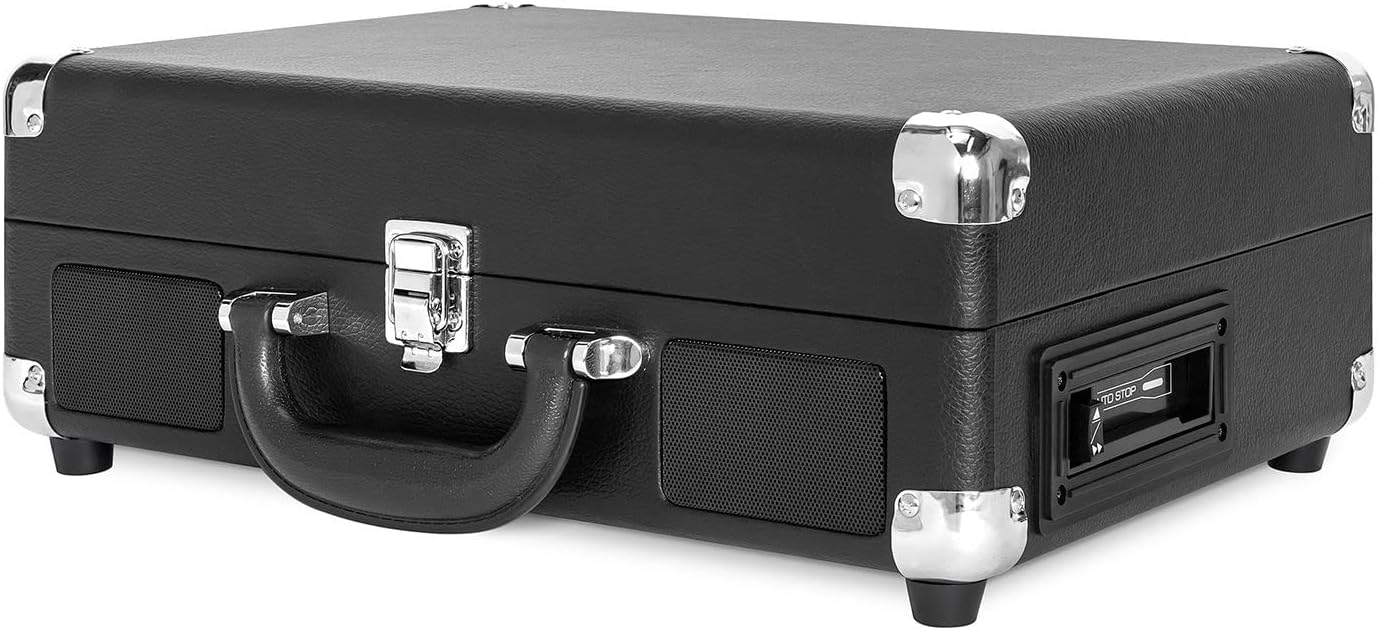

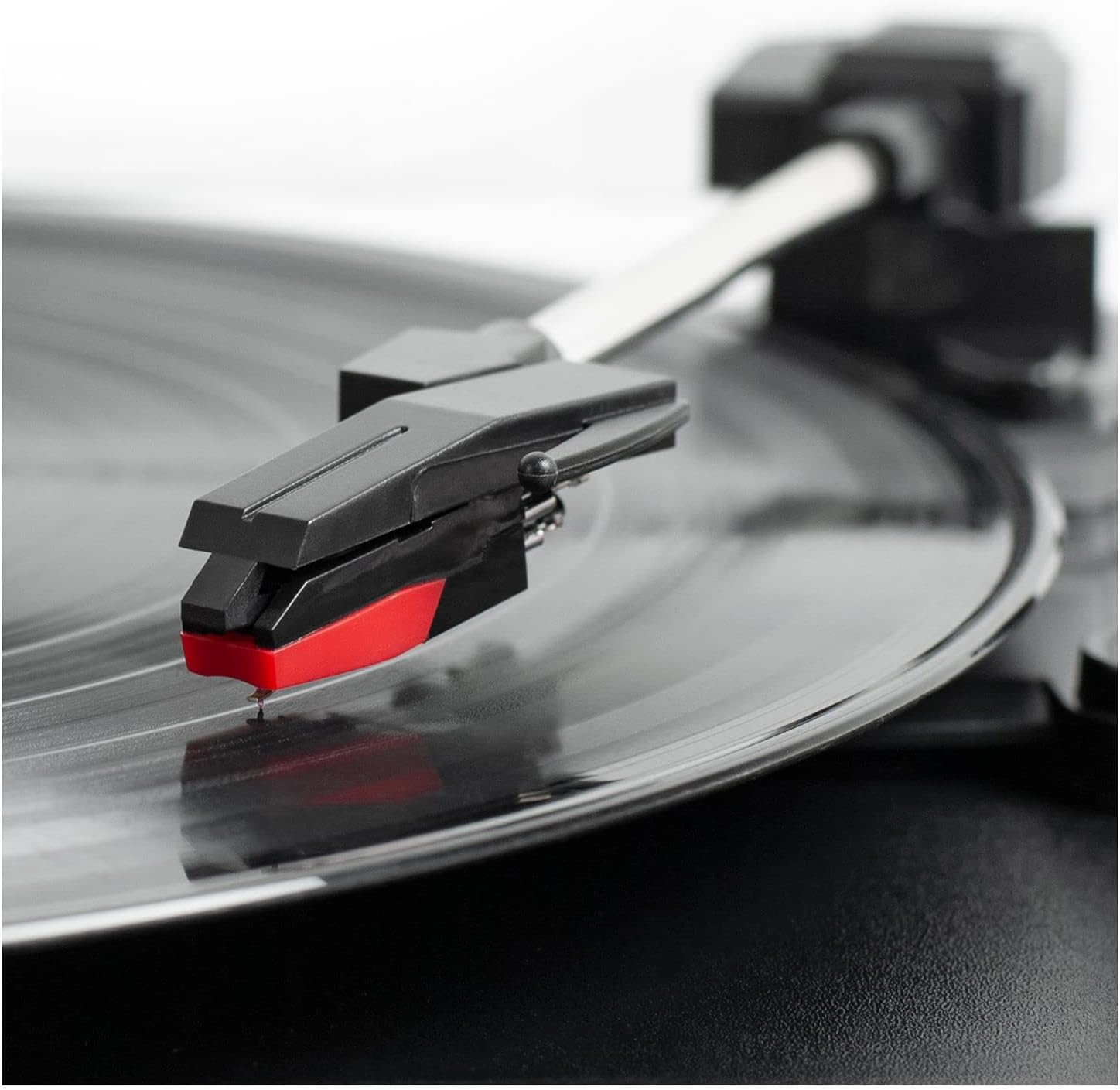
Pannello di controllo Fineview
- Manopola accensione/volume: Turns the unit ON/OFF and adjusts the volume.
- Selettore di velocità: Switch between 33 1/3, 45, and 78 RPM for vinyl records.
- Interruttore di arresto automatico: Enables or disables the auto-stop function for the turntable.
- Interruttore di funzione: Selects between PHONO/TAPE, LINE IN, BT IN, and BT OUT modes.
- Jack per cuffie: Per l'ascolto privato con le cuffie.
- Presa di ingresso linea: Collegare dispositivi audio esterni tramite un cavo da 3.5 mm.
- Controlli del lettore di cassette: Play, Fast Forward, Rewind, Stop/Eject.
- Jack di uscita RCA (L/R): Collegare ad altoparlanti esterni o ad un amppiù vivace.
- Presa DC IN: Collegare l'adattatore di alimentazione.
Impostare
- Disimballare: Carefully remove the turntable from its packaging and ensure all accessories are present.
- Posizionamento: Posizionare l'unità su una superficie piana e stabile, lontano dalla luce solare diretta, da fonti di calore e da polvere o vibrazioni eccessive.
- Collegamento elettrico: Connect the DC plug of the power adapter to the DC IN jack on the back of the unit. Plug the AC adapter into a wall outlet.
- Rimuovere la protezione dello stilo: Gently remove the white plastic stylus protector from the needle.
- Sbloccare il braccio: Rilasciare il blocco del braccio per consentirne il movimento libero.
Istruzioni per l'uso
Riproduzione di dischi in vinile
- Open the lid and place a vinyl record on the turntable platter.
- Select the appropriate speed (33 1/3, 45, or 78 RPM) using the Speed Selector switch. Use the 45 RPM adapter for 7-inch records with large center holes.
- Turn the Power/Volume knob clockwise to turn on the unit and adjust to a low volume.
- Set the Function Switch to PHONO/TAPE.
- Lift the tonearm using the cueing lever and position it over the desired track on the record.
- Gently lower the tonearm onto the record using the cueing lever. The record will begin to play.
- Regola il volume al livello di ascolto desiderato.
- At the end of the record, if the Auto Stop switch is ON, the platter will stop spinning. If OFF, the platter will continue to spin. Manually lift the tonearm and return it to the tonearm rest.
Utilizzo del lettore di cassette
- Set the Function Switch to PHONO/TAPE.
- Insert a cassette tape into the side-loading slot until it clicks into place.
- Premere il pulsante PLAY per avviare la riproduzione.
- Use the Fast Forward (FF) and Rewind (REW) buttons to navigate tracks.
- Premere il pulsante STOP/EJECT per interrompere la riproduzione ed espellere il nastro.
- Regolare il volume utilizzando la manopola Accensione/Volume.

Ingresso Bluetooth (BT IN)
Stream music wirelessly from your Bluetooth-enabled device to the turntable's built-in speakers.
- Ruotare la manopola di accensione/volume in senso orario per accendere l'unità.
- Set the Function Switch to BT IN. The Bluetooth indicator light will flash.
- Enable Bluetooth on your external device and search for "Victrola Journey+".
- Select "Victrola Journey+" to pair. Once paired, the indicator light will stop flashing.
- Start playing music on your device. Adjust the volume on both your device and the turntable.
Bluetooth Output (BT OUT - Vinyl Stream Technology)
Stream audio from your vinyl records to an external Bluetooth speaker.
- Assicurati che l'altoparlante Bluetooth esterno sia in modalità di associazione.
- Turn the Power/Volume knob clockwise to turn on the turntable.
- Set the Function Switch to BT OUT. The Bluetooth indicator light will flash.
- The turntable will automatically search for and connect to your external Bluetooth speaker. Once connected, the indicator light will stop flashing.
- Play a vinyl record as described above. The audio will stream to your external speaker.
- Adjust the volume on your external Bluetooth speaker.
Ingresso ausiliario (LINE IN)
Connect non-Bluetooth audio devices using a 3.5mm audio cable.
- Connect one end of a 3.5mm audio cable to the LINE IN jack on the turntable.
- Collegare l'altra estremità al jack delle cuffie o all'uscita audio del dispositivo esterno.
- Ruotare la manopola di accensione/volume in senso orario per accendere l'unità.
- Set the Function Switch to LINE IN.
- Start playing music on your external device. Adjust the volume on both your device and the turntable.
Uscita RCA
Collegare il giradischi a un dispositivo esterno ampdiffusori acustici o amplificati per un suono migliore.
- Connect RCA cables (not included) to the RCA OUT jacks (red for right, white for left) on the back of the turntable.
- Connect the other end of the RCA cables to the corresponding input jacks on your amplificatore o altoparlanti amplificati.
- Ensure the Function Switch is set to PHONO/TAPE for vinyl or cassette playback.
- Adjust the volume on your external audio system.
Uscita cuffie
For private listening, plug any standard 3.5mm headphones into the HEADPHONE jack.
Manutenzione
- Pulizia dell'unità: Pulire l'esterno con un panno morbido e asciutto. Non utilizzare prodotti chimici aggressivi o detergenti abrasivi.
- Cura dello stilo: The stylus is delicate. Handle it with care. Clean the stylus periodically with a soft brush, brushing from back to front. Replace the stylus if sound quality deteriorates or if it is visibly damaged.
- Cura dei documenti: Mantenere i dischi puliti e privi di polvere. Conservarli verticalmente nelle loro custodie per evitare deformazioni.
- Cura della cassetta: Store cassettes away from direct sunlight and heat. Avoid touching the tape surface.
Risoluzione dei problemi
| Problema | Possibile causa | Soluzione |
|---|---|---|
| Nessun potere | Adattatore di alimentazione non collegato o presa non funzionante. | Assicurarsi che l'adattatore di alimentazione sia collegato saldamente e inserito in una presa funzionante. |
| Nessun suono dagli altoparlanti | Volume too low; Function switch incorrect; External speakers not connected/powered. | Increase volume. Set Function switch to correct source (PHONO/TAPE, BT IN, LINE IN). Check external speaker connections and power. |
| Salti di registrazione o distorsione del suono | Dirty or damaged record; Dirty or worn stylus; Unit not on a stable surface. | Clean record. Clean or replace stylus. Place unit on a stable, level surface. |
| Problemi di associazione Bluetooth | Device too far; Incorrect mode selected; Device already paired. | Ensure device is within range. Select correct BT IN/OUT mode. Disconnect from other Bluetooth devices. |
| La cassetta non funziona | Tape inserted incorrectly; Function switch incorrect. | Ensure tape is fully inserted. Set Function switch to PHONO/TAPE. |
Specifiche
- Marca: Vitrola
- Numero modello: VSC-500BTC-BLK
- Tecnologia di connettività: Bluetooth
- Fonte di energia: Elettrico con cavo
- Velocità di rotazione massima: 78 giri al minuto
- Caratteristiche speciali: AUX Input, Built-In Speaker, Portable, RCA Output, Cassette Player, Vinyl Stream Technology
- Materiale: Plastica
- Peso dell'articolo: 3.51 chilogrammi
- Dimensioni articolo (L x P x A): 14 cm L x 11 cm P x 5 cm A
- Supporti integrati: Turntable, Cassette Player
- Componenti inclusi: Turntable, Power Adapter, 45 RPM Adapter, Extra Stylus
Garanzia e supporto
For warranty information, technical support, or service inquiries, please refer to the contact information provided in your product packaging or visit the official Victrola websito. Conservare la prova d'acquisto per eventuali reclami in garanzia.