
1. Introduzione
Thank you for choosing the RecorCam WiFi Bluetooth 36MP 2.7K Trail Camera. This device is designed for wildlife observation, outdoor monitoring, and security applications, offering high-resolution imaging and advanced features. This manual provides essential information for proper setup, operation, and maintenance to ensure optimal performance.
Si prega di leggere attentamente il presente manuale prima di utilizzare la fotocamera e di conservarlo per riferimento futuro.
2. Prodotto finitoview e Caratteristiche principali
The RecorCam WF802Plus trail camera combines robust design with advanced technology to capture clear images and videos of wildlife or for surveillance purposes.
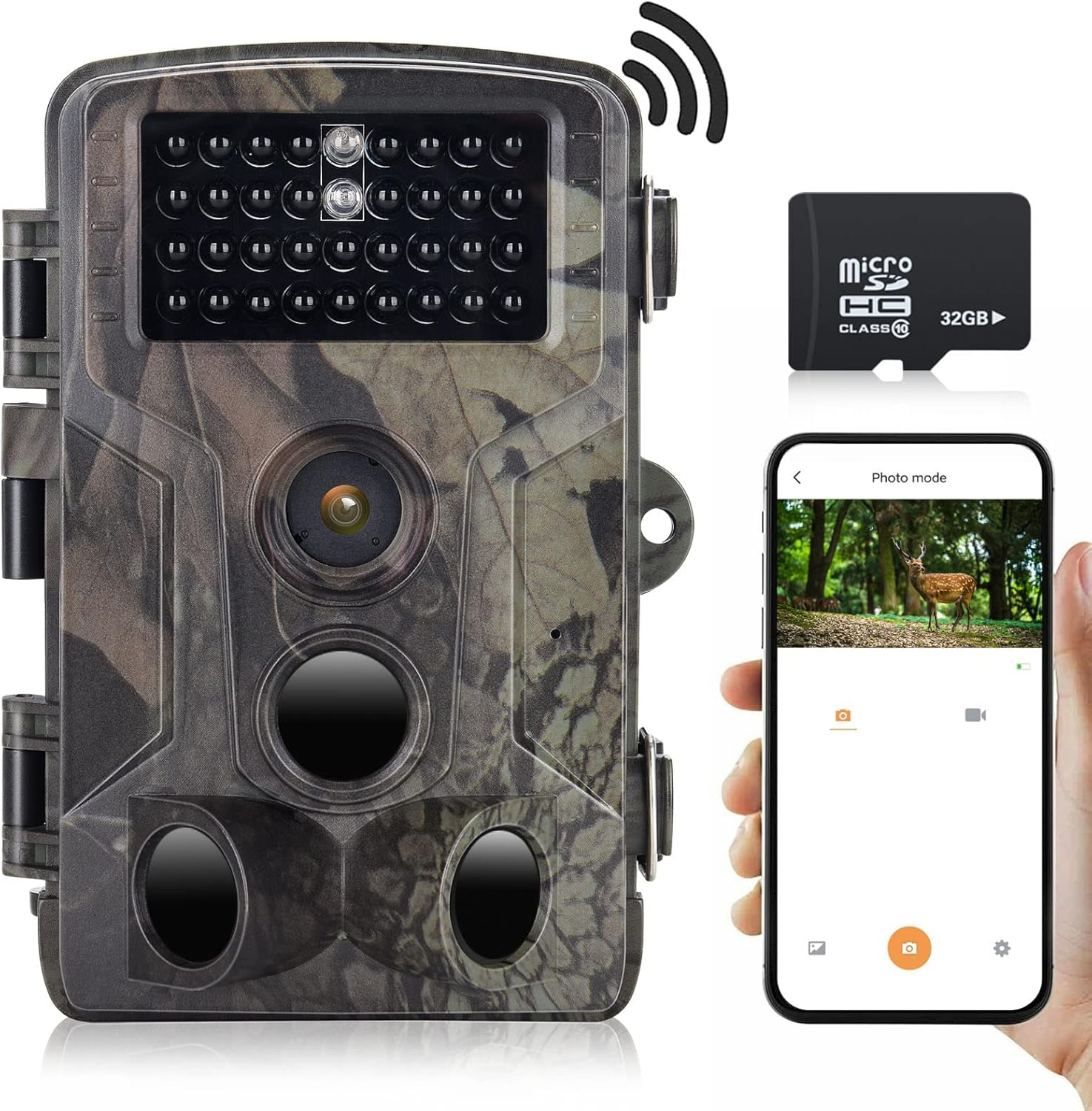
Immagine 2.1: RecorCam WF802Plus Trail Camera, showing its compact design, integrated screen, and included 32GB Micro SD card, alongside a smartphone demonstrating app connectivity.
Caratteristiche principali:
- Immagini ad alta risoluzione: Captures 36MP still images and records 2.7K HD video, providing detailed visual data.
- Integrated WiFi & Bluetooth: Allows wireless connection to a smartphone via a dedicated app for viewing, downloading, and managing media without removing the camera.
- Velocità di attivazione rapida: Features a rapid 0.25-second trigger speed to capture fast-moving subjects effectively.
- Ampio angolo di rilevamento: Equipped with three Passive Infrared (PIR) sensors offering a 120° detection range.
- Visione notturna nitida: Utilizes 34pcs 940nm no-glow IR LEDs for discreet illumination up to 65 feet (20 meters) in total darkness, ensuring clear night recordings without disturbing wildlife.
- Durevole e resistente alle intemperie: IP65 rated for water and dust resistance, capable of operating in temperatures from -20°C to 70°C.
- Schermo LCD da 2.0 pollici: Built-in screen for easy menu navigation and playback.
- Applicazioni versatili: Suitable for hunting, wildlife observation, farm monitoring, and home security.
3. Contenuto della confezione
Upon unpacking your RecorCam WF802Plus Trail Camera, please ensure all items listed below are present:
- RecorCam WF802Plus Trail Camera
- Cinghia di montaggio
- Staffa di fissaggio
- Cavo USB
- Manuale dell'utente (questo documento)
- Scheda Micro SD da 32 GB
Se qualche articolo risulta mancante o danneggiato, contattare l'assistenza clienti.
4. Impostazione
4.1 Installazione della batteria
The camera requires 8 AA batteries (not included). For optimal performance and battery life, it is recommended to use high-quality alkaline or rechargeable AA batteries.
- Open the camera housing latches and open the battery compartment.
- Insert 8 AA batteries according to the polarity markings (+/-) inside the compartment.
- Chiudere bene il vano batterie.
4.2 Inserimento della scheda Micro SD
A 32GB Micro SD card is included. The camera supports Micro SD cards up to 256GB (Class 10 or higher recommended).
- With the camera powered off, locate the Micro SD card slot.
- Inserire la scheda Micro SD con i contatti dorati rivolti verso il retro della fotocamera finché non scatta in posizione.
- Per rimuoverla, spingere delicatamente la scheda finché non scatta, quindi rilasciarla e la scheda uscirà.
4.3 Montaggio della telecamera
The camera can be mounted using the included strap or bracket.
- Montaggio della cinghia: Infilare la cinghia di montaggio nelle fessure sul retro della telecamera e fissarla attorno a un albero o a un palo.
- Montaggio su staffa: Attach the mounting bracket to a surface using screws (not included), then secure the camera to the bracket.
Assicurarsi che la telecamera sia posizionata in modo da riprendere l'area desiderata, evitando la luce solare diretta o fonti di calore che potrebbero innescare falsi rilevamenti.
5. Istruzioni per l'uso
5.1 Accensione/Spegnimento
To power on the camera, slide the power switch from SPENTO A IMPOSTARE or ON. In IMPOSTARE mode, you can access the menu and adjust settings. In ON mode, the camera will begin monitoring based on your settings.
5.2 Navigazione nel menu
In IMPOSTARE mode, use the navigation buttons (Up, Down, Left, Right, OK) to browse the menu options on the 2.0-inch LCD screen. Press OK per confermare le selezioni e MENU per uscire.
Modalità operative 5.3
The camera offers several operating modes:
- Modalità foto: Cattura immagini fisse quando attivato.
- Modalità video: Registra clip video quando attivato.
- Modalità foto + video: Quando attivato, cattura un'immagine fissa seguita da un videoclip.
- Modalità temporizzata: Captures images at set intervals over a period, useful for observing slow processes like plant growth.

Immagine 5.1: Illustration of the Time Lapse feature, demonstrating its ability to capture gradual changes over time.
5.4 Impostazioni chiave
- Sensibilità PIR: Adjust the sensitivity of the motion sensors (Low, Medium, High) based on the environment to prevent false triggers.
- Intervallo PIR: Set the delay between detections to avoid capturing too many redundant images/videos of the same event.
- Risoluzione: Select desired photo (up to 36MP) and video (up to 2.7K) resolution.
- Data/Ora Stamp: Enable to imprint date, time, and moon phase on captured media.
- Protezione tramite password: Set a password to prevent unauthorized access to camera settings and media.
6. Connessione app (WiFi e Bluetooth)
The RecorCam WF802Plus features integrated WiFi and Bluetooth for convenient remote control and media management via a smartphone app.

Immagine 6.1: The RecorCam trail camera connected to a smartphone app, illustrating the wireless control and media access capabilities.
6.1 Download dell'App
Cercare the 'WiFi TrailCamera' app in your device's app store or use the following links:
- Androide: Negozio Google Play
- iOS: Search 'WiFi TrailCamera' in the Apple App Store. (A direct link was not available; please search the App Store for the official application.)
6.2 Collegamento alla fotocamera
- Assicurarsi che la fotocamera sia in IMPOSTARE modalità.
- Abilita il Bluetooth sul tuo smartphone.
- Open the 'WiFi TrailCamera' app. The app will use Bluetooth to discover the camera.
- Once connected via Bluetooth, the app will prompt you to activate the camera's WiFi.
- Connect your smartphone to the camera's WiFi network (SSID and password will be displayed on the camera's LCD screen or within the app).
- Una volta connesso al WiFi, puoi view cibo vivotage, adjust settings, download photos/videos, and manage the camera remotely.
The WiFi connection range is approximately 50 meters, and the Bluetooth connection range is 5-10 meters, depending on environmental conditions.
7. Qualità dell'immagine e del video
The RecorCam WF802Plus captures high-quality media to provide clear observations.
7.1 Risoluzione foto
The camera supports photo resolutions up to 36 Megapixels, ensuring sharp and detailed still images.

Immagine 7.1: A visual comparison highlighting the superior clarity and detail of a 36MP image captured by the WF802Plus camera.
7.2 Risoluzione video
Video recordings are available in 2.7K Full HD, offering smooth and clear footage of detected activity.

Immagine 7.2: A visual comparison demonstrating the enhanced detail and clarity of 2.7K video recorded by the WF802Plus camera.
8. Visione notturna
The camera is equipped with 34pcs 940nm no-glow infrared (IR) LEDs, providing discreet night vision capabilities.

Immagine 8.1: The WF802Plus camera demonstrating its night vision capabilities, capturing a clear image of a deer in low-light conditions using its no-glow IR LEDs.
- IR senza bagliore: The 940nm IR LEDs emit light that is invisible to the human eye and most animals, ensuring the camera remains undetected during night operation.
- Range effettivo: Provides clear images and videos up to 65 feet (20 meters) in complete darkness.
9. Resistenza alle intemperie (IP65)
The RecorCam WF802Plus is designed to withstand various outdoor conditions.

Immagine 9.1: The WF802Plus camera operating outdoors in rainy conditions, highlighting its IP65 waterproof and dustproof design.
- Grado di protezione IP65: This rating signifies that the camera is protected against dust ingress and low-pressure water jets from any direction. It is suitable for outdoor use in rain and snow.
- Tolleranza alla temperatura: Funziona in modo affidabile a temperature comprese tra -20°C e 70°C.
10. Applicazioni
The versatility of the RecorCam WF802Plus makes it suitable for a variety of uses:
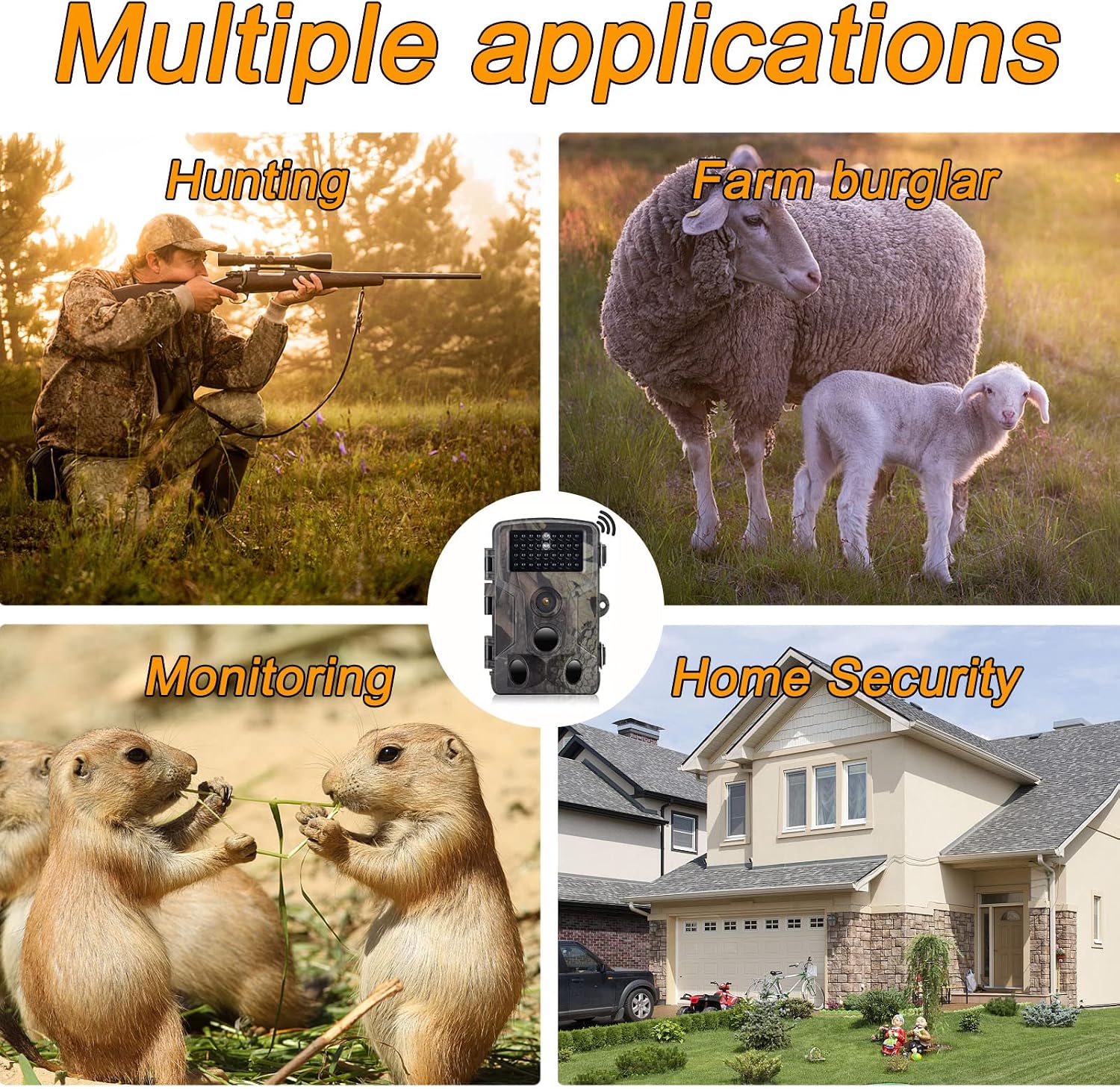
Immagine 10.1: Examples of the camera's diverse applications, including wildlife observation, property surveillance, and outdoor monitoring.
- Osservazione della fauna selvatica: Monitor animal activity in their natural habitat.
- A caccia: Scout game trails and observe animal patterns.
- Farm Monitoring: Keep an eye on livestock or deter potential intruders.
- Sicurezza domestica: Provide surveillance for your property.
11. Manutenzione
Una corretta manutenzione garantisce la longevità e le prestazioni ottimali della tua fotocamera.
- Pulizia: Utilizzare un panno morbido e asciutto per pulire l'obiettivo e l'alloggiamento della fotocamera. Evitare detergenti abrasivi o solventi.
- Cura della batteria: Se si prevede di non utilizzare la fotocamera per un periodo prolungato, rimuovere le batterie per evitare perdite.
- Gestione della scheda SD: Regularly format the Micro SD card (after backing up important data) to maintain optimal recording performance.
- Magazzinaggio: Conservare la fotocamera in un luogo fresco e asciutto quando non viene utilizzata.
12. Risoluzione Dei Problemi
If you encounter issues with your RecorCam WF802Plus, refer to the following common problems and solutions:
| Problema | Possibile causa | Soluzione |
|---|---|---|
| La fotocamera non si accende | Batterie scariche o esaurite; inserimento errato delle batterie. | Sostituire le batterie con altre nuove; assicurarsi che la polarità sia corretta. |
| Motion detection not working or inconsistent | PIR sensitivity too low; PIR interval too long; obstructions in detection area; camera facing heat sources. | Increase PIR sensitivity; shorten PIR interval; clear obstructions; reposition camera away from heat sources. |
| Scarsa qualità delle immagini/video di notte | Soggetto troppo lontano dalla telecamera; LED IR ostruiti. | Ensure subject is within 65ft (20m) range; clear any obstructions from IR LEDs. |
| Consumo eccessivo della batteria | Trigger frequenti; batterie di bassa qualità; temperature estreme. | Adjust PIR sensitivity and interval; use high-quality batteries; consider external power in cold weather. |
| App connection issues (WiFi/Bluetooth) | Camera not in SETUP mode; out of range; incorrect WiFi password; app not updated. | Ensure camera is in SETUP mode; move closer to camera; re-enter WiFi password; update app to latest version. |
| Settings not saving or resetting | Low internal battery (for settings retention); firmware issue. | Ensure main batteries are fresh; contact support if issue persists after battery replacement. |
13. Specifiche
Detailed technical specifications for the RecorCam WF802Plus Trail Camera:
| Caratteristica | Specificazione |
|---|---|
| Modello | WF802Plus |
| Risoluzione della foto | Fino a 36 MP |
| Risoluzione video | 2.7K |
| Trigger Speed | 0.25 secondi |
| Angolo di rilevamento PIR | 120 gradi |
| Gamma di visione notturna | Fino a 65 piedi (20 metri) |
| LED IR | 34pcs 940nm No-Glow IR LEDs |
| Schermo di visualizzazione | LCD da 2.0 pollici |
| Connettività | Wi-Fi, Bluetooth |
| Grado di impermeabilità | Grado di protezione IP65 |
| Temperatura di esercizio | -20°C a 70°C |
| Magazzinaggio | Scheda Micro SD (fino a 256 GB, classe 10 consigliata) |
| Alimentazione elettrica | Batterie 8x AA (non incluse) |
| Materiale | Plastica |
14. Garanzia e supporto
RecorCam products are designed for reliability and performance. For warranty information, technical support, or any questions regarding your WF802Plus Trail Camera, please refer to the contact information provided with your purchase or visit the official RecorCam websito.
Conservare la prova d'acquisto per eventuali richieste di garanzia.