
1. Introduzione
This manual provides essential information for the safe and efficient operation of your Hisense ConnectLife Smart Control 50 Pint Dehumidifier. Please read all instructions carefully before use and retain this manual for future reference.

Figure 1: Hisense ConnectLife Smart Control 50 Pint Dehumidifier.
2. Informazioni sulla sicurezza
Quando si utilizzano apparecchi elettrici, seguire sempre le precauzioni di sicurezza di base per ridurre il rischio di incendi, scosse elettriche e lesioni. Tra queste rientrano:
- Ensure the dehumidifier is placed on a level, stable surface.
- Non utilizzare l'unità con un cavo o una spina danneggiati.
- Tenere l'unità lontana dall'acqua e da altri liquidi.
- Non ostruire le prese d'aria o le uscite.
- Scollegare l'unità prima di pulirla o di effettuare qualsiasi intervento di manutenzione.
- Questo apparecchio è solo per uso residenziale.
3. Caratteristiche del prodotto
The Hisense ConnectLife Smart Control Dehumidifier is designed to efficiently remove moisture from your environment. Key features include:
- Funzionamento silenzioso: Operates at 46 dB(A) on Low setting for minimal disturbance.
- Efficienza energetica: Energy Star certified to help reduce utility costs.
- Avviso serbatoio pieno: Notifies you when the water collection bucket is full and automatically shuts off.
- Facile da usare: Features simple manual controls for straightforward operation.
- Telecomando: Compatible with the Hisense ConnectLife App for remote settings adjustment and monitoring.
- Integrazione della casa intelligente: Works with Hey Google and Alexa for voice control.
- Tre velocità della ventola: Auto, High, and Low settings to suit your needs.
- Opzione di drenaggio continuo: Allows for direct connection to a drain hose for uninterrupted operation.

Figure 2: ConnectLife App integration for smart control.
4. Impostazione
- Disimballaggio: Estrarre con cautela il deumidificatore dall'imballaggio. Conservare il materiale di imballaggio per un eventuale stoccaggio o trasporto futuro.
- Posizionamento: Place the unit on a firm, level surface in an area where the temperature will not fall below 41°F (5°C). Ensure there is at least 8 inches (20 cm) of air space on all sides for proper air circulation.
- Collegamento elettrico: Collegare il cavo di alimentazione a una presa elettrica dotata di messa a terra.
- Operazione iniziale: The unit is ready for operation. For optimal performance, allow the unit to stand upright for at least 24 hours before plugging it in if it was transported on its side.
5. Istruzioni per l'uso
Pannello di controllo Fineview
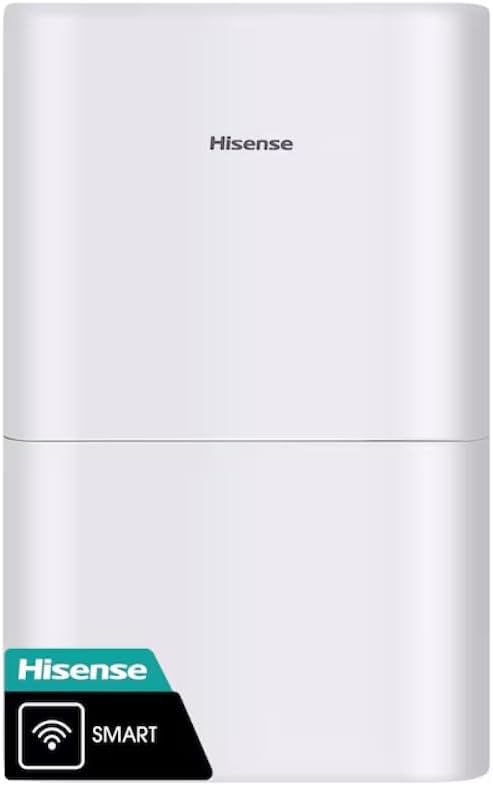
Figure 3: Dehumidifier Control Panel.
- Pulsante di accensione: Premere per accendere o spegnere l'unità.
- Pulsante Modalità: Cycle through operating modes: Auto Dry, Continuous, Manual Set.
- Pulsante Timer: Impostare un timer per l'accensione/spegnimento automatico.
- Pulsante ventola: Adjust fan speed: Auto, High, Low.
- Humidity Adjustment (+/-): In Manual Set mode, use to set desired humidity level (e.g., 30% to 80%).
- Indicatore di pulizia del filtro: Si illumina quando è necessario pulire il filtro.
- Empty Bucket Indicator: Illuminates when the water collection bucket is full and requires emptying.
Modalità operative
- Asciugatura automatica: The unit automatically adjusts fan speed and humidity settings to maintain a comfortable humidity level.
- Continuo: The unit operates continuously, regardless of the humidity level, until the bucket is full or the unit is turned off.
- Set manuale: Allows you to manually set a target humidity level. The unit will operate until this level is reached, then cycle on and off to maintain it.
ConnectLife App Control
Download the Hisense ConnectLife App from your device's app store. Follow the in-app instructions to connect your dehumidifier for remote control and monitoring. The app allows you to change settings, monitor humidity levels, and receive alerts from anywhere.
6. Manutenzione
Svuotamento del secchio dell'acqua
When the "Empty Bucket" indicator illuminates, the unit will stop operating. To empty:
- Gently pull out the water collection bucket from the front of the unit.
- Trasportare con cautela il secchio in un lavandino o in uno scarico.
- Versare l'acqua raccolta.
- Reinserire il contenitore vuoto nel deumidificatore finché non scatta in posizione. L'unità riprenderà a funzionare.

Figura 4: Rimozione del secchio di raccolta dell'acqua.
Drenaggio continuo
For continuous operation without emptying the bucket, connect a standard garden hose (not included) to the drainage port on the back of the unit. Ensure the hose is sloped downwards to allow gravity drainage and is free of kinks or obstructions.

Figure 5: Continuous drainage port.
Pulizia del filtro dell'aria
When the "Clean Filter" indicator illuminates, clean the air filter to maintain efficiency. Unplug the unit, remove the filter from the back, wash it with warm, soapy water, rinse thoroughly, and allow it to air dry completely before reinserting.

Figura 6: Posteriore view with air filter access.
7. Risoluzione Dei Problemi
If your dehumidifier is not operating correctly, refer to the following common issues:
- L'unità non si accende: Check if the power cord is securely plugged in. Ensure the water bucket is correctly installed and not full. Verify the room temperature is within the operating range (41°F - 90°F).
- Nessuna acqua raccolta: Check if the humidity setting is too high. Ensure the air filter is clean. Verify that the continuous drainage hose (if used) is not clogged or improperly installed.
- L'unità è rumorosa: Ensure the unit is on a level surface. Check for any obstructions in the air inlets or outlets.
- "Empty Bucket" indicator remains on after emptying: Ensure the bucket is fully inserted and correctly seated.
Per problemi non trattati qui, contattare l'assistenza clienti.
8. Specifiche
| Numero di modello | DH7021W1WG |
| Marca | Hisense |
| Capacità | 50 pinte al giorno |
| Volume del serbatoio | 50 pinte |
| Copertura dell'area del pavimento | Fino a 4500 piedi quadrati |
| Livello di rumore | 46 dB(A) (Low) |
| Numero di velocità | 3 (Auto, High, Low) |
| Dimensioni del prodotto (P x L x A) | 10.7"P x 15.1"L x 24.8"A |
| Materiale | Plastica |
| Compatibilità con la casa intelligente | ConnectLife App, Hey Google, Alexa |
| Certificato Energy Star | SÌ |
9. Garanzia e supporto
This Hisense dehumidifier comes with a Garanzia limitata di 1 anno. For warranty claims, technical support, or service inquiries, please refer to the contact information provided in your product packaging or visit the official Hisense websito.


