
TOMLOV DM10
Manuale utente del microscopio digitale TOMLOV DM10 da 10.1"
Modello: DM10
1. Introduzione
This manual provides detailed instructions for the setup, operation, and maintenance of your TOMLOV DM10 10.1" Digital Microscope. Please read this manual thoroughly before using the device to ensure proper functionality and to maximize your viewesperienza di acquisizione.
2. Contenuto della confezione
Verifica che tutti gli articoli elencati di seguito siano inclusi nel pacco. Se alcuni articoli risultano mancanti o danneggiati, contatta l'assistenza clienti.
- 10.1-Inch Digital Microscope (1)
- Height Adjustable Stand (1)
- 32GB Micro SD Card (1) - Pre-installed in the microscope's Micro SD card slot.
- Controllo remoto (1)
- Cavo USB (2)

Image: Components included in the TOMLOV DM10 Digital Microscope package.
3. Istruzioni per l'installazione
3.1 Montaggio
- Attach the microscope unit to the height-adjustable stand. Secure it using the provided knob.
- Posizionare la piastra di base su una superficie stabile e piana.
- Connect the flexible gooseneck side lights to the base plate, ensuring they are securely fastened.
3.2 Accensione
The microscope is equipped with a 3000mAh rechargeable battery. To power on the device, press and hold the power button located on the front panel below the screen. The device can also be powered via USB cable.
3.3 Regolazioni iniziali
- Regolazione dell'altezza: Use the knob on the stand to raise or lower the microscope unit, setting the initial distance between the lens and the object.
- Rotazione dello schermo: The 10.1" IPS screen can be rotated 90 degrees for optimal viewangoli di inclinazione.
- Messa a fuoco: Rotate the focus wheel on the microscope body to achieve a clear image of your object on the screen.
- Illuminazione: Adjust the brightness of the 8 LED lights around the lens and the 2 flexible gooseneck side lights independently using their respective controls.

Image: A user observing a coin using the TOMLOV DM10 Digital Microscope, highlighting the large 10.1-inch screen.
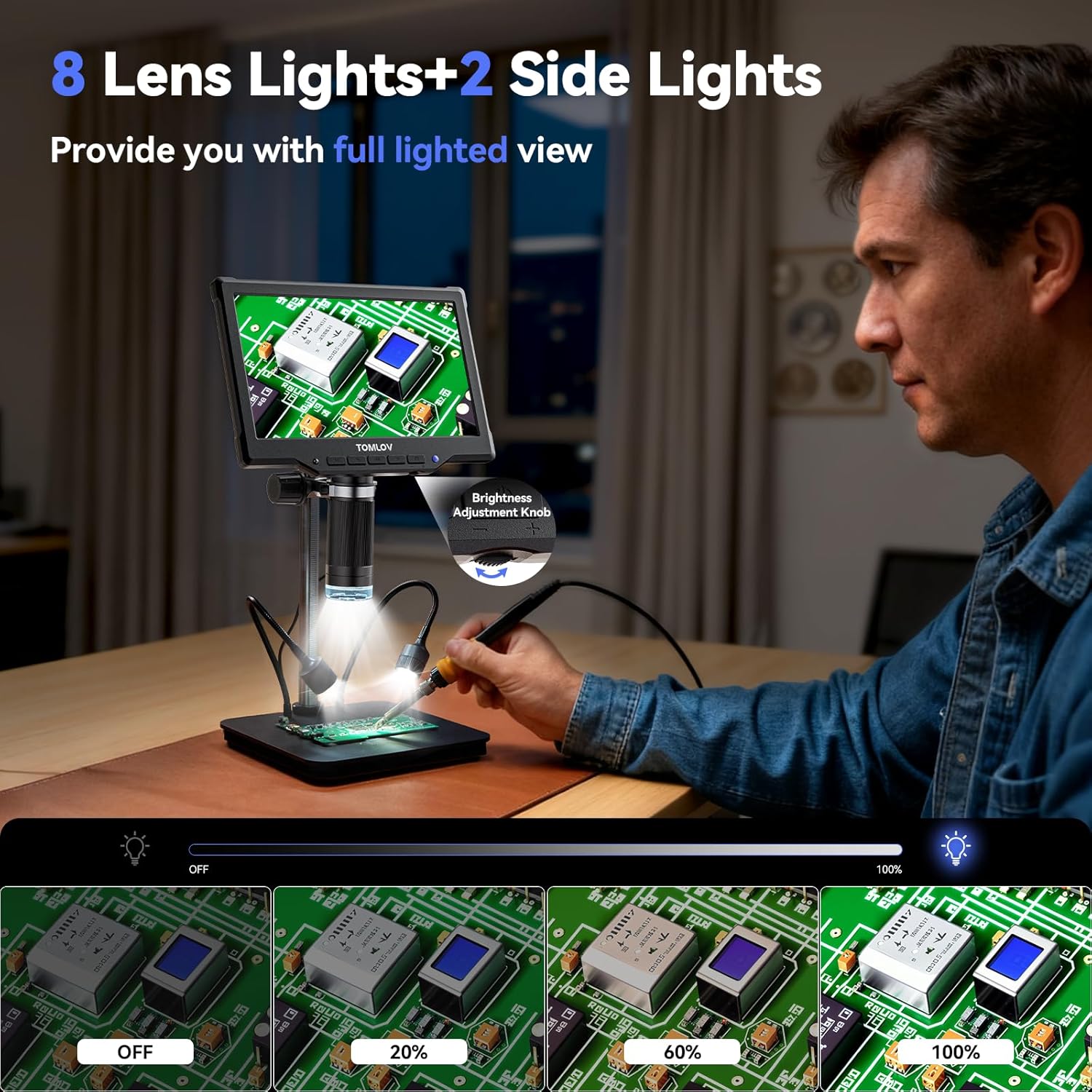
Image: The TOMLOV DM10 Digital Microscope with its 8 lens lights and 2 adjustable side lights providing full illumination for detailed observation.
4. Istruzioni per l'uso
4.1 Ingrandimento
The TOMLOV DM10 offers a magnification range from 5X to 1200X. Adjust the height of the microscope and rotate the focus wheel to achieve the desired magnification and clarity for your observation.
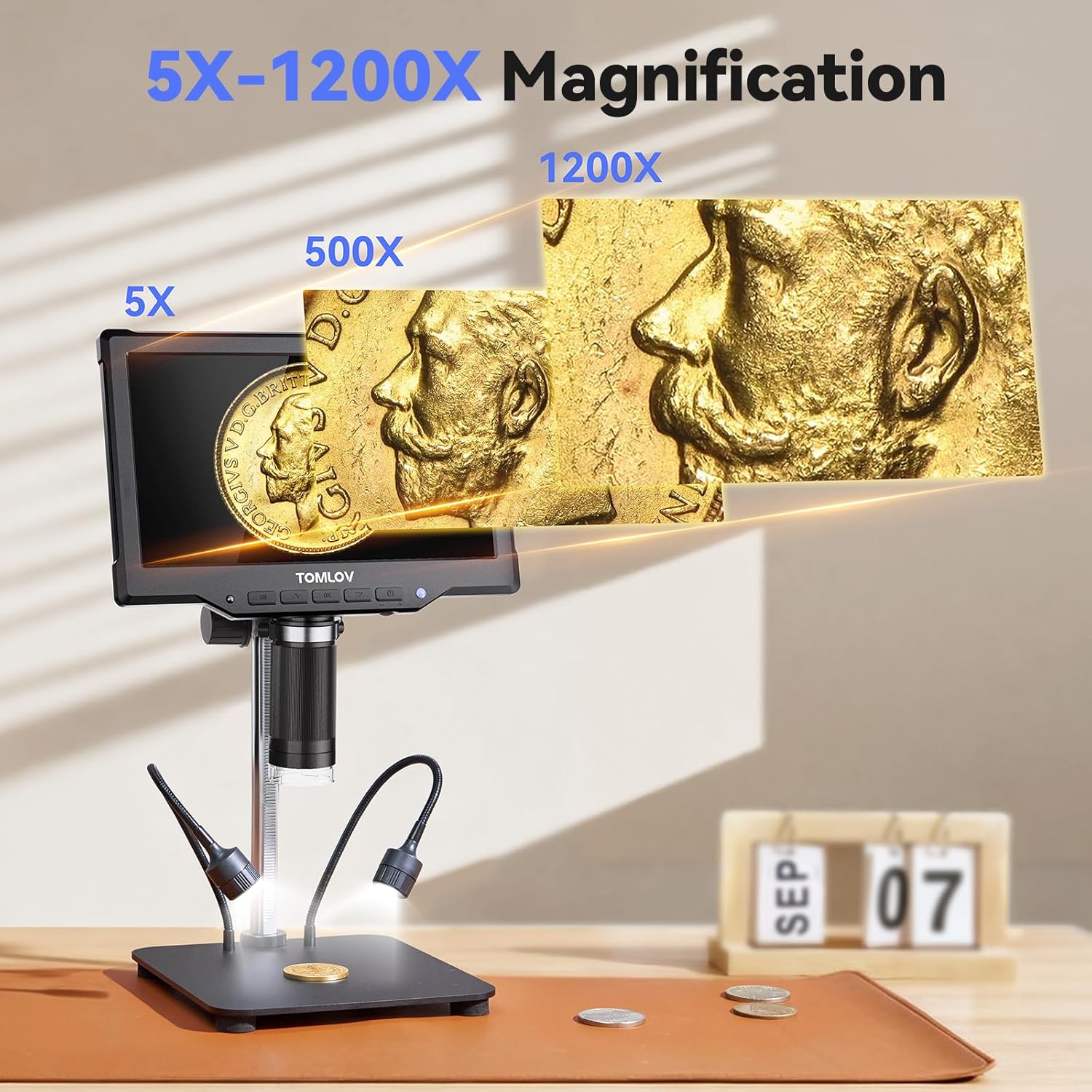
Image: Visual representation of the 5X to 1200X magnification capabilities of the TOMLOV DM10 Digital Microscope, showing a coin at different zoom levels.
4.2 Acquisizione di foto e video
The microscope supports one-touch photo capture and video recording. The pre-installed 32GB Micro SD card provides ample storage for your observations.
- Risoluzione foto: 16MP (4608*3456), 12MP (4032*3024), 10MP (3648*2736), 8MP (3264*2448), 5MP (2592*1944), 3MP (2048*1536), 2MP (1920*1080).
- Risoluzione video: 1080FHD (1920*1080), 1080P (1440X1080), 720P (1280*720).
4.3 Funzionamento del telecomando
Use the included wireless remote control to capture photos, record videos, and navigate menus. This minimizes device shake and disturbance to the sample during observation.
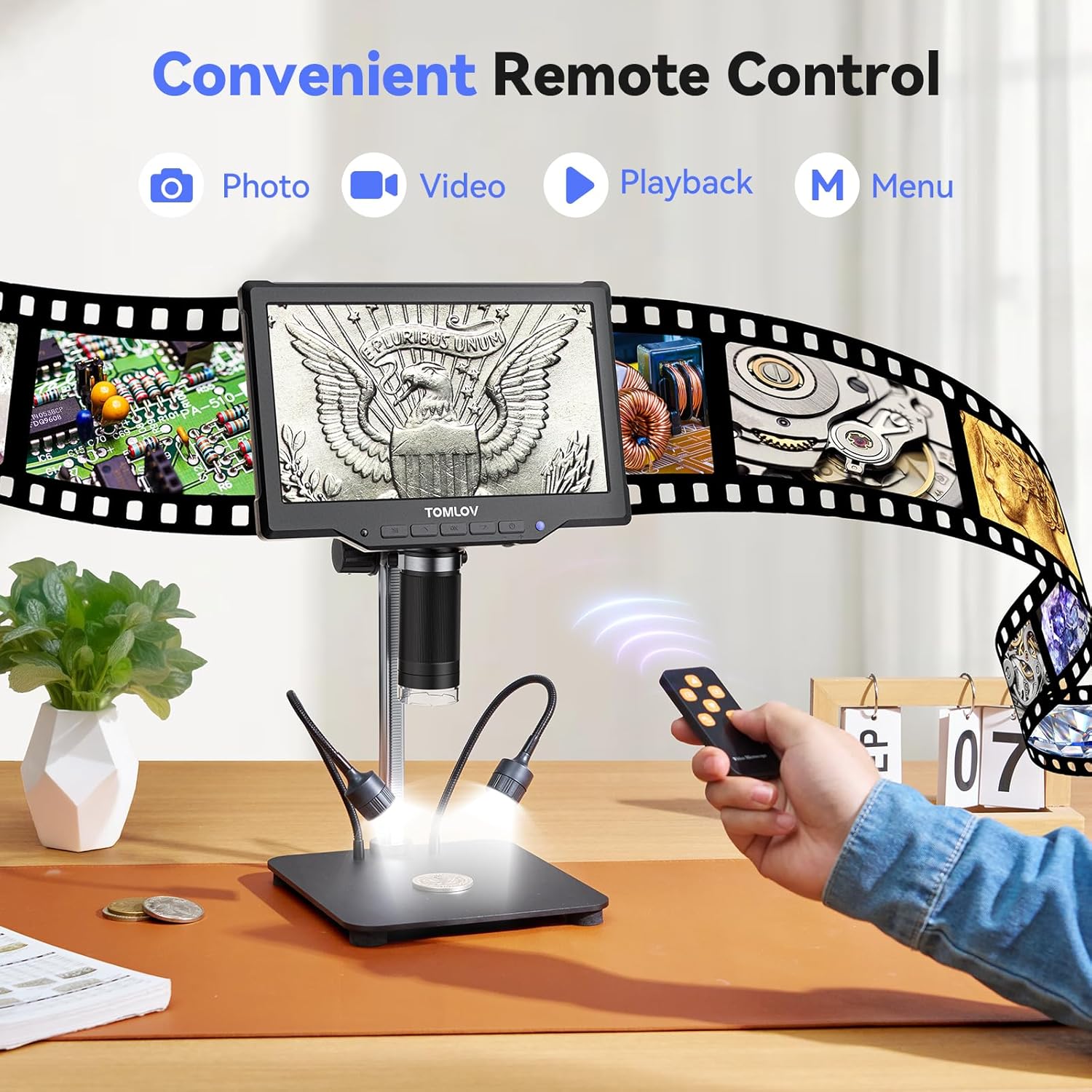
Image: A user operating the TOMLOV DM10 Digital Microscope using the convenient wireless remote control for photo, video, and menu functions.
4.4 PC Connection (USB Output)
Connect the microscope to your computer via USB for a real-time, larger view of your observations. This feature is useful for detailed analysis and sharing with others.

Image: The TOMLOV DM10 Digital Microscope connected to a laptop, displaying a circuit board on both the microscope screen and the computer monitor for an enhanced viewesperienza di acquisizione.
4.5 Applicazioni
The TOMLOV DM10 Digital Microscope is a versatile tool suitable for various tasks, including:
- Coin collection and error coin examination.
- Soldering PCB boards and inspecting SMD components.
- Watch and jewelry repair.
- Plant and insect inspection.
- General scientific exploration and education.

Image: Various applications of the TOMLOV DM10 Digital Microscope, including coin collection, soldering PCB boards, watch repair, and plant inspection.
Video: An official product video demonstrating the features and usage of the TOMLOV DM10 10.1" Digital Microscope, including its illumination, adjustable height, screen rotation, focusing, and remote control capabilities, as well as its application in soldering.
5. Manutenzione
- Pulizia: Use a soft, dry cloth to clean the microscope body and screen. For the lens, use a specialized lens cleaning cloth and solution. Avoid abrasive materials or harsh chemicals.
- Magazzinaggio: Quando non viene utilizzato, conservare il microscopio in un ambiente asciutto e privo di polvere.
- Cura della batteria: Per prolungare la durata della batteria, evitare di scaricarla completamente frequentemente. Caricare il dispositivo regolarmente, soprattutto se si prevede di non utilizzarlo per un periodo prolungato.
6. Risoluzione Dei Problemi
- Nessun potere: Ensure the battery is charged or the device is connected to a power source via USB. Check the power button for proper engagement.
- Immagine sfocata: Adjust the height of the microscope and rotate the focus wheel until the image is clear. Ensure the object is within the working distance of the lens.
- Schermo non visualizzato: Check power connection. If connected to PC, ensure the correct display mode is selected on the microscope or computer.
- Scheda SD non riconosciuta: Ensure the 32GB Micro SD card is properly inserted into the slot. If issues persist, try reformatting the card (this will erase all data) or using a different compatible SD card.
- Il telecomando non funziona: Controllare la batteria del telecomando. Assicurarsi che non vi siano ostacoli tra il telecomando e il ricevitore IR del microscopio.
7. Specifiche
| Caratteristica | Specificazione |
|---|---|
| Nome del modello | Modello DM10 |
| Dimensioni dello schermo | IPS da 10.1 pollici |
| Ingrandimento | 5X - 1200X |
| Risoluzione della foto | Up to 16MP (4608*3456) |
| Risoluzione video | Up to 1080FHD (1920*1080) |
| Capacità della batteria | 3000mAh agli ioni di litio |
| Sorgente luminosa | 8 Lens LEDs + 2 Side Gooseneck LEDs |
| Magazzinaggio | Scheda Micro SD da 32 GB (inclusa) |
| Produzione | USB for PC View |
| Materiale | Lega di alluminio |
| Dimensioni del prodotto | 12.4 x 11.2 x 3.9 pollici |
| Peso dell'articolo | 3.31 libbre (1500 grammi) |
8. Garanzia e supporto
Your TOMLOV DM10 Digital Microscope comes with a manufacturer's warranty. For detailed warranty information, product support, or to inquire about replacement parts, please refer to the warranty card included in your package or visit the official TOMLOV websito. Le informazioni di contatto per il servizio clienti sono in genere fornite sulla confezione del prodotto o sul sito del produttore websito.
Ask a question about this manual
Ask about setup, troubleshooting, compatibility, parts, safety, or missing instructions. Manuals+ will review the question and use this page’s manual context to help answer it.