
1. Introduzione
Thank you for choosing the WONSDAR 4K PTZ WiFi Outdoor Security Camera. This manual provides detailed instructions for the installation, operation, and maintenance of your security camera. Please read this manual thoroughly before use to ensure proper functionality and safety.
2. Caratteristiche del prodotto
- Risoluzione UHD 4K: Equipped with a Sony CMOS image sensor, the camera delivers ultra-high-definition 4K video.
- Controllo Pan/Tilt: Offers 355° horizontal pan and 90° vertical tilt for comprehensive area coverage, controllable via mobile app.
- Automatic Tracking & Human Detection: Advanced motion detection with human recognition and automatic tracking capabilities, sending real-time alerts.
- Visione notturna migliorata: Features 10 infrared and white LEDs for up to 60 meters of clear night vision, including color night vision.
- Audio bidirezionale: Built-in microphone and speaker allow for clear two-way communication.
- IP66 resistente alle intemperie: Metallo resistente casing and antenna design ensure reliable operation in various weather conditions (rain, snow, heat, cold).
- Preset Points & Cruise Function: Supports setting multiple preset monitoring points and automatic cruising paths.
- Connessione Wi-Fi stabile: High-gain antennas provide stable network connectivity, and H.265X technology ensures smooth video streaming.
- Archiviazione locale: Supports Micro-SD card storage (8-128GB) for recorded videos.
- Multi-User & Multi-Platform Access: Allows multiple users to access the camera feed across various devices (smartphones, tablets, PCs).
3. Contenuto della confezione
Before installation, please verify that all components are present and in good condition.

Image: The camera package includes the 4K PTZ camera, power adapter, mounting screws, and user manual.
- WONSDAR 4K PTZ WiFi Outdoor Security Camera
- Adattatore di alimentazione
- Viti di montaggio e tasselli
- Manuale d'uso
4. Guida all'installazione
4.1 Installazione fisica
Choose a suitable outdoor location for mounting the camera. Ensure the location provides a clear view dell'area che desideri monitorare e che si trovi nel raggio di azione della tua rete Wi-Fi e di una fonte di alimentazione.
- Segnare i punti di foratura sulla parete utilizzando la staffa di montaggio della telecamera come modello.
- Praticare i fori e inserire i tasselli.
- Fissare la staffa di montaggio alla parete con le viti in dotazione.
- Fissare la telecamera alla staffa di montaggio.

Image: The WONSDAR 4K PTZ camera securely mounted on an exterior wall, ready for operation.
4.2 Collegamento di alimentazione
Connect the power adapter to the camera's power input port and then plug it into a power outlet. Ensure the connection is secure and protected from moisture.
4.3 Installazione e associazione dell'app
- Download the official WONSDAR app from your smartphone's app store (iOS or Android).
- Registra un account e accedi.
- Follow the in-app instructions to add your camera. This typically involves scanning a QR code on the camera or manually entering its ID, and then connecting it to your 2.4GHz Wi-Fi network.
5. Istruzioni per l'uso
5.1 Vivere View e controllo Pan/Tilt
Una volta connesso, apri l'app per view the live feed. Use the on-screen controls to pan the camera 355° horizontally and tilt it 90° vertically to adjust your viewangolo di ing.

Image: The mobile application displaying the camera's live feed with intuitive pan and tilt controls.
5.2 4K Resolution and Image Quality
The camera captures video in stunning 4K resolution, providing clear and detailed images for effective surveillance.

Image: A visual comparison demonstrating the superior detail captured by the 4K HD camera compared to lower resolutions.
5.3 Rilevamento del movimento e tracciamento automatico
Enable motion detection and human detection in the app settings. The camera will automatically track detected human movement and send alerts to your phone.

Image: The camera actively detecting a person, initiating automatic tracking, and activating light and sound alarms.
5.4 Modalità di visione notturna
The camera offers both infrared (IR) night vision and color night vision. When motion is detected in dark environments, the camera can activate its white LEDs for full-color night vision and an audible alarm.

Image: The camera's powerful night vision capabilities, providing clear visibility up to 60 meters in low-light conditions.

Image: Demonstrating the difference between color night vision (spotlight on) and infrared night vision (spotlight off).
5.5 Audio bidirezionale
Use the microphone and speaker functions in the app to communicate with people near the camera, such as delivery personnel or visitors, or to deter intruders.
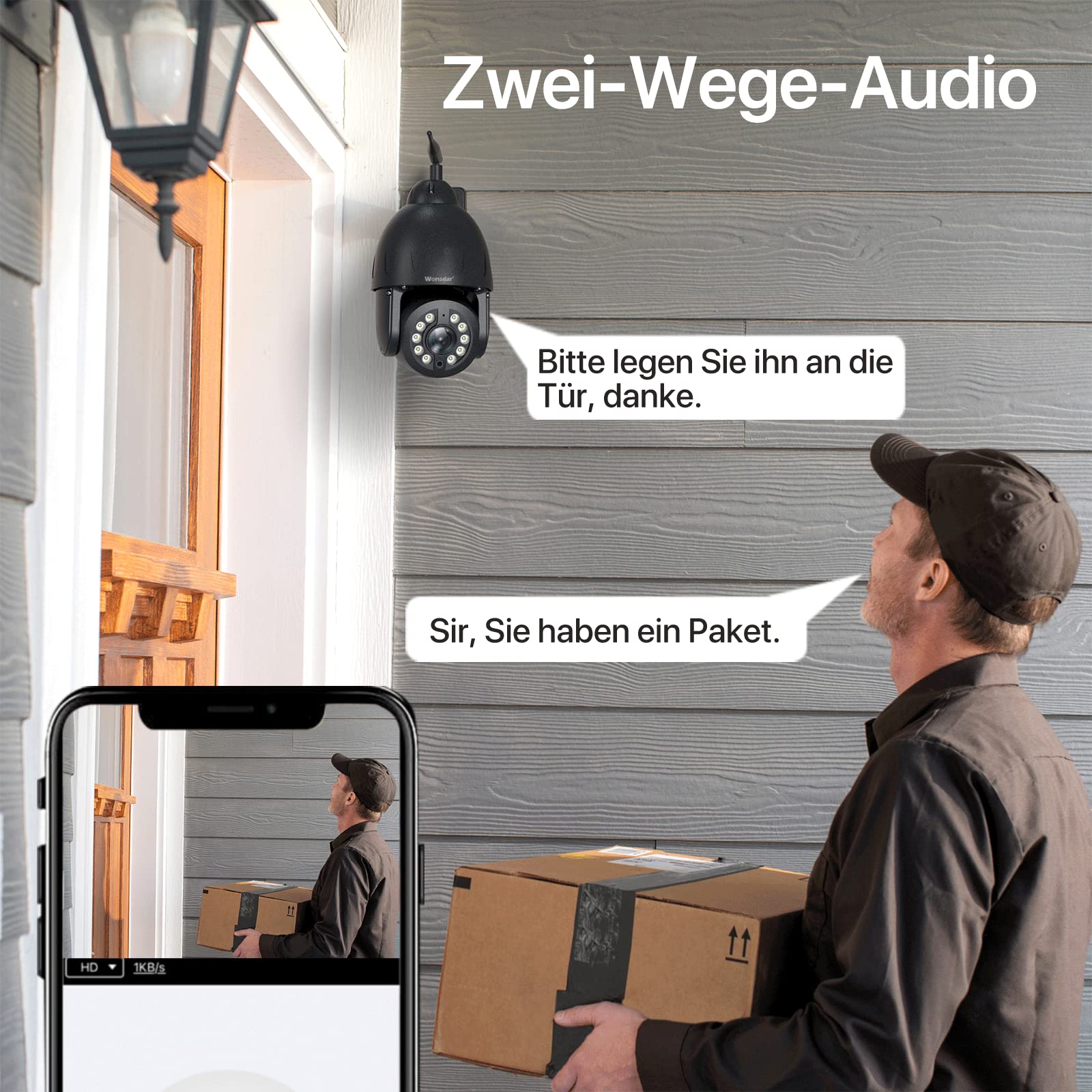
Image: A user engaging in two-way audio communication with a delivery person at their doorstep via the camera.
5.6 Preset Points and Cruise Function
Set up specific monitoring points within the app. The camera can automatically cycle through these preset points, ensuring continuous surveillance of critical areas.

Image: The camera's ability to secure property by monitoring multiple preset points around a building and pool area.

Image: The mobile app interface illustrating how to set custom preset points and activate cruise functions for automated surveillance.
5.7 Archiviazione locale
Insert a Micro-SD card (8-128GB, not included) into the designated slot on the camera for local video recording. You can view recorded videos directly through the app.

Image: The camera highlighting its local storage capability via a Micro-SD card, allowing users to view video memorizzati.
5.8 Accesso multiutente e multipiattaforma
Share camera access with family members or colleagues. The camera supports multiple users and can be accessed from various devices, including smartphones, tablets, and computers.

Image: Illustration of multiple users simultaneously accessing the camera's live feed from different devices.

Image: The camera feed accessible across various platforms including mobile phones, tablets, and desktop computers.
6. Manutenzione
6.1 Pulizia
Pulisci regolarmente l'obiettivo della fotocamera con un panno morbido e asciutto per garantire una qualità dell'immagine nitida. Non utilizzare prodotti chimici aggressivi o materiali abrasivi.
6.2 Protezione ambientale
The camera features an IP66 weatherproof rating and a full metal casing for durability. While designed to withstand harsh conditions, ensure proper installation to prevent water ingress to power connections.
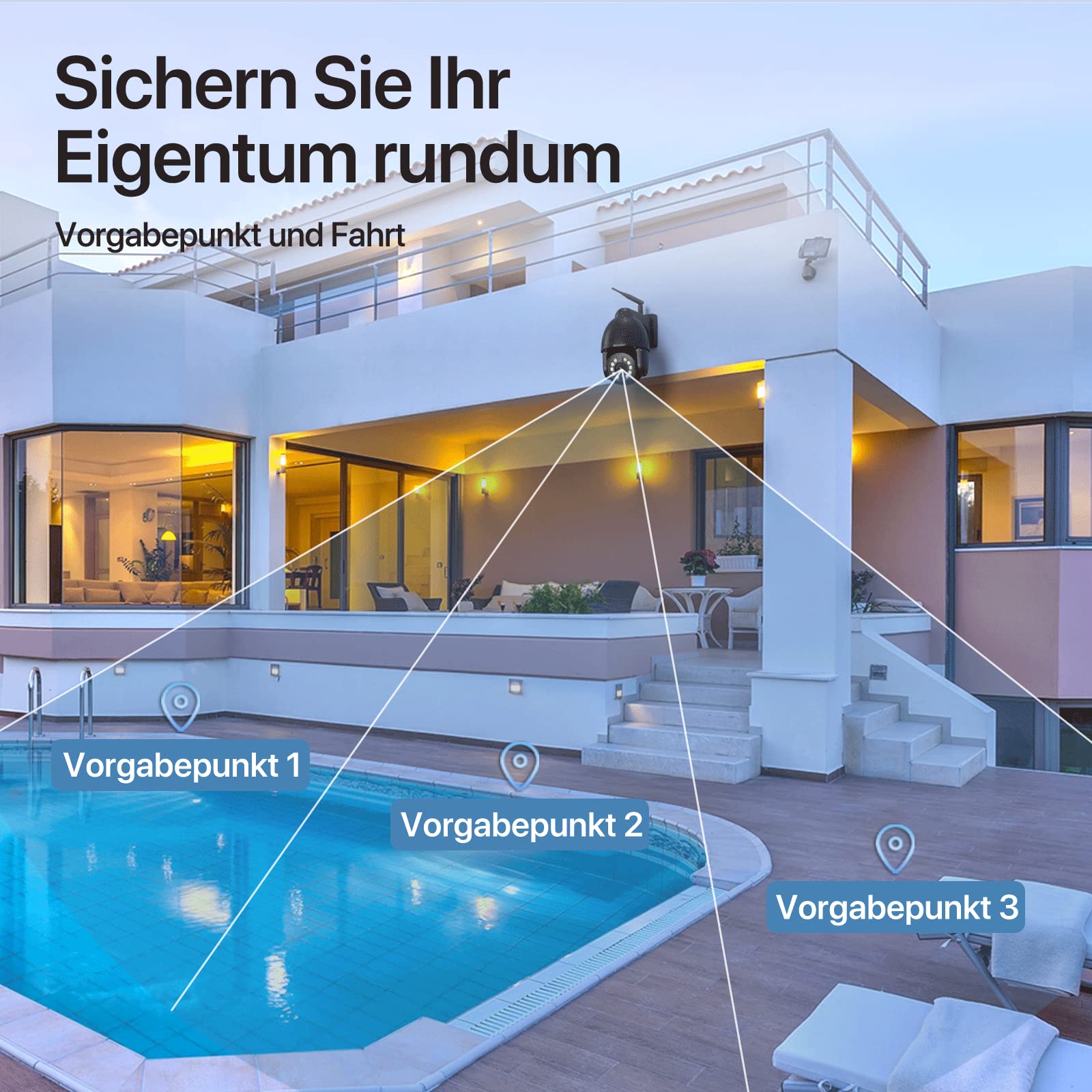
Image: The camera's robust aluminum housing and IP66 water resistance, demonstrating its ability to withstand rain, heat, and cold.
6.3 Aggiornamenti firmware
Check the app periodically for available firmware updates. Keeping your camera's firmware up-to-date ensures optimal performance and security.
7. Risoluzione Dei Problemi
- Fotocamera non in linea:
- Controllare la potenza del segnale Wi-Fi nel punto in cui si trova la telecamera.
- Assicurarsi che la fotocamera sia accesa e che l'adattatore di alimentazione sia collegato saldamente.
- Riavviare la fotocamera scollegandola e ricollegandola all'alimentazione.
- If issues persist, try resetting the camera to factory settings (locate the reset button, usually a small pinhole, and press for 5-10 seconds).
- Scarsa qualità dell'immagine:
- Pulisci l'obiettivo della fotocamera.
- Assicurare un'illuminazione adeguata, soprattutto per la visione notturna.
- Controlla la velocità della tua connessione Internet.
- Il rilevamento del movimento non funziona:
- Verificare che le impostazioni di rilevamento del movimento siano abilitate nell'app.
- Regola i livelli di sensibilità.
- Assicurarsi che non vi siano ostacoli nel campo di ripresa della telecamera view.
- Nessun audio bidirezionale:
- Controlla le autorizzazioni per microfono e altoparlante dell'app sul tuo telefono.
- Ensure volume settings are appropriate.
8. Specifiche
| Caratteristica | Specificazione |
|---|---|
| Modello | 4K PTZ WiFi Outdoor Security Camera |
| Risoluzione | 8 MP (4K Video Recording) |
| Pan Angle | 355 gradi |
| Angolo di inclinazione | 90 gradi |
| Connettività | Senza fili (Wi-Fi) |
| Resistenza alle intemperie | Grado di protezione IP66 |
| Materiale | Metallo |
| Gamma di visione notturna | Fino a 60 metri |
| Magazzinaggio | Micro-SD Card (8-128GB) |
| Fonte di alimentazione | Cavo elettrico |
| Uso consigliato | Outdoor Surveillance, Motion Detection, Night Vision |
| Colore | Nero |
9. Garanzia e supporto
WONSDAR products come with a standard manufacturer's warranty. For specific warranty details, please refer to the documentation included with your purchase or visit the official WONSDAR website. For technical support, troubleshooting assistance, or any inquiries, please contact WONSDAR customer service through the contact information provided on their official websito o all'interno dell'applicazione mobile.